

 Maintenance Connection Everywhere (MCe) · EAM/CMMS manuals
Executive TL;DR summary
If you turned off triggers and make changes to the Asset table, we give the ability for you to manually check the status of the Asset Parentage Builder and to rebuild it from scratch.
Also, to make installs smoother, we now, as of 2021.12.10 do NOT require the Asset Parentage builder to run/complete as part of the install upgrade process.
It is in a set and forget request, and we check later (automatically) to make sure it is complete – and if it didn't complete such as perhaps due to a server reboot, we tell it to continue from where it left off.
The result is the MCe family (WO Tech, LoginHub, Inventory Count, DataHub, Admin etc..,) INSTALL process should be much faster if you have a lot of Assets.
Summary, more info
When we first set up a system to work with MCe, we need to build an Asset Parentage. This lets us very quickly grab data for our Asset tree, which allows users to quickly navigate without having to go back to the server for every single click.
Also, for offline, when we have an asset, knowing and having its parents offline as well is necessary for many reasons ranging from Security to just knowing things like location.
To make this work, we build the tree when first setting up MCe, then triggers maintain the tree from that point forward.
If you then turn off the triggers to import/change or delete data, the Asset Parentage tree ends up wrong and the tree needs to be rebuilt.
This gives two points of problem:
Problem 1: You loaded new assets with triggers turned off, and how to solve it
For performance reasons, some people like to turn triggers off when loading new data. While this makes sense (some of Accruent's triggers can take inserting a row or updating a value on a row literally take 100x's longer), sometimes you "know" (or think you know) that the triggers are not necessary because you are loading excellent data.
The problem is … if you change or add assets after disabling triggers in a way that breaks the asset parentage, there is no way to fix it without checking everything and essentially rebuilding the tree.
In the MCe SQL Configuration tool, there is a button that lets you rebuild it from scratch, and then, as above, you can watch it's progress and, just like the initial step, if something interrupts it, it will continue on based on the situations mentioned under problem 1.
You find this tool in the SQL Administrator on the Configuration menu of MCe. If you don't have access to this tool, it is because a MCe administrator in your organization has turned it off. You will need to talk to your administrator(s) to have them run it or give you permission.
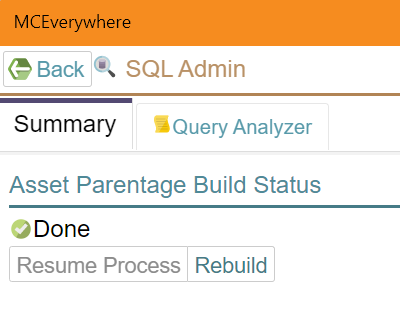
Above is what you will normally see. The process is done, and you can do a rebuild if you need to. Noting that while it can report that the last time it ran, it completed, it has, but design of triggers in SQL, no way to know whether you've made a change in a way that necessitates it being rebuilt. So if you ran it 'recently' saying 'Done' is useful. But if you haven't run it recently, all 'Done' tells you is that it hasn't recently been asked to do a rebuild.
Then, after you press the rebuild button, the first few steps return a negative number, at this point it is doing the initial setup steps, making sure the tables are the way they need, cleaning up the old data. The percentage at this point shows 0%.

Then as it progresses, you will see a periodically increasing number. The percentage gives you a rough idea where you are at. Like most progress bars in computers, it is not necessarily an accurate percentage as much as it is information to see where you are at. If you have deleted a lot of assets the percentage could quickly jump as it bypasses those missing ones.

And eventually it will get back to 'done'.
Problem 2: Initial install & the solution so that it is NOT a problem
When doing an install of any of the MCe family of products including LoginHub, DataHub, our admin and work order technician modules, we start this build.
If you have a brand-new system/database, the build takes a second or less.
But if you have a system with 10's of thousands or millions of assets, it can take a long time to initially build the tree, where long time may be hours.
But while the tree is being built, you can use the first part of the tree (the root), and in many cases – you just want to 'get on with it' and do all your other setup such as LoginHub settings – and you don't really care if the parentage tree isn't fully built for several hours.
As a result, in the install/upgrade process, we create the tables and stored procedures that are needed to make this all happen properly, but then we set a background task to go and do the building in its own sweet time.
The procedures are designed to work even if they time out, or even if the server resets itself causing the job to only be partly done. They keep track of what they have committed, and just continue from there.
To make this work really well we do the following:
- On install/upgrade we check to see if things need to be done. If yes, we set a task running after a minute, in the background as a 'set and forget' action.
- Each time the server reboots, we do a fast check and, if it isn't completed, we tell it to continue where it left off
- On our database tool page, we give you the ability to check the status (in the process of checking the status, if we see it isn't completed, we tell it to continue where it left off)
- When we are grabbing data for a user offline, if it isn't completed, we tell it to continue where it left off.