

 Maintenance Connection Everywhere (MCe) · EAM/CMMS manuals
The images subtab shows all the images that are associated with this work order at a base level.
There are many good reasons to include photos on a work order:
- To generally show the equipment before and/or after servicing
- For insurance purposes (photos that show in particular the 'before' state from an insurance claim perspective)
- To show what/that the work was done
- To help future work orders see what you did (close-ups can help with this)
The name of the image can vary depending on how it was imported. In the case of MCe, we use a compressed version of your comments (illegal characters removed) followed by the date and time.
If the image has not been sync'd we show it at a large size.
After an image has been sync'd we display it at a 'thumbnail' size that we download and offline onto your device. On the right hand side of the image list, for each image, there is a button that, if you are online, will download and show you the full sized image in another browser tab. If you get a 404 error it means one of several things:
- There is a temporary problem with your image server (more common on systems that have been running for a while.)
- The image server is incorrectly set up (more common on new machines)
- The image server was not set up (more common on test sites)
- Someone did a 'clean up' of your images and the image you are trying to see is deleted. (more common on older systems in general, but can happen on newer systems if someone decides to 'delete all the images and start over.')
For any of these, if you get a 404 error and you need to see the image, talk to your IT department or your contact person with your SaaS provider.
Important notes:
- tasks can also have images as well, those images show up in the tasks, not in this view.
- There can be images in the documents tab as well
Different sources
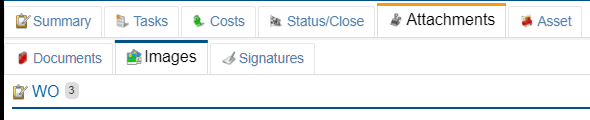
The image for a work order can come from a range of sources such as the WO, the Asset and the procedure. They are categorized with a header such as, in this case, there are 3 images that are connected directly to the work order.
Differences from MRO
- See also the Signatures tab. In MRO there is no ability to have signatures as 'a signature'. For MRO therefore we save a copy as an image and then in MRO the image of the signature shows up in the WO images.
- The WO technician is not permitted to change the date the image was taken.
Fun fact: order matters.
You can safely ignore this, it is just an interesting side point.
In the last millennium, there was a famous story about a laundry detergent company that wanted to sell more in a large country in Africa. Their research told them that the population was mostly illiterate, so they decided to tell the story with pictures.
They had 3 pictures. On the left where extremely dirty clothing. In the middle were the clothing with the detergent being poured on them. On the right were sparking clean clothing.
Their sales dropped almost to zero and it took them decades to recover.
Why? Well, yes it is true the people in that country were mostly illiterate, but what the smart North American and completely literate marketing people missed is … the people in that country, though illiterate, still knew that you always read from right to left!
(For those that may be reading this in a translation, not in English … a key point to understand why this is funny is that the 3 most common languages in North America are all ones that read left to right.)