

 Maintenance Connection Everywhere (MCe) · EAM/CMMS manuals
Removing the 'chrome' from browsers
Problems and discussion
Update 2020.11.11: We now support PWA in MCe which allows you to get as much screen as possible in a browser. Downside is you don't get multiple tabs.

In our device apps for iOS, iPadOS and Android, we do use part of the top area, as allowed by the OS and hardware - typically there is a camera lens in the middle which can't display anthying.
On a Browser based app like MCe, that leaves us with 3 bars …
- The top (green in my case) bar, we believe we will always be blocked because we will never pass the 'we are a video' or 'we are a game' test.
- The fat BLACK bar. That is part of the browser. Historically called the 'chrome' after the 'chrome' on vehicles. 2020.11.11 You can now get rid of this by running MCe as a PWA.
- Then 'our' top bar (Home/sync etc..,)
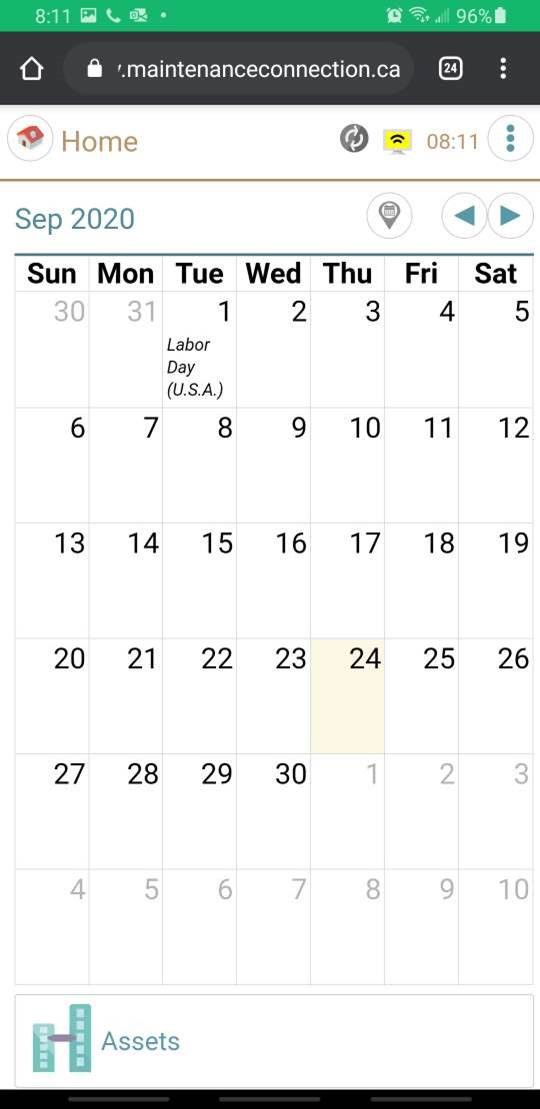
When you start to drag your finger up (scroll down) the chrome bar and 'our' bar start to disappear.
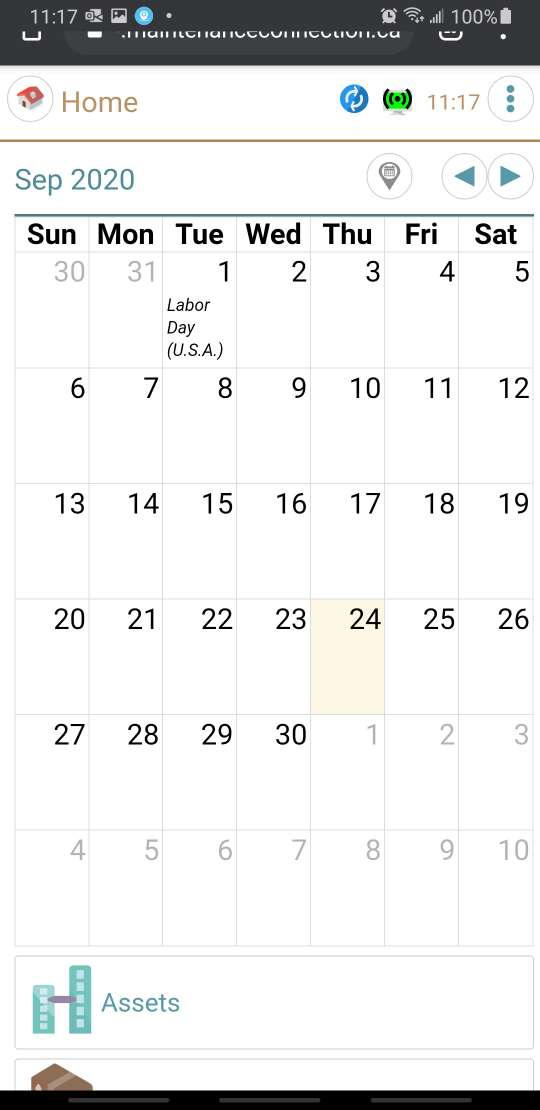
Interesting side effect, the green bar changes to a black background when doing this.
But here it is with the Chrome bar still showing, but 'our' home bar hidden, the easiest way to achieve this is to scroll up (to hide our bar and the browser bar) then go to another app, then come back – the browser bar re-appears and, on Android is difficult to make it go away – you have to scroll to the top first.
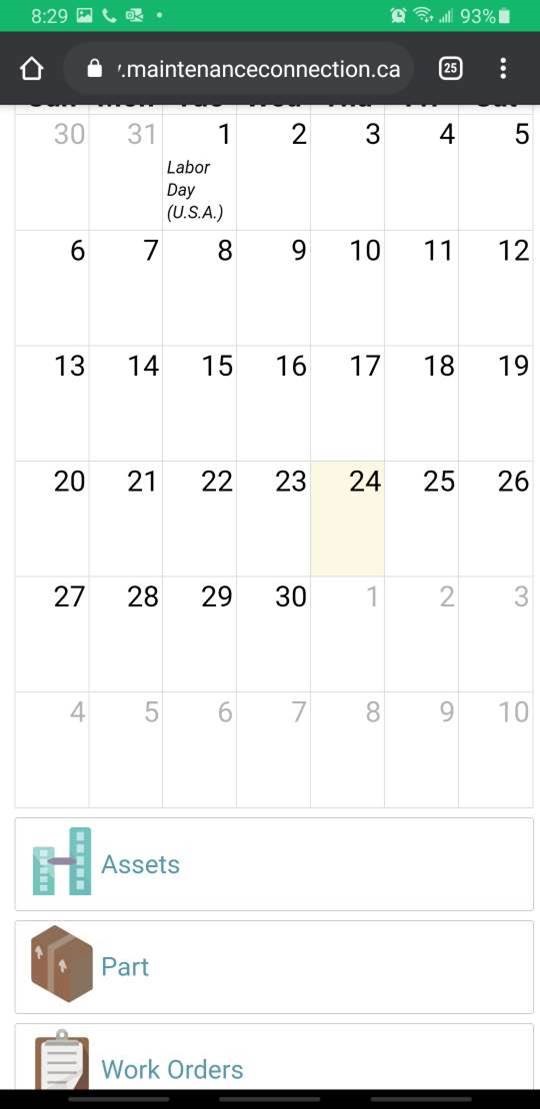
As far as we can see, the pattern on an Android is that 'when the top pixel of the web page scrolls up, scroll out of place the chrome home bar'. Likely Apple has a patent or set of patents that are blocking Chrome from being 'intelligent' about when to make the bar disappear.
But if the Chrome bar moves up and you keep dragging up (scrolling down), you end up like this:
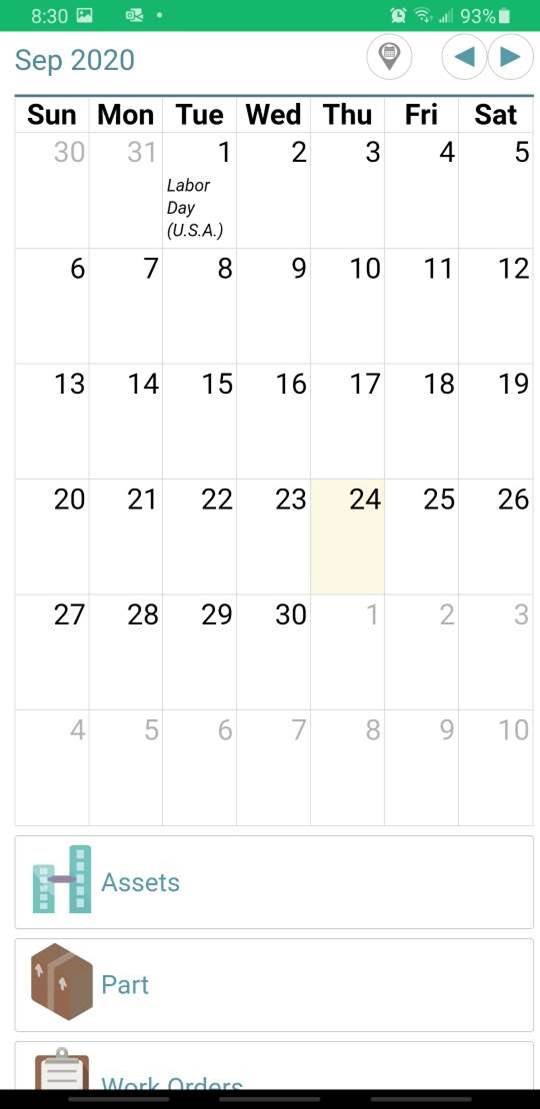
Where our bar and the browser 'chrome' bar are not visible.
Solutions if you never want to see the browser 'chrome' bar.
There are THREE code (things we can do) options that we know about. Essentially:
- A simple, just tell the browser to go full screen like you do with videos (This used to be easier in the past. Modern browsers don't seem to make it easy, or we haven't found the trick)
- Make the changes necessary to be a so called Progressive Web App
- Use our device app (from the Apple App store or the Google Play store.)
Simple, just tell the browser to go full screen like videos do
- First a summary: While this is the most 'obvious' and we think it will be a terrible user experience. But … here are the details
- The browsers REQUIRE a user action to permit us to switch into full screen mode, an action such as clicking on a button. We can not just automatically put you into full screen mode when 'we' feel like it – even though you really might want us to.
- The browser has built in ways, such as when you swap to another app or another page, YOU have to manually go back into full screen, depending on the browser and version you may have to turn on the developer tools.
- It doesn't work on an iPhone (though funny … it DOES work on the iPAD. This is a known – for over 7 years)
- Lots of things, depending on the browser version, like opening the keyboard or picture take may kick you out of full screen
- Basically, there are lots of ways we can NOT control and change from browser to browser and version to version, that it will exit full screen. So we do NOT consider this to be a good solution and we have always rejected it as "It sounds good, but it just does NOT work practically."
Progressive Web app. (PWA), 2020.11.11 We now support and run as PWA
To use this, launch MCe, then go to your browser settings and find something like "run as app" or "app, install as app"
You then have the max screen we can offer without the browser bar.
- A lot of work on our side, but we fundamentally meet all the 'difficult' browser conditions. There are a bunch of 'simple' things that we have to do, it will take several months of testing and fixing to get this going.
- This will work on all SaaSs.
- You have to launch from an 'app' (PW APP) that will be on the desktop. This is very similar to the "Add to Home Screen" I think it was you and I discussed several months ago, but in this case, it won't 'just' be a bookmark, it will run as an app, a PWA/Progressive Web App, so the top bar 'chrome' will go away.
- This does not give us any significant 'extra' benefits such as the True Application (below), which means ALL of the cost goes to JUST getting the top bar to be hidden. So it is a LOT of work for one very tiny feature. The PWA does lower slightly the amount of prompting the browser makes (it remembers better in some cases.) There are some 'cute' features (splash screen), it does make it a top level app. But really, the benefits are very minor.
Device application
- This would produce the as close to perfect as possible solution, but it has several downsides, most of which we work around for you:
- Upgrades are very difficult to do correctly. You have to maintain forward and backward compatibility for months until Google AND Chrome approve the update AND all the users upgrade AND all your servers upgrade.
- There is no such thing as a 'quick bug fix' if the main application is broken. You have to get Chrome AND Apple to approve every upgrade, for some types of apps and past 'bad actors' this cal take weeks to many months. We've been very careful to follow the rules and have never been rejected, typically it takes 4 to 12 hours for our apps to be approved and available.
- If there is a bug (more common during our testing than when we go live) you can't modify the URL to 'get out', so the only solution is to close down and restart.
- If there is a bug that requires a refresh (including memory used up) we can't 'refresh', so the only solution is to close down and restart.
- Occasionally bugs require you uninstall, reinstall, then don't do whatever caused the issue (but DO report to us so we can fix it for the next version)
- The biggest reason for going to a device app is that it opens up for us a bunch of new possible features that we can't do in the browser, such as taking better control over the camera (forcing it to focus close when taking a bar code read.) This is why our barcode reading and picture taking is 'better in the app'
For the most up to date discussion, see Better in the app