

 Maintenance Connection Everywhere (MCe) · EAM/CMMS manuals
First of all, this is the NORMAL way to set up MCe users, not a special case.
Once user has signup, Admin user can approve his/her access from MCe application.
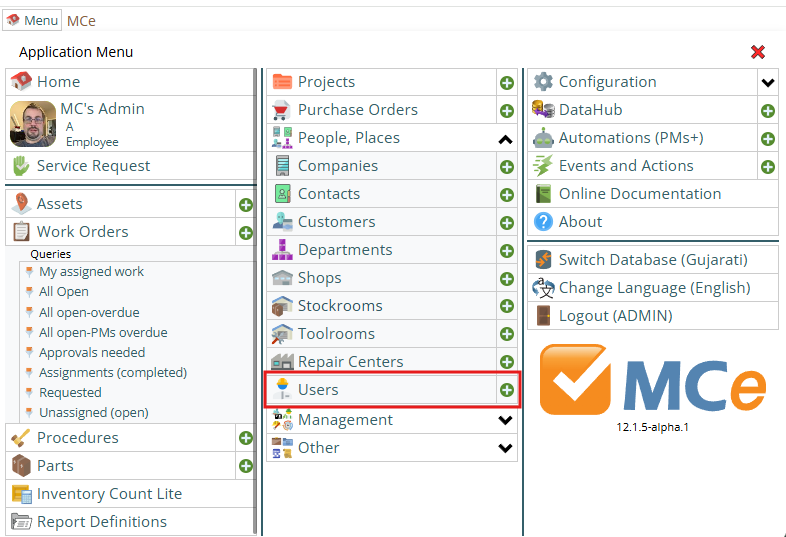
From Menu select Users module.
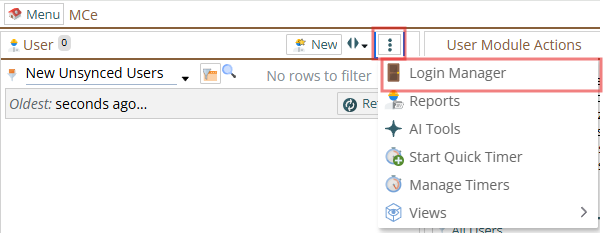
From Three dot menu, select Login Manager.
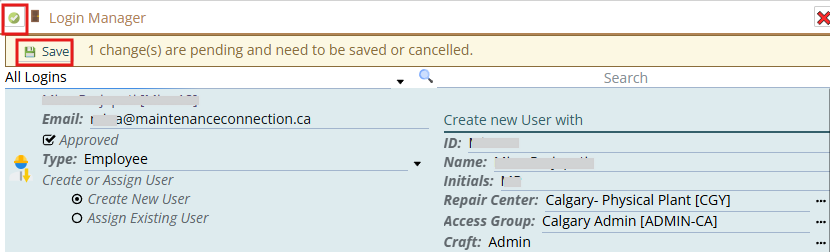
Approve user, check Approved and select Type as 'Employee'. Provide Access Group and Craft. Press Save button to save changes and then press Green Checkmark.
As user is approved from MCe and no MC application is setup from MC application, user will have access to MCe and the Service Requester only, no access to the other MC related products.
This gives you access to the 'base' MCe. Not really useful for much at this point, except in the very initial setup – when an Administrator needs access to go in and assign licenses and block admin functions to for non-administrators.
Assign licenses from Access Manager >> License: User Permission. So you then need to make sure they have an access group that, in MCe, has been given to licenses. Or you need to go and assign their access group access to licenses.