Maintenance Connection Everywhere (MCe) · EAM/CMMS manuals
How to do IT level Admin work without consuming a license
When doing administrative, non-CMMS work in MCe, you can do this and not consume any paid license. (Scroll to the bottom for instructions on giving someone access to the Access Manager) You do consume an Access Manager license, but you have infinite of those.
Option 1: You do EAM/CMMS work but you want to release the concurrent license(s) you are holding.
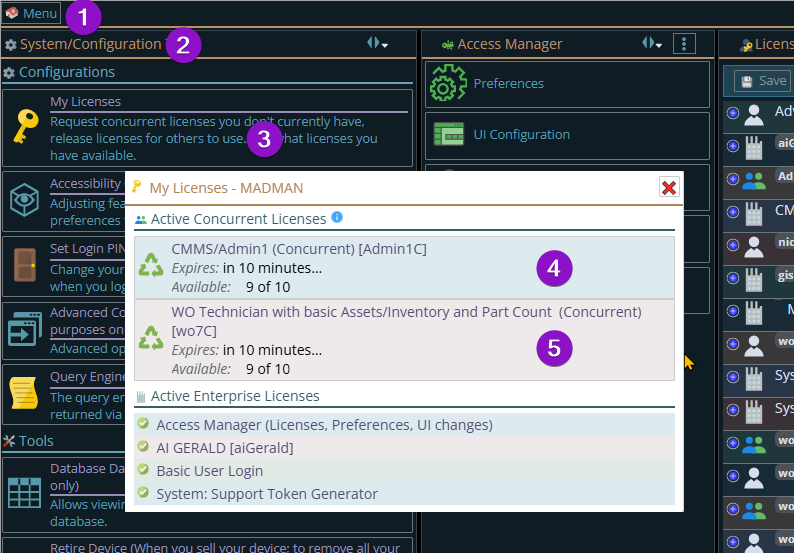
Go to 1 Menu, 2 Configuration, 3 My Licenses then click on each of the license(s) you wish to release 4 and/or 5 in my screen shot below. (Noting, demo, you wouldn't normally have both these at the same time.)
If you have an internet connection, it will release them so someone else can get them.
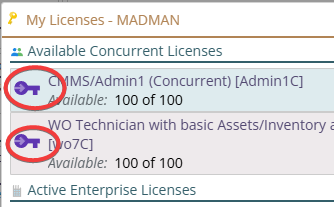
I clicked on both above to turn them both of them, after a quick spin of the gears (where it was releasing the licenses) it shows a purple key, indicating that those licenses are locked (because I asked them to be) away from me.
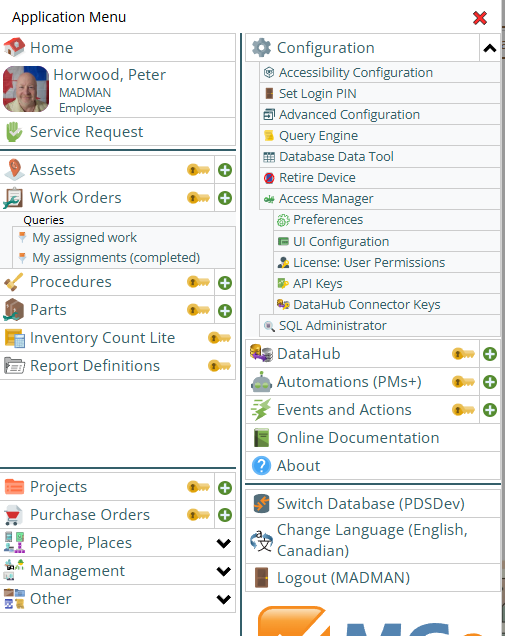
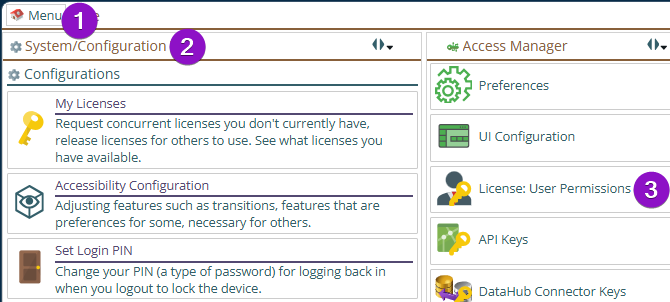
Then my screen will look like it does when I don't get a license. This view also gives you an idea, on the right hand column, of what a IT level user, with no licenses, can do, all of the things in Configuration you can see don't have a yellow key on them indicating you can do them. (The dropdowns on the left will have their yellow keys on all the individual modules inside them.)
To get your licenses back, you do the same process, and the purple keys will be replaced with the green icon again.
Option 2: You can be a user that never has access to any of the CMMS data
If you are a user that doesn't have access to any of the CMMS type licenses (WO4 Admin1) you can still have access to the Access Manager. And so when you log in you can make those changes without consuming a license.
How to assign someone the ability to do Access Manager (licenses, preferences, UI config, LoginHub setup)
First get to the License: User Permissions:
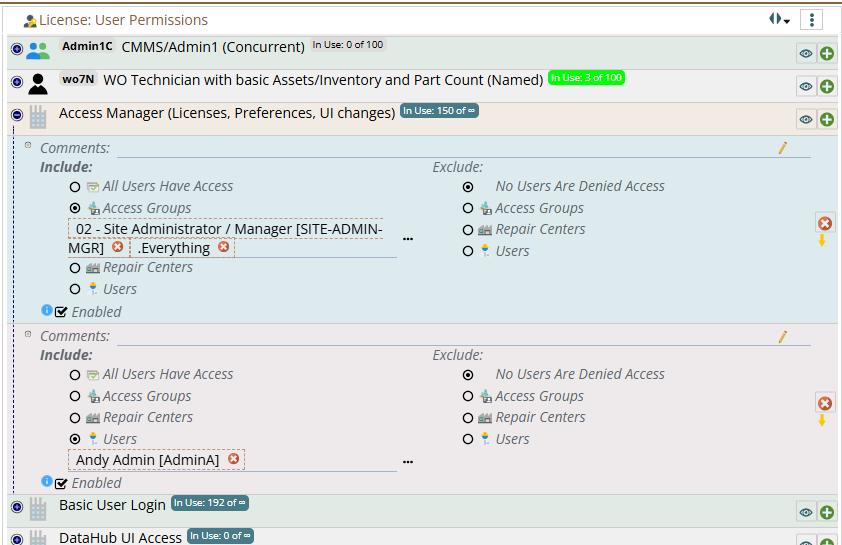
Then go to the Access Manager license
From here, you can assign someone individually and/or everyone in perhaps an 'IT Admin' group to have access to do the admin work.