

 Maintenance Connection Everywhere (MCe) · EAM/CMMS manuals
Windows, I can't reach my file I can't see my window
It's on the wrong screen, or almost off.
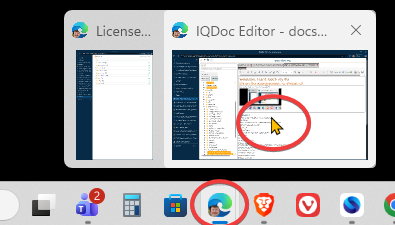
Click on the window in your toolbar to 'select' it
Windows right cursor (number of screens you ever have + 1)
Windows left cursor (number of screens you ever have + 1)
Windows shift right (number of screens you ever have)
Windows shift left (number of screens you ever have)
ALt+Space to pull up this menu
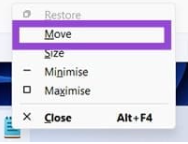
then the m key, then cursor keys to move it around. This is especially useful if it is 'hidden' by having only 1 row of pixels on the screen - far left/right, so you don't 'see' it on the screen even though it is only 'mostly' off the screen