

 Maintenance Connection Everywhere (MCe) · EAM/CMMS manuals
Important appendixes:
Appendix: Multi-tabs: We mostly work with Multi-tabs, but there are issues and we keep that appendix up to date.
Appendix: Browsers Summary: use recent "Chrome on Android/Windows, Safari on iOS, iPadOS and Mac, Edge on Windows, Chrome on Linux"
Appendix: What are some of the things you can pay to have customized?
Appendix: Bug or design feature?
Appendix: Accruent MC and LoginHub Compatibility:
Appendix: Upgrading process.
Releases:
Unless the point release says otherwise, all new installs and upgrades must use the most recent version.
12.1.14 Server, Web, 2026.09.29 (iOS and Android 12.1.13 compatible with server .14)
- Compatibility with MC 8.9 on server side hence irrelevant client side (apps for example)
- UX: More aggressively ignore upgrade notices from the service worker when the UI has already upgraded (irrelevant to iOS and Android apps)
- UX: In the connection popup, don't instantly jump to checking if the UI already knows that an upgrade should be performed (irrelevant to iOS and Android apps)
12.1.13 Server, Web, iOS, Android 2026.09.25, not compatible with MC 8.9 (wait for .14)
- Add: Craft module access to Admin1 license
- Add: Shift module access to Admin1 license
- Add: Toolroom module access to Admin1 license
- Add: Improved license release/fetch process to ensure licenses that are released stay released and when a connection is regained a license is refetched even if expired
- Add: Update Timezone database to IANA TZDB 2026d
- Add: A notification window when a license is expiring.
- Add: The ability to change the expiration time for a currently active concurrent license
- Add: Map. Users can be assigned a subset of the total map layers. Implementation includes complex mapping for cases where additive assignment is useful/required.
- Fix: When a list query was rapidly loaded and unloaded, it would fail to save its server requested details to the local cache
- Fix: User queries where filter to make deleted repair centers become visible
- Fix: Refreshing timesheet would load data from cache instead of the server
- Fix: Changing language now doesn't propagate between databases. Prevents a language change storm that locks the UI up for users that have a different language they use in different databases. (only observed in internal testing)
- Fix: Map. External layers that had sync'd data were being loaded into the map incorrectly causing them to not appear in the UI
- Fix: LoginHub. During interactive login using a remote managed account, force disable password expiration which if enabled will crash MC upon login.
- Fix: License: User Permissions was incorrectly caching the license permission details on the client even when saving changes.0
- Fix: In the app, when logging in with a user who has access to multiple databases, the database picker was not loading the list of databases.
- Fix: When the timesheet is displayed West of the server timezone, the date columns have the wrong header text calculated causing entries to be 1 day off of the intended entry.
- Fix: Tweaks to how DataHub actions in Events & Actions record their failure states and query tagging to make query tracing easier.
- Fix: Wrong preference being set on UDF fields of SR module.
- Fix: When importing ProcedureTasks, the internal configuration for Procedure Task was missing the definition for some required fields. Only impacts DataHub and direct API calls.
- Fix: Raise validation error on attempting to save timesheet entries that do not have sufficiently valid data
- Fix: Sometimes the left arrow gets stuck not quite knowing which element to scroll left to, provide more potential targets and some error handling options
12.1.12 Server, Web, iOS, Android 2026.09.17
- Add: New live data query system. Chrome has introduced many local data delay bugs, this new query system attempts to provide the feature set of the previous system, while avoiding the many performance bugs introduced in Chrome.
- Add: Drag handle for sorting editable
- Add: UI Config for the Home Page (makes it possible to easily hide/show the calendar/timesheet tabs)
- Add: New columns for Timesheet. Link (go to WO), Reason, Status, Asset, Asset Location
- Add: Favorites for every module. Available on list page and in pickers.
- Add: Report preference system can now load user preferences from the active user without passing the active user's laborID
- Add: IsUICreated column to WorkOrder Cost tables (enables filtering out trigger created costs that cause UI confusion)
- Add: Buttons to allow copying Work Order Cost estimates to actuals
- Add: Button to allow adding Procedure cost estimates to a Work Order cost estimates without attaching the procedure
- Add: Show Direct Issue & Out of Pocket virtual stockrooms in the popup stockroom picker
- Fix: Sort editable will crash when provided a selected item that is no longer valid for the editable.
- Fix: SQL Query table now displays dates in server timezone instead of client timezone
- Fix: WO Labor Cost Date are now entered in Server Timezone instead of client timezone
- Fix: Timesheet Preview was caching the WO queries, now reloads the WOs each time on save to ensure new rows aren't lost after repeated saves
- Fix: Timesheet Preview is now loading and saving labor costs in server timezone instead of client timezone
- Fix: In WO Status Embed, "Apply Estimated X to Actual" now ignores estimates of 0
- Fix: ESRI Map external layers was including the API token even when none was required
- Fix: Some map elements were connecting to data: which was blocked by CSP ()Content Security Policy)rules.
- Fix: Update SignalR to attempt to solve some connection/reconnection edge cases
- Fix: Report GIS preference now loading correctly from user instead of incorrectly requesting the wrong preference
- Fix: Map was not scaling images on layers when required
- Fix: Import+Create was allowing ID/Name to be entered, Import + Create New is the only thing that is suppose to allow it
- Fix: Event import was allowing update on soft deleted rows.
12.1.11 Server, Web, iOS, Android 2026.08.27
This upgrade has several 'little' changes. A few of the fixes were reported by customers, most won't affect most customers but a couple were fixes or improvements that specific customers were experiencing negatively, so this is not a high priority upgrade unless you are explicitly waiting. All users on our SaaSs are getting it automatically. Customers we know 'need' it that are 'on-prem' are being notified. Let us know if something here is urgent for you, otherwise you will get this (or a newer version) when you naturally want an upgrade.
- Add: Configuration -> Access Manager -> Preferences is now filtering out preferences that cannot be set based on the preference type. So Global/Company/Database preferences will not show up when setting preferences for Repair Center/Access Group or User, Resource preferences will not show up when setting preferences for Access Group or User.
- Add: Procedure selection on ServiceRequest New page, default hidden
- Add: Online Docs now has "Reveal in File Tree" that expands the docs tree to the current document
- Add: Improve SQL Editor in SQL Admin for favorites, colors
- Add: Move Asset Parentage Rebuild tool over to "Tools & Utilities" in Configuration
- Add: Reports Module - Improves SQL syntax compatibility for multi-select parameters. Now accepts
In (@param)in addition toIn @param - Add: Display the Product Guid and License Guid on "License: User Permissions" page (Controlled via preference, default off; system, Configuration Tools, Access manager, Show License Technical Details (License: User Permissions))
- Add: Added System field to default common criteria in Report Module
- Add: Reports Module - Edit Report Parameters from HTML report via the Report Parameters component
- Add: Reports Module - Option to disable editing report parameters (for reports that have configured, or fixed parameters)
- Add: Reports Module - Validation and UI errors to prevent duplicate data set value names
- Add: Online Docs - Add link to expanded doc tree in context menu of active document
- Add: Online Docs - Highlight time preference
- Add: Lookup table editor validation and field length limits, UI and enforcement
- Removed: WO Task showing previous value for new task entries. Turns out no one liked that feature. If, very unlikely, someone does want it, we'll instead add it as a preference default 'no'.
- Improve: When DataHub is invoked with an Excel workbook that does NOT contain the worksheet it is configured to contain, now throws a clear/more meaningful error
- Improve: Lookup table editor pending changes count estimate is more accurate
- Fix: API Definition translations so that the formatting properly delegates to the provider
- Fix: TextToColor was using the wrong color palette for text color suggestions
- Fix: /api/versionCheck/ was throwing an error when a version with a dash '-' was provided.
- Fix: SQL upgrade failed on databases with out-of-range Asset Lat/Long values
- Fix: When records are new, if a PK or SyncGUID is provided do NOT perform a lookup on ID for existing key adjustment. This will cause the ID to return an existing conflict instead of automatically adjusting to just edit that record. This only applies if a PK or SyncGUID is also provided, thus ensuring that typical DataHub operations where it should be new or edit are unaffected.
- Fix: Work Order requirements are largely Resource preferences and the UI was loading them as user preferences. This was causing only company level settings to work correctly. There are a few more that will be fixed for 12.1.12. Since most people set these at the company level, it only affects a very small number of users. We didn't want to hold 12.1.11 up for those since it is extremely unlikely that anyone will be affected by them before 12.1.12 comes out.
- Fix: Issue of not having a vertical scroll bar in long documents
- Fix: Exception when toggling Work Order assignment completed checkbox
- Fix: Prevent last ui config item from being obscured by bottom of screen
- Fix: Prevent last preference item from being obscured by bottom of screen
- Fix: Prevent last Online documentation item from being obscured by bottom of screen
- Fix: Login Manager approval workflow and improve validation. Mapping to existing users was silently failing because the UI was incorrectly filling out the existing user so it looked like the user had selected an existing user, but since it was only partially filled the actual process was unable to connect the user.
- Fix: Exclude/Prevent Project Plans from loading as Procedure records
Older 12.1
12.1.10 Server, Web 2026.07.02
12.1.10 Server, Web 2026.07.02
This upgrade is only important if you are using automations on assets whose parents, grandparents etc.., have auto-assignment rules or you really want one of the very minor fixes below. Otherwise it is safe to wait for a more substantive upgrade.
- Fix: Automation Active was not respecting UI setting on create. (UI only)
- Fix: Automation was not applying auto-assignment from Asset Labor (Server side only)
- Fix: WO Target Date was displayed in User's timezone instead of the Server timezone (UI only)
- Fix: Incorrect error message in report module SQL data set preview (UI only)
12.1.9 Server, Web, iOS, Android 2026.06.26
12.1.9 Server, Web, iOS, Android 2026.06.2
- Breaking Change: (Likely 0 negative impact) LoginHub: Upgrade / Migrate Existing Users (Match Email in Registration Database & Match Email in Entity Database) has been switched from false by default to true by default. It has been found that this has no real negative impact and it being off by default is painful to customers.
- Add: More visual details to the API Key Editor to allow easier API answers at a glance.
- Add: New SQL upgrade generation feature to create the SQL for a specific version for a specific database. Specifically useful for cases where the actual SQL is somewhat dynamically generated so support cannot provide the SQL file easily. (Url: /upgrades/preview/ent/{database}/{stepVersion}/{outType?} outType == Execute or Needed (Execute is default))
- Add: Timesheet entry: administrators have ability to do timesheets for other members of the team
- Add: Compatibility with MC 2026+'s new password algorithm
- Add: System configuration to delegate passwords purely to the database (for future compatibility) Security -> Force DB Password Interaction
- Add: LoginHub now generates records into Reg.login_activity_all and Reg.login_activity
- Add: ESRI GIS Sync can now update geometry when it changes in the source layer
- Add: Docs Viewer - Changes panel default width to fit virtual ToC
- Add: Added missing fields to partStockroom API and UI (LastOrderedPOPK,LastOrderedPOID,LastIssuedWOPK,LastIssuedWOID, OnHandPending, PlugOnHand, ItemCountLaborPK, ItemCountLaborID, ItemCountLaborName, OnHandPendingDiff)
- Fix: Improve the Spatial upgrade to not fail on Assets with invalid Lat/Long values
- Fix: Some apps may end up triggering invalid IE detections that cause LoginHub to crash
- Fix: Report Date/Time Parameter Picker only allowed picking dates, not accurate date+time. Date and time is selected in local client side time zone.
- Fix: Updated translations (updated languages, some missing phrase keys in 12.1.8 fixed)
- Fix: GIS Sync now checks if the geometry is mathematically valid for database operations and performs MakeValid() if not
- Fix: Replace the incorrect date format with our standard date format in exporting KDL file
- Fix: Resizing a panel in public docs affects the other panel
- Fix: Work Order Statement report rendering blank for work orders with a NULL WOGroupPK by treating NULL as ungrouped
- Fix: Reports: Add a client-side guard that shows a "no content" notice instead of a silent blank when a report renders nothing.
- Fix: Occasionally switching a database will fail when the client has lost offline database information related to the connection key.
12.1.8 Server, web, iOS, Android, 2026.06.02
12.1.8 Server, web, iOS, Android, 2026.06.02
- Add: Transfer to app feature
- Add: Rearrange "Better in the App" popup to showcase the remind later feature and remove the QR Code
- Add: Rebuild/modernize app shim
- Add: ESRI test connection features (no longer manual behind the scenes setup)
- Add: Load layers and other details from ESRI server configurations (no longer manual behind the scenes setup)
- Add: Offline caching of feature layers, mapping is now a 'full featured' offline feature, not a partial.
- Add: Failover default mime type for mc_imageserver when the file extension is unknown (application/octet-stream)
- Add: Event versioning in the UI
- Add: Event logs now track when events are started/stopped (enable/disable)
- Add: Display Name translatable strings for all fields in Automation module
- Add: Reports Module: preference to set Default 'Report Output Format'
- Add: Reports Module: Hide quiet zones for linear bar codes
- Add: Extension point to check version of MC and if LoginHub is installed (POST: /api/versionCheck)
- Add: SQL Admin Favorites Max Lines Based on Preference
- Add: License for Desktop App for MC V3.1
- Fix: Some detection code for app mode to avoid multi-triggering refresh
- Fix: Logout in app mode won't end up at the correct URL
- Fix: Events module: stop queries from loading soft deleted rows
- Fix: Events module: Nodes were showing validation error even when the field had data
- Fix: Add a CSS variable --text-indent to allow other elements to use the indent information inside an editor
- Fix: Events that fail to initialize, now create a log record with the failure details
- Fix: Event versions don't rapidly outpace a reasonable numeric growth rate
- Fix: Event updates propagate to the execution engine more reliably causing the monitoring to activate/deactivate quickly
- Fix: Event workflow can no longer be edited while the event is enabled, this prevents major mistakes due to partial event workflow updates
- Fix: Event workflows that have edges that point to nodes that no longer exist will no longer cause the event to only partially execute
- Fix: Prevent loading soft deleted Events via UI/API, etc
- Fix: If you don't apply a PIN and need to re-login via user/password it may sometimes fail with an invalid user/password error
- Fix: WO Module was not respecting required fields in New WO.
- Fix: duplicate Part+Location+Bin records being created by defaulting Bin before key resolution
- Fix: Performance issue in certain edge cases when searching in List pages
- Fix: Empty display for Radio option labels of Trigger & Action types in Event and Action module
- Fix: Rename External Layer & Links field "Auto-Create" to "Sync" and provide more clear options.
- Fix: Basemaps were raising duplicate key errors when being displayed in the Map context menu
- Fix: Map layers with symbols were not loading the symbols unless the map was an external rendered layer.
- Fix: Reports Module Designer. Fix numeric fields wiping content on intermediate keystrokes. (Ex. changing number of columns from 5->10 causes columns 2-5 to be erased)
- Fix: Reports Module: Resolve stale bound-column validation after component move
- Fix: viewer/v1 API was not parsing encoded IDs. Causing a mismatch in functionality between client side scanner and server side URL.
- Fix: Make client side barcode scanner of .well-known/api/viewer/v1 URLs not case-sensitive
- Fix: URL generation for selection of GIS Features.
- Fix: API DataEngine EnumDataConverter ignoring non-double numeric values in NumberToEnum mode (now via DataHub if non-double is present it will also convert to an enum proeprly)
- Fix: Child assets not being deleted with parent asset
- Fix: Holiday Module List Reports were incorrectly appearing in the Access Group list
- Fix: Report Module: Silent report fail over bad language preference value
- Fix: DataHub mappings could collide causing 1 column definition to be modified instead of 2+ when they shifted source names to match other original source names.
- Fix: When navigating online docs, update the URL in MCe to match any doc change that has been performed.
- Fix: DataHub WOMiscCost/WOLabor/WOPart not accepting "Estimate"/"Actual" for RecordType
- Fix: Update WO Statement report to use icon library instead of separate images
- Fix: Report Module: Custom icon object not accepting certain number types
12.1.7 Server and web, iOS and iPadOS client side apps 2026.03.27.
12.1.7 Server and web, iOS and iPadOS client side apps 2026.03.27
Tested iOS app against sever versions 12.1.6 and 12.1.7
- Add: Online docs now has breadcrumb in search results.
- Add: Updated translations for several languages and most phrases
- Fix: Change default for Labor Assignment completion to false
- Fix: LoginHub -> MCe login triggered a bug caused by new features in latest Chrome browser.
- Fix: Report changes can sometimes wipe out important settings. Provide a UI prompt when that kind of change occurs.
- Fix: Report Print Preview didn't allow closing when the report generation fails.
- Fix: Internal rename of columns that should have been prefixed.
- Document.BinaryData -> Document.apsBinaryData
- Document.BinaryType -> Document.apsBinaryType
- Document.MetadataJson -> Document.apsMetadataJson
- PurchaseOrderInvoice.Comments -> PurchaseOrderInvoice.apsComments
- PurchaseOrderRMA.Comments - PurchaseOrderRMA.apsComments
- Fix: Don't prompt browser compatibility in the app. App Store already has compatibility checks.
12.1.6 iOS/iPad OS client side app, 2026.03.24
12.1.6 iOS/iPad OS client side app, 2026.03.24
- Change: support versions 12.1.4 to 12.1.6 inclusive - If your server is 12.1.3 or older do not upgrade the app until your server is upgraded.
12.1.6 Server & web, 2026.03.23
- Add: Fields to Classification Specification API: Comments
- Add: Fields to Classification UI: Comments
- Add: Reports: Bookmark feature to compatible report elements
- Add: Flexible Search to online docs
- Add: Push Notifications for web browsers
- Add: Notification system for sending messages to users / contacts
- Add: Report Print Draft
- Add: Report Save As...
- Add: Report Sent To... (sends a notification with the report details)
- Add: Improved icons for Preferences
- Add: Reports: Asset Tree (Asset Tree, Asset Tree with Classification)
- Add: Reports: WO KPI
- PlannedVsUnplannedWork,
- PmCompliancePercentage,
- PmWorkOrdersCompletedVsOpen,
- WoWithCompleteReports,
- PercentageReactiveWorkOrders,
- PlannedVsUnplannedAllRemainingExceptIgnoredWork,
- PlannedVsUnplannedAllRemainingWork,
- PlannedVsUnplannedVsExcluded)
- Add: ID field in WO, PO, Project writers so that updates can reference an update by ID
- Add: Remove spaces around filter text to minimize false negatives
- Add: Nicer waiting display when loading preferences
- Add: Prevent search/filtering on effectively empty searches (spaces)
- Fix: API calls using parentType weren't being passed down correctly
- Fix: Reports: Bug for hidden expressions on a number of table/manual table/carl-list sections
- Fix: Barcode reading for Android (due to change in rules by Google)
- Fix: When DataHub is inventing or massively changing PK/ID/SyncGuid fields, the batch lookup systems fail thus causing the key lookup to fail. Provide a fallback option that doesn't lower performance for the normal use case.
- Fix: Handle extreme font-size scaling on large screen devices making menus fail over to small screen display modes when the font is too high in some devices/rare circumstances
- Fix: Barcode preferences weren't allowing selection changes to apply correctly.
- Fix: UIConfig was not correctly re-loading the display elements after a save and was showing the previous values instead. Partly fixed.
- Fix: DataHub issue where column names containing '.' were not resolved correctly
- Fix: Report not raising issue when column missing in data set for chart
- Fix: Minor issues in report module where translations were being generated incorrectly (preventing translation from occurring)
- Fix: Bad multi-select parameter validation in reports SQL dataset query (both client and server side validation matched up)
- Fix: Report Data Set Preview crashes for timespans
- Fix: Report Bad card/list component styles. Styling was not applying/inheriting. Default was incorrect as well.
- Removed: For the last decade, we've included Roman script and so called Klingon script translations into the 'Klingon" artificial language. However Google does not support it and Microsoft seems to have stopped updating it. As a result, while it had value in the past for testing, the 2 scripts of that artificial language no longer have any value, too much English, so in this version we have dropped support for this artificial language. All remaining languages are live human languages.
12.1.5 iOS/iPadOS client side app 2026.03.06
12.1.5 iOS/iPadOS client side app 2026.03.06
- Change: support for 12.1.3 to 12.1.5. If your server is 12.1.2 - do not upgrade the app until your server is more modern. It is known not to work in many ways due to changes by Apple and us.
- Fix: bug that prevented new apps from accessing 12.0.x server side version (It worked with 11.x and 12.1.x)
12.1.5 2026.02.26
- Add: Icons to system configuration headers
- Add: Import/Export/Clone to Document module
- Add: An always available DataHub UI license so that the DataHub module can be accessed without requiring an Admin class license.
- Add: Preference controllable copying of classification values over to new Assets
- Add: Fields to Asset API: LastMaintained, LastMaintainedWOPK, PMCounter, RotatingRepairCenterPK, RotatingLocationPK, RotatingLaborPK, RotatingBin, IsLocation, IsClone
- Add: Fields to WO API: IsPartsReserved
- Add: Fields to Part API: Comments
- Add: Comments field to Part module
- Add: Fields for Asset Specification API: Comments, WOGenerated, WOPKUsedToChangeSpec
- Add: Fields for Classification API: IsLocation
- Add: Fields for Automation Asset API: LastWorkOrder, Asset PK/ID/Name
- Add: Fields for Part Specification API: Comments, WOGenerated
- Fix: Table column resize fixed on Safari browsers
- Fix: Asset respect classification rules for disabling edit of fields
- Fix: Asset was incorrectly using RepairCenterPK to set RotatingPartPK
- Fix: Handle UI crash when incorrently creating a circular parenting relationship for an Asset
- Fix: Enable multi-line input on Asset special instruction, comments of Asset Part, note for Asset and reason in Asset Downtime
- Fix: UI enforce max length on more Asset fields
- Fix: Allow clear on optional Asset fields
- Fix: Filter out internal only license types from appearing in the License: User Permissions UI
- Fix: API issues with reading from WOTaskImage and WOTaskSignature
- Fix: API issue with ClassificationSpecification where it wasn't loading the Classification PK/ID/Name
- Fix: API issue with AssetSpecification where it wasn't loading the Asset PK/ID/Name
- Fix: UI issue in Classification where delete wasn't available by default (required a preference change), now available by default.
- Fix: Invalid image path generation for Asset & WO images
- Fix: Prevent crash when the list page shifts to a view that isn't suppose to have table available. This bug was introduced in 12.1.4 when we put in table view for demo/testing/feedback, and switching from Admin in table view to Technician mode.
- Fix: Field in Procedure Labor API was linked to Labor picker instead of Assignee picker
- Fix: Lookup Table Values API will now return a cleaned up Lookup Table Name instead of the potentially case incorrect one stored in the table
- Fix: Lookup Table Values API could trigger an InvalidCastException.
- Fix: Allow multiline note in AutomationNotes
- Fix: Automation Classifications & Automation Generation Automations were attempting to sort by Order field by default (doesn't exist)
- Fix: Part module. fetch the part specification category during create to avoid requiring a sync
- Fix: XLSX output doesn't handle certain kinds of HTML smoothly. Pre-process the HTML in order to strip out bad elements to ensure the HTML renders correctly in an Excel context.
12.1.4 2026.02.09
- Add: Automation Meter & Specification can have the next trigger point cleared or set (meter = set, specification = cleared)
- Add: Make Automation able to trigger Events
- Add: Manual Trigger to Events module
- Add: Ensure that Automations can be triggered on a fixed date when set (including non-date related triggers). Offset a fixed date into season if required.
- Add: ICLite new Overage field, displayed when Shrinkage < 0 (i.e., onHand - onHandPending < 0). Automatically hidden when the difference is ≥ 0.
- Add: ICLite Count Avail (non-stored, calculated) field: CountAvail = Count - Reserved.
- Add: license for enabling module KPI mini dashboards
- Add: 'Asset Specifications By Category' report
- Add: New system preference editor for Group Mapping with LoginHub
- Add: System Reports: Training Module
- Add: System Reports: Task Module
- Add: System Reports: PO Module
- Add: System Reports: Stockroom Module
- Add: System Reports: User Module
- Add: Updated the UI experience for System database upgrades.
- Add: A new preference to show/hide the Allow Location Tracking button
- Add: Can optionally set WO priority during a service request.
- Add: Navigation to profile from 'me' button
- Add: generic QR Code popup and integrate into Asset, Classification, Part, WorkOrder, and other People/Places modules
- Add: SR only users will have the QRCode URL turned into a selected asset in the New Service Request page/tab
- Add: Scanned barcodes in pickers will auto filter and select the exact match ID
- Add: QRCode URLs that use the MCe login URL (.well-known/api/viewer/v1) AND an ID will be parsed into the ID for barcode selection when used inside the application
- Add: Count bubble on List page
- Add: Audit fetch features to the API
- Add: Panel close feature to Access Manager panels
- Add: List Panel Table View preview
- Fix: Automation Specification was generating an error when trying to report that it was incorrectly used against assets that don't have the specification.
- Fix: GraphQL Altair editor broken by update to altair hosted package. Revert to an older release.
- Fix: Add an error page for LoginHub where no license has been installed so it should display a different error.
- Fix: Handle mouse wheel events on numeric entry in order to block then from changing the value of the entry
- Fix: Events set to Run-As were producting a Null Reference Exception if the selected user was not able to login. Now produces a clearer error.
- Fix: Improve the Automation log history saving so it happens more consistently even if failure occurs
- Fix: When changing Automation to a run cycle of hourly, also re-compute when the next run should occur
- Fix: ensure meterNumber is always stored as a numeric value for Automation Trigger
- Fix: Access Groups, Add SRAsset to UI
- Fix: Automatically delete log records when the automation didn't generate anything (keeps the logs a reasonable size)
- Fix: Setting repair center on a new WO where the asset parenting tree has repair center set at every level
- Fix: bug in module level KPI mini dashboards
- Fix: Bug when Event&Action is setup to use a user that doesn't exist
- Fix: Block running Automation Projections to "database" when a name hasn't been assigned
- Fix: Fixes for UI display in EvA module (field length, translations, etc)
- Fix: Styles for Report Gauge number formatting
- Fix: Duplicate/missing preference key issues (often resulting in a save error saying "<key>-1" didn't exist)
- Fix: Disabled auto expand/collapse when clicking on the row background (instead of the +/- buttons)
- Fix: Report Crashes when Converting Invalid Dates (Dates that are NOT in the client time zone, eg during leap hour). Reports the error and uses original date.
- Fix: DataHub translation strings were showing in the UI instead of the translated result
- Fix: DataHub some custom manipulators were not applying on the final step of an import causing errors when everything was suppose to be valid due to the manipulator fixing the issue
- Fix: WorkOrderAssignment and WorkOrderAssignmentStatus were incorrectly listed in configuration elements as WorkOrderAssign and WorkOrderAssignStatus. This caused Events related to them to not trigger.
- Fix: Issue with Events triggering the report engine sometimes generating an invalid URL (depends on system configuration)
- Fix: Deselect All button not working properly on batch edit view
- Fix: UI UDF char max input length to 50 as this is common across module
- Fix: Disabled the Submit button if no system code provided on Advance configuration page.
- Fix: Display unsynced change warning on erase local data popup
- Fix: WO Other Costs charge rules updated to remove option to disable calculations (the fields were ignored by the triggers anyway).
- Fix: Clarify GraphQL docs for <Entity>Connection.totalCount when returning -1.
- Fix: Fix stack overflow crash in User module TransferUserDetailsPopup
- Fix: Improved error delivery on barcode scans that result in no barcode being found
- Fix: Search bug with logo preference editor.
- Fix: Throwing exception "Cannot read properties of null (reading 'modifyEntity')" when attaching/creating a HTMl or web link type or quick timer
- Fix: Reports. Data Set bindings in the report editor have been renamed in the UI to correctly reference Data Set Values instead of "Parameter Bindings".
- Fix: WO Type was not displaying proper filter options in criteria
- Fix: Automation Meter & Specification was over triggering, thus causing projections on them to fail to work
- Fix: Add documentation links for API documentation to the API Keys page
- Fix: Report. Manual table will now apply automatic column alignment if only a data component is in the column and it has a default alignment (and the column doesn't have its own alignment specified)
- Fix: Rename PO Details to PO LineItems
- Fix: Add TermsInfo to PO UI
- Fix: Batch JavaScript & Template editing wasn't working correctly
- Fix: Batch selected row color, improved color selection
- Fix: Lists now have a divider line to make it clear when 1 row ends and the next begins
12.1.3 2025.10.30
- ADD: Part Edit Reports: Part Location Details, Part Pending Order Summary, Part Stock Levels, Part Summary
- ADD: Export/Import/Clone for Asset
- ADD: Report: Formatting for Gauge chart displayed number
- ADD: Retire Device option in the Configuration Menu
- ADD: Parent location to the asset edit page
- FIX: LoginHub / MCe connection wasn't using an order by in a select top, causing an error on login
- FIX: Preference for Barcodes was understanding the barcode selecting incorrectly
- FIX: Correct barcode preferences that were saved with the old editor
- FIX: Improve barcode reader error handling to not beep on cancel, and show error messages for bad reads
- FIX: Report: Assign row for SmartLink in script when evaluating text override
- FIX: Report: Fixes bug that plain text and expression smartlinks not bound to a dataset were not working
- FIX: Report: Images raise an 'invalid string' issue when image is bound to data set with no rows
- FIX: Report: Default Date, Time and Date/Time SQL parameters throw a validation error in Report Dataset Editor
- FIX: Import: Suggested entity name and ID won't update when dropping a new file with validation error
- FIX: Part field "Shelf Life" to "Shelf Life (Days)"
- FIX: Automations can be manually generated from the dropdown menu now
- FIX: Added checkmark to indicate which calendar mode the user is using on the home screen
- FIX: Limit height of error banners in reports so the screen is still usable when very large errors occur
- FIX: Crash in service requester
12.1.2 2025.9.30
- Add: Page title improvements so the page title matches where in the application you are located
- Add: Images in HTML regions scale down to fit available space. Most useful for Service Requester.
- Add: 4 word automatic ID generation (generates an ID like `word.word.word.word`), useful for when ID isn't too important but should be human readable
- Add: Update existing Guid ID generation to use the ID generation method by default instead.
- Add: Templates (ID/Name) that exceed the maximum field length will be automatically cropped to max field length (no warning provided)
- Add: Update DataHub to use a panel instead of a popup
- Add: DataHub uses an async process to report progress to the UI instead of only completion.
- Add: DataHub now offers a summary of validation errors found and a sample of rows for each error.
- Add: DataHub now offers a view of just the rows with errors.
- Add: Default value to DataHub Mapping
- Add: Enable switch to DataHub Manipulator
- Add: Automation module
- Add: User location tracking
- Add: Spatial Feature (GIS shapes and points)
- Add: Google Maps geocoding to translate address to map points
- Add: GraphQL subscriptions.
- Add: Lookup Table Manager tool/module
- Add: Default template for Name/ID for all modules.
- Add: Copy document URL for the Online Doc system so its easier to share documents with others
- Add: Reports that reference images that don't exist now have options other than generating an issue. Can now hide the image or replace with a placeholder and not report an issue (in addition to the original issue option).
- Add: Message Reliability Service for improving the reliable sending of messages with a message queue and advanced configuration.
- Add: More component types that can be restyled
- Add: Order parts from WO
- Fix: UIConfig would not correctly save when deleting records
- Fix: SQL Admin favorites and history cleaned up visually
- Fix: UDF tab could not be hidden
- Fix: Add child items should avoid auto-opening when not requested in certain edge cases.
- Fix: Improvements for accessibility
- Fix: Improvements to local queries to avoid OOM issues
- Fix: Service Requester now loads preferences / configuration directly instead of waiting on the sync. Fixes showing incorrect configuration for a moment before showing the correct configuration.
- Fix: apsSyncGUID column and indexes generation was not as optimized as desired. Improved optimizations.
- Fix: Report smartlink no longer generates when the module hasn't been selected
- Fix: Fixes bug in reports module where 'Data' and 'Data Label' components ignored local binding for bound alignment, data type, and text, relying only on parent binding
- Fix: Report Data Set Crashes with Unnamed Columns
- Fix: Reduce sync errors on offline queries that are actually broken. Only log them to the error log instead of failing the sync.
- Fix: DataHub was reporting columns that are present but contain no data as columns with data.
- Fix: Add more warnings for unlicensed use of DataHub
- Fix: When saving multiple rows via the API, DataHub, etc. previously all errors for every row were reported on the first row, they are now divided correctly to the correct row.
- Fix: Installer was reporting an old date that wasn't important anymore.
- Fix: Table in SQL Manager, Report Preview and DataHub didn't resize the final column nicely
- Fix: WO & Asset Photo were checking the wrong path for the file existing.
- Fix: WO Child records would be duplicated when changing procedure on a Requested work order.
- Fix: Part UI for New was showing in 2 column mode but wasn't able to use both columns
- Fix: Part module API now applies preference defaults instead of requiring entry in the API (also DataHub)
- Fix: Report styles were not applying correctly via scripting
- Fix: Asset picker dropdown query was using the tree query by default instead of the list query. This meant that it wouldn't offer the full set of assets to be chosen
- Fix: User selected repair center during signup was being ignored and defaulted back to database default
- Fix: Pickers on mobile would ignore some locations of clicks.
- Fix: Improve report error handling when the special hidden expression throws an error. Better reports into the error log, more debugging details.
- Fix: Report custom page size was not saving
- Fix: API / DataHub calls updating Part+Stockroom could be merged together ignoring the bin depending upon how it was referenced
- Fix: Ensure the Available count is updated during Part+Stockroom creation (previously only on edit)
- Fix: Adjust the DataHub logic for if a column actually exists to check if the data in each individual row would be considered to be visibly empty, and consider that data to be effectively not present
- Fix: If the application menu is larger than the screen size, now shows scrollbars.
- Fix: Issue causing change user type to throw an error instead of displaying the type change popup
- Fix: LoginHub add content type to server generated html pages. This helps with rouge network proxies that add invalid content type headers when they aren't present.
- Fix: LaborCosts for WO and Procedure updates didn't have order by setup which caused some queries to fail.
- Fix: Report card/list row hidden expression not working
- Fix: WOSubStatus lookup table was incorrectly inaccessible for editing
- Fix: Web Barcode scanner was not correctly scanning the barcode
- Fix: Dropping a file twice into the import would cause the UI to crash
- Fix: Minor fixes to usage/references reports for contract and craft modules
- Fix: Bug that could cause named licenses to get all used up incorrectly
12.1.1 2025.7.21
- Add: AI Chat with GERALD
- Add: Enhanced configuration and handling of taxation in PO
- Add: Assignment Rules
- Add: Assignment Tool
- Add: New preference to disable the quick picker for entity selection fields. This feature can be quite useful for highly trained users, but can be quite confusing if the user doesn't have training, can now be disabled so the popup opens instead.
- Add: Extra rich text and titlebar fields to the Service Requester New and Edit screens. Enables more customization.
- Add: App users with non-shared devices should not have their sessions time out anymore.
- Fix: API bug prevented accessing WOSignature and WOTaskSignature
- Fix: Report Dynamic Parameter was incorrectly enforcing "required"
- Fix: Part Transfer wasn't working correctly.
- Fix: Minor corrections to Usage Reference reports in Company, Part & Shop
- Fix: Refresh the report when there is a change to the entity that the report is attached to
- Fix: Limit the number of max lines for favorites in SQL Admin
- Fix: RowVersionIdentity was missing an index making large tables slower to process than they should have been
- Fix: LoginHub users were not able to login to the app after a session was logged out through session expiration or manual logoff.
- Fix: Criteria of Is Not was not generating the correct SQL
- Fix: Reports. When a column changes its data type the formatting wasn't reset to undefined.
- Fix: UDF Bit could not be renamed via UI Config
- Fix: Service Requester was not using the Problem selection settings for service requester
- Fix: Report crashes when an empty string is provided for a number in an unformatted data component
- Fix: Installer doesn't prompt to install .NET 4.8 anymore.
12.1.0 2025.6.25
- Add: New Report Editor
- Add: No longer relies on .NET Framework 4.8 to run.
- Add: Ability to export and import new report types
- Add: local HTML type to Attachments in all modules that support attachments
- Add: existing document to Attachments in add modules that support attachments
- Add: panel/edit view for documents
- Add: smart attachment loading from relations of the current entity
- Add: Documents can be attached to children of entities (WO Tasks for now)
- Add: Left/Right scrolling carets are now left/right of the screen instead of attached to each panel
- Add: Multi-select now identifies the items using a new color palette selected and optimized for both light & dark theme as well as a new dashed border
- Add: Icon library with > 30,000 source items
- Add: Icon re-color, position, size, rotation and overlay in order to generate millions of combinations
- Add: Icon selection/building to every module
- Add: Icon configuration can be exported and imported for quick/easy copy
- Add: Selected icon displays in lists and pickers
- Add: Pages with only 1 tab will have the tab hidden in order to give more room in the page.
- Add: Panel resizing
- Add: KPI Mini Dashboards
- Add: API Key configuration UI in Access Manager
- Add: Service Request module
- Add: Service Requester's can communicate with WO Technicians via Requester Notes a bi-directional communication channel for Service Request's.
- Add: Limited users can now login
- Add/Fix: Other upgrade scripts and SQL Server requirements were not ensuring that the database compatibility level was equally updated. Add a script to ensure at least SQL Server 2016 (level 130)
- Add: ICLite in Admin mode can now apply counts and clear counts.
- Add: Modernized DataHub UI
- Add: Beta version of Events and Actions UI. Currently focused on providing Scheduling features for DataHub.
- Add: When upgrading from old to new versions, the UI can ask for files that are no longer valid, adds a method to request old version files from previous version directories to smooth out the upgrade process
- Add: Improved the UI experience for upgrading databases. Now reports more details about which steps need to be performed.
- Add: Restyle and Smart Style to UI Config for many UI elements.
- Add: Failure Analysis module (combines previous Problem, Failure, Solution), includes UI renames of Failure = Cause and Solution = Remedy
- Add: Assignment Rules. Create automatic assignment rules to handle all kinds of unique situations.
- Add: Assignment Tool. Single and multi-assign work to technicians and leads
- Add: Edit panels can now be manually closed. This will close the edit page and any associated children
- Add: WO Assignments can now be individually completed/uncompleted (and percent). Enables partial completion and moving on from multi-assigned work without forcing the work order to be completed.
- Add: New UI experience for Personal Calendar with tooltip and right click menu.
- Add: Bulk/Batch editing of Work Orders.
- Fix: User with 1 database being shown the database picker during login
- Fix: background sync edge case where a different tab already saved/updated the entity record (previously was triggering an error)
- Fix: navigation with urls that had search parameters could be generated wrong
- Fix: Menu was not always making options correctly disappear based on access rights
- Fix: Add then Delete right away could cause the delete to not occur
- Fix: Rapid editing could causes edits to be ignored and updates to get skipped when sending to the server
- Fix: Editing and then leading the keyboard focus in the textbox could cause the appearance of a saved edit, but the edit is just waiting for you to leave the field
- Fix: Deleting a record that was already deleted would raise an error instead of successfully completing
- Fix: Query that has an error will be deleted from the client cache after an hour of repeating the error.
- Fix: Asset tree filtering not working when the asset query is set to offline (the default).
- Fix: Change password dialogue not clearing out fields after it is closed
LoginHub
- Add: Migrate record via email address match in Reg or Ent database
- Add: Dark mode color adjustment for button
- Add/Fix: Connection reliability checks for poor network conditions
- Fix: Missing title property on MC Login
Asset:
- Add: Icon
- Add: Reports to Asset (List Page, Edit Page, Report Tab, Menu, Action Panel) - configured in preferences
Company:
- Add: Icon
- Add: Reports to Company (List Page, Edit Page, Report Tab, Menu, Action Panel) - configured in preferences
- Add: Division field
Holiday:
- Add: Icon
- Fix: Holiday not saving.
- Fix: Use the Countries lookuptable for Country and CountryDesc field. Now the Country have a drop down with the values.
- Fix: Add verifier to ensure Days are passed when it is a fixed date, else the HolidayDate is being required to pass. Month will be default set to January when nothing passed.
- Fix: Removed the module's icon and graphic fields as they are not required to be there. Implemented the user Icon instead.
- Fix: Prevent typing in name and country field then its max length.
- Fix: added verifier to ensure a valid day are passed according to month, an error will be raised on invalid day.
- Fix: When fixed date, Month and Day field will be shown and required else HolidayDate will be shown and becomes required field.
- Fix: Make the edit page 1 column wide in the system configuration, since this module has very a smaller number of fields and it was taking huge space
- Add: Show the user Icon in the Calendar.
Part:
- Add: New Part Admin module
- Add: Reports to Part (List Page, Edit Page, Report Tab, Menu, Action Panel) - configured in preferences
- Add: Wrench to the Part Module icon to clarify user is currently in Technician mode in Part module
- Add: Last Orderd, LastOrderedPO, LastIssued, LastIssuedWO
- Add: Icon
- Add: Barcode
- Add: UI handle max length input of text fields
- Add: clearing clear-able fields
- Fix: allow multiline input to Description
- Fix: Clarified Warranty with header for warranty fields.
- Add: Preference for default value for Cost Rule and “Auto Update With" lookup fields.
- Add: Rotating Assets
- Add: Part Vendor phone of the company
- Fix: Allow creating multiple vendors for the same vendor but with a differnet priority.
- Fix: Hide the tabs when their child tabs access is disabled
- Add: an info button on the stockroom as "When not set, the vendor is available / used for all stock rooms"
- Add: Allowed multiline notes
- Add: ParentLocation to Part-AssetPart
- Add: Process and documentation for converting to/from a Rotating Part
- Add: Lots of configurable defaults for creating Parts & Part Stockroom records
- Add: Load documents from the referenced Manufacturer
- Add: pencil button to view the Asset in rotating assets as Edit page of Asset.
- Fix: Translation Stock Room -> Stockroom
Part/Stockroom:
- Add: Lots of detection and backup Part Transaction record creation should the transaction not automatically create via trigger
Procedure:
- Add: Icon
- Add: Reports to Procedure (List Page, Edit Page, Report Tab, Menu, Action Panel) - configured in preferences
- Fix: Bug in costs writers where it was preventing creating multiple records with same (Labor, Tool, Part).
- Fix: Added a verifier in ProcedureTool to Reject and raise an error when the Tool doesn't exist in the Toolroom
- Add: Special Instruction field to new page, default hidden
- Fix: Handle max length input including child item fields, also on list page
- Fix: Allow clearing clear able fields
- Fix: allow multiline inputs to Special Instruction
- Add: Picker "All" and set it as default quick picker.
- Add: Fetch documents from linked Project, Labor (Supervisor), RepairCenter
- Fix: Hide child item when it doesn’t have access to also don't show their bubble count.
Project:
- Add: Icon
- Add: Reports to Project (List Page, Edit Page, Report Tab, Menu, Action Panel) - configured in preferences
Repair Center:
- Add: Icon
- Add: UI handle max length input of text fields
- Add: load the reference supervisor's documents.
- Fix: remove the duplicate photo reference in RepairCenter data store
- Add: Reports to Repair Center (List Page, Edit Page, Report Tab, Menu, Action Panel) - configured in preferences
Report:
- Add: Custom Queries
- Add: Custom JavaScript for data sources
- Add: Custom JavaScript APIs for Rest, JSON, SOAP, XML, FileSystem, Excel, CSV, and various Databases
- Add: Dynamic Parameter injection into SQL
- Add: Manual defined parameters
- Add: Scripting reports
- Add: Report layout components such as: Text, Dynamic Text, Grid, Data, Data Label, Image, Name/ID, Title Bar, Labeled Field, Table, Intelligent columns for Table, Bar Chart, Line Chart, Pie Chart, Radar Chart, Gauge, Manual Table, Logo, Table of Contents, Report Title, Report Parameters, Smart Link, Barcode, Icon, Card / List
- Add: Template Pages for generic layouts
- Add: Base Styles
- Add: Light & Dark Mode reports
- Add: Variables
- Add: Custom images for the report
- Add: Multiple output types: HTML, PDF, XLSX, DOCX, PPTX, more
- Add: Customized intelligent Date Formatting
- Add: Targeting of reports to parts of the application to make report access very convenient
Shift:
- Add: Icon
- Add: UI handle max length input of text fields
- Add: Reports to Shift (List Page, Edit Page, Report Tab, Menu, Action Panel) - configured in preferences
Shop:
- Add: Icon
- Add: UI handle max length input of text fields
- Add: Reports to Shop (List Page, Edit Page, Report Tab, Menu, Action Panel) - configured in preferences
Specification:
- Add: Icon
- Add: Reports to Specification (List Page, Edit Page, Report Tab, Menu, Action Panel) - configured in preferences
- Fix: Allow the comments field multiple line input
- Fix: When the useLookupTable, useWOLookupTable and useWOLookupTable2 boolean fields set to false then it clears it's respected LookupTables (lookupTable, woLookupTable, woLookupTable2) value (done both UI and server side).
- Fix: Make the LookupTable fields (lookupTable, woLookupTable, woLookupTable2 required when their uselookup boolean fields (useLookupTable, useWOLookupTable and useWOLookupTable2) is checked, readonly when unchecked.
- Fix: Fixed an issue where not providing lookuptable values unchecking its checkboxes due to our fast sync system
Stockroom:
- Add: Icon
- Add: load referenced repair center documents
- Add: pencil button on the parts rows to redirect to part
- Add: UI handle max length input of text fields
- Fix: allow clearing clear able fields
- Add: allow multiline comments
- Add: default active true during create
- Fix: hide the parts tab when the access is disabled for it
- Add: add All picker query and make it default for quick picker
- Fix: Update the Ship to and BillTo address details and attention to fetch from Company on ShipTo/BillTo change.
- Add: Reports to Stockroom (List Page, Edit Page, Report Tab, Menu, Action Panel) - configured in preferences
- Add: The Bin List report
- Fix: rename the tab name "Items" to "Parts"
Task:
- Add: Icon
- Add: Reports to Task (List Page, Edit Page, Report Tab, Menu, Action Panel) - configured in preferences
- Fix: Added mutator for LookupTable and LookupTable2 fields
- Fix: When the useLookupTable, useLookupTable2 boolean fields set to false then it clears it's respected LookupTables (lookupTable, lookupTable2) value (done both UI and server side).
- Fix: Make the LookupTable fields (lookupTable, lookupTable2) required when their uselookup boolean fields (useLookupTable, useLookupTable2) is checked. When unchecked then both lookupTable fields become readonly.
- Fix: Fixed an issue where not providing lookuptable values unchecking its checkboxes due to our fast sync system
Tool:
- Add: Icon
- Add: UI handle max length input of text fields
- Add: Reports to Tool (List Page, Edit Page, Report Tab, Menu, Action Panel) - configured in preferences
- Fix: Allow clearing clear able fields
- Fix: Allow multiline comments
- Fix: Default active true during create
Toolroom:
- Add: Icon
- Add: Reports to Toolroom (List Page, Edit Page, Report Tab, Menu, Action Panel) - configured in preferences
- Add: Allow multiline comments
- Add: Fetch linked repairCenter's documents
- Fix: Default active true during create
Training:
- Add: Icon
- Add: Reports to Training (List Page, Edit Page, Report Tab, Menu, Action Panel) - configured in preferences
- Add: UI handle max length input of text fields
- Fix: set default "active" true when create
- Training/Trainees: fixed API bug where it was referencing wrong entity in the mutator when fetching Craft and RepairCenter from labor, hence not loading referenced Craft and RepairCenter and Type when it is a Limited record. changed Employee to User in UI fetch type, Craft, ReparCenter dynamically from Trainees during add.
User:
- Add: Icon
- Add: Reports to User (List Page, Edit Page, Report Tab, Menu, Action Panel) - configured in preferences
- Add: Allow multiline comments
- Add: UI handle max length input of text fields
- Fix: The sourceField name of WorkLocationPK from AssetPK
- Fix: Allow clearing clearable fields
- Fix: Set active to true when new
- Fix: Set default repaircenter from current user's repaircenter during create
- Fix: Set default supervisor from current user's supervisor during create
- Fix: Load documents from linked RC and Company, Craft
- Fix: Hide notes, trainings, rootAssets, nearbyAssets when do not have access. Also don't include their bubble count
- Fix: added missing OtherPhone field
- Fix: Re-added missing PDA ID
- Fix: added missing fields LastEval and NextEval
- Fix: added "All Users" picker query and make it default for quick picker
Work Order:
- Add: Icon
- Add: InternalPartNumber(Internal ID) field in WOPart-Active filter.
- Add: Wrench to the Work Order Module icon to clarify user is currently in Technician mode in the Work Order module
- Add: Reports to Work Order (List Page, Edit Page, Report Tab, Menu, Action Panel) - configured in preferences
- Add: Photo being required for a Failed Task (preference/feature)
- Add: The feature to also load via WOID or SyncGuid in child items (API Feature)
- Add: Anytime option to the Assignment UI
- Add: Percent Complete to WO UI
- Fix: Child Tasks that were locked from fail/complete were settable via the task header
- Fix: Typo in menu button. Work Order -> Work Orders
- Fix: Verifier added for Serial is required when the part is a rotated part.
- Fix: Detailed Part transaction handling for WOPartCost (insert/update/delete)
Zone:
- Add: Icon
- Add: Reports to Zone (List Page, Edit Page, Report Tab, Menu, Action Panel) - configured in preferences
- Fix: handle max length for id and name field on list page
- Fix: allow clearing clearable fields
- Fix: allow multiline comments
- Add: "All" picker query and mark it as default for quick picker
12.0
12.0.19 2025.02.06
- Fix: LoginHub SAML2 configuration didn't allow chaning Binding
- Fix: LoginHub MCLogin configuration didn't allow changing the button text
12.0.18 2024.10.08
- Fix: LoginHub multi-tenant fixes for broker communication
12.0.17 2024.08.27
- Add: LoginHub has Signup/Register user button
- Add: LoginHub has Forgot Password button
- Add: Password reset will now send an email upon completion to the user having their password reset for confirmation.
- Fix: LoginHub logoff removes local login account details so it doesn't accidentally get re-used
- Fix: Load Balancing license activation should work correctly again
- Fix: Clearer error message on Password Reset when your account hasn't been approved yet
- Fix: Clearer error message on Password Reset when multiple accounts match the email address entered
12.0.16 2024.08.12
- Add: Multi-Tenant system configuration. Largely intended for SaaS providers/systems.
- Add: System configuration for multi-tenant.
- Add: System configuration is tenant aware and displays/configures the correct settings.
12.0.15 2024.8.12
- Fix: Ensure users can remove named users from licenses if they are older than 21 days.
- Fix: Issue causing a crash on data loading for the WO page.
- Fix: Tone down several different features that trigger auto-reloads to attempt to fix issues with flashing screens on i-OS
12.0.14 2024.06.17
- Add: Some UI documentation to make it easier to go through the System Configuration process
- Add: Make the system configuration panel wider
- Fix: Add functionality that respects internal SCIM activation flags
- Fix: Ensure that SCIM functionality doesn't trigger failures in setting up Azure
- Fix: Opt the MC LoginHub integrated UI out of CSP Headers for legacy compatibility
12.0.13 2024.03.27
- Fix: Uncassified error during save step: System.Exception: Unable to link row back to parent row. (A fairly odd edge case where a parent and child were both created offline, the parent sync'd without the child, which when the child was later sync'd could trigger this error)
12.0.12 2024.03.18
- Fix: Switch database should allow query refresh 2 seconds after the last click (in odd network connection cases)
- Fix: Background sync should be more resilient to bootup problems during login, especially the kind caused by Login providers like Google
- Fix: On database switch (not used previously on device) capture more of the cases where errors are generated and don't trigger the error.
- Fix: LoginHub allow the standard User/Password login to be disabled in the MCe login screen.
- Fix: Add more interaction cancellation points to the UI scroll over effect
- Fix: Improve cleanup of the retire device cookie
- Fix: Ensure LoginHub users are loaded correctly for pin prompting to log back in
12.0.11 - skipped
12.0.10 2024.03.18
- Fix: Switch database should allow query refresh 2 seconds after the last click (in odd network connection cases)
- Fix: Background sync should be more resilient to bootup problems during login, especially the kind caused by Login providers like Google
- Fix: On database switch (not used previously on device) capture more of the cases where errors are generated and don't trigger the error.
- Fix: LoginHub allow the standard User/Password login to be disabled in the MCe login screen.
- Fix: Add more interaction cancellation points to the UI scroll over effect
12.0.9 2024.03.15
- Fix: Don't cache service-worker (blocks upgrades from working correctly)
- Fix: AD Group search with half-setup system shouldn't fail
- Fix: On LoginHub login, if the user is pin locked, they should be unlocked
- Fix: LoginHub login users should also be presented with a pin login in MCe
- Fix: AD Group search shouldn't show bullets in the list
12.0.8 2024.03.15
- Fix: SQL error in LoginHub logon token conversion to user account
- Fix: During a login if part of the data for the calendar is loaded but not all the data, the calendar was crashing
12.0.7 2024.03.14
- Add: Fast save sync feature. 4 seconds after a local save has completed (yellow sync circle), the system will attempt an automatic save to the server is there is a connection.
- Fix: The background sync was ignoring manual disconnect with some manual sync requests. Since these are automatically posted on behalf of the user it would appear that manual disconnect was often not quite working.
- Fix: Access Manager -> License: User Permissions was not loading/displaying enabled correctly.
- Fix: Reduce upgrade thrashing when an incomplete upgrade was downloaded
- Fix: Scale loading spinners on mobile/touch devices
- Fix: LoginHub: Handle additional naming for Correlation Cookie to avoid a login error with the correlation cookie reporting as not present
- Fix: Landscape mobile devices were not always showing the menu when requested
- Fix: When selecting to navigate to the current page, will scroll the UI over to the requested page.
- Fix: When the requested page/panel is mostly visible (but not completely) will now scroll the screen over when a navigation is requested
- Fix: When a navigation request takes a while to load it will now display a loading spinner on the button
12.0.6 2024.03.14
- Add: Fast save sync feature. 4 seconds after a local save has completed (yellow sync circle), the system will attempt an automatic save to the server is there is a connection.
- Fix: The background sync was ignoring manual disconnect with some manual sync requests. Since these are automatically posted on behalf of the user it would appear that manual disconnect was often not quite working.
- Fix: Access Manager -> License: User Permissions was not loading/displaying enabled correctly.
- Fix: Reduce upgrade thrashing when an incomplete upgrade was downloaded
- Fix: Scale loading spinners on mobile/touch devices
- Fix: LoginHub: Handle additional naming for Correlation Cookie to avoid a login error with the correlation cookie reporting as not present
- Fix: Landscape mobile devices were not always showing the menu when requested
- Fix: When selecting to navigate to the current page, will scroll the UI over to the requested page.
- Fix: When the requested page/panel is mostly visible (but not completely) will now scroll the screen over when a navigation is requested
- Fix: When a navigation request takes a while to load it will now display a loading spinner on the button
12.0.5 2024.02.27
- Add: Full Screen Single Panel mode
- Fix: Menu on Single Panel mode in large screens wasn't defaulting correctly.
12.0.4 2024.02.23
- Fix: Remote Management Key was not loading from settings correctly
- Fix: Permissions check was missing for displaying "Create X" in WO, Asset, & Part modules on the Action Panel.
- Fix: When displaying the application with high font sizes and high icon scaling the floating menu was incorrectly detecting that it should be allowed to display
12.0.3 2024.02.01
- Fix: Ensure aggressive pre-caching of the base MCe page and upgrade detection.
- Fix: If initial page load didn't have a network connection the automatic re-connection was not triggering.
12.0.2 2024.02.01
Fix: Manual activation token was not able to be entered in the license screen.
12.0.1 2024.01.29
- Fix: Automatic session restore was not resetting to the login screen when restore was impossible
- Fix: Importing reports was incorrectly reporting ID matches
- Fix: Editing reports was throwing internal errors preventing the report editor from displaying
- Fix: Visibility tracking would trigger an occasional error causing the code to be unable to respond to visibility changes
12.0.0 2024.01.28
- Add: New multi-panel UI
- Add: Enhanced offline with faster caching, progress reporting and more reliable half way upgrading
- Add: Dark theme
- Add: Enhanced mobile touch flexibility and support
- Add: Enhanced color blind support
- Add: Smarter small screen support with independent scrolling and fast back and forth between multiple items
- Add: Improved high readability fonts for greater clarity, faster reading and fewer errors
- Add: Entirely new photo capture on mobile and desktop. Simpler options, more streamlined choices, behaves more like mobile/native environment thus reducing training requirements
- Add: New License Manager: Allows for easier assignment of permissions to users and groups of users
- Add: New file upload process. Should be 30% faster to upload, and save 70% data space on the client.
- Add: Reduced memory and database use for file uploads.
- Add: New attachments system with special functionality for Video & Audio
- Add: Application is signed to help play nice with Server AV and similar monitoring systems
- Fix: Potential data loss bug, when changing 2 different entities at the same time (rare in reality in old version) only the last change was being committed due to the save delay. Now both (or 10, or whatever) are each saved.
- Fix: Logo editor works correctly on phones/tablets. More stable in bad network conditions.
- Fix: Incorrect syntax in a Project query (Approved at Level 3 but Level 4 or higher required)
- Fix: Access Groups have client side max length checking
- Fix: Accounts have client side max length checking
- Fix: Add more protection against accidental double clicks causing 2 actions to happen
- Fix: When entering numbers larger than the GDP of the planet, problems could occur, now that is detected and blocked
- Fix: Support for much larger file uploads in both the web and native app experiences.
11
11.0.25 2024.01.23
- Fix: Installing Load Balancing license triggered errors where there should not have been and requested data in places it should not have.
- Fix: No longer prompt to activate a license _during_ installation since the activation cannot be saved until after it is installed.
11.0.24 2023.11.30
- Fix: Reports that run longer than 2 minutes will now be able to run up to 20 minutes before being forcebly cancelled
11.0.23 2023.10.17
- Add: Update MCe to have LoginHub login features on the login screen
- Fix: Install EXE to have a timeout on unlocking feature delegation. Some servers are incorrectly setup and do not exit or perform the action (now it will timeout, report the error and allow the remainder of the install to be completed).
- Fix: Validation token would generate when completely invalid, now reports error
- Fix: Sync could trigger excessive license use updates, now reduced to at most 1 per minute per database per user.
- Fix: LoginHub: Raise a proper error when the user being searched for isn't found.
11.0.22 2023.10.04
- Fix: Change pin was not working
- Fix: Pin login was allowing users who forgot to log-out to log back in without entering their pin
- Fix: ICLite counts of 0 were not being represented as a completed count element in the UI
11.0.21 2023.10.04
- Add: Compatibility with MC 2023.9
- Add: Validation of installation for licenses
11.0.20 2023.08.23
- Add: UI Reminder for iOS / iPadOS users to use the app instead of the browser
- Fix: Adjustments for app mode
- Fix: Logging in on Safari 17 on Apple Silicon (M1+)
- Fix: Missing Intl.Locale().hourCycle data on Safari 17
11.0.19 not released
- Fix: Adjustments for app mode
11.0.18 2023.08.23
- Fix: Preference edtiors: Active Filter, Sort Order and Criteria could crash on a slow data load.
11.0.17 not released
- Fix: Asset Picker with a filter entered would crash when attempting to expand the tree
11.0.16 not released
- Fix: New WO/SR custom requirements not being enforced
- Fix: v11.0.13 broke WO status changes. Marking WO's closed when they should have been open.
11.0.15 not released
- Fix: WO Task photo followup copy not working for creating multiple followups
- Fix: WO Module prevents licensed access when 2 licenses for WO are available to a user but only 1 is currently active
- Fix: Asset Address was not movable via UI Config in WO Edit
- Fix: UDFs where not present for UI Config editing in WO Module
11.0.14 2023.07.12
- Add: Changed Azure AD Provider to Microsoft Entra ID Provider (MS name change from July 11, 2023)
- Fix: Home screen calendar would fail to display if any WO didn't have an assignment
11.0.13 not released
- Add: Performance improvement for API requests
- Add: Performance optimize data fetching using Extended Readers & Mutators
- Add: New/Revised Training Module
- Add: Notes added to User Module
- Add: Finished full read/write for Category Module
- Add: Preference to add initials to WO tasks when you complete them
- Add: LoginHub: Allow auto-approval even when maintain manually has been chosen. This is different than in the past where a user would only be auto-approved 1 time total (initial create). This is kinda the opposite of "maintain manually" but it better matches customers expectations.
- Add: LoginHub: Allow scripts to run even when maintain manually has been selected. This also better matches customer expectations since a script can be made optional by adding code to the script.
- Add: New error overlay for client side non-recoverable errors, includes easier ability to copy error details and report to support.
- Add: A simple display to the connection status widget in order to make it clear to a user if an update is required or not (and the current version).
- Add: Client browser will now attempt to report browser side script problems to the server. This will allow the server log to contain more error details for tracking down problems.
- Admin advanced & custom modules retired
- Add: Customer module to Admin1 license
- Add: WO Admin module initial phases. Approvals, full task create/edit, create/edit cost estimates.
- Add: Problem, Failure, Solution modules to Admin1 license
- Add: Training module to Admin1 license
- Add: Department module to Admin1 license
- Add: WO Followup, Allow copying failed task photos to follow-up work orders.
- Add: Repair Center module to Admin1 license
- Add: Shop module to Admin1 license
- Add: Stockroom module to Admin1 license
- Add: Tool module to Admin1 license
- Add: Specificiation module to Admin1 license
- Fix: Detect when browser multi-tab features aren't working correctly and provide a recovery tab for working background sync.
- Fix: Category photo save can now clear the photo too.
- Fix: In browsers with a buggy implementation of Web Locks API (Chrome/Edge/Brave) now uses a custom locking system in order to manage background sync across multiple tabs to ensure high performance in the UI
- Fix: Procedure Tasks fixed to not load a field that isn't actually present
- Fix: User module fixes
- Fix: Parts module fixes
- Fix: WO Task Photos were not always cleaning up after a photo delete and rasing an error on load when fixing the source data
- Fix: WO's with tool costs were raising errors on sync
- Fix: WO History record can be accessed via Asset History tab
- Fix: Missing tooltips in Management Tools
- Fix: WO Tasks of Meter type will no longer fail to fill out
- Fix: iOS randomly decides to close the IndexedDB Database. Added a lot of extra error handling in order to detect and recover from the broken browser state. This is caused by this bug: https://bugs.webkit.org/show_bug.cgi?id=197050.
- Fix: Invalid Signature doesn't decompress
- Fix: Semi-Regular UI reload should occur to avoid browser OOM
- Fix: Italian showed Monday as Sunday in dropdown calendar
- Fix: Add a check insert icon when the application has no changes pending to sync
- Fix: Decimal entry in numeric (hours, dollars, etc) should be reliable in allowing entry without occasionally blocking text entry.
- Fix: Followup wo's were not creating the tasks required in the patches list, so they failed to sync correctly
- Fix: Complete/Close could partially fail because the definition of WO did not allow null initials in status fields
- Fix: UI in Change Status Embed was using a lot of space when displaying issues that users needed to solve before being able to change status.
- Fix: In some browsers the debug console would not stick to the bottom of the screen properly
- Fix: Bin from WO Part Cost Estimate as not specified will not copy to actual
- Fix: Improved API filter documentation to include examples of In and Not In (common use cases)
- Fix: Editing via the Profile page
- Fix: Updated UI for Change password in Profile page
- Fix: License manager will no longer fail when installing the second license.
- Fix: System Configuration will not fail when attempting to save Registration Database information that does not have every field filled in
- Fix: License addon UI updated
- Fix: Picker dropdown wasn't closing when the user chooses to open the popup selection interface.
- Fix: Android would trigger extra clicks on the Date/Time picker when a date was selected
- Fix: Multiple dropdown had extra clicks triggered on Android
- Fix: Lots of functionality fixes for Procedure module
- Fix: Lots of functionality fixes for Task module
- Fix: My Licenses has a warning when offline to avoid confusion about changing licenses while offline
- Fix: WO Task add/edit would not show the selected task when selecting via Task Library
- Fix: Procedure task add/edit would not show the selected task when selecting via Task Library
- Fix: WO was allowing technicians to edit all work orders instead of only their assignments (or to assign themselves to unstarted work)
- Fix: WO was allowing edits to some fields when editing was disabled
- Fix: Re-add missing filter criteria to WO filters
- Fix: Add a warning when attempting to filter an offline query
11.0.12 2023.05.12
- Add: PartStockroom to API endpoints
- Add: /$count feature to REST API
- Add: /$photoUpload feature to post/put/delete photos for an entity (could be done via JSON, this allows a different option)
- Add: /$imageUpload feature to post/put/delete images for an entity (could be done via JSON, this allows a different option)
- Add: /$documentUpload feature to post/put/delete documents for an entity (could be done via JSON, this allows a different option)
- Fix: API Docs copy/pasted pretending to be the wrong entity
- Fix: Child entities being represented in the REST schema correctly as objects instead of . pathed properties
- Fix: Added Input entities to REST schema for accurate representation of special write only properties
- Fix: Improved error reporting on REST API when the error is caused by incorrect inputs instead of internal reasons
- Fix: Expand/Collapse all not working in most modules
- Fix: Prevent Management Tools from being able to be configured with a session length of 0. The system will now ignore any setting shorter than 5 minutes.
11.0.11 2023.04.21
- Add: Rest API endpoints /api/rest/v1
- Add: OpenAPI definition for Rest API: /api/swagger/v1/swagger.json
- Add: Docs for Rest API: /api/swagger
- Fix: Direct Entry cookies not fully cleaning up
- Fix: Active Directory deep groups with : were conflicting with configuration rules. Applied configuration work around.
11.0,10 2023.04.05
- Upgrade: Direct Entry turned into a full stable feature, not the basic one, with links that were only guaranteed for that version, it was previously. Besides providing future stable links, It now handles letting you log in, dealing with multiple users on one machine that may not have access to your direct login link and provides better error handling (in the log before you are logged in and on screen after.) This streamlines direct login links for QR codes, GIS systems and any 3rd party systems. In our documentation, see the Getting Started (Installers and Administrators) the Direct entry directory for more details.
- Add: Asset now creates a QR code that is a Direct Entry link
- Fix: LoginHub with user updates disabled would create the second database access with incorrect/locked out details
11.0.6 2023.02.01 Fixes mostly found by our testing team and some new features
- Upgrade: New/Revised Zone module
- Upgrade: New/Revised Account module
- Upgrade: New/Revised Company module
- Add: Easy button to set Lat/Long for Asset
- Add: Picture Taker select/restart buttons at the top and bottom of the picture (easier on mobile)
- Add: Configuration for how WO Task smart expand works, the new option will be useful for customers who have technicians that can legitimately do WOs in 'random' order, also good for sales demos and training.
- Add: Extend API with all WO children
- Add: TimeIn / TimeOut for WO Labor Cost (optional off by default)
- Add: WO Technicians can now add/edit/delete tasks. Requires you give permission through preferences
- Fix: Unable to fully remove sync changes on an unrecoverable sync error
- Fix: Fkey reference for WOTaskPhoto was keyed to WO instead of WOTask for cascade delete. (This bug has been around for 6 years and never reported to us, likely because you are very unlikely to remove a task you've already added a photo to.)
- Fix: WO on Calendar was appearing to offer edit when it din't
- Fix: Match highlight on Name/ID fields that matched only the ID would crash
- Fix: Issue in generating UI Config was causing portions of the UI to not be represented in the Config system
11.0.3 2023.01.29, a bug fix version, most found by our testing team not by customers
- Add: New/Revised user module
- Fix: Filter, Criteria and Sort Order were showing nonsense fields in some cases
- Fix: User password change/selection reporting an empty error when it should not have reported an issue
- Fix: New user signup email not generating URLs correctly
- Fix: Added blockers to prevent browsers from offering to translate the application (Google both incorrectly translated and then broke the application)
- Fix: Editing and then immediately leaving a page could cause the edit to not be persisted if you edited a field such as a text field without going to another field or somehow losing focus first.
- Fix: Filter, Criteria and Sort Order were showing nonsense fields in some cases
- Fix: User password change/selection reporting an empty error when it should not have reported an issue
- Fix: New user signup email not generating URLs correctly
- Fix: Add blockers to prevent browsers from offering to translate the application (incorrectly and break the application)
- Fix: Fresh mce logins were resetting to the pin lock screen
11.0.0 2023.01.16
- Add: Paste file support
- Add: Asset List & Picker has outer layers offline by default
- Add: Child rows can have their add experience displayed always via preference (quick create)
- Add: Child rows can have their rows expanded or collapsed or always expanded or always collapsed via preference
- Add: Preference to control WO Labor Cost default laborer
- Add: Preference to control WO Labor Cost default hours
- Add: Preference to control WO Part Cost default quantity
- Add: Preference to control WO Other Cost default cost
- Add: Enhancements to SQL tooling with history & favorites. Ability to run against other databases you have access to and have been granted SQL run permissions in.
- Add: High performance _did update_ checks for syncing. Reduces server load for syncs and improves sync times for users.
- Add: More interesting spinner animation for very long running processes
- Add: System configuration has a new faster save process
- Fix: Updated browser minimums to notify when browser doesn't meet requirements
- Fix: Improved issue reporting during importing a report
- Fix: Preference count bubble only shows actual preference children and not grouping elements of children
- Fix: Reports with non-required parameters would fail on import
- Fix: Reduce reparenting errors in UIConfig by removing self and children of self from the options list
- Fix: Prevent moving PageTitle and PageTab components in UIConfig since they don't work when moved
- Fix: Lots of fields had blank references in the Sort/filter UIs instead of a properly translated field name
- Fix: Added syncGUID and RVI to ShiftTimeOff and ShiftWorkSchedule tables
- Fix: LoginDirect with an application specified would throw an error
- Fix: Logged out users will have their urls blanked and restored, this will avoid a loading spinner when attempting to access a database they hadn't previously initialized
- Fix: Installer has updated included ANCM package
- Fix: Installer allows websites other than default
- Fix: Broken MC installs with incomplete mc.ini files won't throw installer errors
- Fix: Installer can auto-install the ANCM package now
- Fix: Installer Can bypass the .NET 4.8 requirement for cases like installed but a reboot is going to wait for midnight
- Fix: Page tabs would occasionally not update their count/text
11.0.r.14 2022.12.10
While this version was a 'release candidate' anyone who got 11.0.r.13 received this as well.
In some specific environments, WO images were not being saved in the correct place. This only affected one customer (and we recovered their images for them.)
Added preferences for starting with items like a Labor record automatically created/available.
11.0.r.13 2022.10.27
While this version was a 'release candidate' … other than Accruent's server, this release was made available to all our customers, and many took advantage of it or the r.14 that followed.
Before you get buried in the details of this revision, we realize that what is important varies from person to person. For most people the most significant changes in this upgrade are:
- Sync's now happen in the background, your changes are saved whenever we can - particularly nice on a flakey connection
- Sync's as a whole are much faster, and in the background happen more often
- A switch to a transactional model now makes the audit history more granular, and as a side effect means that we can capture changes from others even if your changes cannot be sync'd
- The new UI is even more keyboard friendly than ever, it also, compared to how most people used the old UI saves 1 click for data entry. (Noting the old UI did not usually REQUIRE that click - but in practice, people did do the extra click)
- More sorting and filtering options
- More preferences
- UI Config now extends to the entire system
- Except on Accruent's server, Admin license has a lot more working areas available
- Portuguese is now a human translated language
- Trees (such as asset tree) are more user friendly on narrow (aka cell phone) screens when you are many levels deep (No need to rotate your screen anymore.) If you have really deep trees, the benefits accrue to even wider screens.
Enhancements:
- Field labels now shown in grey to highlight your data
- Required field labels now bolded and there is a red star next to the pencil if the field is empty
- Pencils line up where possible for a cleaner look
- Date picker has a variant display for narrower screens to make picking hours and minutes easier, and taking advantage of wider screens to give optimize experience there
- Pickers in general
- largely text searchable now
- other filter and criteria added throughout.
- We highlight what we found to match your text search
- we prioritize the results to let you see the most likely good picks at the top, and as you go down, like Bing and Google search results, the matches are less likely to be the ones you wanted.
- Pickers of things (not lookup table) have preferences for how to filter, how to search, which queries are permitted for use, what is and is not offlined
- Child lists are now filterable, with preferences for you to control how they are filtered
- Fields are in most lists editable if you have edit.
- In most cases the separate 'child edit page' and 'child new page' has been removed, you edit directly on the list, and we auto-remember that to avoid data loss over refreshes for example.
- and many more smaller ones
Now the details:
- If you are in the habit of using the "Manual Disconnect" feature, you are going to want to reconsider with this release. In general, several years ago there was a BENEFIT to using the Manual Disconnect when you had a flakey internet connection. For the last few years there has been only a tiny benefit (used a bit less battery). With our new release, if you have a 'flakey' connection - you are almost always going to want to stay connected to let the background sync work whenever there is a connection.
- Add; We now support for a fee Whiteboxing and Powered By branding; For technical reasons, Whiteboxing and Powered By branding is not currently available on Accruent's servers.
- Add: NewUI (keyboard access started - biggest remaining issue - tabbing often doesn't go in a logical order, much fewer popups: so inline, dropdowns as quick picks, smarter pickers for when you need a more complicated picker. Components converted: Check, Color, Date, DateTime: timezone added, TimeZone, Fixed List, Float, HTML, List as in module item picker, Lookup Table, Text Single line, Text Multiline, Search, Password, Multiselect Fixed list, Multiselect list)
- Add: Background sync management
- Add: Lots of new search and filter options throughout all modules
- Add: New Asset tree, the biggest benefits are for cell phones and other narrow windows, but if you go really deep it has benefits even for wider screens.
- Add: New Asset picker
- Add: Updated to current translations
- Add: Database Picker page should not show up EXCEPT during initial login, application should restore into the previously used database instead of loading the picker page
- Add: Show the current database in the titlebar of the home page
- Add: New languages management and preferences
- Add: Report next version in the Connection Status update UI
- Add: Automatic (and available) Brotli compression activated for /api calls
- Add: Multi-column displays will now shuffle missing columns left and reduce total number of columns being displayed
- Add: Faster dropdown picker with new sort on filter
- Add: Drag & Drop to Sort Order Pickers
- Add: Revamped ICLite with new UI Engine
- Add: New license warning page when you have a page open but don't have the licenses to use the page
- Fix: Updated browser minimums to notify when browser doesn't meet requirements
- Fix: During database selection red text won't be shown AFTER selecting a database
- Fix: Smaller red error font on database picker
- Fix: Partial application upgrades should detect the partial upgrade and trigger a forced page refresh now
- Fix: Disable the selected database in the database picker when the connection key is not all uppercase
- Fix: Fix Home page calendar type pick list showing empty selections after a language change.
- Fix: Bad locale settings won't crash the calendar
- Fix: Bad format string won't crash the string formatter
- Fix: Updating the available languages preference will rebuild the Change Language list without a refresh
- Fix: Locale changes will propagate through to the clock
- Fix: Handle Connection Status UI on lock screen which cannot access preferences
- Fix: Languages correctly change automatically across all open tabs (also when sync'd from a different machine/device)
- Fix: Preferences correctly change automatically when remotely changed (different tab or device)
- Fix: Browser database upgrades would trigger errors when users were using multiple tabs
- Fix: Default Asset Location preference templates were triggering errors in the feature meant to help users be able to create good templates. Fixed the default templates so they don't trigger those errors.
- Fix: Improved layout speed in multi-column layouts
- Fix: Forgot password was requiring member ID always instead of only when email isn't unique.
- Fix: WO OtherCost Invoice wasn't loading
- Fix: WO OtherCost Account wasn't saving
Several items, like pickers, have been completely rewritten, so any 'old' bugs no longer remain. We have of course tried to minimize the number of new bugs.
Special note: 2022.05.26 As of likely September 2022 you MUST have iOS and iPadOS updated to Safari 15.3. For more details see our 'time sensitive' document.
10
10.2.3-a.71** 2022.06.27, upgrade only needed by select customer(s)**
- Fix: LoginHub in multi-database will grab the correct limited access restrictions from the database
- Fix: When installing in an environment that doesn't use "Default Web Site" the install process will install correctly
- Fix: LoginHub, Auto-submit application selection when only 1 application is available
10.2.3-a.62** 2022.06.14**
- Add: The same group from a source can be added to configuration multiple times and provide mapping results
- Fix: WO Task list formatting has been reapplied
10.2.3-a.23 2022.05.17
- Add: Faster WO Task List
- Add: Scroll memory per UI tab to improve navigation (human/user) efficiency between tabs
- Add: SSL Offloading & Proxies support added to system configuration (no manual config edits required anymore)
- Fix: WO Tasks in the task list were reusing their UI components for display causing parts of the task row to not show the correct information
- Fix: WO Tasks in the task list where sometimes drawing on top each other "temporarily."
- Fix: WO Task list would sometimes show the top portion of the screen blank until you scrolled it up or down. Now it automatically resolves without human interaction.
- All new translations updated in every language we fully support
- Started a major pass with human es translations
Side note: These changes to the Task list will be applied to other lists in the next few releases.
10.2.3-a.15 2022.04.27
- Add: Email templates are added to preferences allowing customization
- Add: Preference for if Saturday/Sunday should display in the calendar
- Add: Preference for which day of the week should display first in the calendar
- Add: LoginHub MFA/2FA (Multi/two factor authentication) for MC Accounts. Note that for other providers this capability has existed in LoginHub for more than a decade.
- Fix: List query limits can be set from the UI
- Fix: Temporary work-a-round that allows pickers to filter from the beginning of the string instead of anywhere in the string
- Fix: Picture Taker uses the new preferences module instead of the old preference system
- Fix: Improve load compatibility for browsers that have broken the IndexedDB implementation via a plugin
- Fix: Barcode reader was crashing
- Fix: Asset Part was referencing Part ID as numeric
- Fix: Improved error message when creating an invalid Asset Part entry
- Fix: Part UDFs now support the expanded range
- Fix: Asset Hierarchy trigger would fail on Asset insert if it ran before the default trigger
- Fix: Asset trigger generates blank trigger for alter without a syntax error
- Fix: LoginHub cookie for MC login in 2021+ should be more like the MC cookie
- Fix: Offline caching would _while offline_ occasionally cache the error message for the page instead of skipping the recache
10.2.3 2022.04.07
- Add: more DataHub UI
- Add: Lat/Long to Asset
- Add: X/Y/Z Coordinates to Asset
- Add: Physical Location to Asset, WO & WO Task
- Add: UIConfig options for Asset Module
- Add: Connection status reporting in order to help determine if the connection is not available because of your device/internet or if the server is down.
- Add: Switch database using a popup instead of a separate page. Allows maintaining the currently selected page between databases
- Add: Asset type set from Classification automatically
- Add: LGData as a code based solution
- Add: Home Calendar displays personal time worked vs assigned time (or actual time if time has been allotted from a WO)
- Add: Home Calendar has new display modes for week, day and list
- Fix: Asset Tree build was losing the root asset
- Fix: Preferences can override (also removed from the UI since the feature doesn't work yet)
- Fix: Asset location on WO now built dynamically on sync
- Fix: Department & Customer are set on WO from the Asset when selected
- Fix: Timers in WO not updating the UI correctly
- Fix: WO Type was saving to WO Priority
- Fix: When requiring all tasks to be completed, the requirements was reporting the success using an error message (instead of a success message)
- Fix: Asset special instructions was not displayed on the WO screen when it was requested to be present
- Fix: Completing a WO Task was always popping a notification that was saying it was not allowed to complete the task (even though it was allowed and was working)
- Fix: Copyright message year was not updating to the correct year during compile
10.2.2-a.16
- Add: New SMTP settings to improve the ability to configure less common SMTP setups
- Add: Easier local application debugging, especially for mobile platforms which lack debugging tools
- Fix: Connecting to AD via SSL was requesting too many security features and AD refused to work
- Fix: New error message clarifying why an SSL connection to AD isn't working even if settings re correct
- Fix: When ConnectionKey and DatabaseID are different, sync would not complete
- Fix: When a user has an invalid database reference, allow that reference to be skipped rather than rejecting the user entirely for re-use during automatic login
- Add: Users with databases that don't have all UI fields filled out will fail to login to those database, this allows demo databases and new database not yet set up correctly to function
10.2.1.a19 2022.01.04
- Add: Button on SQL Admin to rebuild Asset Parentage information
- Add: Update WO Other Costs to indicate required and add previously hidden fields to UIConfig
- Add: Logo preference
- Add: Date formatting preferences for reports
- Add: Language preference for reports
- Add: Page Size and orientation preference for reports
- Add: QR Code generation for reports
- Fix: Accruent database upgrades sometimes cause support people to drop WOTaskPhoto constraints. Fix the constraints during MCe upgrades
- Fix: User License management takes advantage of new dynamic local querying to speed up response times
- Fix: Admin1 license was missing permissions from WO4
- Fix: When forcing the delete of client databases the system was getting corrupted and failed to reload fully
- Fix: When a browser does a bad job of clearing browser data, detect and force the rest of the logout
- Fix: Allow the UI to function with an unsupported document type
10.2.1.a15 2021.12.21
General: If you upgrade to MC 2021.13, you should install this MCe FIRST, or as soon as possible after. If technicians sync after you have 2021.13 but before you install this version, they may have WOs that they cannot open and/or, even after upgrading, WOs that they cannot access the WOs and Assets until they are forcibly sync'd to MCe – you should contact your MC support if this happens.
- Version MC 2021.13 has a serious breaking change (not backwards compatible) with 2021.12 and earlier, where the document location "HTTPRECORD" now does what the old "HTTPLOCATION" used to do, and the new "HTTPLOCATION" has new functionality. As best we can tell, the upgrade to 2021.13 copies all the old HTTPLOCATION to the new HTTPRECORD which caused several serious breaks in MCe. This was detected 1 hour ago, and this fix resolves it.
- 10.2.1.a15 has our first draft of support for this so that you can receive and run files
- It now supports, in the sense it won't give an error screen so you can continue working, if any other new types are added in the future.
10.2.1 2021.12.10
General:
- Add: Initial MC 2021.12 compatibility
- Add: Pretty error page for access attempts via unsupported Internet Explorer
- Add: New database picker
- Add: Current version number is display on the connection window next to the "update now" button
- Improve: Speed up application loading times
- Improve: Speed up application load time from a refresh
- Improve: Faster sync speed when nothing needs to be saved
- Improve: Application reports load issues with helpful actions
- Fix: Database switch correctly drops references to old database user settings (save memory)
- Fix: Prevent double click on a checkbox from applying the double click action on an edit row
LoginHub:
- Fix: LoginHub ClientID for Broker service was not able to be set
- Fix: Entity pages should auto-reload the active entity as it changes
- Fix: Access Group picker for Azure AD group mapping setup now works instead of string entry
- Fix: LoginHub quick configure will save settings before attempting an automatic database upgrade. This helps in cases where the databases or configuration pointers are incorrect which results in a failed database upgrade (and thus no settings saved)
Admin1:
- Add: Date parameter support to report module
- Add: Parameter hiding to report module
- Add: System configuration has a nicer UI for monitoring auto-upgrade
- Add: Database upgrade with SyncGuid should work much better with the auto-upgrade option for large databases
- Add: Database upgrade for Asset Parentage has been moved to the background, should save minutes to hours on a upgrade install
- Fix: Cleaned up a SQL upgrade message that accidentally looked like an error (it wasn't an error)
- Fix: Issue that was preventing the saving of any changes to items that had document attachments (Procedures for instance)
- Fix: A database upgrade script was running out of order causing an error to be registered during an upgrade
10.2.0.a9 2021.11.23
General:
- Add: Improved notification toasts. We are updating all over the next few months.
- Add: Notification management
- Add: Preferences to not bother users with notifications they wish to not see
- Add: More information in the Sync button so you know what has changed on a sync
- Add: UIConfig to set the page title for NewWO
- Fix: Prevent downloading empty auto-created by MC cost actuals that are generated from a cost estimate
- 2021 compatibility fix: Multi-line string fields no longer add %0A%0D by default as earlier versions of MC required, instead only the known fields that require it add those special escape sequences (This actually is an older change in MC that we didn't notice until 2021 testing)
- Fix: Database picker would fail/blank when the default database for a user was not upgraded
LoginHub:
- Add: System configuration for Okta OpenID Connect
- Add: System configuration for SAML 2.0
- Add: System configuration for OpenID Connect
Admin1:
- Fix: Single database upgrade button now actually upgrades the 1 database
- Fix: Preferences would occasionally crash on a preference when setting preferences for Access Group, Repair Center or Labor
- Fix: System configuration tests would sometimes allow running a test when changes were pending for a save (which would cause the test to give bad results)
10.1.2.a15 2021.10.29
General
- TL;DR: There were cases where you could lose changes made by one person if another person was editing the same set of data. This has been around for more than 5 years, it was fixed minutes after it was discovered.
- Details: Edit pages now reload after a sync if new data came from the server. This fixes several bugs related to if 2 people changed the same data record, the changes by the 2nd "win" and wipe out the changes by the 1st. Now, if the second did not change a piece of data that the 1st did, that data is preserved. This has many repercussions, the most significant is that 2 people can more readily work on an Inventory Count at the same time and 2 people can more readily work on a WO at the same time.
10.1.2.a14
First set of bug fixes for data corruption when 2 people editing the same data. We are working on finding any remaining related bugs, to come out in a new release soon.
10.1.2.a6
General
- Forgot password was not allowing users to enter their email address
- Config.bat now handles "Run as Administrator"
LoginHub
- Pre-Generate Active Directory deep group mapping for faster AD login (in some cases this is a dramatic improvement, depending on the depth and quantity of your groups as AD would actively put in long waits when multiple calls come for the same user.)
- AD test user configuration feature
- Scripting support for LoginHub
- Remove extra LoginHub parameters for testing AD Connection
- Added notice when attempting to use LoginHub Login Direct addon without a license
- Added notice to auto-config when configuring LoginHub to use LoginHub Scripting without a license
- LoginDirect now correctly does not send Active Directory over to the broker system
WO
- Fix UI Config to match UI in a few areas where it didn't.
10.1.1 2021.10.13
- Data Viewer is now called Offline Data Tool
- Data Viewer can now be set to read only, read/write or none in preferences, it is no longer in the licensing (We are over the next little while moving ALL of those from licensing to preferences.)
- Added preference: WO Timers must be terminated at stage x
- Added preference to require 1 or more costs at stage x
- Added preference to require 1 or more other costs at stage x
- Added preference to require 1 or more labor cost at stage x
- WO timers better reload the active WO when they get quick started/stopped
10.1 2021.09.30
- Our customizations are now moving out of pre-release experimental into first version release. The main difference this makes (other than a LOT more things can be customized) is that all the places we warned would not stay the same have now been removed as things were moved to their final destination. It means there are likely some things that don't work fully yet, for example, if you try to delete a change where the only change is that you changed the parent, it removes the change, but it still thinks there is "a" change and the x doesn't go away. But the vast majority of 'logical' features are now working wonderfully.
- Our UIConfig for the WO edit page has moved from pre-release to release. We had warnings in the previous release that many setting would change in the coming months. Those changes have been completed, and we have removed those warnings.
- Lots more you can configure on WO edit
- move things from one tab to another, set tab orders, set default tab
- Required now more than just a visible change, on portions like New SR it is enforced by the create button. Note that is some areas there is no logical way to enforce a field, in those cases it is a visual only indicator. For WO specifically, we may be able in the future to make these 'enforce at level x'.
- Menu text changeable
- WO List now configurable
- Lots more you can configure on WO edit
- We have seen speed improvements (significant) in our sync process.
- Apple's Safari browser 14.5 added a significant bug that made loading from the browser database before the browser ready would throw errors, we have created a work-a-round since Apple has historically taken 3-5 years to fix bugs in their browser database.
- We are in direct contact with a Brave technician who would like to 'resolve' this one, but so for no resolution: TL;DR: Brave is 2 to 8x's slower than Edge and Chrome right now for applications like ours. Details: We updated our documentation to reflect that, while Brave is a supported browser and 'works' fine, unfortunately Brave added a lot more stuff to make web sites better that try to trick you into clicking on ads, such as the New York Times site, in the process, they are spending a LOT of time checking everything we do, declaring it 'perfect' – but end up being 2 to 8x's slower than Edge or Chrome.
- Meanwhile, by fixing things before they give them to Chrome for free, Microsoft has edged Edge into the #1 performance. Having said that, Edge and Chrome for our application are pretty close, so both are recommended. Edge tends to have memory leaks fixed before Chrome does (because they fix them, then give them to Chrome, Brave etc..,)
- Installation UI and speedy IIS configuration for the manual EXE deployment. (We still recommend our standard "easy" install, but for those that chose the manual, this makes it easier.)
- Database driven (instead of ini) system configuration
- UI for system configuration
- Remote management option with security code (instead of having to be running on the physical server. The Physical server method still works and does not require a security code. Customers have the option of allowing us access or blocking our access through the remote code.)
- More error reporting when upgrading an entity database and an error (usually connection related) occurs.
- When no MCe licensed database present and 2 or fewer database, auto-upgrade will upgrade the entity database. In practice this means: Every server other than Accruent's SaaS.
- Update Licenses directly from License server
- Configure broker settings for your licenses (LoginHub)
- Azure groups mappings automatically update the broker filtering for azure groups.
- Network proxy settings for enterprise networks with enforced proxies
- Optional higher resolution in bark code reader for capturing VIN style long barcodes
- Customized require fields on NewSR are now enforced
- Many more fields added in New SR. (You can hide/remove them using the new ui config)
- Enforcement feature for taking an asset out of service, and tracking vio status history
- UI for seeing if a WO has created any status history record(s)
- WO task show preferences allow none as option
- WO task condition rating can now 'un-fail' a task
- WO task condition rating can now disable the changing of a fail status of a task
- WO Tasks condition rating can now auto-complete a task
- WO Task condition rating can now disable the changing of a complete status of a task
- Import/Export database configurations like preferences and UI Config have been added at a basic 'pre-release' testing level.
- Bug in UI config where changing a label would sometimes not change the editable popup title has been fixed.
- Nicer UI for errors in configuration.
- Better handling of remote management key data entry and related documentation.
- Barcode reader now gets preferences from the new preference system
- QR barcodes now read consistently.
- Preferences with errors now report the error to the UI
- Preferences with recursive sections now save
- Added WO requirement for an account by stage x
- Added WO requirement for a category by stage x
- Added Configuration options for what kind of error reporting should occur when an error is detected
- Boot sequence changed to avoid lockup processes where network connectivity triggers a 'slow/failed' load.
- When task condition rating is set via a lookup table it is possible for the lookup to contain invalid values (such as a text value where a number is required), we now provide notification that the value is invalid and cannot be set.
- Active Directory login of users wit large numbers of groups will no longer trigger a cookie overflow
- Loginhub redirect pages were directing to the wrong path
- Improved reporting of bad license files to give a better reason for why is not being accepted.
10.0.4 2021.07.22
- Maintenance Connection LoginHub settings are now a module of MCe (LoginHub module) instead of a standalone MCe product
- AzureAD, OKTA now fully supported (Note that Azure AD is NOT "Active Directory".)
- Create users on login (no longer requires sync service)
- Modern technologies by default, automatic SQL encryption if available, TLS 1.2 if available. HSTS (Strict transport security.) Previously you had to go in at the OS level and set your .NET correctly to default to TLS 1.2, now, with the .NET Core library we are using, it defaults to TLS 1.2 if available.
- Requires HTTPS in most cases "LoginHub plus Active Directory only" can be an exception
- Improved rendering support on Login for older browsers such as IE.
- Easier 1 click license updates
- New, simplified, deployment process, with tools to import old configuration
- Updated to work with the new MC 2021 upgrade process, including importing old configuration.
- Several new configuration setting for more flexibility
- Includes an optional REMOTE secure configuration UI
- System Configuration now has a web UI within MCe
10.0.2 2021.05.21
- Feature: Added asset downtime preferences to enforce asset downtime capture if the asset is down
- Feature: Added Online doc preferences to allow pointing to alternate documentation systems (you will need to contact us for costs in having an alternate documentation system location.)
- Updated .NET Core with security patches
- Fix: Some status change buttons were not setting every status stage between the current and target status, they do now.
- Fix: Some popups were cutting off the right side of some fields on large (laptop or desktop) screens
- Fix: UDFs could behave incorrectly depending on preference and UI Config settings.
- Fix: UIConfig settings no longer remain cached incorrectly after a sync
- Feature: Preferences and UIConfig will automatically update the local user's preferences on a save (simplifies the process for administrators, you don't need to sync anymore.)
10.0 2021.04.26
In celebration of our 18th birthday, this is a major release but for the most part it should feel as comfortable as an old glove. We skipped 9 as a set of numbers because Accruent has gone to 2021. as numbering and we don't want people being confused and thinking that our 9.x only plays nice with Accruent's 9.x MC family. Unlike major releases by many other products or our 5.9 and 8.0 versions – we did NOT change icons or make wholesale arbitrary UI changes. We have only made changes where they were necessary for the new functionality, we are still happy with the major changes we made in 5.9 and 8.0 and believe they will carry us forward into our 3rd decade of providing you with CMMS/EAM software.
This release contains our first draft at giving you tons of capabilities for changing the UI and rules. This is a pre-release version to let you see where we are going, play with the features, give us feedback and what works from your perspective and what doesn't. We look forward to improving this over the next year or so to give you even more capabilities. There are some areas that are truly concept only and we know they will be changing, read all the info buttons in the UI Config and preferences, we've tried to give as much 'warning' as possible so you know you will have to redo your setup when we get it finished, hopefully later this year or next year at the latest.
Version 10 of the MCe family is compatible with Accruent's version 7, 8, 9 and up to 2021.02 products.
All modules, including all our WO Technician modules:
- HTML in WO and Procedure tasks. Safe display and really powerful edit capabilities.
- Save/Close is now easier to use, no longer requiring you to go into a standalone popup to make changes. Actions ONLY work when going in a forward direction; this is different than Accruent's MC which works when going backwards, we consider this a 'feature' of ours, not a bug. Example: If you go back from responded to NOT responded, we do NOT set all tasks to complete.
- New quick status change buttons on WO
- Added Follow-up support on WO
- More changes can be made on the lists without having to go into 'edit pages'
- If you have the manager module you will be able to have an "optimized for you" workflow
- Task requirements are now honored
- If you have the manager module you will have access to additional task and work order requirements.
- UDFs (with lookups) on Asset up/down time
- SQL Admin now defaults to 500 rows
- Several (seldom seen) sync messages are now less technical and more user friendly
- Hierarchical tasks now open in 'smart open' mode by default. This is useful for your large task lists where we will open you to the header level (and its tasks) that are next for you to work on. The various ways to open are now iconized for better screen view and put in the upper right menu for more descriptive access.
- Required fields are now bolded and have a red * at this point in time this is a visual only notification for user defined ones, there is no enforcement of user 'required' fields at this time. Only the system 'required' fields are enforced currently.
- User sign up now makes sign up easier
- Change password now does not report complexity errors as invalid passwords
- WO Part costs were not correctly displaying Direct Issue and Out of Pocket
- Fixed links to Privacy policy & Terms of Service
- Server connection is better maintained and doesn't require a refresh to fix
- Add: Installation UI and speedy IIS configuration when using EXE deployment
- Add: Database driven system configuration
- Add: Active Directory functionality into modern LoginHub
- Add: Unified database upgrade for LoginHub
- Add: More error reporting when upgrading an entity database results in a thrown error (usually connection related, but not always)
- Add: When no licensed databases present AND <= 2 Entity databases the auto-upgrade will upgrade the entity database(s)
- Add: Update licenses directly from license server
- Add: Configure Broker settings for your licenses
- Add: Azure Groups mappings automatically update the Broker filtering for Azure groups
- Add: Network proxy settings for enterprise networks with enforced proxies
- Add: Optional higher resolution for capturing VIN style long barcodes
- Fix: Bug in UIConfig where changing a label would not always change the editable popup title.
- Fix: Nicer UI for errors in configuration
- Fix: Added better handling of Remote Management Key data entry and more documentation
- Fix: Barcode reader to pull from new preference system
- Fix: QR Barcodes read consistently
- Fix: Preferences with errors now report the error to the UI
- Fix: Preferences with recursive sections now save successfully
- Fix: Safari 14.5 added a significant bug that made loading from the browser database before the browser was ready would throw errors
CMMS/EAM/MRO Manager module and Admin: Admin1C and Admin1N
- Our UI Config, in the Access manager, can now be set by UI by managers, this gives fine grained access to making literally 1000's of tweaks to the WO UI and it is set up to let us add many more over the coming year.
- Hiding fields, including just hiding specific info buttons
- Showing hidden fields
- moving fields
- Changing field labels
The UI Config can be set at a global, repair center, access group or user level
- Preferences, set in the Access manager, 100's of preferences can now be set giving fine grained control to many features, and it is set up to let us add 1000's more over the coming year. This includes
- the ability to add and control many requirements for work orders. Require a labor report and/or problem code and/or failure reason code and/or solution code and/or that all tasks be completed at your specified status level.
- Set work order defaults
- Setting when readings, condition rating, comments show-up ranging from all types of tasks to just certain types
- Setting a lookup for condition rating
- Setting lookup tables on UDFs
The Preferences can be set at a global, repair center, access group, user, and in some special cases device levels. You can also block them so they can not be set at a lower (i.e. user) level.
- Access to building stand-alone Tasks, this gives you access to both the requirements that Accruent has for tasks as well as our additional ones. Require photo 1 and/or photo 2.
- Access to building specifications, this gives you access to both the requirements that Accruent has for specifications as well as our additional ones. Require photo 1 and/or photo 2.
- Access to the basic procedure level including, most importantly, making your tasks hierarchical, and setting a base for more procedure features to come in future releases.
8.9
8.9.16, 2021.01.10
- Our 'browser application' feature, technically a 'PWA', introduced in 8.9.15 as a 'pre-release' feature, is now officially released with this version. We strongly recommend regular users of MCe take advantage of this. For most users the experience will be better, if for no other reason than you can't accidently hit the 'back' button.
- You get to have a link on the desktop/home page etc.., that will launch an app. (Previously you could do similar, but it would launch a tab in a browser.)
- You get full screen, more space used, without the extra Browser stuff – called the "chrome". This gives more room for your data to show.
- You no longer have a back button on the browser that did nothing useful other than take you out of the MCe application.
- Major performance increase when you have pictures (or documents) on a WO or Asset
- Asset tree picker significantly faster to open
- There was a place we were missing display of Parts Stockroom in some cases. It now shows.
- Major feature added to our SQL Administrator tool. You can now save the resultant data in many different ways, things like XLSX, CSV, XLSB, JSON, XML and many more. You can also save the resulting data into the copy paste buffer[^1], especially useful from a cell phone or tablet. While this is not a major feature for WO technicians, this is a very significant tool for administrators. We had promised some customers we would add this feature by the end of 2021. We're pleased this was completed months ahead of our initial schedule. The Excel XLSX format is particularly nice, it opens up most columns to show all the data (instead of the default
 Excel output that only show 8.5 average characters, though we set a 450 pixel maximum so it doesn't get unmanageably wide – you can open those up by double clicking on the right side of the header) we bold the headers, and on Sheet 2 we give the query info that generated the report. Note that you can also, as you always have been able to do, decide which of your users or groups of users have access to the SQL Administrator tool.
- My favorite feature is that we auto-size the columns instead of what MOST exporters to XLSX do, normally they set everything to 8.5 characters wide no matter how much data there is in the column.
- Inventory count Lite (Light), option to hide the existing count for a 'blind' count.
- When signing up to a new database, for some situations, some of the strings/labels didn't show
- The database viewer now, by default, shows only tables with data in them.
- With our UI config tool (a professional services) we can now change the text of a string to match your needs easily everywhere it shows up in the product. Previously this required making a manual change for every location it was in. So this lowers the fee we charge for this service.
- Several strings had blank translations for the forgot password process and sign-up in certain circumstances.
- Faster initial draw of pages, especially noticeable if you resize a page with 100's of rows of data
- Forgot password link worked from email but not when you copy pasted on some devices from some systems. Fixed.
8.9.15, mandatory upgrade, 2020.11.11
- Refresh no longer occurs after a sync. We no longer need it. This helps especially with low memory and low speed devices.
- Pre-release feature: You can now run as a "browser application" (Techno-babble: A PWA).
- Several minor improvements and small and obscure bugs identified by our inhouse testers but never reported by customers. Customers may have occasionally run into them of course.
- The title bar/tab was showing the short name, now showing the correct one
- Tree structure for work order and procedure tasks and documents cleaned up a bit to use less vertical height and avoid some confusion. The header under line now only shows up when the 'directory' or 'header' is opened up showing children.
- Tax rate for Part vendor no longer throws a sync error when left correctly at 0
- SQL admin shows 'the' error message if you type in something invalid.
- When working with support (and support codes) we now show which ones are 'active'. Previously, if you entered twice, you would get an error that it wasn't accepted. Now you get to see each time
- Blank new work order after a sync should now be gone
- Sync messages that don't have a direct handler no longer show the edit pencil.
- Installing a license against an already upgraded database will no longer sit spinning when done
- Dramatically sped up the loading time after a refresh and eliminated, in our testing, the number of times a subsequent refresh is needed.
- More languages supported and more 'human verified/translated' portions. Talk to your support personnel if you want additional language(s) enabled.
- The 'procedure' copy now supports more components being copied (all we think) and reports errors in a more user-friendly way.
- You can now use MCe to sign up for a database, even the first time.
- If not using Maintenance Connection LoginHub, you can use MCe now for "forgot password" (Noting that if you use MC LoginHub, you need to use your NON-MC account provider, such as AD, Azure AD, Ping, Auth0, Google et.., to deal with passwords.)
- In the nwo4x/7x WO Tech modules, the advanced ones, when you create a new SR/WO, it now shows up in 'your' list until you sync it. After sync'ing it only shows up if you self-assigned it.
- A sync error could occur when creating an auto-self assigned wo in some of our modules. Fixed.
- Not our bug, but at the same time, iOS 14 fixed the bug where the settings button didn't show up if you come from a choice where you don't currently have a concurrent license assigned to you. There was a work-a-round (go through the Preferences) but Apple's bug fixes it for previous releases as well. Because iOS 14 fixed their bug, we stopped trying to create a work-a-round for it, just upgrade to iOS 14.2 or newer.
8.9.14, mandatory upgrade
- Bug/Stability: There was a bug that if you got a certain crash, your future attempts to get data or send data to the server would fail. While it didn't happen often, when it did, you were blocked until the server reset IIS (on average 12 hour wait.) The bug itself was fixed and we now have a handler for similar issues to auto-resolve themselves without waiting for IIS to restart and fix it. This makes this release a mandatory upgrade.
- Workaround: If you have a link to a deleted database in your registration database, you could get locked out. You can fix the bad data, but this version now handles it gracefully.
- Feature: improved heads-down-data entry for our Inventory Count Lite
- Performance: don't scale and don't resave thumbnails, assume the data on the server is correct.
- Bug: Forgot pin wasn't letting you log in using your userid/password
- Bug: the new feature for profile save was not consistently working
- Procedure clone now enforces max lengths for id and name for the new procedures
- Compatibility fix: we now allow you to enter and login using a password longer than 20 characters to match behavior of MC. (MC just ignores all the characters after 20. We first try the long password – future proofing – then we truncate it to 20 and try again if it failed the 1st test. This matches MC's behavior today AND behavior expected from some future version of MC.)
- Bug, there were some PK/ID's on lists that were incorrectly being compared. This in theory could cause a list to not be downloaded. As far as we know, no customer experienced this bug, so this fix is to prevent it from happening in the future.
8.9.12 & 8.9.13
- Internal test releases
8.9.11, optional but recommended.
- Documentation added to login screen
- Sync now finish if you switch databases while sync'ing and lets you load in the new database
- Limit multiple download of upgrades of new versions over slow or unreliable connection (you will not notice this until the NEXT upgrade after you get this upgrade or higher.)
- Avoid an 'object disposed' exception. This only was visible if you had the developer console up.
- With support codes, added feature to delete sessions for other users
8.9.9 & 8.9.10
- Internal test releases
8.9.8, optional. Designed for one install that is not using a subdirectory
- Can now install at domain root
8.9.7, useful if you have or will be getting iPadOS, optional for everyone else, 2020.08.19
- Officially we now test and support iPadOS. One very minor change from the other 8.9 releases.
- A couple changes to the support tooling
8.9.6, optional for most people, 2020.08.18
- A fix for certain WO's created in versions of MC prior to MC 8.0 that were not correctly upgraded by the MC 8.0 upgrade, causing problems in MCe expecting them to be correct.
- Redirect page for legacy MCe bookmarks telling users to upgrade to modern bookmarks.
8.9.5, recommended if you use either of these 2 features, 2020.08.17
- Bug fix, this bug was added in 8.9: With concurrent licenses, you could (often would) get a teal error screen when successfully logging out.
- Bug fix, this bug was added in 8.9: Asset Location data was not showing on WO's.
8.9.4, recommended for everyone, 2020.08.14
- Better performance for 'large' syncs (large images) than any of the 8.x releases. Note that most users 'upload' speed is 10x or more slower than their 'download' speed. So if you are sending a large image that will take 6 seconds to show in a browser, it may very likely take 60 seconds or more to initially upload. But previously it would take 2x or more longer than that, and in some older cases 100x slower.
8.9.3 Mandatory upgrade (so future upgrades are smooth.), 2020.08.13
- When you have a 'too old' version of the software running on your device for the version on the server, it will now tell you. This feature will not be 'seen' of course until 8.9.4 or later ships. So this is a 'silent' upgrade.
8.9.1 This is a major release, mandatory to work with Chrome 85 and higher. 2020.08.10
- We have been hard at work completely replacing much of the 'plumbing' of how we do
- offline and
- sync'ing
due to Chromium browsers (Chrome, Brave and MS's new, 2020, Edge) dropping some major features and adding some major new features to replace them this month, some browsers with very little overlap in time. You will 'see' very little with this, but the performance should bring a bit more life to your older devices and slower internet connections. Other browsers like Safari are also expected to soon drop support for the previous way – essentially, they are letting Chrome take the 'blame' for removing the feature and breaking applications, then once everyone is converted, they will, as they have done in the past, quietly drop support for it as well.
- Browsers are introducing more security for taking pictures which breaks the way we accessed the camera, if we hadn't shipped this version, you would have started to have problems soon!
- We took advantage of bug fixes in iOS Safari to give you the full video-based picture and barcode experience that Android and Windows devices have had for years. You can now select pictures that happened 'a few seconds before you clicked' and you can use the video to much more easily read barcodes. Hardware barcode readers are still the best because they use special light. But our software barcode reader is by far the best in class, many times better than MC Express's single photo method any of our other CMMS/EAM competitors. Note again: our Android and Windows users have had this advantage for years now, we kept trying to bring it to Apple, but we had to wait for Apple to fix bugs they acknowledged they had years ago.
- UX enhancement: In previous versions, if you clicked out of the complete dialog for WO's your changes were cancelled.
- The MCe procedure module has a 'copy procedure' function. This can copy to the same database and it can copy to any database you have access to with a MCe Procedure license.
- In previous versions, there was a way that if you sync'd in the middle of an upgrade, you might not get the new translations. This no longer can happen.
- We have for years supported TLS 1.2 between the client and the server. We now support it between the server and the SQL Server as well.
- This version uses .NET CORE instead of the older ASP.NET, .NET4 (and lower), the even older ASP (Active Server Pages) or PHP etc.., This means it has higher security due to less attack vectors. We have had no known breaches, but there are known exploits that .NET CORE protects us against.
Older
Older
Prior to 8.9: x.x.0 to x.x.749 are test/development releases. Public releases are x.x.750 or higher. After 8.9, due to changes in our base library, we now specify 'alpha' or 'beta' etc.., instead of using the numbers x.x.0 to x.x.749 to indicated that.
8.5.754 (this is an upgrade that everyone should upgrade to)
- If you have sync messages (errors) pending and you upgrade to or past this version: Due to an internal structure change, , you will need to sync again to see them.
- When a WO started to sync, the server received the data, but the internet connection was lost, would end up with the same changes sent 'again' once the internet was established. Normally this was fine, but when the changes was to change status to something like issued, then someone else closed it, when the connection was regained, the instructions to issue it were resent which was inappropriate. This version tracks what has been sent on both the server and client and the server rejects changes it has already received and processed properly.
- Creating a new WO from a Procedure.... Part, Other, & tool costs were copied as blank instead of as the correct record from the procedure.
8.5.753 2019.07.05
- Fixes a bug that was preventing the WO Sort feature from working in certain instances.
- Fixes a timeout issue when calculating WO Task Header levels that can fail and cause the read to not work
8.5.752 2019.06.17 This is an OPTIONAL upgrade, (We deployed it on our SaaS and to all of our customers with our standard automatic update.) It is only 'highly beneficial' if you use procedures and have MCe create the WO that uses the procedure.
- Licensing allows adding a new database to the MCe/MCxLE family
- A WO created with a procedure could sometimes result in a timeout due to 2 connections conflicting with each other. If it happened once it would usually happen several until it eventually 'works'. We now force it into a non-conflicting connection.
8.5.751 2019.06.14 This is an OPTIONAL upgrade (We deployed it on our SaaS and to all of our customers with our standard automatic update.) It is only 'needed' if you want to buy/use our new offline Inventory Count module, but it has a few nice new 'safeguards' as well.
- Deployed 1st major stage of our new offline Inventory Count module. The 'Lite' version (which will be an option in the final version.) You need to have an Inventory Count license to see these changes.
- Some new detection for when you are trying to run in Private mode. (The browsers keep finding ways to block all developers from determining that you are running in Private mode. Unfortunately Private mode breaks a lot of applications – in MCe, they ON PURPOSE throw away all your unsyc'd changes whenever they restart. They document this 'clearly'. (I put clearly in quotes because no one ever reads that documentation.) So … yes we are putting in new detection because Chrome and Safari recently (June 2019) broke our old way of checking, but it is not a 'bug' when we don't detect it – it is a 'on purpose' by Chrome and Safari.
- If a WO is closed, you can no longer edit it.
- If a WO is closed on the server, your changes will be blocked
8.5.750 2019.04.12 This is an upgrade every customer should upgrade to
- MC 8.5 compatibility version
8.4.763 2019.03.21
- When you logout we release your concurrent licenses and show an indicator WHILE we are attempting to release them, we keep trying now until either a) we successfully communicate with the server to release it or b) the licenses all naturally time out, so we know the server 'knows' that you are no longer using it – because both devices know that you have timed out.
- An enhancement to the sync that for one (some?) customers will make a huge improvement. If you see the sync spending a long time checking assets, this fix may help you. We have never 'cleaned up' unused assets very well, and in fixing a bug in a much earlier version, this started to cause an unrelated issue. If you have a lot of assets that you no longer need, there are a few ways to 'clean up'. The easiest for most people would be to do a one time 'retire device' then log back in. Previously we would keep those assets 'forever', now we clean them up when the wo that needed them no longer needs them (unless of course there are other reasons for it to stick around like another wo needing it or with nwo41/42 you asking specifically for it to stick around)
- We previously cached a maximum of 500 labor records. If you had more, you needed a live connection to pick labor. That limit has been bumped to 2000. (The 'list' only has a small amount of data, not the full user record, so 2000 is less than the size of a tiny image.)
- We have started adding places where, if something is deleted on the serve and you then you delete it on your device, that will 'clean it up' without sync messages.
- We have some cases where you can create a blank signature that then causes an error that is inconvenient. We are now attempting to simply remove 'blank' signatures.
- If you had 2 wo's (or more) accessing the same asset, the asset would be counted and checked twice (or more) times during the sync. We now only check each once.
- The list page was trying to talk to the server too often. This caused performance problems especially when you were on a flakey internet (it caused NO problems when offline.)
- A TEMPORARY change to allow 3 sessions per named license. We will remove this, go back to 2 sessions each, when we implement better license management, likely later in 2019.
- We now call the MC_CloseWorkOrder procedure when the status is Completed, Closed, Finalized and Responded like MC.
8.4.762 2019.02.27
- if you delete the last thing that was EDITED in a list in some special cases caused the list to not fully load and the sync appear to hang. Sample situation. Anyone edits an Asset. You sync. Someone deletes that last edited item. If you met all the factors that caused this, your sync used to hang. Beause of error reporting, we know that only one user at one customer site had run into this bug, and we created the fix and notified them before they knew they had the problem. The bug would only occur if you had more than 250 items in the list but less than the max which for most lists is 500, but for assets is 2000. So very rare, but now no one else should run into it.
- Denomalized costs total fields for custom reporting are now being calculated the way MC calculates them. There is a bug in the MC function as of this date where labor hours are not set accurately. Because we call that function, if and when MC fixes their function, ours will be fixed as well. This version also goes through once and fixes up the historical records as well. This happened in part due to a change in how MC 8.0 operated. As far as we know only one customer had this problem ever, but now no additional customers should run into it.
- Better error message: Checking for WO deletion (where someone deleted the WO you edited) and reporting a more human friendly way with comments on how to fix.
- Better error message: When a lookup table value you have used is now missing in MC with comments on how to fix.
8.4.761 2019.02.08.
- If you had a lot of discrete assets attached to wo tasks for a single wo, it could cause an out of memory crash and slow UI performance. How many depended on several factors but most significant were browser and memory, all else equal: iOS Safari crashed with the fewest, Edge could handle the most. As far as we know, this only affected one customer, but the 'fix' will speed up any customer that has more than 2 assets in the tasks of a WO.
- If you took a picture, cancelled and wanted to start over, you had to leave the dialog and come back. We updated it so you can try as many times as you want without leaving the dialog.
8.4.760 2019.01.21.
- We've had one customer reporting the occasional data loss. It turns out that if you were in an edit field, on a Chrome[^2] browser and clicked on a tab or back button you would sometimes lose your data, particularly if running on a device that was really slow. But we still considered this to be a 'serious' bug and we put maximum effort into fixing it as soon as we were able to reproduce it (and we spent literally a couple man months trying to reproduce it before that.)
- We accidently made WO UDF's appear to be editable in a recent version. They weren't editable (data not saved.) Our response for fixing the problem was to make them properly editable and saved. (All WO licenses)
- Could EDIT the status dates (particularly Finalized and Closed, but actually all) even when the rights to set that status were not available to the user. We now respect the MC rights for this.
- Could potentially re-issue a WO from a closed status even though the action is not yet supported. No longer able to enter the change status screen when WO is closed. Note that, if you accidently close a work order you may have previously relied on being able to fix it by changing the status and you may not have noticed that changing it back from closed was not actually working.
- The database upgrade did not complete when all these condition were met: The system was upgraded to at least 8.0, but not 8.2 and the customer had custom queries that were not modifications of system queries. Upgrade now completes.
- Added the Portuguese translations updates
8.4.759 2019.01.11
- Added ability to delete named licenses that were created more than 21 days ago (our policy is that you can change a named license to a new 'name' every 3 months, so this very 'gently' enforces this and allows you to change named licenses. If you 'make a mistake' and the same person gets the license back, because it is 21 days instead of 3 months, you have 2 or 3 attempts to get it right – in other words, we are trying to be as reasonable as possible!
- Brought back WO history tab to Asset for the nwo11 and nwo21 licenses
- Feature to allow adding a labor cost for a different person using the quick add completed. (the ui was there but the code didn't allow a different person to be added, it always set it to 'you')
- Added laborID to 'My Licenses' title, to make screen shots easier to see who is being 'discussed'
- Several other minor changes to the Licensing to make it easier to work with
- Fixed a bug where asset changes, changing the asset to 'null' (no asset)
- Improved error reporting (client version, user and database tied to the errors so users can be notified the problem and how to fix it.)
8.4.758 2018.12.11
- Task images on a 'flakey' hard drive (image server) or bad permissions were saved 'when able', but had the wrong file name (MC 8.4 automatically adds an extension to the 1st part of the name), this fixes them automatically (retroactively).
- Added tracking to files saved pending saving to a 'flakey' hard drive (image server) for diagnosing faulty hardware/bad permissions issues.
- The _preinstall.sql file is now included in the build so it doesn't have to be emailed separately for installers or upgraders of old (8.0 or older) versions.
- Error message when WODocument save did not have a location, this is now handled.
- There was an issue when adding assignments for a person that previously had an assignment but it was marked complete for that person.
- Tweak to our caching: When a locked offline row is no longer needed, it is unlocked during the sync (allowed to be removed from the device.)
8.4.757 2018.12.03
- We now on nwo11 and 21 update the WO list after every major sync. (Previously, WO's you sync'd changes on did not get updated until the NEXT sync, while this gave some flexibility to correct mistakes, it mostly just caused confusion.)
- Asset document attachments. If you uploaded a file that was not an image (same as the WO one below)
a few customers got a RC of 757 that had only the following, we believe they were shortly all upgraded to the version that includes the changes above
- All licenses enhanced to now show the 'this row needs to be sync'd' icon when there are changes. Such as on an individual WO.
- The WO list for nwo11 and nwo21 licenses showed both the offline and online WO's. This was in an attempt to make the first login experience better. However it caused confusion as to whether every row was offline or not. Now that the first login experience takes you to the calendar, we have modified this query to only show offline ones. Online ones are now only available after you sync to get them. This gets rid of the confusion, and realistically, you want them offline anyway.
- If your server has a flakey network or harddrive, we now save the attachment and 'save to disk' when your hardware is working again (as long as your SQL Server connection is working.) This only affected one customer setup where they had a known network hardware flaw, but if any future customers do … we now handle some flakey server hardware, flakey internet, and some flakey client hardware.
- Login screens had missing strings.
- If laborID's change between the last sync and the current sync, the sync was unable to sync that record. We now check the LaborPK as well to recover from someone else changing your/the ID.
- The SQL Administrator support tool is now operating for 8.4
- If you tried to load a WO document that was not a picture, we were trying to create a thumbnail resulting in it being unable to save (sync message.)
8.4.756 2018.11.20
- Asset clone/move in MC was reporting an error after successfully completing. A trigger of ours caused problems because, depending on your opinion, MC had a bug that does not allow a PRINT statement or we had a bug because we used the PRINT feature in SQL in a trigger in a way that caused MC to give the error (after successful completion.)
- WO Filter now filters on several additional fields such as Location and Asset.
- We have put a data audit log in so that, if you think data was 'lost' in a sync, you (or we if you send it to us) can look at what was sent to the server to try to identify where the issue is. You can access this data through the report module in MC.
- We now have a safety feature on the License Permissions and Basic Login licenses that refuses to let you delete ALL the permissions, you must keep one, and the message recommends it be you since presumably you are an administrator and you are first setting up the system.
- Remembers expanded state now in lists when you come back from places like the WO edit.
- Remembers expanded state now in lists when you filter out rows that are expanded, then remove the filter.
- Sync is faster a) we no longer show items we aren't syncing (which made it look slower), and in more cases, when nothing changes on the server, we don't re-download during the sync.
- Quick comment brought to the WO add Labor report
- WO Timers tab added to the cost tabs in WO's
- Restoring scroll position in lists as close as possible. While not exact, it is close, if you have many rows and they have various sizes (such as expanded views or long reasons in WO's) you may have to scroll down a bit more to get there.
- WO Labor tab selected by default in the costs tabs (before 'nothing' was selected)
- Some features were missing in some licenses and extra in some others, these have been fixed
8.4.755 2018.11.16 Our MC 8.4 compatibility version, plus we threw in a few other enhancements that we had ready to go. Accruent released MC 8.4 around November 7th 2018.
- MC 8.4 Asset Specifications were not compatible with any version of MCe due to a change in the primary key data type. MCe 8.4.755 is compatible both with MC 8.4 and MC 8.2 and several earlier versions of MC as well.
- 1st time login experience gets rid of the spinning gear (no need to refresh anymore)
- Our quick add are now 'quick' add, for items that there are several optional fields, you have 2 seconds after you leave each field to enter the next before it becomes a saved record
- Our quick add now saves any green (valid) rows when you 'click away', red rows (not valid) are abandoned when you click away.
8.4.754 Our second 'major' release of MCe 8.4, 2018.11.13. Includes some features that have been under development for more than a year that were planned to be released in Nov 2018.
- Several enhancements to Assets including several minor bug fixes (available if you have the nwo41 or 42 licenses.)
- We remember more often where you were working last. You no longer end up on the calendar if you were, perhaps editing a work order, and then shut the browser and came back.
- Logging in has been streamlined and allows for multiple users on one device. (Note: For highest security, we still recommend you use the operating system to have multiple users, but we understand many users share a computer and a user at the OS level.) If you use more than one database per user, we recommend you save URL's for each user on the desktop for their normal access, but we provide a full UI experience that is best when all the users on one device normally use the same database. . Essentially 'shared computer' without having to 'retire device'. Why this is a 'big deal' is that, when you 'retire device' we remove all your cached data, then when the next user logs in, they have to load their cached data. With this enhancement, we will save the data for every user, and when you login next time, it will be there.
- WO Timers
- Application initialization has been significantly sped up, fewer steps/flashes of 'loading'. The biggest is a faster LOAD time, so it gets its own space below.
- Faster load time.
- We think this is one of the best new features.
- On some systems this will only make a couple seconds improvement, but on others with flakey internet, this can save many times that. When you have shut down for a while, when you come back we show you that we are checking for application upgrades. On some systems this typically takes less than a second except the 1st time for the first user after the server has recycled (IIS by default does this once every 23 hours), but if you are on a slow connection, it can take longer, and if you combine the server restart this can routinely take 20 seconds. Then, if there is an upgrade, you had to wait for the new software to load before you could do any work which, depending on the speed and quality of your internet can vary greatly.
- Where we really like this feature is, from now on, you won't be bugged with a prompt to disrupt your workflow to get an upgrade. We've never liked the programs that essentially say when you start up "Do you want to install an upgrade now instead of working or do you want to wait until the next time you are trying to do work to do the upgrade' (They say for real: do you want to install the upgrade now or wait until later.) Our code wasn't quite like that, but because we didn't want to bug you, we avoided having minor upgrades – because who wants to wait for an upgrade to install when they are trying to do real work. This new feature gets rid of this entirely so we never bug you again and you'll never have any noticeable delay waiting for/installing an upgrade.
- With this new version, we have finalized a feature we have been working on for over 2 years: We check for upgrades in the background – so you can work while we check. If there is an upgrade, we download the upgrade in the background – even if your connection is so poor that it takes 2 days to get the upgrade to your device. (2 days is just 'for example' not a hard limit and most people will see < 1 minute download time.) Once we have the upgrade fully loaded, the next time you make a 'safe' page change* we swap the new software in a second. *some things like the barcode reader have things in memory that would be lost if we swap in the new software, so we wait until there is nothing in memory that would be lost before we swap in (install) the new software. For those of us with a really slow, really flakey upgrade – this feature alone is worth calling it version 9. But is 'just' 2nd release of MCe 8.4.
- Along with this, due to Chrome 'breaking' our application on HTTP, we plan a 'degraded' but still fantastic, experience for users who have not yet had time to upgrade to HTTPS. In specific, when Chrome 70 shipped in mid-October 2018, our application was 'broken' due to a major feature that Chrome 70 is taking away.
- We think this is one of the best new features.
- Bug: The calendar was showing WO's even when your concurrent license ran out, it would then let you click on it and it would take you to a nearly blank WO page.
- Bug fix: Dates for Status not allowing you to set a historical date. Not auto-updating when dropdown selected. This completes to our level of standard a feature added in 8.3.760
8.4.753 Limited production release, on our SaaS and by request only (Accruent got this for their testing as well.)
Our 8.4 is a bit unusual. The reason it is unusual is, due mostly to the Accruent purchase, the release schedule that MC was going to follow for 8.4 got delayed by 3-point releases. We planned 3 releases (in concert with their planned schedule) But our release numbering tries to stay in sync with the MC version numbers. We waited as long as we could for our "1st release" of MCe 8.4, we couldn't wait any longer so we shipped on Oct 12th 2018 (details below), this has all the features we planned to release on the original planned ship date of MC 8.4, plus some we planned for the next version.
First release of 8.4 8.4.751 2018.10.12 – we recommend all users immediately upgrade to this version
- This upgrade is a 'painless' upgrade for users of 8.3. For those coming from 8.0 or 5.3 the steps are the same as with 8.3 – we recommend you retire device logout before the upgrade, but it should work with only minor temporary inconveniences if you don't. (The biggest one we know: PDA lock will be left on for WO's out on an 8.0 or earlier device.)
- User profile management including passwords. By defaults we refuse insecure passwords using current industry standard rules. Note: MCExpress allows you to enter any 6 digit password, we do not consider it a bug that we are more restrictive than MCExpress. However … if you really want to allow passwords like MCExpress, we do have a system setting to permit that, talk to support.
- If you have passwords that are using common patterns that computers can easily guess and check, like for example '1234' then we reject those (and tell you why.) We also have a recent '10,000 most common' passwords that we check against (we update this list periodically – noting that thieves also have the list of the top 10,000 and they can write a program that tries them all.' Finally, we check against the 'have I been pwnd' list – passwords that have been 'leaked' so that thieves can use them for brute force attempts. https://haveibeenpwned.com/Passwords
- We do NOT send your password to anything other than MC. Technical: We hash your password, then send the 1st 5 chars of that hash to check for pwnd passwords, we are then send back all the hashes that start with those 5 characters (several 100 usually), we then check (on your device) to see whether any of those match the hash we created, so there is no security risk, the pwnd website never sees your password.
- We only support HTTPS, this means that your password is encrypted when we send it to MC, then MC encodes it before putting it in its database.
- Note: If you don't want any passwords in the MC database, we also have another product: LoginHub that implements SSO for MC and does not require ANY passwords in the MC database (other than if you have MCExpress which requires a password in the database.)
- What we can NOT check against: Are you using the same password on several other sites? If one of 'those' sites is compromised, they can use the password there to try to log into your other accounts. See our 'Good Passwords' documents in the getting started section of our manuals.
- A new calendar with your corporate holidays and wo's. See quick start for more info. Note: When upgrading, some of the calendar features won't show up until you sync and then go to 'any' other page first.
- Work-a-round for the major bug iOS 12.0 introduced (since it appears they are not going to fix it anytime soon even though they acknowledge they knew about the bug AND they created a fix a month before iOS 12 shipped – but they didn't put the fix into the shipping version.) Note: we still recommend you stay with iOS/Safari 11.3 and 11.4 – just in case we didn't catch every place that iOS 12.0 has this bug. But if you have upgraded to 12.0 already, then at least we think we have caught them all with MCe 8.4
- As far as we know (Based on info provided by Accruent) this version will be compatible with MC 8.4. We were planning on waiting until just before MC shipped 8.4, but due likely in part to the Accruent and subsequent Fortive acquisitions, MC 8.4 has been delayed several times/months and, as above, we didn't want to wait any longer to release these features[^3], especially the iOS 12.0 bug work-a-round. If MC 8.4 introduces areas that we are not compatible with, we will as quickly as possible – hopefully before you get MC 8.4 – provide an upgrade to MCe 8.4.?.
- There are 2 places on the WO summary, Status section, that you can add a labor comment. The more complex one (with date added) off the add button had a bug where every 1 minute it would wipe out your edit if you hadn't saved. This is fixed in this version. (If you just used the add comment without date, you would not have encountered this bug.
- The first WO Summary, Status section, comment (in the greyed out) When you start a comment there, and type one or more letters, but then hit cancel, it used to enter a blank comment instead of cancelling the add. It didn't cause any real problems, your data ends up exactly like you expect when you cancel, but it looked silly. It no longer shows the blank one based on the cancel.
8.3.761 – 2018.10.03
- Attachments count was not including signatures
- If you entered a signature, then hit undo to completely undo it, then hit save, we would allow you to save an invalid signature which then threw an 'unexpected' error during the sync. We no longer let you hit save and we also have the sync give a human friendly error msg if you do manage to get around the UI protections.
- New document, view, you get a not-nice error. Now you get a nice error telling you that you need to sync first.
8.3.760 - 2018.09.06, all users should upgrade to this version due to the WO date feature.
- If all concurrent licenses are in use, in the 'my license' section, it would not report the total licenses, it would report 'unknown'. It now provides the total number all the time.
- Named licenses now do not let you consume more than the max sessions. Each browser on each device that you run MCe consumes 1 of your sessions.) Note: Concurrent licenses and Enterprise licenses have no similar concept. We provide the multi-session per named license so that one person can run MCe on a cell phone AND a laptop or tablet.
- Named licenses now (possibly only until we provide more powerful license management features), if you have not used one in more than 40 hours and you are trying to use a 3rd, will expire the old, unused one automatically for you. Normally you should use 'retire device' when you are done using a device, this feature is designed to help when: You lose or break or drop a device into water or if you, for some reason, decided or accidentally used the browser to wipe our application so we had no way to free up your license. This combined with the feature above means that you won't accidentally use up someone else's license.
- If you set the Responded or Complete date on a WO directly instead of changing the status and setting the date automatically with the drop down, we now check whether the status should be updated and do it for you. Previously, if you set the responded date, you also had to set the status to responded, or you just set the status to responded and it set the date to 'now'. This does NOT affect ANY way you were doing it before that worked, but it makes a couple ways that didn't work previously, work in a natural feeling way. Update: This did not work in every case as well as we had hoped. Version 8.4.753 brings this feature to the level we are proud of.
8.3.759 – 2018.09.04, not urgent to upgrade to this version.
- Bad Default value for TargetHours caused an obscure error in MCe. MC fixes badly entered numbers for target hours in procedures and WO, but it does not fix them in preferences. This seemingly small bug in MC caused an error message when creating a New SR in MCe if the user entered an invalid number from JavaScript's perspective. This version fixes MCe to accept invalid JavaScript numbers like .25 (0.25 is valid in JavaScript) in target hours. We have looked for other similar bugs but this was the only one we found. For this one, we are 'fixing' the number before using it. If similar problems are found where the number can't be determined (such as characters entered) we will fall back to our default of 1 instead of giving an error message.
8.3.758 – 2018.08.30, not urgent to upgrade to this version.
- Added a fix where, if the customer sets up SQL Server with a non-default collation, MCe will not fail. Note: This fix does NOT fix MC , so they still should run with the default collation since MC requires that they do and there are some obscure errors you can run into with MC if you run sql server with the non-default . But we were using a temp table and de-duping, and we were not specifying the collation so the server was complaining about a conflict between the sql server collation and the sql server tempdb collation, and it made it look like it was MCe that had the problem. So MCe now tells it to use the db collation so SQL can continue without error.
8.3.757 - 2018.08.23, all customers may want to upgrade to this version to get the new feature.
- Added check and display for IE (to say we don't support it) and several other really outdated browsers. This code is put in 'ahead' of our normal code, because our normal code doesn't work on those browsers.
- Added check for when the user, 1st time in, types the URL with the WRONG case. Cache manifest is case sensitive, so it did not work if, for example, the user typed in mce as the path but the installer set it up as MCe. Browsers would fix it the SECOND time (after the cache manifest was downloaded) but on a brand new, never used before browser, Chrome and others would give an obscure error due to the user's error typing in.
- Adding the ability to BLOCK users from normally using features like the database viewer with the addition of a new license, the admin/support:
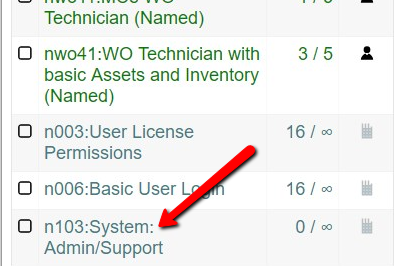
This gives a very easy ability to grant users TEMPORARY ability to access those features by going in and adding them to the n103 license, then removing that license from their list of licenses after the work is done.
This also lets you give these features 'all the time' just like it used to, by going in and adding them to the n103 license and never taking it away from them.
8.3 (for compatibility reasons, MCe 8.3 is designed to be compatible with MC versions 7.0 through 8.3) 2018.06.24 This is a major upgrade with many new features, we strongly recommend everyone upgrade to this version.
- Licensing manager now allows you to turn 'off' many features you don't want at an access group or individual level (and many other ways if you prefer).
- At a development level, the ability to add modules and combinations has been made much easier, as a result, In the future, 'combinations' of licenses will not routinely be made mention of in the release notes. See sales literature and/or salespeople for details on what is currently available for sale.
- A quick add for labor report additions, 4 fewer clicks than the more detailed method for adding it, introduced in 8.0. (The add generally is used to allow multiple people to more safely edit the same work order at the same time.)
- We are previewing our color picker in the accessibility page.
- The WO-Tech with Inventory-Tech & Asset-Tech modules is now available for purchase as a set.
- WO Technician can bring in documents (Load the whole document, URL)
- WO Manger module (infancy module) can HTML String style "Editor" style document adder.
- Very basic procedure module is now available for purchase, lets you create multiple levels of task hierarchy beyond one. While compatible with MC, MC will only show it as one level.
- Lots of Criteria added to WO lists (for nwo11 this is visible in the 'assign to self' queries, for the nwo4 family this is visible on the normal WO list as well.)
- Delayed showing loading spinners and text to be a little less annoying in a slow or flakey internet connection (It is still working and/or waiting, it just doesn't popup the messages as fast.)
- Added several WO queries.
- Procedure queries now have criteria to filter them.
- Instead of all procedures in your list being offlined, potentially 1000's with a very slow sync, now only the ones you choose are.
- Introduces our new 'Native PDF Viewer'. For now, we are only using it in our 'documentation'. All other areas, such as WO Documents, continue to use the Browser PDF. If response to our PDF Viewer is good, our intention is to use it throughout MCe by MCe 9.0.
- Several bug fixes including:
- Advanced codes did not always redirect the first time
- You were able to login while the sql database was being upgraded, now you cannot.
- Nice human message if you have no queries available (It used to have no feedback)
- Depending on situations it was possible for the initial sync to run twice, while it didn't cause problems, it did double the length of time required for the initial sync.
8.2 (January 2018, Timed to release just ahead of MC 8.2 for compatibility reasons, compatible with MC 7- 8.2)
- Background general sync'ing
- Background base sync (get working faster, work while additional data is coming)
- Any place you have the ability to specify how long an item will be kept offline from last use, there is a cloud icon to let you do this.
- Double-clicking on the whitespace on a row will take you to the same place (Edit screen usually) that the pencil on the row takes you. (Through configuration you can also remove the pencil if you choose.)
- Licensing is now setup
- You can go in and pick which groups of people can access your licenses. By Access Group, By Individual or all if you don't specify either. Existing systems will be set up for 'all' by default to make transition smooth, then you will want to change.
- Live data (Some data isn't appropriate/too much to offline, we now access live data and save for offlining any data the user wants offlined.)
- Added many 'Express' queries to take advantage of live data
- Internal technical note: Moved to 'one database for all tables' from 'one database per table'
- Apple iOS has a bug that only allows 127 databases, and it crashes in random/unclear fashions when you exceed that, some of our users hit this limit. This change works around this iOS bug.
- This allows us to make better use of IndexedDB indexes
- Necessary for several planned features in future releases
- Should be transparent to users unless they like to poke around with the developer tools in the browsers
- Mini-sync save (Each WO saves individually)
- If there are data errors on one WO, it won't prevent other WO's from sync'ing
- If the MC triggers take a long time, because each row is saved one at a time, timeouts will now only occur if they would also occur in MC or MC-Express (previously we would save all the changes in one transaction and the MC trigger on WO's is extremely slow, it would 'timeout' on as little as 3 WO's done at a time.
- If you have a bad internet connection, smaller pieces can sync more reliably (8.0 wouldn't corrupt your data or lose it, but if the internet was lost partway through it would, in many cases, have to restart and do over all the work, not restart where it failed.)
- Visual indication of things like:
- Which rows are 'online' (won't be there if you lose your internet connection)
- How long rows will stay offline (you can then click to manually set)
- What rows have unsaved changes, and an ability to click the icon to try to force it to save changes to the server immediately.
- Indication 'That' any rows are 'being' saved in the background
- What rows are 'being' saved in the background if a list is up (click on icon to 'make' it save 'now' instead of waiting for auto process, useful when you just got back and don't want to wait for the auto-sync.)
- What rows have data errors preventing them from being saved
- Automatic 'offline' of data
- Base sync
- When you go and 'edit' something – offline automatically for about 4 hours
- Manual 'offline' of data
- If you have access to rows that are not forced on/offline[^4], you can pick for each row of data such as a WO or Asset, how long it stays offline (e.g. hours, weeks months, forever)
- Online WO access (Searches similar to MC-Express) available with the WO Tech Advanced module
- Updated several of our base libraries and did the compatibility changes necessary.
- Added playground in Accessibility to see the effects of your change in UI size more clearly
- More elements resizable based on user selection (date picker in particular)
- Several bug fixes
- Procedures were not available even if you had the license
- There were places where a large gap would appear under the 1st column when in 2 column (instead of 1 or 3) display
8.1 Limited release, December 2017
- We no longer support IE. Microsoft says they will not upgrade it.
- Many more elements are resizable based on user selection, Icons especially
- Removed Metrics from WO
- Several bug fixes
- Allowed old version of Chrome to be used without notification
- Several spelling mistakes in the English labels fixed
- Removed and Added colons as appropriate
8.0 Compatibility
8.0.781 This version is:
- compatible with MC 7.x/8.0/8.1 all on the same URL. (It determines by database.)
- if you update a MC database, you need to restart IIS for that directory.
8.0.780: This version is compatible with both MC 8.0 and MC 8.2 on the same URL and compatible with MC 7.0 on a different URL from the 8.0/8.2.
8.0.0: This version is compatible with MC 8.0 and MC 7.0 as long as they are on different URLs.
There is an issue/warning (See note above. As of 8.0.781 this warning no longer applies) that if the wrong person uses the wrong URL and they are 1st after IIS does it 23 hour restart, it will cause syncing errors.
MCe/MCxLE 8.0 is intended to ship within hours of MC 8.0 shipping 'generally' (to on-premise customers) Shipped earlier than that, on 2017.06.26.
It requires modern browsers:
- Chrome version 58 or newer (basically the 'current and previous' version)
- Edge 'current version'
- Safari 10.x.
- We also provide limited support for IE 11 on Windows OS's older than 2015 (limited means about 95% of things work, but there are some features that IE 11 simply cannot do, such as our laptop picture taker.) There are many features we have planned that IE 11 simply cannot/will not ever support. But we'll keep trying until MS drops support. (see IE 11 document for details.)
8.0.781 Added multiple compatibility on 'same server' for Austin/Accruent
- compatible with MC 7.x/8.0/8.1 all on the same URL. (It determines by database.)
- if you update a MC database, you need to restart IIS for that directory.
8.0.780 2017.10.04
- Added MC 8.1 login secure passwords compatibility shim.
- Lowered the memory requirements for procedure drop down picker and asset picker (especially beneficial to get around the iOS memory bugs)
- Gave 'breathing space' when loading/installing records from the database. (To get around iOS 10 second timeout problem, and a similar restriction Chrome is coming out with in the near future.)
- Vxy8 (loading application) message added to the registration database
- Fixed case sensitive bug for the management tools reporting on database status
- Fixed bug causing some database upgrades to continually report a need to be upgraded (bulletins viewed)
8.0.779 2017.09.15
- Fixed a licensing bug when user only had access to one database
8.0.778 2017.09.08
- When a browser plugin crashes and tells us it crashed, we no longer throw a (ni9n, unexpected crash) error. We don't use any plugins so, while it is nice that the browser is telling us that a plugin crashed – we don't care and don't need to 'bother' the user, nor do we need to restart OUR application just because the plugin crashed.
- You may ask why DID we throw an error … because we didn't realize the browser would tell us about errors that had nothing to do with our code, by plugins that we don't use. We saw no point in notifying the user once we realized that the browser did this – but gives us no info, which, in a weird sense, is how the browser lets us know it is not our code that caused the error. Unfortunately, if you have a poorly written (buggy) plug-in, it might repeatedly crash as it tries to do whatever it is doing.
8.0.777 - 2017.09.06
- When doing a logout with full data wipe, if you get a sync message, instead of returning you to the page you were on, you are now taken to the sync messages page.
- On systems supporting HTTPS (default) we auto redirect to HTTPS upon login
- If you are logged in, you are encouraged to save your data and then login again
- There is a flag that can be set to use HTTP if you aren't 'there' (HTTPS) yet
- Login now only lets you pick databases that support MCe/MCxLE instead of all databases 'you' have 'any' access to.
- Increase by 5-10x's the amount of data before timeouts occur (this does NOT increase how much data iOS devices allow so this really is for Android and Windows in practice only.)
- Sped up sync by 5-10x's on a typical system, by decreasing the amount of latency. If you have a lot of images or large documents downloaded to the device or large numbers of tasks on WO's or Procedures then you will be at the lower end of the performance. If you have only a couple hundred tasks and few images you will gain the upper end of the performance. (Basically it depends on how much of your performance was delayed by latency and how much was delayed by the speed of your internet connection.)
- Massive increase in manuals/documentation.
- There is now a quick logout available for when a pin has been previously entered
- When entering a new pin, you are now required to enter it twice to minimize mistakes of this magnitude.
- When logging back in with a pin, like Windows 10, you are auto logged in as soon as you enter your pin correctly.
- If you forget your pin, you can regain access data by entering your userid/password. Since we do NOT retain passwords and we encrypt them before sending them, you must have an online connection to your server to do this. But it only needs the connection long enough to confirm the password.
- When going in to do a standard logout, you can now cancel if you change your mind.
- You are asked for confirmation for the 'wipe data' logout, to avoid accidently brushing the screen and triggering the wipe data which would then require a long sync to get back in.
- We have added costs calculation for WO costs. Both on initial entry and on close. In part, this gets rid of a bug where MC 7 stopped calculating costs as it did under MC 6 and older.
- Added English text for the ni9n error. (so you see actual text instead of ni9n)
- Procedures had 'test' values showing up on the tree view
- PartCost allowed creation when value was 0 but sync didn't accept that.
- Null reference error in UpdateTaskPhotoReference fixed
- More icons added to menu choices.
- When adding a license, the database upgrade is auto done to minimize 'database upgrading' delays when the first x users log in.
8.0.774 – 2017.08.05
- A bug in Android has been worked around. (It was making it not possible to edit in the WO task screen.) This affected all Android browsers but no others and it only affected the one page, but obviously an important page for most users.
- 'Uncaught' errors stated: ni9n. They now give a more user friendly error along with whatever details they know about the error. The application will then refresh to allow you to continue.
- New feature (to replace an old partially working side effect): State of wo (expanded/collapsed) maintained even after browser refresh.
- UDF values can now be edited by UIConfig (small charge to set up.)
- Added ability to enter task signatures
- Picture taker now gives better value for the filename
- Better UI for Management tools
- Added CustomLanguageName to translation table, allowing for custom (small charge) change in 'name' of language in language list.
- Test values (bottom line of each procedure in procedure list) removed
- Fixed: A rare bug in UpdateTaskPhotoReference–null reference issue in the technical details.
8.0.765 – a couple bugs fixed, several new niceties added
- IE 11 now working. (You should still use Edge or Chrome if you can, see our IE document). We have no users we are aware of using IE 11 so if you run into problems please let us know and we'll endeavor to work around them.
- Even better lock/unlock experience (visual indicator that we are doing something.)
- new costs took us to the wrong page a bug recently added, and fixed in this version.
- WO List updated to new style and sort working.
- WO List when a specific WO is expanded it shows the full reason no matter how long and shows the 1st 200 chars of long reasons otherwise
- New SR now allows entry of assignment and target date and target hours
- Updates a raw new MCe automatically (just one tiny sql to run)
- A bug that has been in our product forever … the MC close SP was not marking the close date due to it defaulting to null when passed nulls as parameters. We now force the defaults to be passed which causes the SP to work properly.
8.0.757 – 2017.05.29 – Fixed bug when MC puts a null as the task number, made it difficult to sync. We fix task number now to 0. This is a 'decades long standing' bug recently reported, not something new to 8.0, it just was found at this point, partly because with 8.0 it was easier to 'get' data that looks this way.
Explaining several 'FAQ's about our releases, versions, names
Ok, so they've only been asked a dozen or so times, but we figured that was often enough, others may have been wondering the same thing.
Why version 8.0/10? I thought the last major version was 5.3/8.9?
First, why did we jump from 5.3 to 8.0?
5.0 coincidentally featured support for HTML-5 browsers.
(Versions 4 and older worked with things like Palm Pilots and Pocket PC's
So the version number 5 was a shift in HARDWARE/Software platform that we ran on, and it was convenient that it was for HTML 5. So we stuck with the 5.x family number to indicate that. (Interesting side note: it wasn't until about 2015 that the last user of our 1.0 Palm Pilot software stopped using Palm Pilots and updated to version 5, those devices and we with a bit of modesty suggest our software is really that good.)
5.3 was actually a substantial upgrade from 5.2.x, and one of the changes was that it was compatible with MC 7.0.
- But we didn't want to bump the version to version 6 because when we talked with people, they thought that meant it would only be compatible with MC 6.0.
- Unfortunately it meant that people thought it was just a 'minor' upgrade, and some didn't upgrade because of that.
- In retrospect, we wish we had named it version 7.0 to match MC 7.0. But as they say, hindsight is 20/20.
8.0 is a huge upgrade in many ways, one person said 'If windows went up 2 numbers between 8 and 10, MCe deserves to go up 3 numbers between 5.3 and 8). BUT:
- It still works on HTML-5 browsers.
- HTML-5 browsers other than IE and Safari have improved dramatically in the 2+ years since 5.3.0.0 shipped.
- MCe/MCxLE 8.0 is designed to work with both MC 7.* and MC 8.0.
Then, why did we jump from 8.9 to 10?
Reason 1: Our release cycle isn't compatible with the Accruent release cycle, we release much more than once every year or two and that made keeping the numbers close to Accruent's numbering cumbersome. When we were trying to keep the same numbers as Accruent, Accruent was planning on releasing SaaS releases every month or every 4 weeks and On prem releases every 2 months or every 8 weeks.
Reason 2: Our releases are compatible with a wide range of Accruent releases, and people thought they had to have an 'old' version of MCe if they had an 'old' version of Accruent's MC, so we decided to break from the numbering. Shortly after Accruent went to a 4 digit 'year' based. So for example MC 2025 released just shortly after 2025, see the Copyright year below.

We look at it this way, their release numbers are based on when the bulk of the development was started, not when it released. By jumping to 10, we used numbers that Accruent did not use - making it clear that there is no compatibility issues based on numbers that were 'close'.
MCe versions 12.1.* are compatible with MC 8.9 through 2026. We have code so that where there were breaking changes, we work both the old way and the new way.
We have not decided when to shift to 13.x and what it's backward compatibility to MC will be, it will largely depend on the state of our customers and how to best serve and not cause problems for customers that are further behind.
What about version 6.9.x and other numbers between 5.3 and 8.0?
Our pre-release, limited release versions were numbered with various numbers including 5.4,.x 5.5.x, 6.9.x and they were compatible with MC 7.0
What is the difference between MCe and MCxLE and what do those initials stand for?
MCe stands for 'Maintenance Connection Everywhere'
MCxLE stands for 'Maintenance Connection Express Limited Internet Edition'.
The differences between them were almost exclusively colors. When MC-US (before Accruent bought them) introduced their online mobile product MC-Express, they asked us to create for them a version of MCe that used the colors that MC-Express ended up having and had a few other mostly cosmetic differences. In the computer industry, this is often called a 'white boxed' version.
So the 'xLE' (eXpress - Limited internet Edition) was their requested abbreviation for the product so it would clearly distinguish between their
- MC-Express which is a mobile product that requires a constant connection to the internet and
- MCxLE which is a mobile product designed to work even when you don't have an internet connection.
But as far as MCe/MCxLE goes: MCxLE is the branding that MC-US (before Accruent bought them) uses, MCe is the branding that the rest of the world usually uses although many people incorrectly call MCe "MC Express". Regardless, MCe by any other name ... these products are designed to work even when you don't have an internet connection and we are committed to keeping them compatible companion products to MC.
Top 10 list of new features
Here is our 'top 10' list of things that were not in version 8.0
- We work ONLINE as well as offline. This means that, if we need data that you don't have offline
- We offline in many different ways now – 8.0 only did it one way – to give you an optimum offline experience.
- We cache data you use, this means that 8.1 runs extremely fast when online because we don't go back and forth to the server except when we need data we don't have.
- We give you the ability to force some data offline – so if we don't automatically offline the data you are going to want or we don't offline it long enough, you can easily tell us how long things should be offlined for.
- If you have access to more than one customer database, you can switch without 'wiping all your data'. This makes switching back and forth much faster.
- Many sync processes run faster and more convenient for you.
- 8.0 only had 2 modules you could buy: WO Tech and 'Procedure basics'. We have additional modules available for purchase in 8.1 that let you have essentially all the functionality of MC Express but in our style and offline.
- You can double click on a list to edit items in the list (yes, we know the button was too small given it was the most common button you pushed)
- Our MCe MRO product used to be a separate Stand-a-lone that only ran on Windows as an .exe style application - much like our Tablet Hybrid was; it starting being brought in to the browser based fold. It didn't fully merged until 12.x
Some other 'lessor' changes (also not in 8.0):
- Sync button moved off of the left menu into the title bar (because it shows status and you can't see it in the left menu.)
- A condition status details can be found by clicking on a top label button, and changes such as connecting and manually disconnecting can be done from the popup.
- You can specify what you want to look for in filtering.
- Many additional filters added.
- You can choose to see different lists of WO's, not just your Assigned WO's
Appendix: What are some of the things you can pay to have customized?
Appendix: What are some of the things you can pay to have customized?
Hint: With small changes, it is cheaper to have a bunch done at once than to do one at a time.
- Name [ID] fields to JUST show Name or ID or both. (No option for neither 😊 )
- Move fields around in order on the screen, even from one tab to another.
- it's a REALLY good idea to move the UDF fields you use out of the UDF tab, onto the other tabs (essentially - where they 'belong') then hide the bottom tabs. Gives you your data where it belongs and gives you extra space because once there is only one tab in a set, in this case at the bottom, the tabs disappear and give you space for other items on the page.
- Hide fields so they don't show up at all.
As a general idea, expect a quote starting at $1500. This will be for time 'planning' time 'implementing' plus time 'tweaking' the results.
We also frequently do custom code – most frequently as 'Customer Sponsored Features'. These have, historically cost anywhere from $5000 (by the time we do testing, it is hard to do anything for less than this amount) to $150,000. Many times all or most of the features become part of the product going forward (so other people are testing the code not just you.) But there are lots of places where you can put in custom scripts See also intro to scripting
Appendix: Bug or design feature?
Appendix: Bug or design feature?
There are often differences of opinion between users of software and the authors of software as to what is a bug and what is 'something else'.
At Maintenance Connection Canada we have a policy to try to have 'no known work affecting bugs'. If there is more than one 'bug' at the same time we prioritize 'data loss' bugs as the most critical.
But users often consider anything that isn't the way they would have done it as a bug. The Apple Geniuses are even worse, they call every bug I have ever reported (even major crashes that required restarting the device) as an 'uncompleted feature.'
For example:
- MCe/MCxLE are designed to run whether you have a solid internet connection or not. (Online or offline.)
- They are designed to run on small screens (phones), medium screens (tablets and iPads), large screens (laptops and desktops.)
- They are designed to run on a system that has at least one (usually a lot more) MC users.
So we don't consider a 'missing feature' a bug, we consider it something we might add in the future as time allows. So far example, as of version 10 of MCe, there are many features missing in our Procedure module, but since you have Accruent's MC, you don't need that, so we don't consider it them bugs, we consider them features that will be nice to be added.
Sometimes customers pay us to add the features they want sooner than other features, sometimes they pay us to add 'custom' features. Sometimes those features are only implemented as far as exactly what the customer paid for, other times we flesh it out and do the other logical/related pieces that other customers are likely to want.
Sometimes there are 'practical' design decisions that we do not consider bugs. If we think that customers might consider them bugs, we sometimes document them below. If we/customers come across ones, we may add them here as well.
When going, for example, from Responded to NOT responded, we don't 'set all tasks complete'
Accruent's Complete/Close dialog is designed so that when you hit apply, everything in that box 'happens'. This includes creating follow-up work orders, setting all tasks to complete etc..,
We made a decision in our similar feature that we only take those actions when moving 'forward'. So while Accruent's MC will set all tasks complete when you move from responded to NOT responded yet, we consider that going 'backwards'; we consider that to be an action such as "oops, I set responded in the wrong work order'. We actually HIDE those options when you are going backwards so it is very clear what is and is not going to happen.
So while we don't do it the Accruent way, we consider it a FEATURE in MCe, not a bug.
When I go to look at a document I get a 404 error on a different tab
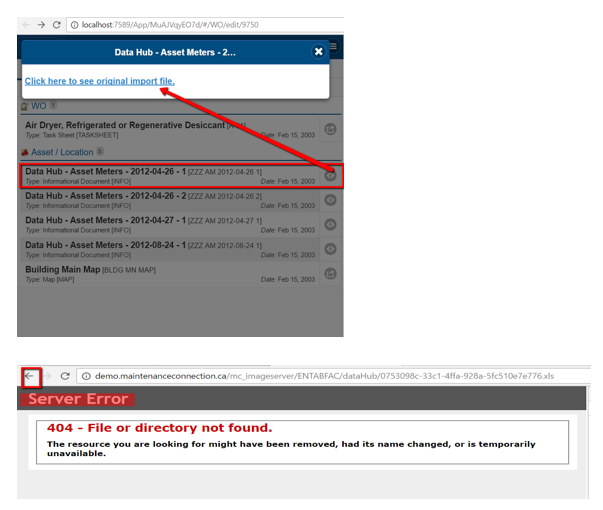
This is not a 'bug' in MCe/MCxLE.
We do not copy offline all documents and images – for a cell phone, especially an iOS device, you would quickly run out of room (they often limit the storage space for applications even if they have lots of spare room.)
This means that we told the browser to show the file, but the browser was unable to show the file. Three common reasons:
- you don't currently have a good enough network connection to the server, you will have to try again when you have a/a better connection.
- someone deleted that document but didn't delete the document record (This would normally be an admin person who has 'backdoor' access and/or cleanup tools that were not used properly.)
- your MC server is running correctly but the MC Image server is not. (Some customers put these on 2 separate servers.) You will need to talk to your IT department or SaaS provider to fix this.
- A restore was done, but not all the documents were restored (yet). You will need to talk to your IT department or SaaS provider to fix this or wait awhile if you know they are working on it already.
In each case, close the tab/window that gave you the error and try again or continue to other work.
Appendix: Browsers
Appendix: Browsers
As of 10.0, MCe works and is tested regularly on these browsers:
- Chrome the 'current and previous' version on Windows and Android (This does not include Chrome on iOS, that is just lipstick on the WebKit/Safari engine.)
- Edge 'current and previous Chromium based version' (This does not include Edge on iOS or Edge on Android, those are just lipstick on the WebKit and Chromium engines) 2018.12.02 note: There are strong, believable indications that Edge will soon be built on the Chromium engine, making it a lipsticked version of Chrome. We plan to continue to support it directly since it will be default installed on most Windows installs.
- 'current and previous' on Android, but see 2021.04 note below about Brave on Windows.
- Safari 'current and previous version'. Note that it is extremely hard to try to test on old versions of Safari due to Apple's policy. We know with certainty that we do not run on 11.0 (it was a horribly buggy release that only was out for 3 or 4 days before Apple replaced it with 11.1). We know that we lose a lot of the offline capabilities under Safari 10.x, but limited testing shows that 8.9 works offline until you refresh the browser or tab, you don't lose your data, but you need a connection to get started again.
- As well as Brave, Vivaldi and Shift. Brave usually works, Vivaldi is good, Shift is slow and needs rebooting more frequently and is annoying trying to get you to upgrade to paid, but otherwise works.
Note 2026: MCe was not affected by the Chromium deprecation that caused problems for MC
Note that as of July 2020 & July 2026
- the Chromium based browsers including the 3 most popular: Chrome, Brave and the new Edge account for over 2020: 66%
- In 2026 the specs are split: Chrome 2026: 63.5% of the browsers worldwide. Edge 11.3%.
- Safari accounts for about 2020: 17% 2026: 21.4 of desktop, 19.7% of mobile
- Firefox 4%, 2026: 11.3%
- Samsung 2020: 3% 2026: 2%
- Opera, Legacy Edge, IE, UC in about that order share another 6%, 2026 remove Legacy Edge, the others are about 1%.
- The more than 100 other browsers share the remaining about 4%
- Apple is still holding to their rule that all browsers on iOS must be Safari with 'lipstick.' There is some talk about breaking the Apple monopoly, but this will likely take years. As a result, we only support Safari on iOS because any other browsers typically have all the bugs of the Safari engine (WebKit) plus any new bugs they introduce, so for our user base, they offer little of value on iOS. There has only been a few days once in the last 5 years where Safari did not work but other browsers based on WebKit did. Every other time Apple broke Safari, they also broke every other browser based on it. (Such as their infamous 11.0 'upgrade.) So, for example, the bug that prevented our video capture from working has been on every iOS browser.
As of 2021.04
While Chrome (Technically Chromium though bug fixes pushed by the Microsoft Edge team) removed about 30% of their memory leaks last month, there are still many in the Chromium engine that affect Brave, Edge and Chrome.
One that frequently affects Brave **ON WINDOWS** currently, and sometimes affects Edge and the Chrome browser, causes a refresh of MCe to 'hang' at "Waiting for data to load 2 of 14" in the restart. There are three solutions:
- Unfortunately, while this is the ONLY Brave specific (frequency) issue we know of and we continue to continually test with Brave, we do not currently recommend Brave on Windows because this is a very irritating bug in their software. Right now we recommend switching to Edge or Chrome. If you want to keep using Brave, continue reading:
- When it gets stuck at this point, removing all instances of that browser and restarting will get rid of it until the leak builds up. On Chrome and Edge you should not have a problem if you restart it daily. On Brave on Windows it can happen quicker than that.
- A work-around the browser memory leak: Before you refresh (or after you get 'stuck' there), turn MCe to "manually disconnect", refresh, then manually reconnect. This completely bypasses the memory leak even on Brave.
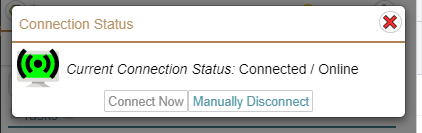
We expect/hope to be able to recommend Brave again in the near future.
Legacy Edge: The NON-Chromium based Microsoft Edge browser in part because usage stats show that it has essentially 0% use. There is a good chance that our software will still run on it for another year, but it might not, so if you are in the less than 0.1% that still use it, we recommend you start using the Chromium version of the Microsoft Edge browser. Historical note: In 2020 we said here "Given its use is less that 2% and falling, we are unsure how much longer we will actively test on this browser. "
Others:
- Opera: We did limited testing on Opera and found no fault this time around. So we took away the block that prevented it from working and instead just give a waning when you login or refresh that it likely won't work.
- FireFox: testing was unsuccessful with this browser. They have been plagued with problems ever since they effectively kicked their founder out several years ago and most of their top developers moved with him to Brave. We have been unable to get MCe to function on it without taking a lot of features away from other browsers so we do not support it.
- Other browsers like Vivaldi, SeaMonkey.
As of 8.1, MCe works on these browsers:
- Chrome the 'current and previous' version (This does not include Chrome on iOS, that is just lipstick on the WebKit/Safari engine)
- Edge 'current and previous version' (This does not include Edge on iOS or Edge on Android, those are just lipstick on the WebKit and Chromium engines) 2018.12.02 note: There are strong, believable indications that Edge will soon be built on the Chromium engine, making it a lipsticked version of Chrome. We plan to continue to support it directly since it will be default installed on most Windows installs.
- Safari 11.x. 'current and previous version'
Notes:
'current and previous' means that, at the time of shipping, we ensure we are compatible with current version and the previous version of those browsers, and we constantly release minor upgrades to stay compatible, though to be fair, most Chrome and Edge upgrades don't require any changes to our code.
We no longer work on IE. It has known security flaws that will never be fixed. Note: we recommend you never use IE for any reason unless you have no choice, even MC due to these security flaws.
See our Browser docs for more info.
Appendix MCe vs MCxLE
Appendix MCe vs MCxLE
MCe
Long name: Maintenance Connection Everywhere.
This is the general product available throughout most of the world by most Maintenance Connection and Maintenance Connection Canada dealers. It was named this way many years ago because of its ability to work virtually anywhere on virtually any modern device, hence 'Everywhere with or without an internet connection".
MCxLE
Long name: Maintenance Connection Express Light Internet Edition.
This is the private branded version of MCe sold my Maintenance Connection Inc. primarily in the U.S.A. MC-US (bought out by Accruent) named it this way because it works even when you have a non-existent or poor quality 'light' internet connection. We have also heard it called by dealers and users:
- Maintenance Connection Express Light Edition (due to wo2n/c having fewer modules/features than MC Express) and some people refer to it as
- Maintenance Connection Express Luxury Edition (due to its ability to work offline or when you have a flakey internet connection and due to it generally running faster, especially once the initial sync is done, because it doesn't have to go back and forth to the server every time.
Because some people call MCxLE the 'Light' edition, and because MCe essentially has everything that Express has PLUS MCe works offline and with flakey internet, MC-US (bought out by Accruent) doesn't like the name, because it gives the wrong impression. This product is definitely not the 'light' edition!
As far as what exact features you get, the module(s) you purchase decide the feature set and then administrators can easily turn off many features if you don't use them to keep the screen as simple as possible. So, for example,
- wo1n is the named license for MCe only that gives you 'just' work order technician
- wo2n and wo2c are the named and concurrent MCxLE versions that have exactly the same feature set as nwo11
- wo4n and nwo4n have Assets and Inventory at essentially the same[^5] level as MC Express.
As of 2018.05.25[^6] at the request of Maintenance Connection Inc., this private branding version will likely be renamed. As of release, Accruent. is still considering what they want the new name to be, so until that decision is made, the product is going only by the MCe name. Once Accruent decides the new name, there will be a period of time before all our documentation is renamed to the new name. Update 2022: The people at Accurent who asked us to change the name McxLE and were going to give us the new name they wanted are no longer are at the company. So it looks like MCe is the name that is going to stick around for some time to come.
A rose by any other name…
Whether MCe, MCxLE or ???, the only fundamental differences between these products is the name you see and the logo. As MCxLE is private branded, the specific set of features and modules available for sale may vary slightly, but everything else, how it works, how the UI interacts, is the same from a documentation perspective. Down the road, it will stay the same from a features and functionality and UI perspective unless requested otherwise by Accruent.
Appendix: Accruent MC and LoginHub Compatibility
Appendix: Accruent MC and LoginHub Compatibility:
We support Named and Concurrent MCe licenses on all MC databases. It doesn't matter whether you have a Named or Concurrent MC database, you can run concurrent MCe and named MCe licenses. For further clarity: You can run both named and concurrent MCe at on the same database regardless of whether the MC licenses are named or concurrent. Indeed one recommended configuration for new customers is to have some MCe Named, some MCe concurrent and all the rest named MCe licenses.
MCe 12.x is compatible with MC 8.9 and newer (to which ever version we are currently testing against) and for technicians is compatible with older MC versions.
For ease of reading, MCe 8.? Means the product regardless of which name above you have received.
For ease of reading, MC refers to the Accruent Desktop Maintenance Connection product which includes MC.
MCe 8.9.* is compatible with MC 7.x, MC 8.0 through MC 8.9 all on the same ent database
- This means if you are still running MC 7.x you can run MCe 8.9
- This means if you are running MC 8.3 you can run MCe 8.9
- This means if you are running MC 8.9 you can run MCe 8.9
MCe 8.9.* is compatible with LoginHub 8.0 through 8.9
MCe 8.9 is not compatible with LoginHub Version 7 or older
LoginHub 8.* is not compatible with MCe 6.9 or older.
- This means if you want to upgrade to LoginHub 8.? You need to also upgrade to MCe 8.9
Appendix: Upgrading process
Appendix: Upgrading process
Users should not have to 'retire device logout' if the URL is staying the same.
If you are migrating to a new server, you need to device retire logout before the final cutover.
- Changes for devices looking at the old server will not be moved over
- Devices pointing at the new server, often in a test mode before going live, need to device retire logout to clear all test data. If your test was a different URL than production, then this does not matter.
Appendix: Multi-tabs
Appendix: Multi-tabs
We are getting a lot better at having multiple tabs open in a browser, but there are still some issues where, for example:
- a popup can close on you when the other tab is doing something it it's background
- If you use multiple tabs and change the language. If you are going to change language, go down to ONE tab in the browser, then change the language. If you have 2 databases - change it in both (all) databases to the same language, with only 1 tab open at a time OR never open the 2 databases at the same time.
performance is lower because all tabs will be doing background syncs at the same time - which can give interesting results if you look at the 'current sync status'.- If you get an upgrade to a new version of the software, you should close all tabs except 1, then open them back up again (Expect 'teal screen of death' on some or all tabs if you don't.)
- if you use multiple tabs, expect a few minor problems, don't open the same entity (the same WO for example) in more than one tab at a time.
If you come across any others - let us know and we'll put them in our list to try to fix.
We continue to routinely test with multiple tabs open and will continue to fix problems to make this a better and better experience for you.
However, for most people you are still better off using multiple browsers (Edge and Chrome) instead.