

 Maintenance Connection Everywhere (MCe) · EAM/CMMS manuals
LE means Limited Internet Edition
MCe is called MCxLE when it was sold by Accruent. All comments except the name apply equally to MCe since it is the exact same product.
But what does 'Limited Internet Edition' mean?
It means the software has been optimized to run really well when you don't have a perfectly reliable, blazing fast internet.
And that's why it is the speed winner no matter how good your internet is.
Let's look at some questions and answers that help explain:
Summary: When does MCe really show its power and flexibility?
No connectivity
The obvious one is where you will be away from an internet connection by you still want to work, even when away from the Internet for hours, days or weeks.
Walking around
A less obvious is where you want to take your device with you, as you go into an elevator shaft, into a business meeting, another company, out in the yard, in the maintenance room, in the warehouse – all places where you typically can't get a good WiFi or other internet signal.
Poor connection/speed/flakey
Being able to work even while the internet is going in and out.
Emergency situations
This is similar to some of the others – but maybe one you don't think about. But imagine in an emergency, when the internet is coming and going, perhaps you need to get work down while the server is recovering, or just because of the emergency the connection is poor. Imagine being able to do at least some of the more important work and not having to wait for things to return to normal first.
When you want to get more done but you don't have the fastest setup.
If you notice a significant 'lag' when switching, you should see if a LE solution will fix it. In many cases it will.
When you have lots of people using the same server and you want to speed the server up.
This one only applies when your server computer is running close to capacity or the server network or internet connection is running close to capacity. LE lowers the average load on the server so the server can spend more time doing 'real' work and less time processing
When things slow down at certain times of day because so many people are connecting.
While LE will also be affected by this same problem, think of LE as the motorcycle in California, that can zip between the vehicles, where the standard web solutions are the cars and trucks. All will be slowed down, but LE will be slowed down the least.
Latency will always cause delays
Every time you go 'to the server' for something, there is going to be a delay even if you are only getting the tiniest piece of info – that delay is called 'latency'.
If you have a 'very slow' internet connection, you might not notice this because any communication is slow, you still have 'latency'. A 'very fast' internet connection is often where latency is noticed. While you may be able to have data (video for example) come very fast once it starts, that delay at the beginning is latency.
If you do 100's of small requests, especially if you have to have one before you can ask for the next, you will notice latency.
LE cannot get rid of every cause of server latency, but it gets rid of most of them by caching the data on your client device and only going back to the server when it needs more data. That is why switching between work orders or switching between tabs etc.., is so fast on LE compared to traditional web sites.
Is it Magic? How does MCe do all this? Part 1:
Well, first of all, it is not magic.
For every piece of data, there are frequently about 100's more pieces of 'stuff' downloaded – every time you change pages etc..,
Have you ever done 'view source' in your browser? You will notice most of the file is stuff that is telling your computer HOW to show the data, and only a tiny amount is your actual data. On a traditional web page, every time you hit a button that changes pages or changes a significant portion of the page, all of that stuff is downloaded to your computer with your data.
This means if you go and look at 100 work orders over a few weeks, you will typically download the HTML for those work orders 100 times, plus you will bring down then work order data for each once. And if you go back to one you looked at previously, you will bring that data down again.
Browser 'caching' helps here, but because it has no way of knowing whether the portion of the page with data is exactly the same as the previous time, so only the 'general' page/script info is 'cached' for you.
What MCe does is bring all the page information ONCE, and bring the WO data down ONCE, and then after that, it only sends and brings changes. This can make it 100's of times faster to change pages on a medium or slow speed connection. It makes it infinitely faster when you don't have an internet connection. It can even make it noticeably faster on the fastest internet connection.
This means we recommend you have a good connection when you download and when you sync large amounts of data – such as when you have been away from the internet for a day or week.
This also means the average load on the server is lowered. There is a bit more work the first time you run the application, but after you have it loaded and do your first sync, the performance should be at worst 3 or 4 times faster than the alternatives and under any situations where you don't have a perfect connection, it will be 10, 100 or 1000x's faster depending on how much of the data you already have on your device and how bad your connection is.
Sync'ing, which is better – for YOU to wait or for the computer to wait?
Unless you have been gone for a long time, we sync bits and pieces whenever you have made a change or requested data and we have an internet connection. We do this 'in the background' so that you can continue to work.
Compare this to a normal situation where you hit the 'save' button. Now you have to wait while the data is sent to the server. With MCe, when you hit save, we store it immediately, and then, when you have an internet connection – we start to sync. When we lose the connection, we wait and start syncing again when you get your internet connection back.
This means, as much as possible, we don't make you wait, we make the computer wait. And we think your time is more important than the computer's time!
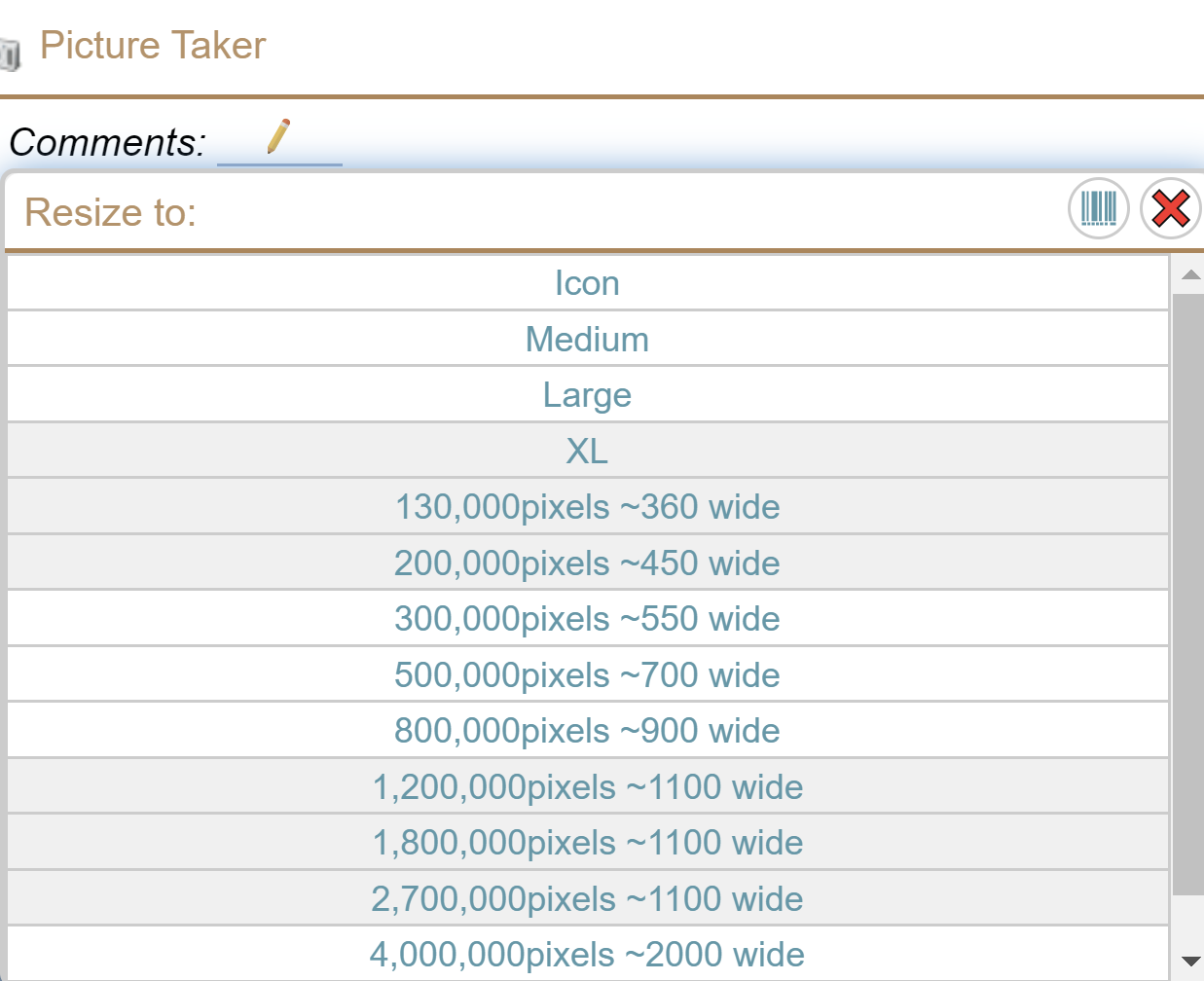
Taking photos
The normal/common way is to take a BIG photo, possibly many gigabytes – the more expensive your cell phone, the more likely it is your pictures are BIGGER.
You then transmit that HUGE file and, if you are lucky, the receiving program will trim it down to a reasonable size so that when you ask to see it again you don't have to get the HUGE file.
MCe trims the file down before it sends it to the server, and in many cases creates a 'thumbnail' so you don't even have to waste bandwidth getting the whole stored image.
What if you WANT to send and keep the HUGE file? We still let you do that when you want to, but the thumbnail can be used for times you just want a quick view without downloading the whole image every time.
Reading barcodes
One of the reasons many people don't like 'software barcode readers' is because an image is sent to the server, the server checks it, and if it finds a barcode, sends it back. This can often take many seconds or even minutes to send and process one image. And if it was blurry, you have to send another one.
On devices that support it (most in 2025) we read the video stream. In one test, using our default configuration, a $105 2014 Android phone was reading and processing images at over 15 per second. In another test. Using a windows device that was substantially more expensive we were reading and processing images at a rate of more than 65 per second, that means as soon as the image was in focus, the barcode was read.
But really – even 15 per second is fast enough to be very practical, where sending the whole image to the server at a rate of 'a few per minute' (If you have a blazing fast internet connection) is not practical even at its best.
The more important/critical question is whether your phone can focus 'close' (like 6 or 7 inches, 15-20cm)
QR barcodes are even better
If you label your equipment with proper URL encoded QR barcodes, someone can scan it with their cell phone app (such as camera app) and
- If you are already logged in - go to that asset directly
- If you are not logged in - it takes you to the log in, and then it remembers that you wanted to go to that asset
If you are looking to pick an asset, perhaps in the asset tree list or in a picker, the very same barcode can be read by MCe and it ignores the URL and instead pulls out the asset id.
The same applies to anything else you barcode (user id badges, parts, bins and so on.)
Is in Magic? Can I use it without EVER having a connection to the server?
If I *never* have good network connection to the server, can I still use LE?
Well, sadly no. To load the software or to load an upgrade you need at least a medium quality connection. There is a fair amount to load. Also for most users, you will be initially loading a large amount of data and you will have much better success if you initially load with the highest performance connection you can find.
Also, if you have made a lot of changes since your data was last sync'd – your experience will be much better if you find a good connection.
Many Starbucks and other WiFi hotspots offer a good place to do the initial loads and/or large volume syncing. But a hard cable connection to your server is best.
Basically, any connection that is good for running MCx or MC is a great connection to do the initial loading and high volume syncs.
If I *never* have an internet/network connection after I initially load LE – what then?
Unless you want to VIEW the data you initially loaded only, and you never want to save your changes or get new day, I guess you could. But this is not practical. So no, you need at least a basic connection once in a while to save changes and get any new data.
More details of real life needs for LE
The extreme:
- Are you headed up past the Arctic Circle, and expecting to not have Internet access for a week?
- Are you in a submarine for a several days?
- Are you doing repairs on a ski slope?
- Are you taking inventory for 8 hours in a warehouse?
- Are you riding the bus or the underground (train) for a few hours each day and want to get work done (perhaps you want to work on the work order assignments while you are on your way in)?
- Conference room?
- Are you doing maintenance in the 'maintenance room' (where metal and concrete block wireless signals)
- Are you working inside a faraday cage (like our Nuclear plant customers) that purposely block all wireless signals.
- Are you working around a lot of water (water very effectively blocks WiFi etc.., signals.)
- In the mountains or foothills
- Going to any location that doesn't have WiFi or good phone service. (It's one thing to be hard to hear on a phone, it's another thing to have data dropped!)
- Are you outside the US and limited to 2 or 3G if you even have that when you are not at the office or at a WiFi Hotspots? (In other words – 95% of the world outside of the continental USA, at least until Google gets several million WiFi balloons up in the air.)
- Out in 'the yard'?
- In the basement?
All of these are examples of times where you may, for hours, days or even weeks, not going to have any internet connectivity. In these circumstances, Limited Internet means that
The mundane:
- Do you want to use your device in an elevator?
- Is it inconvenient to get a wire to your desk and the WiFi is off and on?
- Do you 'walk around' when working (your internet goes in and out, sometimes just for a fraction of a second)
All these are examples where you are 'mostly' connected, but your connection is either 'flakey' or 'slow'.
What causes bad WiFi reception?
Lots of things! According to my research and experimentation since the 1990's, and there are some implicit tips here for router placement and computer placement so you can get the best reception possible.
- Distance from the 'router'
- having metal, water, concrete or rock between you and the 'router' or metal near you or the router.
- Trucks
- Air-conditioning and heating vents.
- Concrete walls and floors (This is a reason why many buildings have to have a router on the ceiling of every story in the building, they have thick concrete floors with metal strewn through them.)
- Metal framing, especially in offices.
- Wire mesh (Chicken wire is fantastic for purposely blocking WiFi signals– really!) – Chicken was commonly used in plaster and lath walls and is still used in exterior stucco AND it is used by some as a perfect shield against WiFi frequencies.
- Aquariums (Water and many other liquids block signal)
- Boilers (reflect and block with the metal shell, block with the water/glycol contents)
- Other routers in the neighborhood using the same channel
- Computers/stereo equipment/Radios between you and the Antenna
- Metal roofs and walls (they block signals going through and they reflect a scrambled signal messing up good signals.)
- Too many 'animal' bodies. Did you know you are made mostly out of water – and water is a great absorber of WiFi. A small aquarium can block WiFi … and so can you and all those around you. (This is one of the reasons you want your router up in the air – so the signal doesn't have to go through 2 or 3 human bodies to get to you.) I knew a situation where every time the user stood up, the computer lost its internet signal. Fortunately sitting down was a practical solution.
- Mirrors (the metal on the back, not the glass)
- Metal foil insulation (this stuff is fantastic for blocking, terrible if you want a signal.)
- A copper clad building is very secure for keeping people from stealing signals. But if you are close to it, the reflections can terribly mess up your signal.
- Microwave absorbers, for example: http://www.ets-lindgren.com/pdf/absorber.pdf
- Anything that 'heats up' in a microwave will likely block or degrade your wireless signal
What doesn't block WiFi much:
- Wood
- Trees in winter (no moisture in their leaves in the winter)
- Air
- Paper
- Glass without WiFi blocking materials on them
- Fiberglass insulation without 'foil' backing
- Foam insulation without 'foil' backing
- Sheetrock (drywall) (But not metal lath plaster – see above.)
What about MCe 1 through 6.x?
6.9 was our lasot offline 'only' version. All its design choices were based on the assumption that you only had a connection to the server once a day or once a week. So it had a lot of the advantages above, but each new version has more! Starting with 8.1 we started implementing 'online' features to give you the absolute best solution no matter what your situation.
 Copyright © 2016 Asset Pro Solutions, Inc 5 | Page