

 Maintenance Connection Everywhere (MCe) · EAM/CMMS manuals
Sync'ing (Synchronizing) is when the changes to the data that you have been made are pushed to the server to update the server, and changes on the server (typically by other people) are brought back to your device.
The major way to cause a sync is to do nothing, just let it happen.
Another is to hit the Sync button

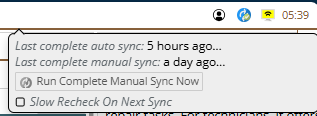
The yellow icon with 2 'bars' shows that we haven't successfully connected for a little while.
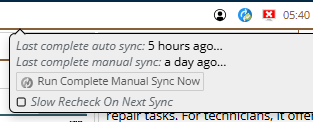
The red icon with X shows that we haven't successfully connected for quite awhile.
. Others include: doing a 'wipe data' during logout, logging in, releasing work orders.
If you do work on two devices or two browsers, we conceptually consider that to be two users.
If you do work on two tabs of one browser, we conceptually consider that to be one user.
When you are running with an online product, the chances of data you are using being changed on you is pretty low. And the occasional time someone else changes the data you are working with and you get a 'cannot save' or 'data lost try again' type message is fairly easy to deal with because you 'just' entered the data that had the problem.
Being offline means that data is even more likely to change by someone else in a way that won't permit your changes, and in some cases you have to 'guess' at a value – or use a value before it has been entered into the 'main' system.
All of these are errors that can simply give you a 'try again, couldn't save' message when you are on line, but require more assistance when you are off line.
After all, it may have been a week or more since you last sync'd, and the error may relate to a value you entered in just after your last sync.
When a sync is performed, if we run into data that we can't save, we provide you with 'sync messages' to assist you in fixing the data or making decision as to what to do.
We document the specific errors in a couple different places.
First, for each module, we document many or all of the sync messages you can receive in a file specifically for that.
Second, we document many or all of the sync messages in places where the data you enter can cause it.
But ... there aren't all that many!
See the individual modules for more information on specific sync messages.
Auto fixups (Some error messages no longer occur!)
We keep looking for ways that we can automatically fix things so no human has to get involved. For example, on WO tasks we realized a common mistake is for people to delete a task or all the tasks, and then add back tasks that look Identical. They were not identical technically, even though they looked the same. So we added some code into our sync so that, if a task is missing, we look at what the users see as the task, and if they are the same, we say 'ok, this new task replaces this old task' and then we carry on.
Technical details
All of the sync messages have 'technical details' that you can access by pressing the expand row button. We do not document the meaning of that, though if you read carefully it will in some cases make sense.
The technical details are designed for technical people, typically people who can read both SQL and C# code, so they can help you get going as fast as possible, and if you are really stuck, the technical details will be very important to our support services