

 Maintenance Connection Everywhere (MCe) · EAM/CMMS manuals
Blind Count or not
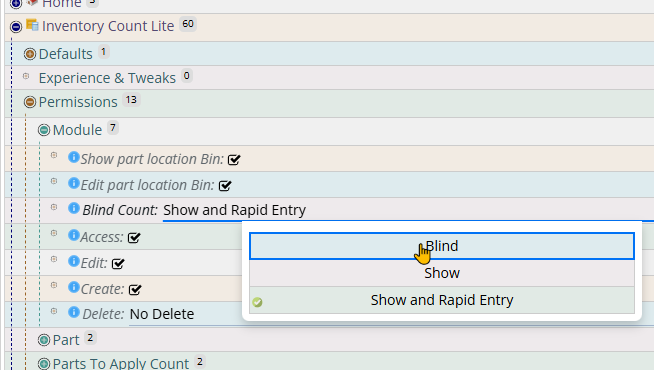
If Blind count:
Change in Preferences ICLite to a blind count
If not blind count:
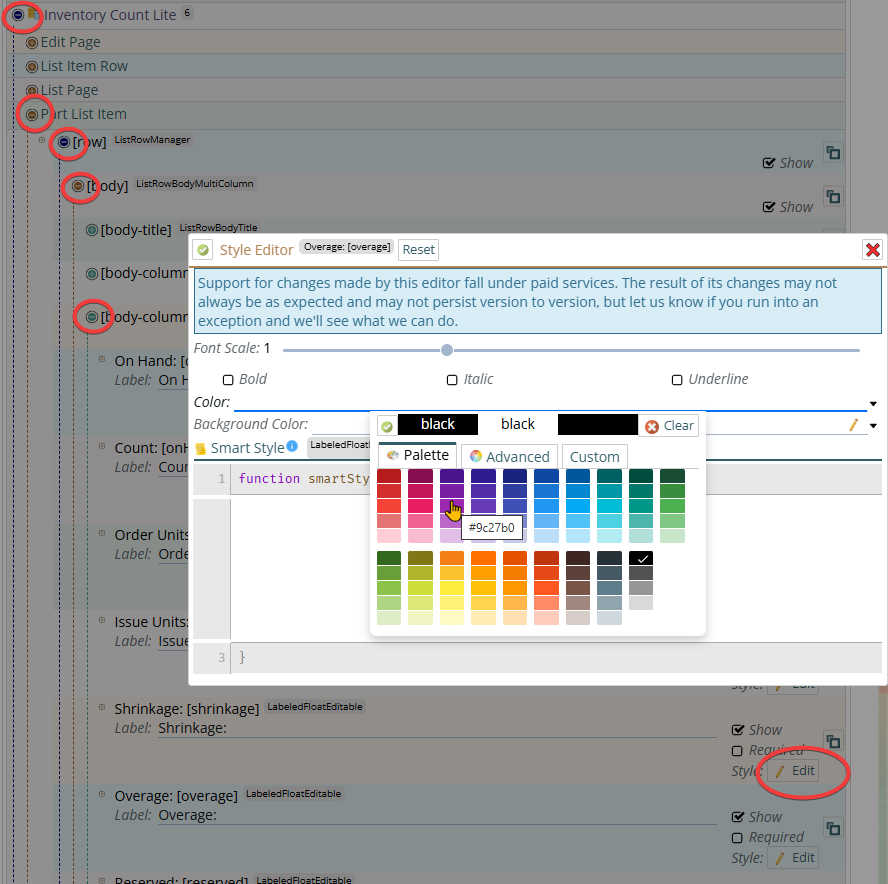
Consider making the overage color something to make it stick out, so it isn't mistaken for shrinkage. The shrinkage already uses "if non-zero display value in red" UIConfig Inventory Count Lite/Part List Item/[row]/[body][body-column-2]
- Overage Then click on Style, then change the Color by typing in or by using the dropdown. By default the data is pure red #FF0000 or 255 0 0 for red green blue (RGB) and overage is #0000FF, 0,0,255 for RGB
Which fields to show?
Remove fields that often aren't desired and then just use up space on the screen.
Remove any or all of the following:
Change the ICLite shrinkage and overage label colors to make shortages and excess counts more visible. (Not applicable if you use blind counts)
Change in UIConfig the ICLight to not show the Reserved, Available and Count available values UIConfig Inventory Count Lite/Part List Item/[row]/[body][body-column-2]
- Reserved, Available, Count Avail
Change in UIConfig to not show Lot or Internal ID. or if you removed the above 3 but don't want to remove these 2 - consider moving one of them into body-column-2 Inventory Count Lite/Part List Item/[row]/[body][body-column-1]
- Lot
- InternalID
Add if you want
You can also show Order units, hidden by default, if that has value to your counters.