

 Maintenance Connection Everywhere (MCe) · EAM/CMMS manuals
Performing a count
Counters
Someone with just a count license (WO7C or ICLite for example)
- can do a count.
- can report on the count
- can NOT apply a count
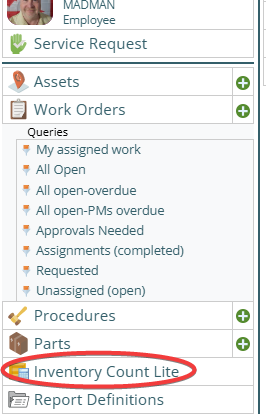
First choose the Inventory count lite module
The Inventory Count Lite is on the 1st column of the menu, if you have rights to use it.
Admins :
Someone with 'just' a admin account (Admin1C, Admin1N)
- can see the count,
- can report on the count,
- can Apply the count,
- cannot perform a count.
You may want to look at the: "Rapid Current Count Entry" "Controls if the current count is automatically filled in during a rapid entry field switch. If you have users you trust to actually do the count before hitting GO/ENTER/OK button and your counts often are equal to the current value, this can be a good feature." Before doing this see: Rapid Entry
iOS and iPadOS bug, minor and some will never see it
iOS and iPadOS have a (known in the community) bug with focus. The iPadOS and iOS safari browser will lose the keyboard, if you:
- use the rapid entry mode,
- and you have multiple parts selected , either because you entered part of an ID or because the same part is in multiple bins,
- And you enter counts (especially with the ENTER button) quickly (less than a couple seconds
This is more a minor irritant than a 'serious' bug.
We will continue to monitor this and if anyone in the industry comes up with a fix we will attempt to create a work-a-round. When Apple fixes the bug, if we have any code changes to remove, we will do so.
Set your hardware barcode reader up properly:
If you
- Use the rapid entry mode
- And you have a hardware barcode reader, you should set it to send the ENTER (or RETURN or CR or GO) key after the value, that way it will immediately go to the count
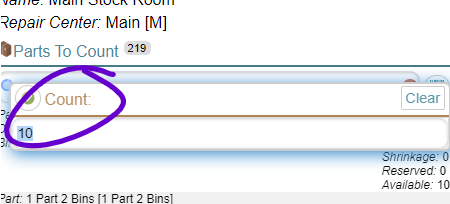
If you have set the Rapid Current Count Entry and the barcode reader to add the ENTER key, when you pull the trigger to read a barcode, it should, with no further human interaction, take you to the count entry:
What if someone else made changes to the inventory list and you want the updates?
Under normal circumstances, when you start your count, all the inventory items will be listed and the simple count is optimized for a one person/team count. H
owever, if changes are being made by another person/team, they will be updated whenever they and then you have an internet connection, This works best if you are working in different areas so you are unlikely to try to count the same things between having data sync'd.
But remember, stock rooms are areas that often have little to no internet connection so you may only get syncs when both of you go go to the break room!
But if your internet access is only spotty, maybe at the ends of rows, so you can't make a mistake because you will 'see' generally where the other person/team is working, then this works extremely well.
A use case where it works well: You are working in one 'area' and if the other person/team is visible when you go to pick another area, and you have good enough and long enough internet connections going from area to area, so you just don't want to do areas they completed hours ago, then this will work very well for you.