

 Maintenance Connection Everywhere (MCe) · EAM/CMMS manuals
WO, Edit
Document Subtab
The documents subtab shows all the documents that are associated with this work order.
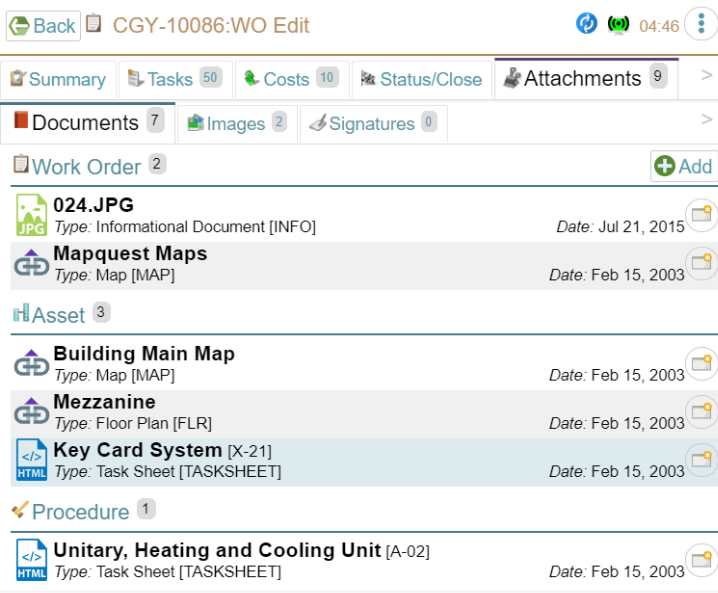
The name of the document can vary depending on how it was imported.
Different sources
The documents for a work order can come from a range of sources such as the WO, the Asset and the procedure. They are categorized with a header such as, in this case, there are 2 documents directly connected to the WO, 3 from the Asset attached to the WO and one from the procedure that created tis WO.
Different file types
We support many file types with mostly 'industry standard' images showing you what type they are. For the file types your organization uses most commonly (and really any you recognize) this makes it easier to see what type of file is attached.
Differences from MRO and Express
- For adding documents, we allow WO Technicians to load a document, Express offers this too.
- Also for WO Technicians we allow the URL method (MRO supports this but Express does not.)
- Also for WO Managers we allow everything that MRO does plus we allow URL additions without them showing up in the Document Library.
- So essentially we allow everything MRO does plus a couple extra. Note our extras are compatible with MRO 8.* so while MRO can't add them that way, it has no problem displaying it that way.