

 Maintenance Connection Everywhere (MCe) · EAM/CMMS manuals
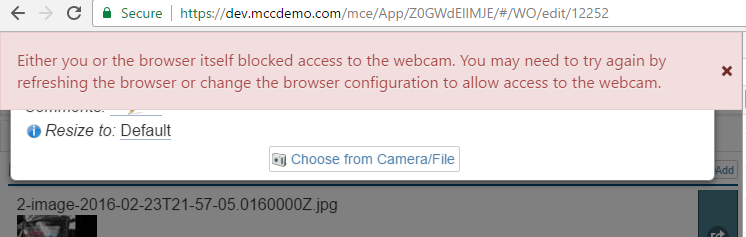
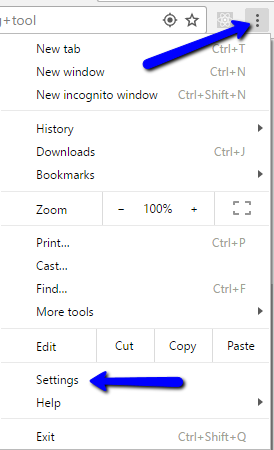
In chrome (last checked version 57) go to the hamburger menu and choose settings.
Scroll down and select 'Show Advanced Settings…'
Select under Privacy, 'Content Settings…'
Then scroll down to Camera and click 'Manage exceptions…'
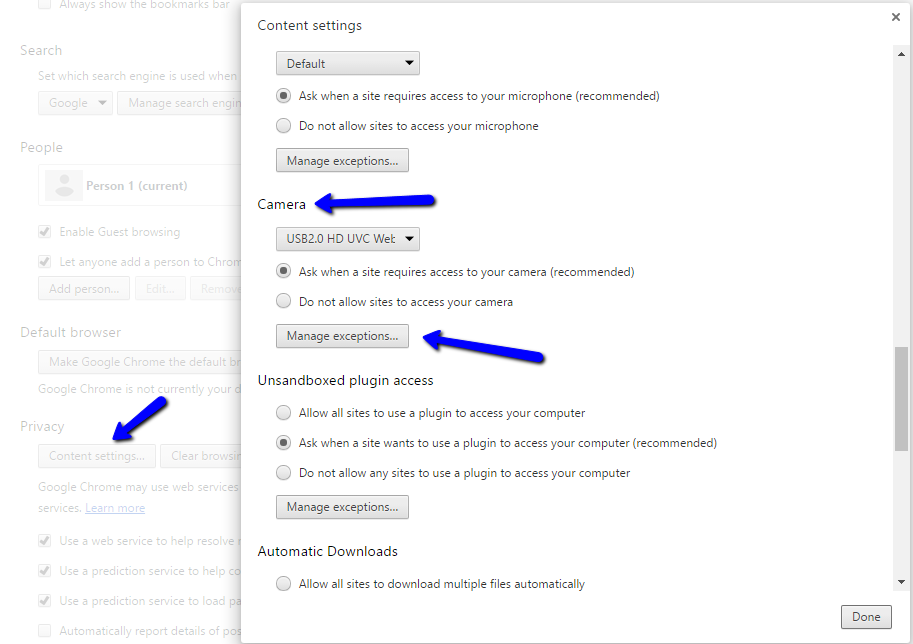
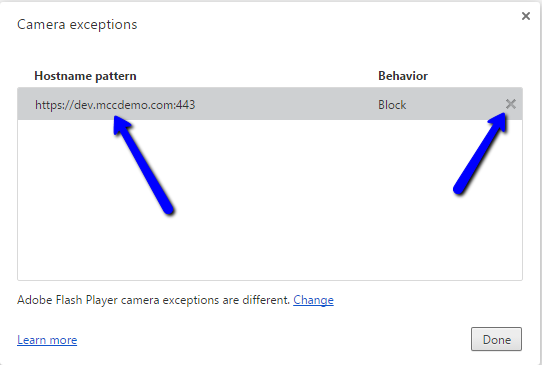
Then select your server (the one that you accidentally blocked the camera access on) and an x will show up. Click on that x to remove the block you placed on that URL, then go try again and this time 'allow' us access to the camera.
As a side note, hopefully you won't want to do this with our application! But if you ever accidentally ALLOW a camera to a web site and later charge your mind, go through the same process as above, but you'll see 'Allow', and then you delete it. Then the next time the browser will ask for permission again.
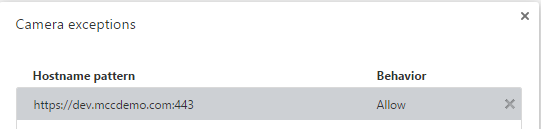
So you can delete the 'allow'.
What if you are running in HTTP