

 Maintenance Connection Everywhere (MCe) · EAM/CMMS manuals
DataHub
Using One Field to Set Another (Active → Parent)
Overview
Sometimes a field’s value depends on another field in the source data. An example is setting an Asset’s Parent based on its Active status, where Assets that are inactive have their parent set to an "inactive" parent.
Scenario
Input: Active = TRUE / FALSE
Output: ParentID = Active / Inactive
Implementation
Use a DataHub mutator to transform the value.
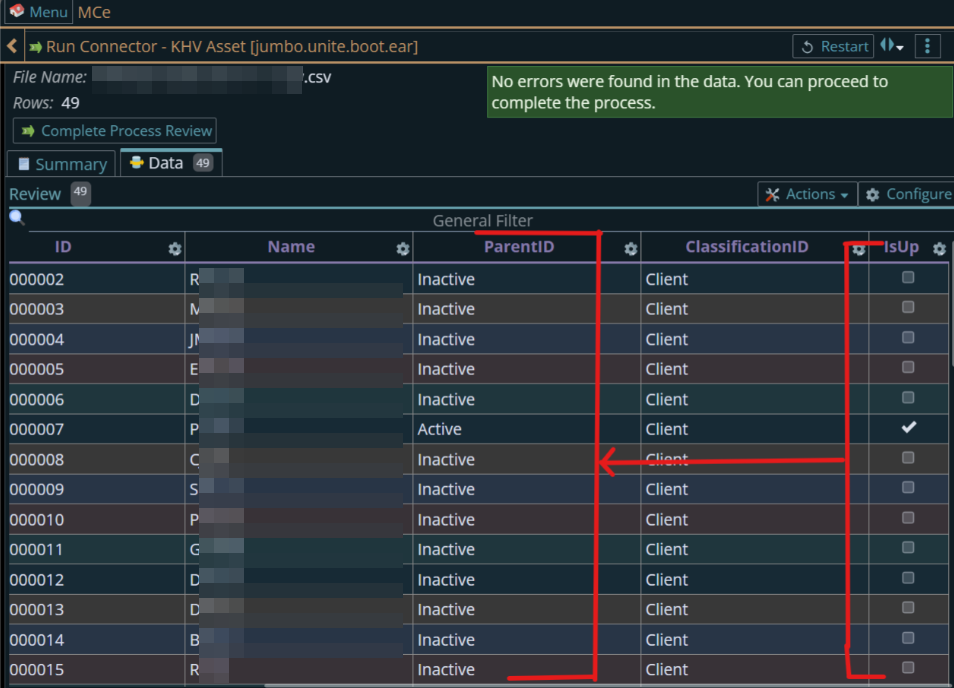
Example Mutator
return function mutate(sourceData, columnNames, rowObject, connectionData, createError) {

    const [activeValue] = sourceData;

    if (activeValue == null) {
        createError("Active value is missing");
        return null;
    }

    const val = (activeValue + "").trim().toUpperCase();

    if (val === "TRUE") {
        return ["Active"];
    }
    else if (val === "FALSE") {
        return ["Inactive"];
    }
    else {
        createError("Invalid Active value: " + activeValue);
        return null;
    }
}
Key Points
- No changes are made to the source file(CSV)
- Logic is handled entirely in Datahub
- Ensures consistent parent assignment
Benefits
- Reduces dependency on source data structure
- Fill missing required data