

 Maintenance Connection Everywhere (MCe) · EAM/CMMS manuals
Exporting Report definitions
As backup, or load them in a 2nd database
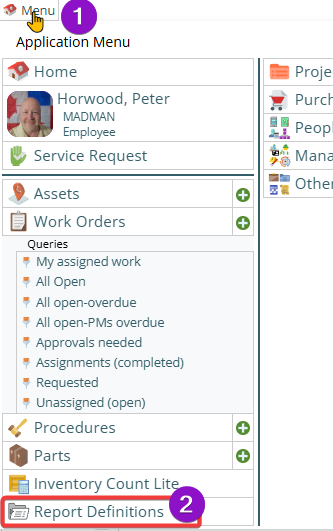
To export a report definition, go to Menu, choose Report Definitions
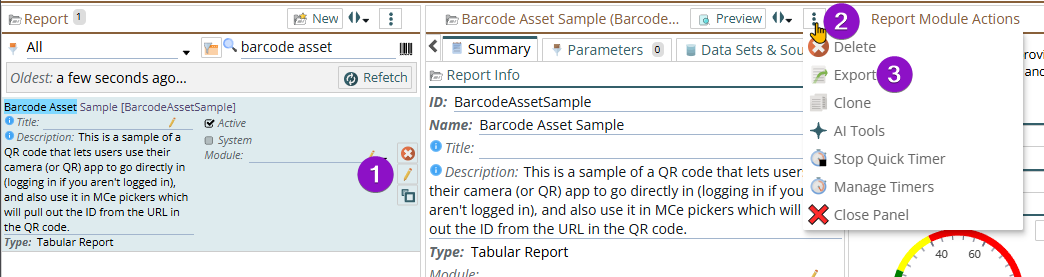
Chose the report you want to edit.
Then from the report 3 dot menu, choose Export
Choose 'save to device'
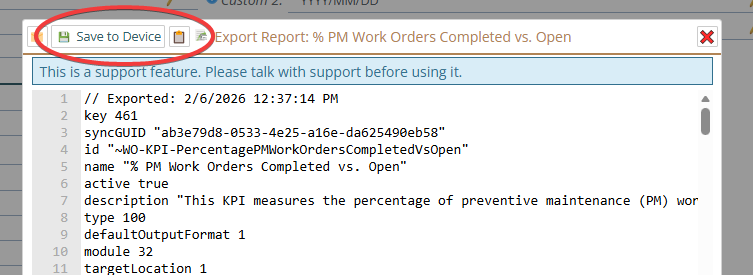
It will create a file with a .kdl extension that you can use as a backup to read in later, or to pass to someone else. You can then import that file into another MCe database, or you can email it to someone. Technically you can edit it in it's text format, but that is very advanced and can result in badly broken reports through very tiny mistakes, even a space where it doesn't belong, so this is not recommended.