

 Maintenance Connection Everywhere (MCe) · EAM/CMMS manuals
Common solutions:
Close all your unused tabs.
If the browser has been running for days, shut it down and restart it.
In Apple, use a 5 finger drag on the home screen to get to the app picker, then swipe the browser or MCe device app up off the screen. Other times you swipe it up - it won't change anything, it just temporarily hides it.
On Android, get to the app picker screen, then swipe the browser or MCe device app up off the screen.
On Windows, use the x in the upper right corner: Note: If you have more than one window open for that browser, you need to close them all.
Common causes: (Not all the common solutions can fix the various causes.)
It is hard to decide what order to place these in because many of them are equally likely depending on what you are doing. One way to think about it ahead of time:
1. It has been running fast, and recently became slow. So what changed?
2. You got a new device and the new device is slower than the old. If you run MCe with the same data on the old device is it also slow? If so think about actions you are doing. If the old isn't also slow, maybe your new device is slower, maybe your new device has less memory? Maybe your new device is doing other things your old device isn't?
3. Did you just get an upgrade? Usually that doesn't cause things to slow down in reality, but sometimes it does. Most of the time it is because you are watching more closely to see what is different which gives the perception of being slower. But it could be because of new capabilities you are using that are making it slower.
Another tab consuming too much CPU or memory
Just hours before writing this document, I had a browser that was running extremely slowly, I was wondering 'What is wrong with MCe'. Then I started shutting down tabs - and found that my linkedin tab which had been running for over a day, was the cause of the whole browser being slow - I closed that tab and everything literally became over 400x's faster. (Something that was taking 5 minutes completed in less than 1 second after shutting linkedin down.)
Too many tabs
Depending on how much memory you have, 20 tabs may be too many, or 200 tabs may be too many. One thing if you have more tabs open - with memory leaks in the browser and memory leaks in various apps, the longer you leave them running without closing down the browser and restarting, the more likely you are to have huge amounts of memory used up doing nothing useful.
Browser plugins are notorious
A poorly written plugin can cause all sorts of problems including speed. It is very easy to write a poorly written plugin, and the more complex the plugin, the more likely it will cause performance problems or other problems.
Other applications running
Consuming the resources (see the task (windows) and activity (Mac) managers below. This could in various ways throttle what you are trying to do because it doesn't have enough memory, CPU or the hard drive or camera or other resources are being used (too much) elsewhere.
Poor/flakey internet.
If you are asking for a lot of data and the internet is intermittent, it can take a lot longer than usual.
Slow internet.
Old (design) slow equipment.
If you are using devices that are 5 or more years old, depending on what you are doing you may find that performance is slow. One of the things to keep in mind, if you get a really good deal on 100 devices - when we say 'old devices' in this context, we mean devices that were initially sold years ago - corporations frequently will buy a block of old devices that are 'brand new' but still very slow, this is especially the case if you are buying ruggedized devices. If you are consider this: Whitepaper - Ruggedized devices, a unique approach
Old equipment, battery not performing well
When the battery gets weak, the OS may automatically slow everything down to conserve power. At times Apple has both been good about doing that 'for your benefit' and notorious for doing it when people think they don't need it - in order, it is argued, to make their new devices seem even faster than they are.
Low battery (low performance mode)
Most battery powered devices will switch into a lower power mode when the battery is low
Laptop running on battery
Most laptops will run into a lower power mode when the battery is low, or just because you are running on battery. Often you can set when it drops into battery saving mode, for example the author of this document sets his laptop to go into power saving mode when the battery is at 95%, because most of the time, it is worth saving the battery rather than running intensive tasks quickly.
Server slow, doing too many tasks for too many people
Browser using too much memory (restart weekly)
Tab using too much memory
This could be due to a bug in our software (fairly rare) or the browser (well documented) 'losing' memory. And it doesn't have to be the tab that MCe is running in - it could be another tab.
Other tabs using too much memory
Browsers will swap in and out of memory based on need. One app in another tab can make you slow because it is doing something that causes the browser to more aggressively kick other tabs out of memory.
Other applications using too much memory (especially iPhone, iPad and Androids)
When the device is low on memory, you may be throttled or booted in and out of memory as you switch tasks. On a low memory phone (or one with lots of apps going) you may answer the phone which then causes the browser to 'conserve memory' and when you return, you have to wait for it to reload from far slower storage.
Startup
If you recently turned the device on, it may take a minute, or in the case of my laptop, nearly 10 minutes, before everything is re-initialized, during that time everything else is slow too.
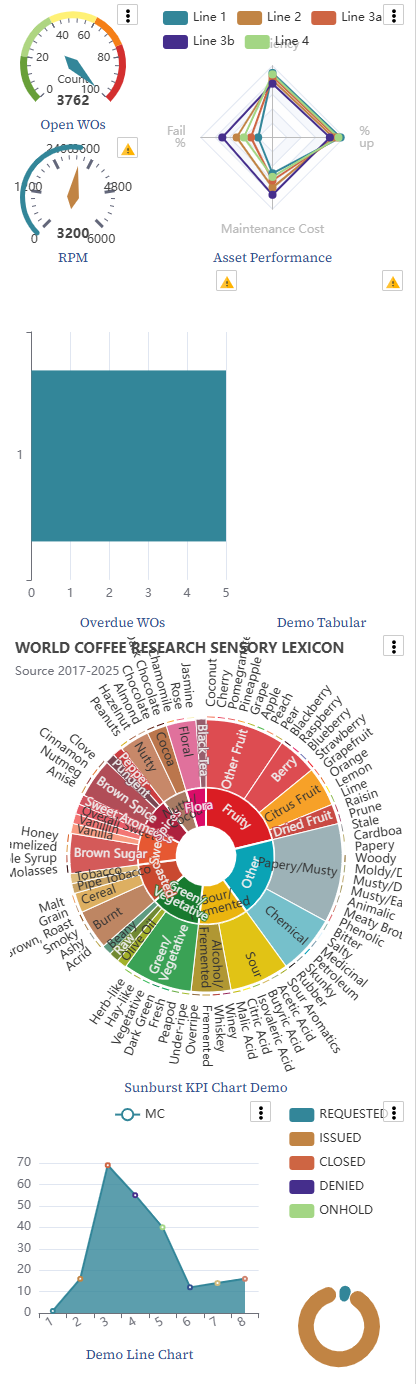
Too many or complex (take a lot of work to figure out) KPIs.
We throttle these so it shouldn't cause too much problem, unless the problem of speed that you are referring to is the updating or initializing of them.
You've asked for a process that just takes a long time.
It is easy to create a report that takes a lot of processing time/speed.
How to check
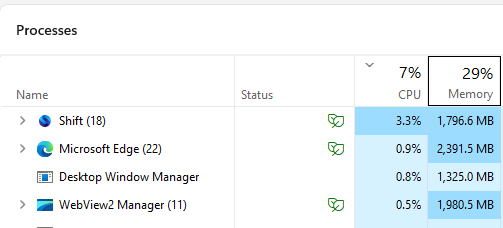
Windows, Task Manager
In windows, the task manager can give you clues what is using up CPU or memory. As a side note, while we support Shift as a browser for those that want a 'as Much Canadian as possible' ... it is a resource hog and should be restarted about once a day, maybe more often if it starts to slow down.
Apple Mac, Activity manager
In Apple Mac there is the Activity manager that gives much the same info.