Maintenance Connection Everywhere (MCe) · EAM/CMMS manuals
As equipment warranties approach their expiration dates, it is important to report and have preventive maintenance (PM) tasks run on the equipment. This can help to identify any potential issues before the warranty period expires, which can save the company money and prevent equipment downtime.
When equipment is still under warranty, the manufacturer is typically responsible for any repairs or replacement of parts that fail due to manufacturer defects. This can save the company money on repair costs, as well as reduce equipment downtime.
However, once the warranty period expires, the responsibility for repairs and replacement parts shifts to the company. This can result in increased costs for the company, as well as potential downtime if equipment fails unexpectedly.
By reporting and having PM tasks run on equipment whose warranties are about to expire, the company can identify any potential issues and address them before the warranty period expires. This can help to extend the life of the equipment, reduce downtime, and prevent unexpected repair costs.
PM tasks can include things like cleaning, lubrication, calibration, and inspection of equipment. By performing these tasks on a regular basis, the company can identify any potential issues and address them before they become major problems.
In addition to the benefits of identifying potential issues before the warranty period expires, PM tasks can also help to ensure that equipment is operating at optimal levels. This can lead to improved equipment performance, reduced energy costs, and extended equipment life.
In summary, reporting and having PM tasks run on equipment whose warranties are about to expire is a smart move for any company. By identifying and addressing potential issues before the warranty period expires, the company can save money on repair costs, prevent unexpected downtime, and extend the life of the equipment.
To create a PM for warrantee expiration
- on something like the number of hours or kilometres or miles, you would use the 'Automations including PMs and more'
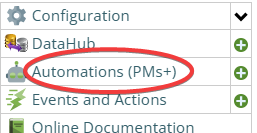
Automations (PMs+)and trigger the PM on a meter reading or specification, depending on where you store the number of hours or kilometres etc.., used/driven. You'd pick a number that is enough lower that you are sure it will be triggered in time to get any warrantee work done. So if it is 100,000kms, you might set it at 90,000kms, or 95,000km depending on what would be safe in your environment. - If you are setting it based on number of months, you would still use the Automations but instead go on a schedule, perhaps 1 month less than the warrantee. You can also use Events and Actions if you have a more complicated calculation you wish to use.