

 Maintenance Connection Everywhere (MCe) · EAM/CMMS manuals
You are in 'full screen single pane' mode.
Note, that while it says 'always single panel' mode this is a short phrase for 'always run in the single panel optimized mode'. You might see more than one panel depending on the size of your screen. Typically if you see more than one panel in your browser at a time- you shouldn't be in single panel optimized mode!
Why am I in Single Panel optimized mode?
- You are on a small screen device like a cell phone so we put you in it. You really don't want multi-panel optimized mode on a small screen. (This is when you are in the Default mode)
- Your screen isn't tall enough. The headers and footers of multi-panel take up more vertical space, so we switch you to single panel while you have the short window so you can get your work done.
- You told the software in the configuration/accessibility to set it to single panel.
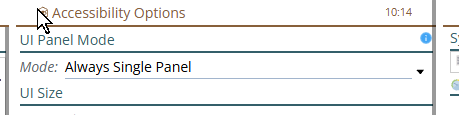
4. If you have a large screen with the visible panel or panels with white space on either side, you might have selected 'Full Screen Single Panel'
How do I get back to the larger screen optimized mode?
If it is because your window you set to be short - make it taller or Try setting the UI Panel Mode to 'Always Multi-Panel'.
If it is because you (accidentally probably) set the mode to 'Always Single Panel' change it to default.
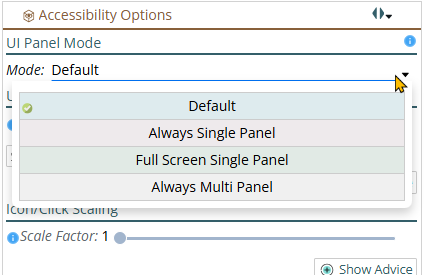
If it was because of the device capabilities (1) above, you need to use a different device. But you probably aren't asking the question in this case. But, as above, you can if you want to. Try setting it to 'Always Multi-Panel' and see what you think on your device.
FAQ: There is no choice for 'Never Single Panel' because when the screen is narrow enough, we have to go to Single Panel.