

 Maintenance Connection Everywhere (MCe) · EAM/CMMS manuals
This document changes when there is time sensitive information related to MCe, software we support or interface with like MC, Internet issues that affect any of the aforementioned or that people might be worried affects them. Anything we think might be relevant in a time sensitive way.
We often leave older information in for reference even when it is outdated. Others, such as 'breaking stories' that change, we often delete the older entries or update them as appropriate.
Current:
2026.09.22 100% of people running MC in browser - read this!
As of Sept 22nd, the browser issue we've been talking about since March will hit everyone still using a browser to run MC. You might be using one of the temporary and somewhat dangerous short term solutions, but you really should be using the Desktop App for MC. See the 05.29 posting below formore details.
2026.06.11 If your MC gauges aren't showing correctly. Does not affect MCe.
see here: June 11, 2026 Gauge, especially needle, not showing properly
A library Accruent MC relies on was updated on July 11, 2026 to fix a bug that MC was relying on. The document above has the fix and more explanation if you care.
2026.05.29 Desktop App for MC Version 3.1 is now out of beta and production, upgrade or start using it now! Does not affect MCe.
Everyone should be using the "Desktop App for MC" V 3.1 instead of a browser for running MC.
To get it, visit here: To install Desktop App for MC
If you aren't sure why, visit here: Why everyone should be using the Desktop App for MC\
If you start the Desktop App for MC without a connection to the internet (even if momentary) it will tell you that the server doesn't have a license. We will be fixing that message to be more accurate and we will add an auto-retry. This is most common when starting your computer in the morning, since the Desktop App for MC is lightweight it starts very fast - often faster than your WiFi gets up and running, resulting in this incorrect error message.
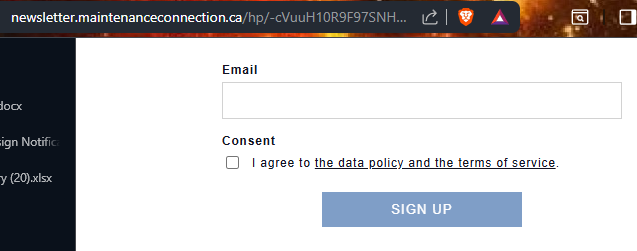
2026.05.04 Sign up to our newsletter to receive time sensitive and other information in your inbox
At least one person in each organization should be receiving and reading these.
https://newsletter.maintenanceconnection.ca/hp/-cVuuH10R9F97SNHPCqsCw/signup or if you are typing it in: https://tnyurl.ca/MCNewsSignup
2026.03.21 Our upgrade to "MC 2025" tooling is live. Does not affect MCe.
We are continuing to roll out the MC 2025 upgrade to customers as they want it and are able. Some customers have applications they have that they have written that need to upgrade to be compatible first.) Let us know using our support@MaintenanceConnection.ca email address, we'll work out a schedule with you.
Known issues are listed in our docs, go to, "Support" > "other CMMSs" > "Accruent MC"
- new issues, not reported in MC 2022, and instructions to prepare for upgrade are in "MC 2025" sub directory.
- old issues from 2022 and earlier that are verified still in MC 2025 are in the "MC 2025 and earlier" sub directory.
If you don't have MCe, you can access our doc system by going to https://dev.maintenanceconnection.ca/mce/#/ and clicking on the 'docs' button.
2026.03.12 Chromium purposely breaking MC, our "Desktop App for MC" fixes it. Does not affect MCe.
To get V3.1 of the Desktop App for MC, visit here: To install Desktop App for MC
Experience if you don't use our Desktop App for MC:
Random UI failures & data loss in MC started for 1% of users March 2026, 100% Sept 22, 2026.
Affects:
- MC Versions 8.9 to MC 2025
Does not affect:
- MCe products
Solution:
The Desktop App for MC is available at no extra charge for all customers who have their MC SMA through
- Asset Pro Solutions inc DBA
- Maintenance Connection Canada
- ITIQPro inc.
Issues with random UI failures in Accruent MC
Chromium also provides a temporary fix that will work at least until Oct 2026 available that requires users to implement on every device or you can push it through Enterprise policy.
Then there will be another temporary fix to go beyond to some as of yet undetermined date.
Both of these fixes only work on devices that are under Enterprise policy. For a few companies this works, for others, not so good, the only real solution is the "Desktop App for MC".
2026.02.17 SMA rates, Longstanding Safari bug for MCe, Brave
Accruent SMA rates
Before you read this: We have some creative ideas to help! Accruent has informed us today (BN, 2026.02.17) that in addition to the 10% compounded increases to SMA in 2025 and 2026 and the 7% compounded annually and 30% once for several years before that, they intend to continue with compound 10% annual increases for the foreseeable future. We have absorbed some of these increases for several years but we are unable to absorb more than we currently are.
We intend to work with our customers to ensure the best solutions for everyone among several options available. We also plan to continue to develop and provide to all customers including Accruent the top notch MCe products. We would welcome a discussion with any customer that would like to discuss some of the exciting ideas we have. We are also including a letter with our invoices going out.
All other MCe and MC rates
These are staying at 3% per year currently. Customers who make up to a 5 year commitment currently get a maximum 3% per annum guarantee in the currency they pick (USD or CDN)
Longstanding Safari database bug, we believe we've worked around it
in late 2025 We have written code that gets around the, still existing, iOS bug first noted in 2023. This makes the web safari option better than it was and means the iOS app is no longer 'strongly' recommended. Just 'it's available if you prefer an app over a browser'.
Brave
2026.04.25 update: Brave is now running nicely for MCe, but given it's past history of back and forth working/not working, we are not officially recommending it anymore.
We do not recommend running MCe in Brave. Brave is still running slow in our testing so we don't recommend it. Brave also still appears to have a conflict where it (or Chrome) is not properly sharing some device resulting in data being wiped out. We do NOT have similar problems running Brave and Edge on the same machine. We are not knocking Brave, several on our team use Brave for our general web surfing and love it. But this performance problem (due to their security checks – the reason it is good for other browsing!) and the conflict with Chrome make it not recommended for MCe.
Best advice: Keep your Browser, MC and MCe up to date with the versions we currently support
Note you should be upgrading browsers regularly to avoid zero-day attacks etc.., for security reasons.
Outdated:
MC 2025 Upgrade. Removed several entries, see above.
2023.04.01
Upgrade Android devices to 11 or higher, but if below 10 do not upgrade to 10. We have, unproven, evidence that Browsers that work with our software have problems with Chromium on Android 10 (a version no longer supported by Chrome or Google). If you have devices with Android 10, and if they are able to be updated to 11 or higher, we recommend you upgrade to the highest version your device accepts. If you are running with 9 and it is working … we recommend you do NOT upgrade to 10, only upgrade if you can jump 10 and go to 11. Again, this is unconfirmed, but it is extremely hard to test/prove so we are posting this advice.
We do not recommend running MCe in Brave. Brave is still running slow in our testing so we don't recommend it. Brave also still appears to have a conflict where it (or Chrome) is not properly sharing some device resulting in data being wiped out. We do NOT have similar problems running Brave and Edge on the same machine. We are not knocking Brave, several on our team use Brave for our general web surfing and love it. But this performance problem (due to their security checks – the reason it is good for other browsing!) and the conflict with Chrome make it not recommended for MCe.
2023.03.30
0While we still only require iOS 16.1, we recommend you upgrade to iOS/iPadOS (i*OS) 16.4 now. While the number is only a .1 upgrade – this is a major upgrade that catches i*OS up to where Android browsers have been for years1 in many areas. This is much a bigger upgrade/catchup than their 16.0 version. As a result, we will be adding several features that we have long wanted to add, but didn't due to i*OS being so far behind2 Edge and Chrome (the version of Safari is tied to the i*OS version.) A date has not been set to make 16.4 a required version, but it is going to be required to gain access to some newer features, so you really should upgrade in the near future. We expect future i*OS 16 and i*OS 17, probably in August, to also have major upgrades such as advanced barcode reading that we will take advantage of until they have completely caught up to Chrome and Edge.
Note you also should be upgrading regularly to avoid zero-day attacks etc.., for security reasons.
2023.02.15
As discussed in September, we now require iOS 16.1, and we will be recommending 16.4 when it comes out, likely in March. 16.1 brought things like Screen sharing, resize browser less than full screen, Hover effects with Apple pencil, Passkeys. 16.3 isn't bringing anything significant, general bug fixes.
2022.10.20
As documented previously, our 11.0 upgrade requires iOS/iPadOS 15.4; Version 11.1 will be the last MCe version that will be designed to work on the old iPadOs devices that can't upgrade to 16.x
2022.09.15 i*OS 16.0 brings out "shared worker", "broadcast channel" and "container queries", features every other major browser have had for years and we have been waiting for. We plan on be making 16.1 or 16.2 a 'required' version in Jan 2023. For our 11.0 upgrade (eta Oct 2022) requires iOS 15.4 or iPadOS 15.4 or Safari 15.4 or Mac is the minimum requirement. (16.1 or 16.2 because Apple typically has x.0 versions work on their newest equipment and it takes until x.1 or x.2 to work with older equipment.)
2022.09.06 – there is another 'zero-day' flaw in Chrome, Edge and Chromium browsers. You should update ALL your browsers "today" to the latest version if you haven't updated since Sept 6th 2022
2022.07.06: We have identified that the BRAVE browser on Android and the CHROME browser on Android "fight" with each other – locking each other's resources at times, making us show our spinning gear because we are caught by the war between the two.
If you use both browsers on Android and the gear spins an unreasonable length of time – you need to go to the OTHER browser and refresh to unlock the resource.
The suggestion currently is: Pick one of them to use and close down the other.
We are looking into this to see if we can 'fix' it or if we can give better suggestions. Update: Nope. This will likely take Brave fixing it to stop sharing resources with Chrome.
Note: We do NOT officially support Brave as a browser. It also has a different set of problems on Windows that cause it to run VERY slow with our software – essentially it is spending a lot of effort to determine whether what we are doing is 'ok' then deciding – yes it is OK. So it runs on Windows, but it runs 2 to 6x's slower than Edge or Chrome on Windows. We have addressed this with the Brave team in 2021 but they have not yet fixed it.
2022.05.26 (Updated message) As of October 2022 you need on iOS and iPadOS to be at least Safari 15.4.
Details: we will be taking advantage of relatively new features in iOS and iPadOS Safari 15.4. These features have been available for a very long time in Android and Windows in Chrome and Edge. Our rules have always been you need to be running the current or previous, but we try to keep things running as long as reasonable with older versions. By September, we anticipate 2 more releases, 15.5 and 15.6 plus one major upgrade 16.0. We strongly advise you upgrade before that MCe upgrade ships! We're giving you lots of time if you are in a situation where your devices are locked by your IT department to avoid upgrades. (Originally this paragraph said 15.3 but due to specifics in Apple's releases we had to update it to 15.4)
Note you also should be upgrading to avoid zero-day attacks etc.., for security reasons.
2022.01.09 Fakers and Colors, Marak and related 'in the news today'
We have verified that MCe code is not affected by this. It mostly affected software that 'automatically' upgrades and therefore got the code that was purposely vandalized by the creator. Our stance is to check every set of code and sub-code before upgrading, we have never felt that the auto-upgrade options were safe for our customers. Our system is likely not perfect, but in this case, it protected our customers.
2021.12. 21 There is a breaking change in MC 2021.13. If you are on that version or going to be going to that version or a later version, you need the newest version of MCe, ideally upgrade MCe first. Note: If you are on our normal automatic upgrade process, we will deal with this for you automatically at no additional charge as part of your Support and Maintenance Agreement.
Related: if you use the Accruent API, you need to check to see if you are using documents with HTTPLOCATION. If you are you need to contact Accruent to determine how best to update your code and data in 3rd part data stores to deal with this breaking (not backwards compatible) change or we can provide professional services to assist you if you desire. If you aren't using the API for HTTPLOCATION documents, you can ignore this concern.
2021.12.19,
Accruent has confirmed our analysis of the MC software, it is not affected by the Log4J vulnerability.
Also, the following has NOTHING to do with MCe (modules, LoginHub and DataHub) or MC but…
We have no issue with Log4j in our systems. But if you are still checking YOUR systems you may find this link useful for doing a system check. https://github.com/back2root/log4shell-rex If you want our help checking your systems, we can assist under our normal Professional Services.
2021.12.11
We have verified that our code has no Log4j so we have no exposure to the zero day exploit code that received wide exposure yesterday.
Note we have a policy of always checking when there are zero day attacks that might affect any of our code.
2021.09.30
TL;DR version: Don't use Brave for applications like MCe and web pages like MC, instead use Edge or Chrome.
We are big fans of the Brave browser when browsing on the internet generally. It speeds up internet access dramatically, especially for those of us with slow or flakey internet.
It does this by looking at every request you make of the server and saying 'is this junk/spam/adds/necessary'? And then either allowing the request or refusing the request.
Now, we test daily on the above 3 browsers and Safari. So we can tell you that MCe works fine on Brave. However, because Brave is intercepting and checking EVERYTHING … it is for an app like MCe much slower. It does it's checks, then passes things through, but in the process, because it agrees that everything we are doing is good – all it does is slow us down.
We had some extremely slow experiences recently with Brave and found we had to uninstall and reinstall to fix it. We've in the past had to do the same thing with Chrome, fortunately not frequent with any browsers. We then went and did some tests and found that for many operations, Chrome and Edge run between 200 and 800% faster. To put this in context … a sync on a very slow internet test, that took 8 seconds on Edge and Chrome, took 1 minute and 4 seconds to do the exact same sync on Brave. And we tested many time, changing the order of which browsers. Similarly, loading 'all open work orders' or going into a Work order that was not yet offline. When going into a work order that was already offline, Brave still took between 200 and 300% of the time of Edge and Chrome.
Now, all of that is because Brave is an excellent browser for general browsing of the web, and in general browsing of the web such as the New York Times web site, we have seen it routinely be 10x's faster than Edge or Chrome. But for applications that are not trying to seduce you or trick you into accidentally clicking on something, Brave is slower because all that hard work it is doing for you has no value. If you don't believe us – try for yourself! You will see Brave lets everything we do work, just slowly.
Note that in 2019 we recommended Brave because it was FASTER than Chrome and much faster than Edge. But in 2020 both Edge and Chrome have dramatically fixed up their areas of slowness – especially Edge, and Brave has added more and more checks (that speed up sites like the NY Times, and get rid of the tricks they use – such as the screen bouncing up and down so that you accidentally click on an ad) and those extra checks have slowed Brave down dramatically for apps like ours.
2021.04.26 We shipped Version 10.0 of MCe today. There is one possible 'surprise'. While we added a lot of preferences, there was one place we WERE getting a preference before and that was for which
There were VERY FEW preferences we read from Accruent's MC, but there was one significant one:
- Which steps a user is allowed to do to a work order, like close.
- This one restricted, for some customers, the steps a WO technician could take.
Here is where WE store those preferences: You get here from the Configuration section off the Main menu, then click on the green fancy key – the Access manager.
We suspect MOST customers will look at these currently as "everyone with access to MCe has these restrictions," if that is you, setting it as the Company/Organization will work.
But you may have varied by Access group, in which case they will want to change the top choice from Company/Organization to Access Group and then set them by Access group.
2021.04.17 In about one week, we anticipate releasing version 10 of the MCe family of products. See release notes for details.
2021.04.01: We currently don't recommend the use of Brave on Windows. We still support and recommend it on Android. There is a bug in the Windows Chromium engine that causes a specific memory leak that, after some use, makes it hard to 'refresh' properly. See release notes for detail, the browser section near the end. This bug also exists in Chrome and Edge, but if you restart them daily, it doesn't seem to be a problem, Brave hits the wall sooner (Brave probably has a smaller stack for that specific memory use.)
2021.03.12: Yesterday, Google released a whole bunch of fixes to memory use, mostly pushed by the Microsoft Edge Chromium team to Chromium is improving memory use dramatically in Chrome. You will want to upgrade Chrome, Edge, Brave on Windows and Android to Chromium 89 as soon as it is made available to you. While they acknowledge there are still a lot of memory leaks left, this should dramatically help and pave the road for more improvements to come. We didn't mention they improved on iOS, iPadOS and Mac because, while they did, we still recommend Safari on those platforms.
2020.10.21: Serious "Zero day" bug being exploited 'in the wild.' If you are using a Chromium based browser such as New Edge, Brave and Chrome, you should ensure that your browser is up-to-date. The number to watch for in most Chromium based browsers is the version of Chromium they are using.
Chromium 86.0.4240.111
So, unless your browser EXPLICITLY tells you that you are running on Chromium 86.0.4240.111 (or newer) we recommend you go into the About page of your browser at least once a day for the next few days to make sure you get the upgrade as soon as it is release for your browser and in your area. (To lower bandwidth, they typically don't roll the upgrade out to everyone around the world at the same time.)
With all browsers, GENERALLY the safest bet is to keep them upgraded. Safari is the only one we make an exception, except for our testing devices, when a major upgrade (the 1st number in the version number changes) we wait for the .1 version. This is because Apple unfortunately has a track record of releasing very buggy x.0 versions and then rushing a patch out 4 or 5 days later. But their x.1 versions and subsequent patches have mostly been safe and we upgrade 'quickly' to them.
2020.08.01: Chromium browsers (Chrome, Brave, the new MS Edge and more) have 2 major breaking changes coming, one on 2020.08.11 and another about a week later.
- On August 11th: Some cookies, cross domain, change how they work. This affects our LoginHub product, but we have had an update that shipped months ago that works both the old and the new way so we do not expect this to negatively affect any of our customers.
- The current way we handle offlining is being removed around the 20th of August. The 'new' way started working a few months ago on all modern browsers we support. This upgrade has a few bug fixes, but the major work was completely changing how we handle offline and sync'ing. It has been in the works for about 2 years with design going back a year more.
We would have liked to have brought this out much earlier, but we had to make sure all major browsers supported the new way correctly with their 'current' versions and there had been time for everyone to get the new browsers. For our customers that are running totally isolated from the internet, we intend to discuss with you during the upgrade process to make sure you have up to date browsers before you install this upgrade (because you may be running with old browser versions – users with internet access either have no choice but to use the latest browser versions or at worst have easy access to upgrading their browser.)
Now that all modern browsers we support can handle it, we are rolling out this update to make sure everyone is working by the time Chromium browsers start to not work the old way.
For more details, see the current release notes in the Getting started section of the online documentation.
Upgrade to HTTPS ASAP if you are still on the unsupported HTTP
2019.02.19 Microsoft declares the I.E. is not a browser – they strongly recommend you upgrade to a real browser for everything other than old legacy security weak applications. https://www.zdnet.com/article/microsoft-security-chief-ie-is-not-a-browser-so-stop-using-it-as-your-default/
2018.12.15 You may have heard of the Magellan vulnerablity. If you follow our advice generally (keeping browsers and devices up-to-date), you will likely have no problem. If you don't let Chrome update, you will be at risk.
- Safari, Edge and Chrome version 71.0.3578.80 and higher are all safe.
- Lots of other software is unsafe. If you use any other software, check to see if it is safe or not.
- For more info: https://blade.tencent.com/magellan/index_en.html
2018.10.25 We have a feature in testing that we hope to release in early November, see the release notes for more info. While we don't OFFICIALLY support HTTP, this feature will let you run on HTTP a little longer (months? More?) It is called 'reduced functionality mode', what is missing is this: you can't start MCe or refresh your browser page while you are offline. Each time you start or refresh the page you need to be online, after that everything will work offline until the next time you try to restart or refresh the page. There are several cases where we have no choice but to refresh the browser. We try to keep these to the absolute minimum, but if that happens you will need a connection. Also Safari will release you such as when going to answer the phone if you don't have enough memory – that is a refresh/reboot. Remember: We don't OFFICIALLY support HTTP and haven't since 2017 so this is to help you work as best you can when you are offline until your IT department can get you on HTTPS. And … at least we still work MOST of the time offline, there are no other products that allow you to do any work while offline (they all lose your data if you aren't connected when you try to save – we always save so that next time you are connected your data can be saved … just don't wipe your browser cache! That deletes the stuff we are saving for you.
We provide hourly paid support to help you if you are still in HTTP for a little while longer, but your best choice is to upgrade to HTTPS ASAP.
2018.10.19 Chrome 70 was released. It now has several features that only work on HTTPS. More features will be disappearing from Chrome when running on HTTP.
We still do not 'Support' HTTP (we have not since early 2017, and we stopped actively installing HTTP on our servers in 2016). If you still are unwilling to upgrade to HTTPS immediately, you will have to use browsers that have not yet dropped the features we need. Note that Edge browsers will also be losing these features when running in HTTP, and while we don't run on FireFox for other reasons, FireFox has also already dropped these features.
2018.09.05 We are preparing to ship MCe 8.4 next week. We had planned on waiting until MC 8.4 shipped to ship MCe 8.4, MC has been delayed several months, it appears largely due to the acquisition by Accruent and then Fortive. But we have features in 8.4 that we want to get to customers including a patch to work around the big iOS 12 bug so we are shipping MCe 8.4 now and if, when MC 8.4 ships, it has incompatibilities with MCe 8.4 we will quickly work on coming out with a MCe 8.4 that is compatible with MC 8.4
2018.09.24 Okta (SSO) now has worked with Apple to get around the problems caused by upgrading to iOS/Safari 12. This does NOT fix the bug in iOS 12 that affects MCe users.
2018.09.20 Apple admits they knew about the bug we mentioned earlier that affects MCe in iOS/Safari 12 and they fixed the bug over a month before shipping iOS 12, but (and they don't explain why) they decided to NOT ship the fix in iOS 12. So we are a) hoping they will fix it in iOS 12.1 and b) we are creating a version of our software that should work around the iOS 12 bug.
This also affects all other browsers because Apple FORCES every browser to use the Safari engine and the bug is in the WebKit (Safari) engine.
This affects EVERY version of MCe going back 8+ years, we have been using these features in Safari since we first supported Safari.
2018.09.11 Recommendation: Upgrade to Chrome 69 if Chrome is your browser. Despite general comments about Chrome 69 being a poor upgrade, our experience the past 5 days has been positive and keeping your browser up to date is highly recommended because, as security flaws are found, upgrading keeps you protected. We have several test cases where Chrome 68 on Desktop was causing their 'oh snap' out of memory error especially when sitting overnight, it seems to happen a lot less often since Chrome upgraded to 69. As below, we still have not seen the promised 'break' that Chrome said 69 was going to cause, and we have seen no other difficulties or new problems.
Since Chrome 69 is still !?! promising to take specific additional features away from HTTP users in version 69, we now hope they will wait and expect they will 'actually' follow through on their threat in early October (when they ship version 70.) We stopped supporting HTTP in early 2017, we strongly recommend you upgrade to HTTP S before Chrome 70 arrives.
Sometime in the future, days or weeks, our best guess currently is 'likely early October 2018, MCe will stop working on HTTP and you must be running HTTPS.
2018.09.19 DO *NOT* UPGRADE TO iOS 12/Safari 12 – it has some HUGE bugs in the Safari Browser engine that will cause random failures.
Well, not technically random, here is a test someone created to show one of the more serious bugs https://fanmingfei.github.io/array-reverse-ios12/origin.html We are looking at how we can write code around these new bugs, but these are SO embarrassing to Apple – they have worked for years – that I can't imagine they won't be fixing these very quickly. It may be a 12.0.something or it may be an early release of 12.1.
Update 8:30pm: Apple has acknowledged the most serious bug and fixed it internally, but they have NOT yet said when they are going to release the fix to the world. Obviously I think and hope it will be soon.
What we are doing: We are going through code to find where the iOS 12 bugs break us and will document them below as we find and verify them. Concurrently we are looking how to work around this serious bug. But I 'm rushing this notification out immediately so that you do not upgrade to Safari 12 (note – upgrading to iOS 12 automatically upgrades you to Safari 12)
2018.09.12 Apple announced their new lineup. For the iPhones I'd summarize as: bigger, faster, more expensive. They should all work with MCe software, if you run into any problems talk to us, we will work with you as quickly as possible to get them going if there are problems. There were no iPad or Mac announcements, so the current lineup stands.
We will be testing with the release version of iOS, iOS 12.0 as soon as it comes out (Scheduled for Sept 17th 2018) and seeing if there are any new bugs we need to work around, if so we will issue updates with work-a-rounds for any such to any of our products that need them ASAP. We recommend you hold off a few days when iOS 12 comes out to give us a chance to find any obvious new problems, we'll post here when we have done our initial tests with iOS 12.0. (We have not found any in the iOS 12 beta) There is nothing in the announcements that indicate any improvements in iOS 12 that we have been waiting for, but Apple historically doesn't make a splash about upgrades and bugfixes to WebKit/Safari at their annual product announcement, so we are still hopeful (in the past the beta often didn't have all the new bug fixes/enhancements – Apple likes to surprise everybody and they loath admitting when they fix a bug, what they call euphemistically "an unfinished feature".)
It appears Apple is saying that all devices that work with iOS 11 will work with iOS 12. (Indeed there is an indication that almost all devices will run FASTER with iOS 12 than they did with iOS 11 – Apple claims to have fixed a lot of the purposeful slowdowns in 11 and some others as well.)
We currently support iOS 11.4 and 11.3. When iOS 12 comes out, we will officially support iOS 12.0 ASAP and iOS 11.4. Having said that … as far as we can tell, it may be several months before we practically speaking drop support for 11.3 because there is nothing new in 11.4 or 12.0 for us to take advantage of and hopefully there will be no new bugs in 12.0 that we have to 'work around' that would break 11.3.
As a side note, the author of this document likes the description of the new Apple watch series 4 with the new health features, even FDA approval for part. If you or are concerned that you have heart health problems, this may be a life saving device you should consider.
2018.09.07 We now have Android and Desktop browsers upgraded to Chrome 69, it looks so far to be no better and no worse than previous upgrades despite many people complaining on the internet about this upgrade. I guess we aren't using the features that they are complaining about being broken.
Our best guess looking at all the notes is that Chrome decided to not remove the latest set of deprecated features in this version – possibly because they rushed it 2 or so weeks early. So we expect that HTTP will continue to work as well as it has for the past 6 months for a few more weeks.
This means: Sometime in the future, days or weeks, our best guess currently is 'about 6 weeks from now, MCe will stop working on HTTP and you must be running HTTPS.
2018.09.06 Chrome 69 looks like it was 'rushed' 2 weeks early to meet the arbitrary deadline of Chrome's 10'th birthday. The reviews on the Android play store are universally terrible, and this is VERY unusual for Chrome – indeed I've never seen this bad a response to a Chrome update before. You should probably turn off the auto-upgrade if you can and wait a couple weeks for them to fix the bugs. But please do NOT take this as general advice, you should almost always leave the auto-ugrade on, otherwise you are at risk that, as security flaws are found and fixed, you will be left open to attack if you don't upgrade. So … turn it off for a very short time, we'll update this document when you should turn it back on.
We are running and testing with Chrome 69.0.3497.81 on desktop. As of 2pm, we have been unable to upgrade our Android Chrome devices to 69 – we are starting to suspect that, due to the wide range of bugs reported they have stopped the upgrade process for Android devices.
Chrome on iOS (we don't officially support this) was broken by Chrome in their upgrade yesterday. We recommend use of Safari.
2018.09.06 The sales department wants me to remind customers that maintain their own servers that if you don't want to setup and maintain HTTPS etc.., you could switch over to our SaaS. Talk to your sales representative if you want more info. Even on the largest of systems, most customers may find the savings in manpower maintaining the server likely will pay for the cost of the SaaS service fee.
2018.09.05 Chrome 69 shipped today. It did *not* have the major feature removed from HTTP as 'warned' but the warning is still in the product that it will be breaking starting with 69. So we are confused. The Canary version of Chrome still has the features removed. Here are some hypotheses:
- Chrome rushed 69 to coincide with Chrome's 10th birthday, and someone goofed when they compiled. (This means, a 'bug fix' version over the next few days may remove it.)
- Chrome decided to not remove the feature until 70 but forgot to change the message
This means: Sometime in the future, days or weeks, MCe will stop working on HTTP and you must be running HTTPS.
2018.09.01 Chrome 69 is going to remove a major feature from HTTP. This means you *must* be running on HTTPS when you upgrade to Chrome 69. If they follow their normal release cycle this means in late September or early October MCe will stop working on HTTP, you must be running HTTPS (See updates above)
2018 June 23: MCe 8.3 has been released! Contact your support personnel to be upgraded if you are on an 'on prem' machine. Our SaaS servers will be updated over the next 6 weeks.
The very nature of this document is such that SOMETIMES, for a BRIEF period of time, we may recommend NOT upgrading your OS or your browser. Please take any of that advice as very short term temporary advice.
Browsers and OS's are continuously creating fixes for security flaws as they are found. Shortly after they are found, the bad guys have access to how to breach your security using those flaws – the bad guys LOVE people who don't keep their OSs and browsers up-to-date.
We suspect all this flurry of activity in trying to catch up, is because of Europe rules that are going to force Apple to let Edge and Chrome provide real browsers, and therefore real competition. This is good for everyone.
Footnotes
-
1: There have been several major and a whole bunch of minor, mostly CSS, features that Safari has been missing that the major browsers like Edge and Chrome have had for years. The versions of Edge and Chrome on Safari are 'just' a wrapper on Safari due to Apple's rules, so Edge and Chrome on Safari where also hobbled by Apple being so far behind the industry. In any event, these major features, added in 16.4 and one fairly important in 16.0 and one in 15.4, are features that Apple has been very far behind and it is nice to see Apple finally make a major catchup effort this year. ↩
-
2: To take advantage of features, we try to wait until the 3 major browsers, Edge, Chrome and Safari, have the feature, meaning we work on other features where all 3 can benefit until we have no practical choice. Sometimes we don't wait for i*OS to catch up. However, if we use a feature in the browser that i*OS does not support yet, we make sure we do it in a way that allows i*OS devices to still operate, just without the new feature; this does not really put you at a disadvantage if you use i*OS devices – you still get everything you would have, you just don't get the added advantages that Windows, Android and Linux get. We also do it in a way where as soon as you get the/a version of i*OS that has the necessary feature, you automatically get it. So in the case above, while we waited until iOS 16.4 came out for some feature development, when those features come, it will still work with the required 16.1 version, but as soon as you upgrade to 16.4 you will instantly gain the features that our software takes advantage of in 16.4 and the other platforms. ↩