

 Maintenance Connection Everywhere (MCe) · EAM/CMMS manuals
What do you do if you get the error: "Maintenance Connection is not available for logons at this time due to issues with the registration database. We apologize for the inconvenience."
It means that, for some reason, MC cannot access the reg database. Either because
- it isn't 'currently' available,
- isn't available 'anymore, likely due to some change in the SQL server' or some setting is telling you to get the reg database from the wrong place.
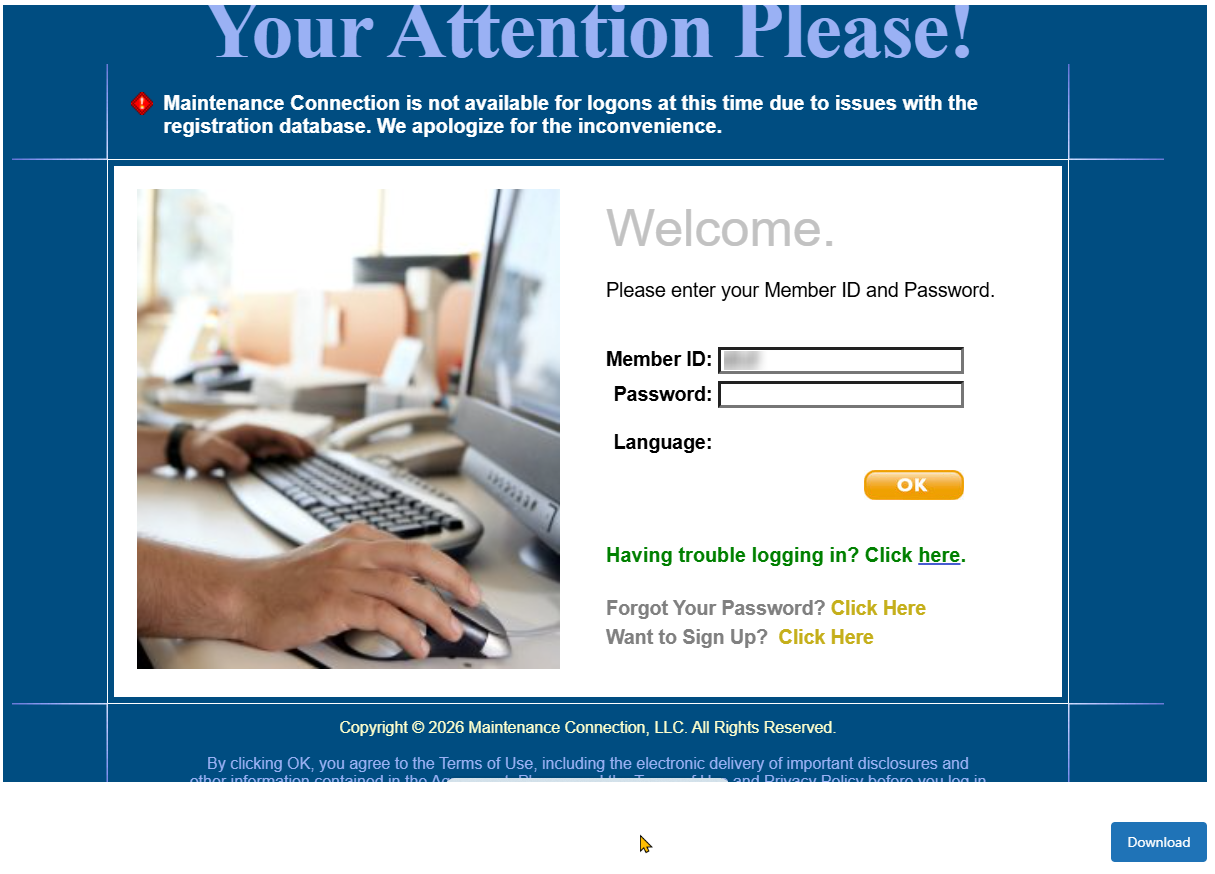
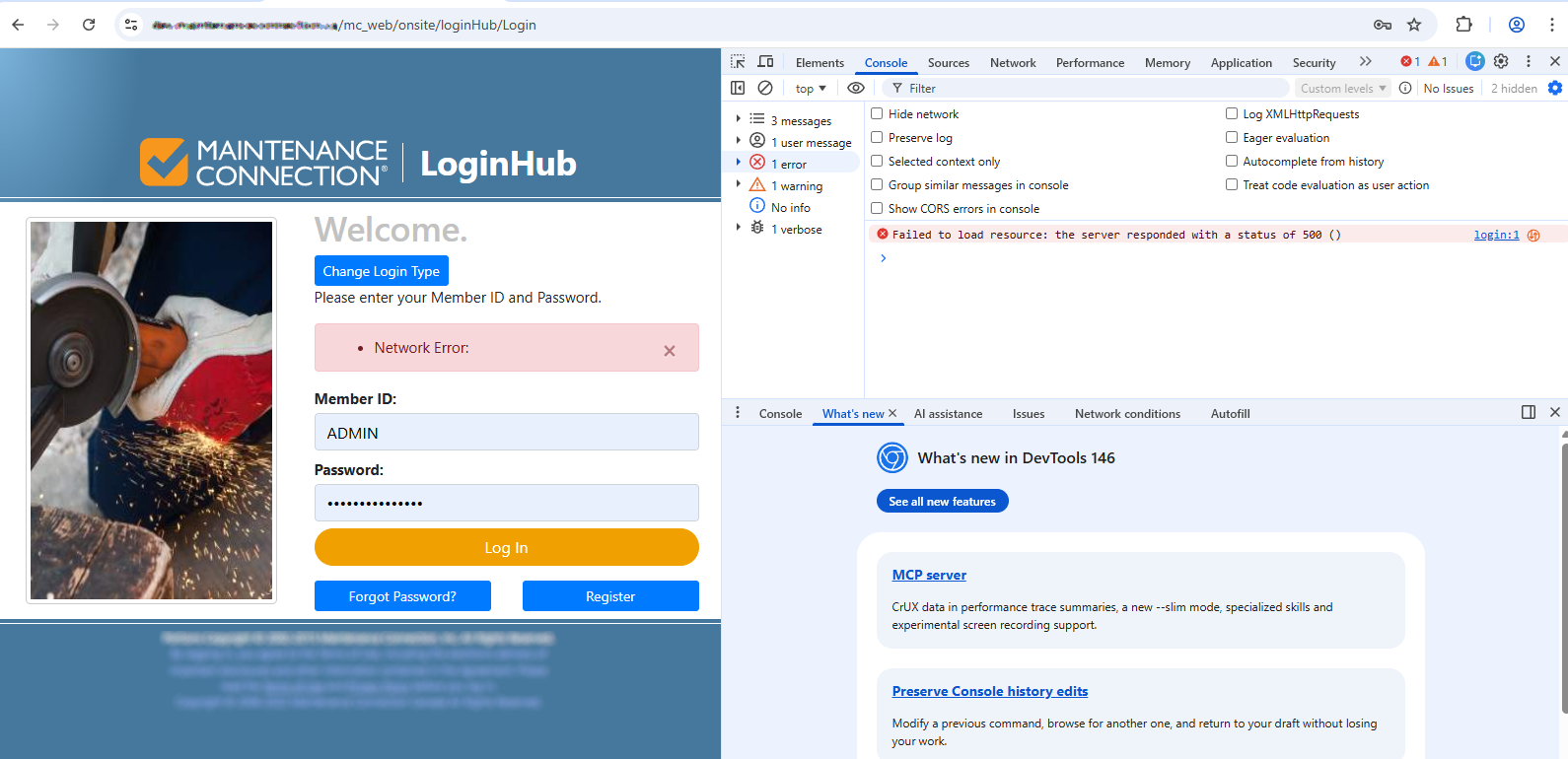
If you have LoginHub, LoginHub may show you the error that MC is encountering. Has nothing to do with LoginHub, LoginHub is just reporting that MC says it can't accept the login because MC's connection to the Reg Database is broken. (It doesn't tell us that is the reason - we just know it is a major likely reason). Essentially, MC is saying "we can't do anything because the reg database can't be connected - see the typical reasons below - and so MC, using LoginHub to handle login errors, is asking LoginHub to report this error that doesn't look very helpful!)
If you are on our SaaSs
This would be extremely rare on our SaaSs, indeed as of 2026, it has not shown up in the last 20 years ever that we know of. But if you are on one of our SaaSs, please contact support@maintenanceconnection.ca
You are a SaaS customer if you access MC through a URL like one of these (where * means "any value") https://*.mycmms.ca or https://*.mcc-on.ca or https://*.maintenanceconnection.ca . Most other URLs means that your IT department or someone in your company controls the server(s) that your MC/MCe system is sitting on.
If you are on prem (you run your own servers)
This is where we hear reports of this message periodically, usually during initial setup, and occasionally after a network change or upgrade - often a very minor upgrade that wasn't intended to affect anything.
This means your IT department (or whoever is managing your Maintenance Connection servers) has done something that means the IIS server can't talk to a valid MC registration (aka reg) database.
Info to help your IT department
Typical causes of this:
- The SQL server that is hosting the registration database is down.
- The SQL server that is hosing the registration database has changed it's path or other access.
- Someone was trying to access MC on the server itself and used
localhostas the URL which corrupts the MC internal state and causes it to be unable to communicate. This is fixed by restarting IIS and hopefully obviously not usinglocalhostfrom the server in the future. This is hard to reproduce because while it CAN happen, simply going to localhost doesn't guarantee to cause it, indeed it may be rare - because MC caches the mc.ini file (with connection info to the reg database) - so this requires usinglocalhostin a way that makes sure the wrong mc.ini is loaded. Obviously, if you ran into it in this case - you weren't 'trying to make sure', and you might say "But I've loadedlocalhosta dozen times with no problems" ... but your current case could be - but this time localhost was what trigged the loading of the wrong mc.ini, so this time usinglocalhostis what caused the problem. There is a reason this is isn't the 1st entry in this list.
If that doesn't help you can engage our Professional Services to help your IT department figure out what is going on.