

 Maintenance Connection Everywhere (MCe) · EAM/CMMS manuals
Asset Support
Why does root asset show?
A good question we are asked is: Why does the root asset show?
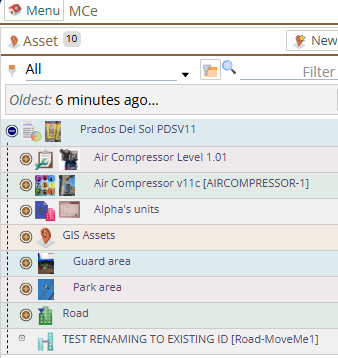
With the implied question: Why don't we just start displaying one level deeper in the display of the tree?
There are multiple reasons:
- If we didn't show it, no one would ever be able to edit it, and on reports it would show up with the default values
- If you assign a 'custom' asset tree to a user, they can easily end up with multiple roots. If we didn't display the 'root', the context they need would be lost. So not showing the root often only makes sense when you have access to see the whole tree.
- Even if they are just assigned one root, if you are past the real root of the asset tree, the context is necessary for multiple reasons, including asking for support and giving a screen shot to your people in your organization that may see the tree from a deeper or higher level and/or a completely different root or roots in the tree.
You can stop it from showing:
If you really don't like it, it is fairly easy to 'fix'. Just assign everyone that doesn't want to see it the 2nd level assets as their custom asset roots.
How?
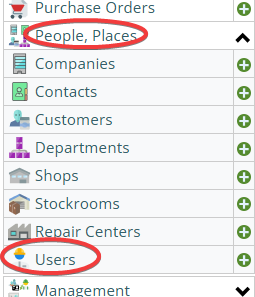
Choose People/Places from the menu, then choose User
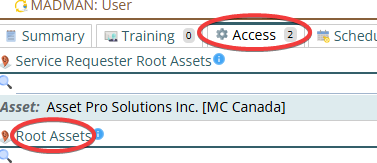
Choose the user, go to the Access, then set up the root assets you want them to see
But now what about the really rare case that I need to edit the root asset?
Temporarily add it as one of your root assets, then after making the changes you need, remove it from your root assets.