

 Maintenance Connection Everywhere (MCe) · EAM/CMMS manuals
TL;DR
Use QR codes for assets, id badges etc.., using the instructions here: Barcode Printing, what content - Sample Asset report
Use manufacturer barcodes such as UPC/EAN codes for parts.
Print them as big and sharp as you can
Best tips and tricks:
Have someone in your company responsible for barcodes, have them read this document entirely, or at LEAST read the best tips and tricks and the Executive overview section.
Print your barcodes as big as practical. (Test at different sizes to find your sweet spot) For 1D barcodes (traditional barcodes) the width of the barcode spaces and black lines is more important than height. Choose QR, Aztec, PDF 417 or Data Matrix if you can - better results all around.
When testing - use cheap paper for your barcodes, then once you are sure about the content - get them printed in better quality.
This is a general document on barcode reading. For specific features of a specific version of MCe please see the product documentation (much is available on info buttons inside the product.)
Print your barcodes black on white (avoid colours). Don't use cutesy features (like round or heart shaped squares on qr bar codes)
Pick a barcode that has check digits, either because the standard has it built in or because you use one with a standard check. (QR, Aztec, PDF 417, Data Matrix, EAN/UPC, Code 128)
Test your devices (phones/tablets) before buying a lot of them
- The ability to close focus & quality of cameras vary greatly. Since we rely on the video camera, up to a point, higher quality gives better results. You can get away with poorer quality hardware by printing bigger barcodes! Bonus: Bigger barcodes are easier to keep clean enough to read.
So to be clear, if you can – the recommended hardware upgrade is BIGGER BARCODES not better cell phones/tablets!
QR (2D) codes do not have to have an URL in them! They can encode any text information, like part numbers, asset numbers etc.., and they have better redundancy/check digits when compared to the best of the 1D barcodes.
But yes, QR codes can contain complex URLs that let us interpret them both as a URL and as an ID. See Barcode Printing, what content - Sample Asset report This makes 2D bar codes the best choice EXCEPT when putting on surfaces like a round table leg (where a 1D barcode can be run 'down' the leg to keep it 'flat' for reading.)
There are several factors in determining whether you will get a good barcode read quickly. In order of importance:
- The size of the barcode. Quite simply, the wider the black and white lines or the bigger the black and white squares, the better/faster the results at any given read distance.
- The quality of the barcode. Crisp and Clear. Black and white. Not dirty/smudged/blurry. Damaged, curled, washed out, covered in dirt, missing pieces make them un-readable or hard to read. (QR are the best for dirty environments, you can print them with extra check digit type data.)
- The placement. Flat, with no or minimal light reflections is best. Curved along the width can make them unreadable to anything other than a 'pen' hardware reader.
- Operator experience. As you use them, you will learn with 'your' equipment how to get readings as fast as possible. For example: Some cell phones focus quicker by starting close and moving away, others by starting far and moving close. If you've see a store clerk that is experienced, you will see them do the same thing – they know their equipment.
Go with QR first, if not that, one of the other 2D, if not those, EAN-8 (up to 6 numbers) if you can, EAN13 (up to 11 numbers), Code128 if you need alphabetic or more than 12 numbers. If you've heard about the high license costs of using U.P.C./EAN – there are trillions of 'unlicensed' numbers you can use – the U.P.C./EAN standards left them free. And … as long as you aren't selling the products you are putting labels on – you can use all of the EAN codes – even ones assigned to products.
Now let's get into the details. Executive Summary:
Hardware and software barcode readers each have benefits over the other. We (the designers of MCe) have tested and purposely supported hardware barcode readers and designed the software to optimize the use of barcode readers in products like MCe since 1988.
In 2014 we added another option to MCe, and enhanced since: what we call 'software' barcode reading.
You do need SOME hardware. Either a barcode reader or a camera on your device. So a tablet/eReader that doesn't have a camera (or add on barcode reader) isn't going to be able to use barcodes.
Which barcode format?
The best is QR codes. These have a lot of 'check data' that lets it repair a bad/dirty barcode. Where these fail is if you have a 'round' table leg or something to put the code on. In those cases, it is better to have a 1D barcode such as EAN-13 and install it 'along' the leg. (Do NOT wrap it around!)
After that, when possible use EAN-13 (Unless you are familiar with barcodes, you will probably think of this as a UPC code.) If you just need the numbers 0-9, EAN reserved millions for you to use internally. If you need longer codes go to EAN13, if you still need more, you need alpha characters use Code128. These formats have fewer false positives. Your choice of barcode standard(s) can have a huge impact on your success rate.
If you print your barcodes –coat with thin, matte (not glossy) clear coats so that they don't smudge when washed. Ideally use black ink on matte paper. Test size, positioning, cleaning etc.., before you print 1000's! Consider using a professional print show to get UV, Water, Grease, abrasion resistant labels with strong glue. Suggestion from one of our customers: Consider 3D printing them. Put down several layers of white (a bit larger than the code, then one or 2 layers of black for the code.
If you are using barcodes from one of your suppliers and they aren't QR or EAN/UPC, look at the barcodes we support (all the popular ones). If you need one we don't currently support, talk to us.
Most retail products sold today in Europe have EAN codes, most (circa 2021) in Canada/USA still use the older 'UPC codes' that look VERY similar to EAN and are backwards compatible. (There are trademark issues and legal details – but for most of our customers this is irrelevant) There are EAN codes reserved that you can use for 'internal purposes' with no paperwork and no fees. So the most common reason for not using EAN/UPC is irrelevant for most of our customers – therefore you should use EAN if you can.
Apply labels flat, on a clean surface. Wrinkled, smudged, curled barcodes are hard or impossible to read.
What device should I use?
For hardware barcode readers you need to look at what is available for your preferred device.
For software readers: any device, but the newer faster ones will usually give you a better experience (quicker reads.)
What should I barcode?
In most of our pickers you can scan a barcode to select an item. But there are some that make more sense than others and those we provide a picker button right beside the picker as well.
The general (but not firm) rule is things you are likely to be beside or receive physically:
- Assets (barcode on asset)
- Parts (barcode on bin on part)
- Tools (barcode on bin or tool)
- Labor (barcode on badge)
- Purchase order (barcode on the PO)
What should you put in the barcode: A URL with an ID, in a very specific format. See our "Barcode Printing and Survival" document for specifics.
Other
If you decide to use barcodes in your company – at least one person familiar with our products should read this whole manual to decide what needs to be looked at corporately.
We've all seen grocery stores trying to scan a code over and over, finally giving up and typing it. We allow you to type too, but we give you tips and tricks in this document so that you don't have to too often.
You need a 'environment' camera on your device and a browser able to access the camera to do software barcode reading. So while we call it software, what we really mean is 'no specialized bar code hardware.' The 'selfie' camera is usually not convenient to use as a bar code reader
It is unfortunate that many devices (and versions of Chromium) default to the selfie and you have to switch every time, where possible and allowed, we force it to the 'last camera you used' to avoid this inconvenience.
This whitepaper has details with lots of very practical 'real world' tips, the author first programmed software with barcodes in the 1980's. There are details like: WHICH are the 1.2Trillion EAN/UPC codes that I can use for my company? Details like: why some barcode standards have a higher 'false positive1' rate than others, how to scan/read difficult cases, tips and tricks for producing your own barcodes.
Even more detailed information:
Supported with conditional recommendations 14
Is the checksum human readable? Do I type it in? 18
Use black and white on non-shiny labels 19
As big as possible lines and spaces 19
Don't use 'invisible' barcodes 20
Don't lose your barcodes to washing/weather: 20
Quality – test that the labels you buy are going to stick! 22
Hardware vs Software barcode readers 32
Continuous hardware readers vs our software reader: 33
Hardware wands (can be attached to your cell phone) vs our Software 34
Hardware handheld scanners (can be attached to your cell phone) vs our Software 34
Cellphone add-ons vs our software 35
Glass plate Barcode readers in grocery stores. 35
iPhone/iPad, Android/Windows Laptop – which to choose? 37
Appendix, Which phone, tablet or laptop should I use? 40
Appendix: What is the best browser? (Hint: Chrome) 42
Appendix: What's our planned timetable? Error! Bookmark not defined.
Appendix: Desktop Maintenance Connection (MC) Barcodes 43
Appendix: But my barcode value isn't right (Regex's)… 45
Take 1st 4, skip 3, take next 3 45
Add fixed string to the beginning: 46
Of course you could combine this with one of the above, for example: 46
Appendix, Big numbers – Millions and Billions 48
Opening Notes
General discussion
First it is important to understand that a barcode is 'just a string'. It may be a string of numbers, or numbers and characters, but it is up to the software reading the barcode to determine what that string of information means.
In grocery stores a lot of customers assume that the barcode includes the price – but really all it includes is the product key (essentially country of origin, manufacturer and product), it is then used to lookup the product name, price and other information from a database. (Cash registers are specialized computers these days, knows as POS – Point Of Sale devices.)
This makes barcodes powerful is that you to use them to identify many things such as assets, inventory, purchase orders, work orders, people (labor ID).
Assets: Many companies put a barcode on every asset they own to make it easy to scan and find out which asset it is. This is NOT the barcode that it came shipped with, that barcode is used by the manufacturer for EVERY item. For example, right now every box of Canadian smarties (candy coated chocolate) I can find in my office has the barcode 598603 (OK, so there are only 3, the point is they are NOT unique.) But if you were keeping track of every monitor, you wouldn't use the EAN-13 or UPC-A barcode that the monitor came in, you would either use a second barcode that contains the serial number or you would have printed up your own barcodes and you would assign one to each asset you purchase. See our "Barcode Printing and Survival" document for specific content suggestions for assets as well as parts labors and more.
Parts: These are more likely to be done like the smarties example. Every widget of type A has the same barcode or the barcode is printed on the bin that you grab the type A widget from.
Labor: If you print a barcode on their ID badge, you can use that to identify the person.
Items like Work orders or Purchase orders would print out their actual values.
In MCe 5.x (2014) we introduced barcode reading in the 'most obvious' locations.
In MCe 8.0 2 we added the ability to scan barcodes basically anywhere we thought it could possibly make sense.
Then, in our UI Config, we give you the ability to hide the ones you don't use.
So you could be writing a labor report addition saying "When I put the <scan part barcode> in, it did not help, so I removed it and found that putting <scan another part barcode> in it solved the problem" Or for part costs, or to pick/identify an asset, or to put in the labor id, or in any of our search filters. Basically, any place you might want to scan a barcode or find something based on a barcode in MCe you can.
QR codes often have a URL in them, but that is just because QR codes are a 'favorite' barcode to use for URL's –because they are the only popular barcodes that can have a URL in them, not because you have to have a URL in them, you don't you can have any string data in them.
So, while a lot of people think about QR codes as being URL's – they are used for encoding all sorts of information from as simple as an Asset ID, to product information. The more information stored, in general the larger they need to be to get a good read.
Barcode entry simple means that you can use hardware or software to read that string into a field (or fields). It really is up to the software what to do with it. Indeed, if you've watched when you shop, sometimes the clerk types the barcode in when it can't be scanned, this is because all they are doing is treating the barcode reader like a keyboard – it types in the string if it finds a barcode.
Many people think that barcodes at grocery stores store all sorts of info like price, name of product etc.., But the reality is, all they store is a very short, up to 13 digit number (See
EAN/UPC family: below) then the computer attached to the till looks up in a database the rest of the information.
So, now that the 'magic' is gone …
Different types of Barcodes
There are many different types of barcodes. Here is a discussion that will be relevant if you are looking at creating your own codes for your assets etc..,
Aside: Maintenance Connection Canada is proudly international in everything we do. But for the discussion below, I am using the Canadian/US words for Billion and Trillion.
Any way you think of the words billion and trillion, when talking a Million or more, there are a lot of barcodes for your use.
EAN/UPC family:
If you are creating your own codes and you only need numbers – we recommend this family of codes as the best to use. If you want the details read on, if not, skip to the next section.
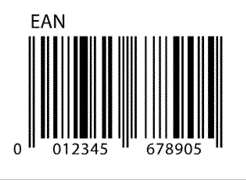
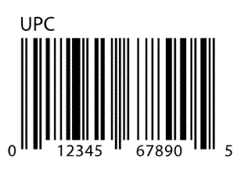
UPC is the one most people are familiar with, it was first used in 1974 and quickly become ubiquitous in Canada/US. Currently in Canada/US most codes that we call UPC are actually EAN3-13, EAN-8 or UPC-E, but a few are still the old UPC-A. To a human, EAN look very similar to UPC.
EAN-13 is basically UPC-A with 1 extra character as the 1st character. Every UPC-A 'XXX XXX XXX XXX' can be expressed as an EAN-13: '0 XXX XXX XXX XXX'. Any EAN-13 codes that have a 1..9 as the first digit do not have a UPC-A equivalent.
For your own codes, UPC-A, you have 200 billion at your disposal without conflicting with officially assigned codes. For UPC-E you have 2 million at your disposal.
- If the 1st digit is a 2, it is for local use for items sold by variable weight. You can use any of these for your own codes without conflicting with any barcodes you receive from other sources.
- If the 1st digit is a 4, it is for local use for any purpose. You can use/create any of these for your own codes without conflicting with any barcodes you receive from other sources.
For your own codes, With EAN-8 you have 12 million at your disposal without conflicting with officially assigned codes. If that isn't enough, with EAN-13, you have at 1.2 trillion! codes that your company can define without conflicting with officially assigned codes.
- If the 1st two digits are 02, it is for local use for items sold by variable weight. You can use any of these for your own codes without conflicting with any barcodes you receive from other sources.
- If the 1st two digits are 04, it is for local use for any purpose. You can use/create any of these for your own codes without conflicting with any barcodes you receive from other sources.
- If the 1st 2 digits are 20..29, it is for local use for any purpose. You can use/create any of these for your own codes without conflicting with any barcodes you receive from other sources.
Here is a link to the official spec that tells you which codes you can use: http://www.gs1.org/company-prefix
EAN/UPC notes:
- EAN so a superset of UPC – so most product codes you see in most stores are one or the other.
- Officially, UPC is not supposed to be used in retail after 2019 and indeed was supposed to be mostly gone after 2010. But as one author puts it: "this rule was written by Europeans, and it is North Americans that invented UPC, so Canada and the US will switch to EAN whenever they feel like it." As of 2021.06 a casual sampling of a couple dozen barcodes from several stores (things sitting on my desk) showed that, other than books, 100% of products still used UPC-A and UPC-E. This was not a formal study, but checking in several major chain stores it showed that UPC is still very much in use in retail. I assume in Europe you'd find the reverse.
- International Standard ISO/IEC 15420, 12 data characters, all digits 0-9.
- Requires a 'quiet zone' before and after the barcode.
- Like UPC-A, it uses guard bars at beginning and end.
- Because they encode so few characters (yet you have 2 trillion that you can define for your own needs) and have a fixed length, these are one of the easiest, fastest and most accurate – which makes them ideal for high volume scanning.
- If you are creating your own and you only need numbers, this is an excellent choice.
- UPC-A with a 0 in front are exactly the same as EAN-13
- UPC-E (using the official rules) following a complex set of rules ALWAYS are a UPC-A compatible value.
- Most UPC-A's cannot be converted into UPC-E's
- EAN-8 are completely different numbers from EAN-13. (While EVERY UPC-E can be turned into a UPC-A, NO EAN-8's can be turned into EAN-13's)
- So while UPC-A's are basically compatible with EAN-13's (0+UPC = EAN-13) There is NO compatibility between UPC-E's and EAN-8's
When people say UPC they either mean UPC-A or they mean the EAN and UPC family of barcodes. To be fair, most people just mean 'those barcodes on products'.
There are 3 UPC code standards that are 'obsolete' as of 2010, but may still be found on a few older products. We do not support these, though some older hardware barcode readers might.
- UPC-B is a 12-digit version of UPC with no check digit, developed for the National Drug Code (US).
- UPC-C is a 12-digit code with a check digit.
- UPC-D is a variable length code (12 digits or more) with the 12th digit being the check digit. These versions are not in common use.
And there are 2 UPC extensions. Basically these are added to be a second bar code beside UPC-A or EAN-13.
- UPC-2/EAN 2 is a 2-digit supplement to the UPC used to indicate the edition of a magazine or periodical.
- UPC-5/EAN 5 is a 5-digit supplement to the UPC used to indicate suggested retail price for books.
QR Codes
Most people think of these as being those square barcodes that you can scan with your cell phone and it will take you to a web site.
But a QR Code is 'just' a string of any length. The common understanding is because there are cell phone apps that, when they find a URL in a QR code, take you to that URL.
There are essentially no restrictions on what you can put into a QR code as long as you can describe it as a string. The more you put in them, the bigger they need to be to be read properly.
We REALLY like these because they have the ability to add lots of redundancy to avoid bad reads.
Other 2D Codes
Other 2D codes have essentially the same benefits as QR, except that you probably can't auto go to a URL with your Camera app with them. This means you can't use them to go directly to an asset using your camera app, but you can from within MCe.
Codes we RECOMMEND
There are technical reasons for the codes we CAN support (documented lower). If you are creating or have a choice which bar code system to use, here are the ones we recommend, in the order we recommend them:
- QR (2 dimensional, Alphanumeric)
- Other 2D: Aztec, Data Matrix, PDF 417
- EAN-8, a shorter version of EAN. 12 million codes you can define for your company, plus many products sold around the world.
- EAN-13 aka GS1 a UPC-A superset, 1.2 trillion codes you can define for your company, plus most products sold around the world. (or 200 billion UPC-A codes)
- UPC-E, a physically smaller, and fewer digits code based on UPC-A
- Code128 aka UCC/EAN/GS1-128 (A popular Alphanumeric) Has a check digit, start and end characters (and requires a 'quite zone' before and after the barcode. International Standard ISO/IEC 15417, Alphanumeric (128 ASCII), No fixed length – but the longer it is the more likely you will get misreads (especially with laser hardware, but also with software.) If you are only encoding a small number of characters, it's not a bad choice.
For all the codes recommended, there are many free barcode creators that you can use to print your own barcodes. There are also some low cost (under $200) that will let you print a series of number onto labels like Avery or Avery compatible. See also Printing barcodes and especially the recommendation that you coat the barcodes after you print them so that cleaning isn't likely to erase them or smudge them.
Samples of the recommended barcode formats:
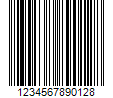
Code 128: (The first example is a HUGE barcode – not recommended you go with ones this long, it is very hard on many hardware, and hard on most software devices to get a good read.)
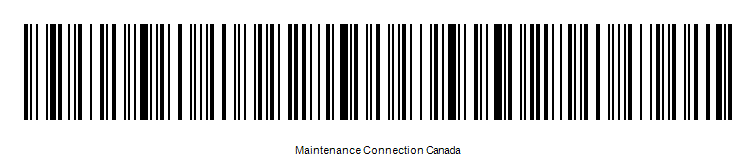
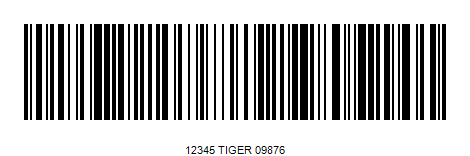
And 2401234567
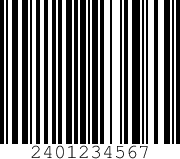
EAN-13
QR Code
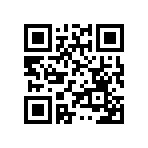
( ABCDEF 123456789)
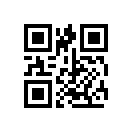
And 2401234567

Codeabar:

And 2401234567 with A for start and stop
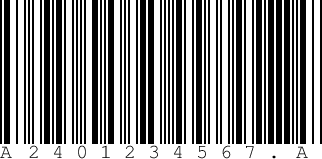
Notes:
A 'properly formed' UPC/UPC-A can be read with EAN-13, but they get an extra 0 put at the beginning of the number. UPC-D was never popular. UPC-2 and 5 were special purpose for magazines and books – we do not support them.
UPC-B and UPC-C are mostly phased out 'in the real world' and can cause compatibility problems with the others, though most existing ones will be read if you turn on EAN-13 support, you may have to manually remove the leading 0.
For performance reasons, we recommend that a given database be set up with the one or two barcode they use (or if they use more than one, fine, set it up for the 2 or 3 they use). So for example, a grocery store reader typically is set up to only read UPC codes.
Trying to read looking for all the formats we support means it will take longer to read a barcode and increases the chances of 'false positives'. A false positive is where a value is 'found' that is not the value for the barcode being read, this can be due to misreading one barcode as another – limiting the number of barcode formats to look at significantly lowers this risk.
Think about the scanners you know in a grocery store. Often the 'self checkout' take longer and more tries to 'read' the barcode – because the machine has to accept it any way the consumer can scan it or the consumer has to keep trying until they get it the way the machine needs it.
But the cashiers often can achieve a read quicker because their scanners can assume that the cashier has been trained the 'correct' way to scan, or simply because the cashier has learned how to scan it the way the machine needs it.
In the same way – if we know which barcode formats are even possible – we can obtain a reading more accurately.
Again thinking about the grocery store … if the barcode is flat to the scanner it will be read faster than if it is at an angle to the scanner. Indeed, for the 1D barcodes, we can optimize it if we can require them to keep scanning until they get the barcode fairly straight and flat – just like most 'hand held guns' at cashiers need to have the barcode straight. But again, like the cashier – the result is, once the person is trained, we can read the barcode faster.
This is a 'software only' solution. This means we don't have laser guidance to help us read the barcode. So it will take a little bit of human practice to read barcodes fast. But in our testing, after a couple minutes of practice, it usually took more time to tell the scanner to scan than it took to do the actual scan of the barcode.
When we say 'software only' we mean that we use the built-in camera in your device. If you don't have a camera you can't use the software barcode reader. Well, I guess technically you can in some very special use cases – you could have a library of photos on the device and pick the barcode you want to 'scan'.
Fortunately, you will notice I don't say 'accurate'. As far as we can tell, we don't read the recommended ones inaccurately – we either 'see' a barcode, or we don't 'see' a barcode, so we don't shouldn't get many false positives with the recommended codes. Note: If you select the not recommended ones, then false positives can and will likely occur more often.
Supported with conditional recommendations
- ITF-14 Essentially Interleaved 2 of 5 with safety features to protect against false positives. A 13 digit number with a check digit plus
- Code93, was created to replace Code39. 93 has features to protect against false positives.
Codes we SUPPORT but do not recommend: The main reason(s) we don't recommend them are given beside each code.
1D:
- Code39 aka 3 of 9 (A popular Alphanumeric, but it does not have any check digits, so bad reads (false positives) more likely with Code 39 than its closest companion: Code 93 or code 128. For this reason, we support them but do not recommend them. They are the international standard ISO/IEC 16388 . (some people add a check digit and use post-processing, but there is no official standard so different codes could use different rules. We plan to support the most common 'non'-standard, the rule of 43, see below.) (Currently no customers have asked for rule 43 – so if you need or want it, ask and we'll plan on adding it for you sooner rather than later.)
-
- But of the codes on the non-recommended list, Code39 is the one that is closest to being on the recommended list. Its use of *'s at the start and end prevent the most common type of read error of some codes: Starting/Ending partway into the bar code.
- There is one common checksum practice. The rule of 43 (sum up the data characters, then divide by 43 and put the result as the last character just before the terminal * character.) We are defining that as Code39-rule43.
- But please note: To make practical use of this, you must choose either Code 39 or Code39-rule43 unless you are absolutely certain that none of your plain Code39 characters can ever have the rule 43.
- If you choose both there will be no way to determine whether a code that matches the Code39-rule43 is using a check digit or whether it is simply a Code39 without check digit so we will read it as a Code39-rule42 code.
- The outcome of these ambiguous ones then will be randomly accepted as one or the others. This means about 1 in 43 barcode reads could be wrong if your codes are random.
- So: Either only choose one or the other of Code39 and Code39-rule43 or be absolutely sure that none of your Code39 ones can appear to be a Code39-rule43
- If you are generating your own barcodes, we recommend you use Code 128 instead. But if you must generate your own Code39 barcodes and you know that you will only be using 'your' Code39 barcodes, we recommend you create Code39-rule43 codes instead.
- Codeabar (Code-a-bar) 16 of the following characters: 0-9, $, +, :, / and . (zero to nine, dollar, plus, colon, slash and period) Designed to work with low resolution printers like impart printers and even special typewriters. Physically larger than most for the amount of information stored. Used heavily in libraries. But does not use a check digit, so bad reads more likely with Codeabar than its closest companions UPC or Code128. (some people add a check digit and use post-processing, but there is no official standard so different codes could use different rules. We do support the most common 'non'-standard, the library divisor 10 rule, see below.)
- We provide a Codeabar-Library10 reader option. The same caveats that apply to Code39-rule43 apply to Codeabar-Library10. (Currently no customers have asked for Library 10 – so if you need or want it, ask and we'll plan on adding it for you sooner rather than later.)
- Code93. The only 'postal code' barcode that received general acceptance. (We added this in 2017)
- Standard/Industrial 2 of 5. (Not interleaved so it takes twice the space of Interleaved 2 of 5)
- Interleaved 2 of 5. (If you have an option, use ITF-14 instead of I 2of5) This code has a particular problem with 'bad reads'. (If you need to use Interleaved 2 of 5 we strongly recommend you use ) If the barcode has 1, 5 or 8 followed by 0, 2, 4, 6, 7, 9 (So 10, 12, 14, 16, 17, 19, 51, 52 …86, 87 or 89) then the barcode can accidently terminate earlier depending on many causes including reflections (and with hardware line readers: bad angle reading (falling off) And if the barcode has 33, 35,36, 53,55, 56,63, 65 or 66 then the barcode can start to be read 'mid code'.
- Technical reason: Interleaved 2 of 5 codes charters in pairs – 2 at once. And pairs of numbers like 33 and 65 have as the end of their 'code' the pattern that is also the 'start character' for 2 of 5 and pairs of numbers like 10, 12, 87 have as the start of their code the pattern that is also the 'end character'.
- While a misread like this be rare, obviously if it happens there is no way for hardware or software barcode readers to know they have a bad read. It will be read as a false positive with no indication (other than if the human sees the problem).
- Software will generally have fewer mis-reads of 2 of 5 than hardware line scanners because it won't have misreads due to wondering off the barcode like a line can. But if there are reflections, the software, like hardware, won't know there was a bad read.
- There is a 'trick' to minimize the bad line angle – you print a top and bottom 'guard' or 'bearer' line as follows:
- Interleaved Code 2 of 5 with bearer (guard) lines to protect against bad line angle.
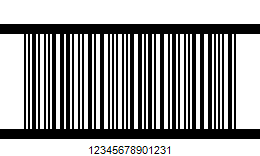
- While obviously you can print the guard lines and you should if you are printing these. Those you receive from others may or may not contain the guard lines. And the guard lines only fix one of the problems with Code 2 of 5 – as a result, we strongly recommend you not use Code 2 of 5 unless you are receiving them from an external source and have no choice. The only hardware I know that can reduce bad reads is a barcode pen, which isn't affected by most reflections and thereby avoids those types of bad reads.
Code 3 of 9 Sample:
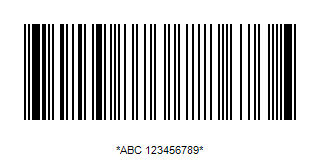
And 2401234567
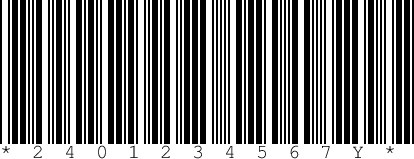
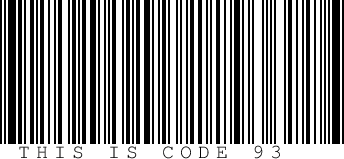
2401234567:
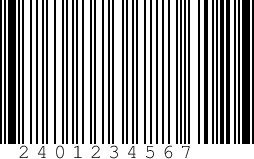
Interleaved 2 of 5 ITF: 2401234567
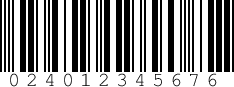
IATA 2 of 5: 2401234567
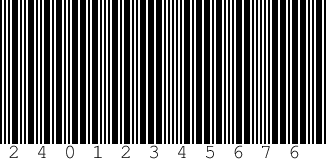
Industrial 2 of 5: 2401234567
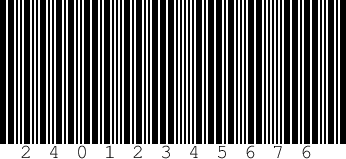
Ones we know we don't support: Some of these may work but we have not tested. If you have a good test sample of any of these and want us to test and let you know, we will do so. Send them to support@maintenanceconnection.ca
Codeabar variants: (So, these are not code-a-bar, but they are based on code-a-bar and some or all may work with our reader, indeed, likely they all work, but we do not know and while we may have tested a small sample of some of them, we do not have good enough samples of any of them to test thoroughly.)
- ABC Codabar
- USD-4
- NW-7
- Code 2 of 7
- Monarch
- Code-27
- Ames code
- Rationalized Codabar
- 2 of 7 Code
- ANSI/AIM Codabar BC3-1995
- Uniform Symbology Specification Codabar
- USS Codabar
Is the checksum human readable? Do I type it in?
Some barcodes print in a human readable some or all of the code. Some print the checksum so humans can read it, others do not.
When a barcode can't be read, it is necessary for you to enter the code by typing it in you do not want to type the checksum in. When you type in a code, it is just the 'result' – we do not know what type of barcode you are typing in, so we have no way to know to strip the check digit if you type it in.
- EAN and UPC print the check digit as the last digit. Do not type it in if you are manually entering the code. We strip the check digit when we find an EAN or UPC code.
- Code 128 does not print the check digit (but it is there in the barcode) so you type the whole string in as you see it, and we strip the (hidden to you) check digit when we find a Code 128 value.
- Code 39 does not print a check digit – because it doesn't have one. So you type the whole string in.
- Code 39 rule 43 does print the check digit – so you do not type in the last character. We strip the check digit when we find a code 39 rule 43 code.
- Codeabar does not print a check digit – because it doesn't have one. So you type the whole string in.
- Codeabar Library 10 does print the check digit – so you do not type in the last character. We strip the check digit when we find a Codeabar Library 10 code.
- QR codes don't show you the string nor can you see all the check values, so unless you know what is in the QR code, you can't type these in, they have to be read. Fortunately they contain lots of error correcting information so their success rate is the highest of all the bar codes we support.
Printing barcodes
Don't!
The first statement is – don't print your own, most of the time. You are better getting professionally printed ones that are designed (guaranteed) to wear, not fade out. Most inkjet inks in your inkjet printers are not UV safe for example. Most laser and inkjet will smudge – especially as you clean the equipment.
Get good quality, matte finish, black and white, UV safe, non-smudging barcodes.
But assuming you want to print your own … read on.
Use black and white on non-shiny labels
Whenever possible – use Black and White matt (not glossy) barcodes on matt (not glossy) paper. They are the quickest and easiest to read. On the other extreme: two tone (white on white, silver on white, black on black) are the most problematic to read – though you can see in the examples, a silver on white code still gets good reads if you use a system like EAN/UPC that has a check digit so false reads can be quickly rejected. The higher the contrast between the bars and the spaces, the more likely you are going to get a quick, easy, accurate read.
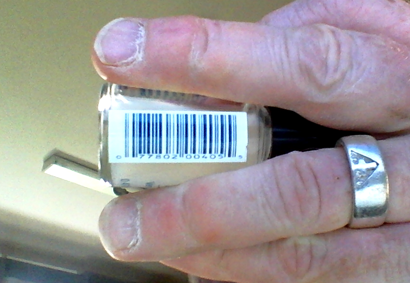
This is especially important on tiny barcodes like the following image: If the barcode is too small to make it big enough but keep it in focus, making it black and white (instead of blue and white) makes a read much easier and more likely:
As big as possible lines and spaces
Print them as large as practical/possible for your needs. But even more important is how wide each line and space is. This is one of the reasons we recommend EAN-8 so highly – it has the widest lines/spaces at any given physical side for codes with a check digit.
In my example above I am holding the object to use my laptop camera and I needed 2 hands to stabilize this tiny jar. With tiny bar codes, if you do have to read them, the biggest trick is to stabilize the camera (or object) so the image doesn't jiggle too much. Having a camera that focus close (4 or 6", 100-150mm) is a necessity with ones this small.
Don't use 'invisible' barcodes
And don't use 'invisible' barcodes that need special readers/light to see/read the barcode unless you are using a hardware barcode reader. With a software solution given most cell phones record mostly only 'visible' light4 – you need a barcode that is visible to the human eye.
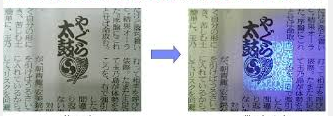
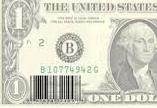
If you REALLY want to do this without using a hardware barcode reader, remember the people reading the barcode reader are going to ALSO have to carry a 'light source' that makes the invisible barcode visible to the naked eye – so pick one that uses a simple source like black-light and test it with your devices in the lighting they will be installed to make sure they are going to be able to read the barcodes with the light source you plan on having them take with them, without them having to turn all the lights out before every read.
There is also special laminate that can be put over a barcode that only allows infra-red light to pass through. This makes thigs like a security badge harder to copy because the barcode is 'invisible' to anything other than infra-red light, and if you remove the laminate it destroys the badge. If you need this level of security on your barcodes you realistically have to use hardware barcode readers. Note: While it is true that some digital cameras can read a little bit in the infra-red range, but it isn't enough to get a barcode reader … at least not with today's equipment. When/if this does become (or is) possible it will be a serious problem for people who have relied on this security feature, but there is no indication that 'consumer level' equipment will get this capability any time soon. Of course, anyone attempting this is likely not going to feel constrained to use consumer level equipment.
Don't lose your barcodes to washing/weather:
If you can, use preprinted, coated, barcodes that can be 'cleaned' later without erasing or smudging.
If you are creating them, consider this: Print them out on matt labels, then spray them with a matt laquer such as 'Tremclad Rust Paint, Clear, Flat', an alkyd-based product, or several Varathane products. Use several light coats – heavy coats, especially the 1st coat, will make some labels curl. There are also special photographic sprays. If you are in a regulated industry (such as hospital or food preparation) make sure you are using a coating that is permitted. And test a lot before you buy a case of spray cans. One problem to consider: Places like hospitals tend to use very corrosive chemicals that can destroy many finishes within a few cleanings, or you use temperatures that will destroy them – so you really need to test. (Hospitals also have the problem that they tend to try to put barcodes on curved surfaces, compounding the problem. So … work with your printer and test to make sure you get the premium experience.)
Either way, if they will be exposed to UV light, use a coating that has UV protection, typically the 'outdoor' ones. This is like giving sunscreen to your barcodes so they don't fade. This is particularly important if you use coloured barcodes instead of black – red is usually particularly quick to fade – based on testing done by 'Photos By Madman' over the years: 'Red barcodes can become invisible in as little as 3 weeks in bright sunlight without significant UV protection.'5
1D barcodes vs QR:
If you are going to be installing the barcodes on a highly curved surface, go with a 1D barcode, not a QR code so you can install it along the object not 'around' it.
Don't get cute:
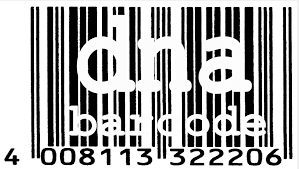
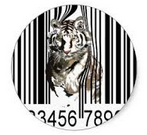
Stay away from fancy barcoding printing options with 1D barcodes like embedding an image in the barcode. These just make the reading rate/success lower. If you want to go fancy like this, use QR codes which are designed to incorporate it in with no reading errors. The two samples below are almost or completely impossible to be read by hardware or software, though the white tiger sure looks good.
Quality – test that the labels you buy are going to stick!
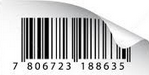
Go with good quality labels with good quality glue for the surface you are sticking them on, if they start to curl etc.., they will be hard or impossible to read.
And just for fun
Here is a great way to mark all your buildings so that you can scan the asset (building) as you walk up to it. (The color red remember for a hardware barcode reader is 'white' so it is even easier for a hardware barcode reader to read it. Someday.)
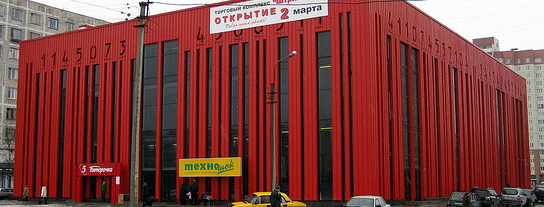
Since we are on the more or less fun side of things, there are about a dozen buildings that I have seen pictures of that are done up with barcodes.
Here is something that I have not seen yet, but I fully expect to see some day: Someone is going to colour the roof of their building as a giant QR code so that you can scan it using google earth images.
And here is another idea, if you want to advertise, do up your whole building as a big QR code so people can scan it while they drive by. Use lots of redundancy and don't plant trees that will grow up and block it. Or someone is going to do it with a corn maze.
And finally, back in the 1960's or 70's there was a fad where some buildings were done up to look like computer punch cards, presumably the info on 'the punch card' was advertising to technical people or typists.
Installing barcodes
Make it so it is easy to read it 'straight on'
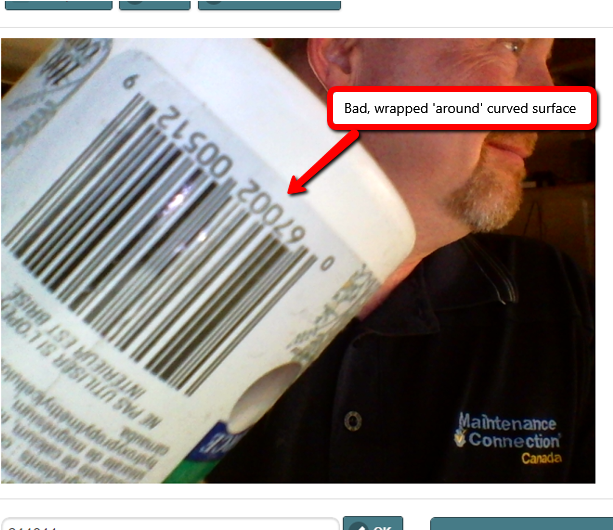
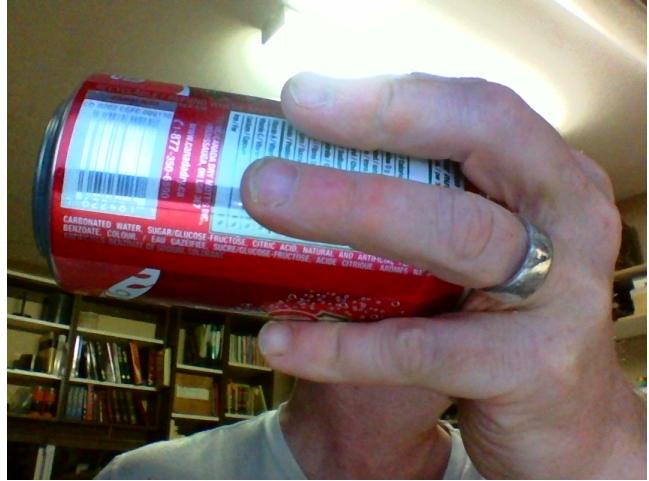
Do NOT wrap a barcode 'around' a curved object such as a round table leg. Instead, place it 'along' the leg so that it can be read facing the reader straight. The first image below is wrapped 'around' a curved surface and therefore cannot ever be read – even by most hardware readers other than 'pens'. The pop cans image illustrates the wrong and correct way to put a barcode.
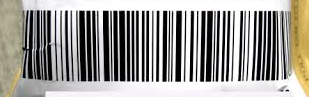
The image below was on a curved surface, and it took much longer to get a read because of that – I had to rotate it until both sides of the barcode and the middle were in focus enough. And the ends are tighter together than the middle making a read difficult. If it had been curved much more it would not have been possible to get a read.
Install it at a height that is convenient for your users to hold their cell phone beside it to read it. (This is really just a refinement on the 1st rule to make it easy to read 'straight on')
Put them in a location that either avoids getting dirty, or if it does get dirty, is easy to clean. For example, placing a label right at the bottom of a piece of equipment on 'the kick plate' for example is usually a bad location due to more dirt/grease at floor level. Also applying them underneath a place where oil is added/checked is usually a bad location. In general, higher will be better than lower as long as it isn't so high that shorter people can't easily scan them.
If you print your own barcodes, consider spraying them with a clear spray as discussed above in the printing barcodes section either before installing them or after installing them to make them easier to clean without smudging. If your barcodes look like this after cleaning, they won't be useable.
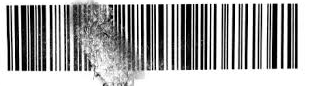
Install them smoothly. If you make a mistake such as the next image shows, put a new one on instead – this cannot be read.
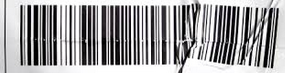
The next image is another one that could not be read until I manually smoothed it out. 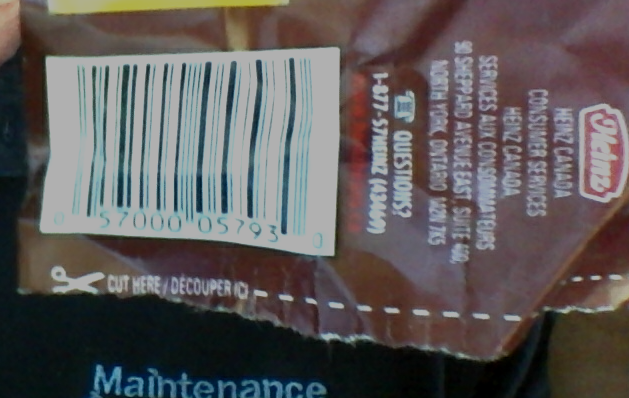
This is what it looked like from a different angle:
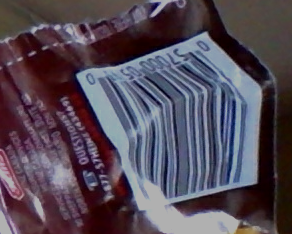
But they don't have to be perfect, the above label was read once I smoothed it out.
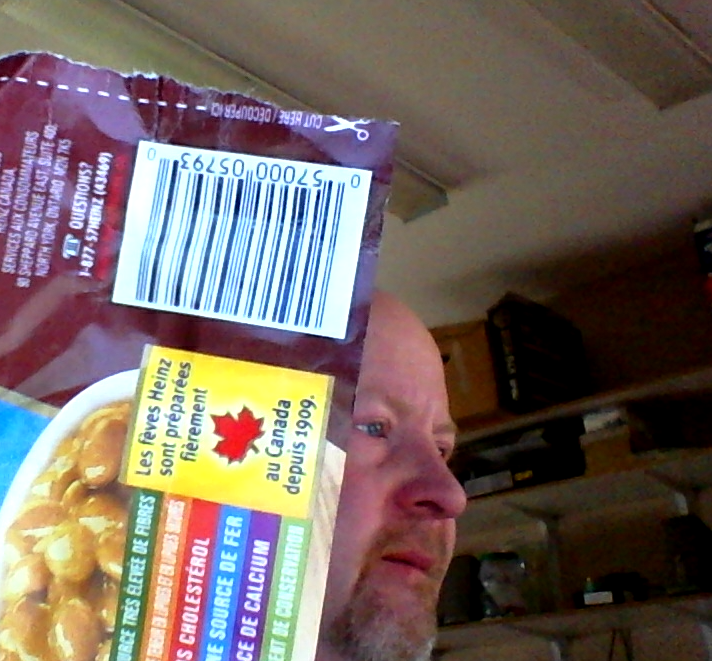
And finally, stick them on a surface where they will stay. Many machines have a 'non-stick' surface to make them easier to clean, or they have a very thin layer of grease (either because of use, or because it was applied on purpose to prevent rust/sticking.) It may be necessary to clean some surfaces – surfaces that have any grease or dirt/dust/flaking paint– before the label will stick to them. But most devices have 'other' locations you can stick that there won't be a problem.
Good reads, bad reads:
The barcode needs to be clear between the light (white) lines and darker (black) lines.
The image needs to be 'enough in focus' that we can determine the white lines from the black lines.
All of the screen shot samples I took in this document were actual reads (or in a couple cases as indicated – 'no reads') (It should be obvious which pictures were taken by me and which were web grabs.)
Technical notes: The images displayed in this document were actual images using our software and video web cams.
- Asus laptop
- Microsoft Microsoft Lifecam Studio Webcam (A $70 on sale web cam)
- eTek – a $5 including shipping from China web cam.
The barcodes were also tested against a Windows phones & Surface tablets, several Android phones and tablets. Update: Shows you how long we have been doing barcodes! iOS and iPadOS are tested these days Windows phones and Surface tablets – not anymore.
The only device that had problems getting reads was the $5 eTek web cam. It could only focus to about 2' (600mm) and as a result it could not properly read any of the smaller barcodes. But the larger ones such as the jars it had no trouble with.
Here are a couple examples of a 'just good enough' image that we were able to read. Any smaller, any blurrier and it was not readable. (they were slowly brought towards the camera so that I could show the spot where I got just barely got a read.
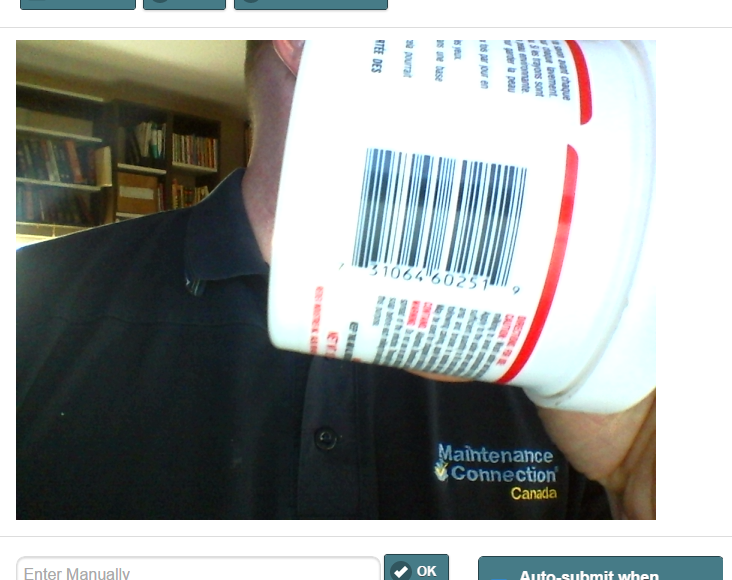
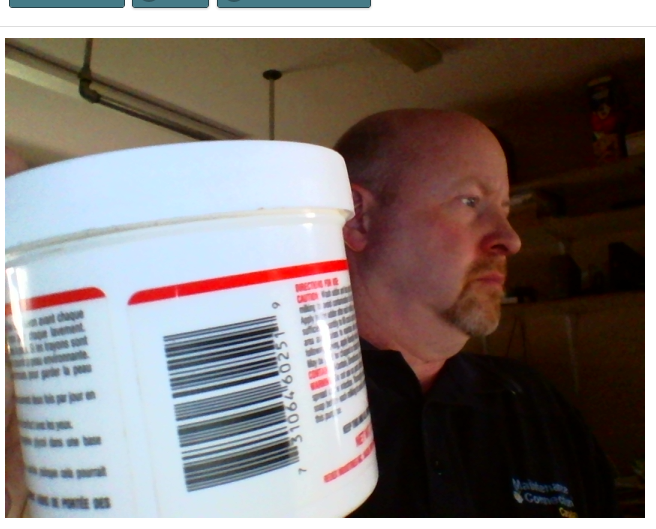
In a similar fashion, the faster you are moving the camera, the blurrier the results will be.
Another problem is where you have multiple barcodes close together.
If you are using a desktop computer, and your camera can't focus close enough, you may not be able to read one barcode from multiples. Your choices are:
- Hide or split up the barcodes so only one can be seen
- Get a camera (Usually called a web or usb camera) that is not a wide angle one, and that can focus to 6" (150mm) or less with ones that can focus down to 4" 100mm) the best. This will give you a better ability to isolate one barcode from a group.
If your barcodes are just too close together to isolate, you'll need to either cover the ones you don't want to read (with your hand or piece of paper), and/or split them up so they are far enough apart.* If you frequently have them too close together, we give the option to change the area of the screen to only read a portion, this can be effectively the same as holding your hand over the ones you don't want to read.
* I was in a Home Depot, and they had this problem even with their hand-held guns. They had a high tech solution: the clerks had a piece of paper with a cut out rectangular hole in it, then the held the open space over the barcode they wanted to read.
The following was a good read, but notice the left side of the barcode is much closer to the camera than the right side. The closer you are to 'square on' – the more likely it is that you will get a good reading.
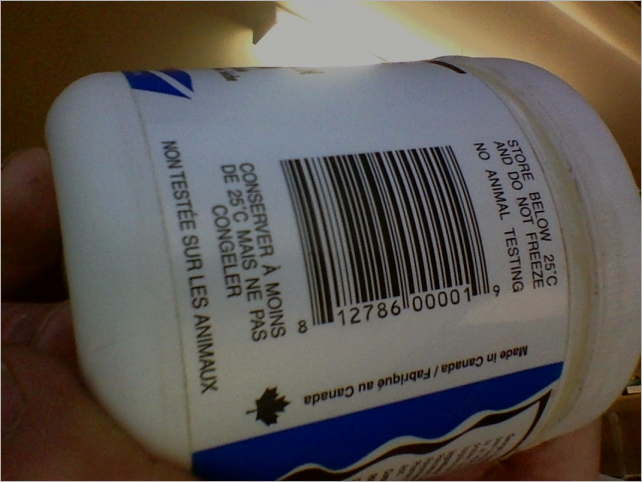
On the other hand, the angle within the image is not important: The following is a 'good read'.
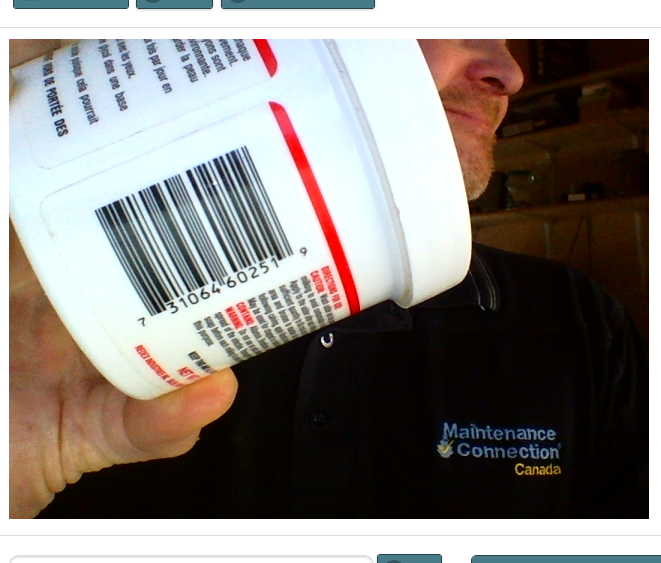
Nor are small amounts of reflection like above (notice the bright dot which was from the camera light, and the reflection going through the barcode.
Medium amounts of blur and reflection are also OK, and you can read it upside down.
But the image below was on a curved surface, and it took much longer to get a read because of that – I had to rotate it until both sides of the barcode and the middle were in focus enough. And the ends are tighter together than the middle making a read difficult. If it had been curved much more it would not have been possible to get a read. Basically the bar code should not have been put on the curve, it should have been turned around 90 degrees so that you could read it 'straight'.
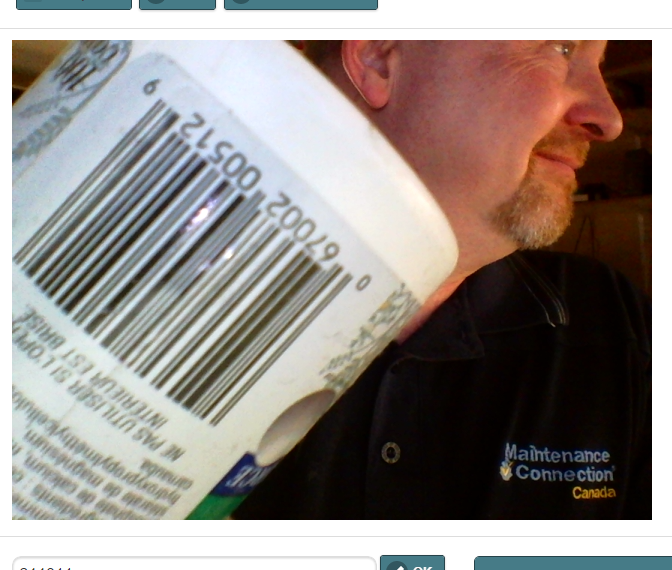
But strong reflections make the barcode unreadable such as this one:
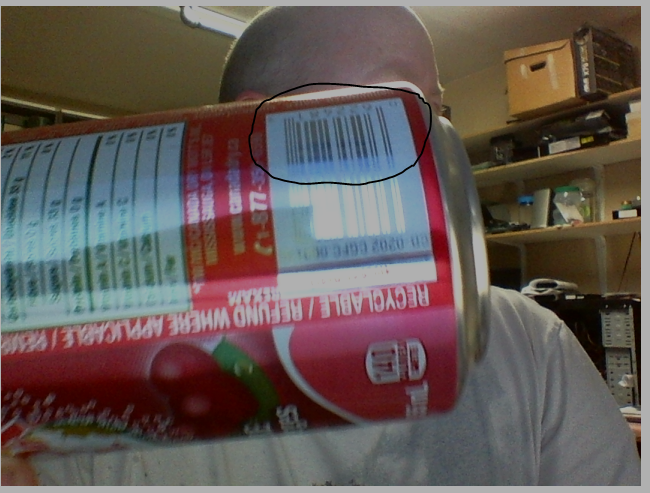
On the other hand, even though this was a silver on white, which caused glare, it only took me about ½ second to get a good read. As you can see there was enough in the section I circled in black to have no problem reading this.
Hardware vs Software vs competitive 'native' barcode readers
You may be aware that there are a lot of different barcode readers available that are known as 'hardware' barcode readers. In fact before seeing ours, you probably have only seen or interacted with hardware barcode readers.
In a nutshell
- Hardware readers come in many types, some use red light or IR light, some use very fast-moving scanners going back and forth (that make it look like a solid line to the human eye), some use a pen that the human 'draws' along the barcode. (The pen is the only one that I have seen reliably read a barcode wrapped around a uneven or cylindrical object)
- Competitor "native" barcode readers have you take a picture using the 'native' picture taker tool first, then it analysis the picture that was taken.
- MCe's software barcode reader gives the option of doing the 'native' way (2017.11 we have worked around most of the bugs in iOS 11 so that you don't need this option) We give the default option of a video stream that allows you to point your device at the barcode, and as soon as you get an image that we can read the barcode … we do it without you having to push all the extra buttons that a native picture taking method requires.
- If you use MCe and other programs on your device to read barcodes, unless all the software you buy has good barcode reading software, your only choice will be to go with hardware. Even there – you may find that you want to use our software barcode because it means not having to plug in another device, and only use the hardware barcode reader when we can't read them (for example they are IR barcodes) or you are using the other software.
With our software you have always (even back to our Palm Pilot version) been able to use Hardware barcode readers, as long as you had one that worked with your device. This is because 'all' a hardware barcode reader is, is basically a keyboard, but instead of a human typing on the keyboard, a human passes a barcode by the hardware and the hardware knows it should type those characters into whatever program is running at the time.
We are not the only company that has written a software barcode reader, but note that with software barcode readers, some of the advantages are only there if you integrate those features into your application (and we have.)
So, if you are interested, let's look at some hardware readers and how they compare to 'our' software reader.
Note: We don't sell hardware readers and we include the software reader for free in our software, so we have as close to no bias as is humanly possible when discussing the differences between hardware readers and our software reader. We of course have the bias that we are proud of our work – but if your use case means a hardware reader is better for you – we would prefer you use a hardware reader and be happy, and if your use case makes our software reader better – we'd prefer you use that rather than have the awkwardness of an additional piece of hardware.
General Advantages
Advantages of MCe software over hardware:
- No additional cost, included in the price of Maintenance Connection Everywhere (MCe) is a still picture and video version
- No extra hardware to carry, get lost, cords to get in the way (or Bluetooth receivers to lose)
Advantages of MCe over Hardware & Competitors:
If the barcode is hard to read or the image is not crystal clear or too small or you have multiple barcode formats that you support you will sometimes get multiple different readings. Hardware and so called 'Native' barcode readers in these situations 'pick one' of the values for you, typically the first one they find. MCe instead shows you the choices and let's you pick. This can drastically reduce false positives while getting the benefits of not hand typing the values.
Advantages of Hardware over MCe and Competitive 'native' barcode readers
- Slightly faster much of the time for getting a read. Much faster some of the time. With high quality devices like the difference is usually negligible, sometimes the software is faster, sometimes (to be fair – most of the time) the hardware is slightly faster, but with low end devices like the Moto G and Moto X phones hardware barcode readers are usually quite a bit faster.
Continuous hardware readers vs our software reader:
Hardware advantage:
- If the hardware is a 'continuous scan' type it will immediately type into ANY application you have as soon as it sees a barcode.
MCe advantage:
- Lower battery use.
- They don't read barcodes unless you tell them to (no accidentally scanning and entering into a random field6.)
Hardware and MCE advantage over several competitive software offerings:
- You don't have to go through the native process of taking a picture, accepting it, saving it then letting the barcode software try to find a barcode. You just point the barcode reader or camera at the barcode and let the hardware or software find the barcode.
Hardware wands (can be attached to your cell phone) vs our Software
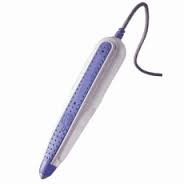
Software advantages:
- More convenient, no 'pen' to have to hold.
- More convenient, no 'cord' getting in the way all the time, or if you get cordless – no pen or USB key to forget to bring with you/drop inside something/lose generally
Hardware advantage: (wands really only have 1 advantage)
- Can read barcodes wrapped around curved objects like a table leg. It isn't easy to do until you practice and learn to rotate the pen as your go around the leg, but it can be learned if you have a lot to read.
Hardware handheld scanners (can be attached to your cell phone) vs our Software
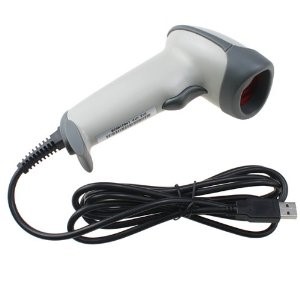
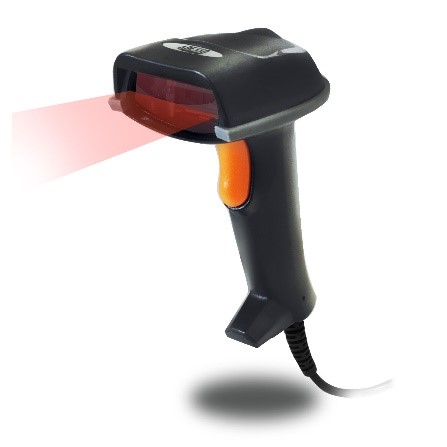
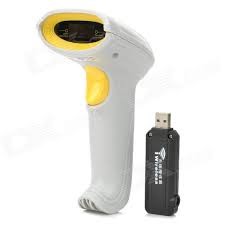
Software advantages:
- More convenient, no 'gun' to have to hold
- More convenient, no 'cord' getting in the way all the time, or if you get cordless – no pen/reader to forget to bring with you/drop inside something/lose generally
Hardware advantage
- Some of these have special non-visible light reading capabilities.
- The 'gun trigger' feature on some can also help with some barcodes.
Personal preference which is better:
- On better hardware ones the red visible line that shows where it is trying to read helps a lot with this, we show a video image on the screen to help line up and focus so this is usually a user preference. If you have a cheaper hardware one without a red line, then the advantage goes to the MCevideo software method.
Cellphone add-ons vs our software
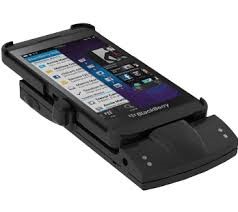
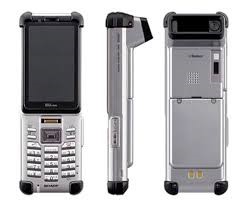
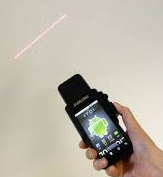
Software advantages:
- More convenient, not as bulky/thick/protruding
Hardware advantages:
- Some people find them easier to focus and line up (On better ones the red visible line that shows where it is trying to read helps a lot with this but, as above, MCe have a video image to assist so this is personal preference.) The 'gun trigger' feature on some can also help with some barcodes.
- Some of these have special non-visible light reading capabilities.
Personal preference which is better:
- As above, the ones that show a red line are preferred by some people, the video image we show to focus are preferred to other. If you have a cheaper hardware one without a red line, then the advantage goes to our software method.
Glass plate Barcode readers in grocery stores.
MCe Software Advantages:
- Portable – wherever your cell phone goes, your scanner goes
- tiny lens, doesn't get dirty easily, easy to clean. (You've seen how cashiers keep a cleaning rag so they can keep cleaning the scanner)
- MCe Software Advantage: no contact with package. As the plastic or glass on the scanner get used it gets scratched and reading becomes harder and harder until someone replaces the plastic or glass cover – we've all seen grocery stores with the glass/plastic over the scanner so scratched up it takes several attempts to get a read of the code. Because the barcode is not touching the camera lens, the act of reading doesn't wear out or scratch our software barcode reader.
- Most of these hardware readers can only read EAN and/or certain UPC codes, our software can read several other powerful and useful bar code formats.
- If you get more than one read (different values) we let you pick between them
Hardware Advantage:
- Some of them can read poorer quality barcodes than the software can due to laser assist. (They can 'see' the difference between the barcode and dirt/smudges ON the barcode.) They also do a little better with crinkled, poor quality (think rice bag), dirty barcodes.
- Not-portable, you can't easily lose it/misplace it – it is always where you expect it. You might say "no that is a disadvantage", but it depends on your use case.
- Some readers have special light to let them read 'invisible' or barcodes with special ink easily, even when the human eye can't see it or there is some impurities (smudges).
- On most of the more expensive ones, their scanner spins around several times a second so the angle of the barcode has much less impact on the speed or ability to read.
- Zero focus issue, you place it on the glass plate (or slide it across) and the glass plate is the focal point. This makes it easier to use for high numbers of scans per minute.
Equality:
- If the barcode is not 'perfect' you can move the product closer/nearer to the scanner until it scans. With the cell phone, you can move the phone closer/nearer to the scanner.
- If you just can't read the barcode, you can type it in and/or select it from a drop-down type list.
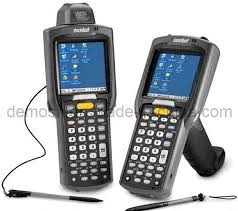
Dedicated Smart devices
Advantages:
- These are usually 'ruggedized' solutions. One we saw claimed to be able to be dropped 30' onto concrete without breaking, no cell phone unless in a high-quality case can do that.
Disadvantages:
- We have not seen any of these that work with modern software such as MCe. They tend to be older solutions and work with older version of our software (such as our Palm Pilot and PocketPC versions) and these are not compatible with MC 7.0 and forward. The cost of implementing them is significantly more now than with more up-to-date devices. Ask for a copy of our whitepaper on ruggedized devices cf. regular devices that are 'ruggedized'.
iPhone/iPad, Android/Windows Laptop – which to choose?
Back in 2014 there were definite advantages to some over the others. Now … they have all caught up in capabilities, so the only real question is: Does the device have a camera that points in a convenient direction to record the barcode? Other than that – pick whichever device works best for you. Consider this: Take a tablet, put it in a nice case, glue a big 'rare earth magnet' to it – now you can stick it to the equipment (if it has iron areas) while you do your work.
What if my computer/phone/tablet doesn't have a camera (I was asked by someone who owned a Kindle that worked great with our product otherwise). Well, there is no practical solution to this, if you don't have a camera, you'll have to go to a hardware solution. Tip: It's usually far cheaper to upgrade to a device with a camera than it will cost to buy a barcode reader!
Chrome:
2017 update: Chrome only works on HTTPS, talk to your service provider if the did not install MCe on HTTPS) The first time you read a barcode or take a picture you will be asked for permission. If you say no, it will never ask you again (and never let you use it) until you clear the setting.
By default, Firefox will ask every time they try to use the video, it gives 3 choices, it varies from version to version, but essentially you can answer 'yes, allow'. 2008 update: Firefox is missing too many features that we need, we no longer support FireFox
To fix this, once they make this mistake: (last checked on Chrome 43)
Hit the hamburger button.

Select settings
Select 'Show advanced settings…' at the bottom of the page (they may have to scroll down)
Click on 'Content Settings' (right where 'Show advanced' used to be.
Scroll down to the Media section (near bottom)
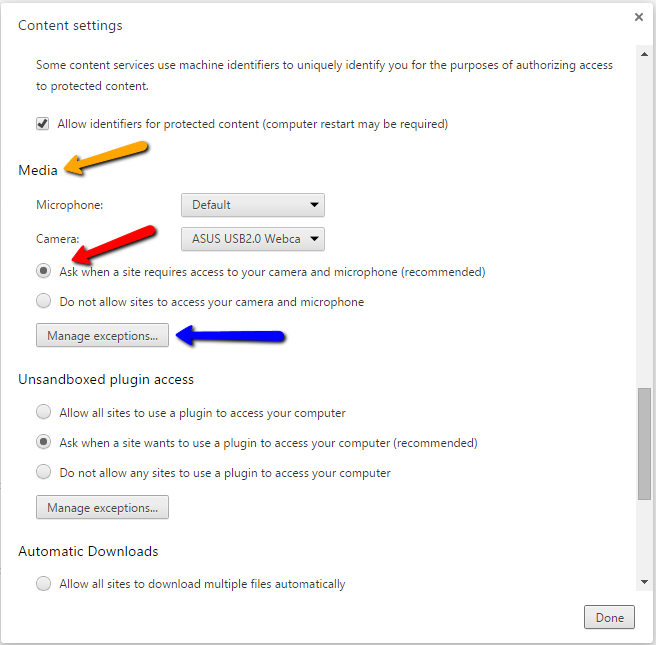
Make sure 'Ask' is selected (Red arrow)
Click on Manage exceptions (Blue arrow)
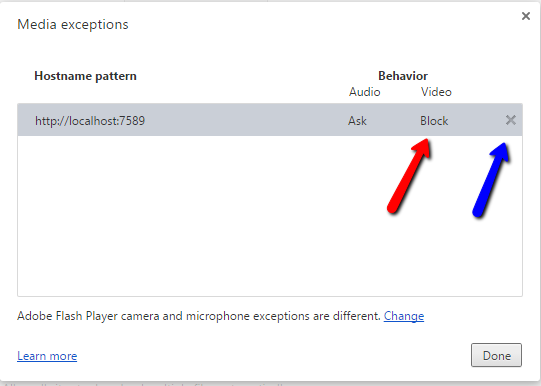
So in the next image, you can see that Video has been blocked on my computer (red arrow). Clicking on the x will get rid of this block. Note: I know of no way to stop it from asking for a specific site.
Appendix, Which phone, tablet or laptop should I use?
Given how fast smart phones come and go, and given that most smart phone batteries are significantly depleted after 1 year and almost unusable after 2 years, and given that smart phones are getting significantly faster at every price point every year, any naming of specific devices will be out of date within weeks of being written.
There are a few major factors for getting a good read:
- How fast can _ your _ camera focus to close-up images? The faster it can adjust, the better your experience. We need images in focus to get a barcode read. In some cases you will learn techniques for your phone to get it to focus faster. For example with the Samsung Galaxy S7 and S8+ phones, this author found it worked better to start at a distance and move in. The S7 and S8+ took about 3x's as long to focus when starting in close and moving out, and they were even better if you put your hand or something beside the barcode if the barcode is a different distance from the rest of what the camera is looking at (make everything the same distance away.) A Moto X play on the other hand didn't make much difference which way you do it.
- How _ close _ can your camera focus? The closer you can get in focus, the larger the image is and the more likely you can get a good read quickly. This was not a problem with any of the 'high end' phones we tested, but it was a problem with USB cameras7 and with cameras built into laptops – many aren't designed to do close up work. Tablets vary – test before you buy a lot.
- How fast is your computer (your phone is a computer). If you are taking a picture then reading that picture it really doesn't matter – it will take you so long to get the picture and then read it that taking a half second to find the barcode in the image is not really a problem. But for most people, you will be using the video scanner, and the slower your device is, the fewer images per second can be read to find and read the barcode. With a phone like a Galaxy S7 or newer, we will be processing typically 20 frames per second which means the faster you get the image in focus, the faster you will get a read – with practice and reasonably good barcodes your barcode reading can be almost as fast as a cashier. But on a slower phone like a Moto X play, the computer is only fast enough to read 1 or 2 images a second, so it will take a few seconds to get everything in focus and lined up to get a reading.
- Not a problem usually anymore: Video Camera resolution. When we first came out with software barcode reader in 2014, there were some really cheap smartphones (unlocked, not on a plan they sold for around $110 USD) that had really low-resolution cameras that made it more difficult to get a good barcode read, and the $7 USB camera we tested on a laptop was just of bad. As of 2016, very few smart phones have a problem with this, and any reasonably priced USB camera will have no problem either. But if you buy your USB camera in a dollar store like this author did (for $7) – you can probably still get one that won't work. If buying a stand-a-lone camera, pay a few dollars more to get the one that focuses at the shortest distance. If the camera specs don't say how close they can focus – you can be pretty sure you should pick a different one.
Food for thought on performance: you can get a read on a slow device but most people will not find it a pleasant experience. But then, if you are slow at typing, having your phone take 10 seconds to get a read of a barcode may be faster and more accurate on average than you can read the id and type it in.
Appendix: What is the best browser?
The one that comes with the OS!
On Android: Chrome.
On Windows: Edge.
On iOS and iPadOS: Safari.
The biggest factor you will see and have to decide if you care about: Some browsers ask you for permission every time you use the video camera (so every time you try to do a barcode read.)
Chrome, only asks you once per site, and once you've approved it once, you will be approved forever.
Note that the operating system may also ask once, but that is usually only once for the browser. But since our application is likely the first one you will use for this type of thing, it is the one where you will run into this.
On some browsers, such as the Samsung built in browser (we do not support this browser), they ask 4 times initially, and then twice every time. This is something with their browser and has nothing to do with our software. (Technically it is because they have decided to ask you EVERY time, and there is a bug in their engine that makes it necessary to start up the video stream twice whenever you first pick a camera, and this is why they ask you twice even after the initial attempt. So this browser would very quickly become irritating to the author of this document if he were doing barcode reading with it.
Appendix: Desktop Maintenance Connection (MC) Barcodes
While it is easy to print out 'lots' of barcode formats, reading them is not as easy. That is why when you see barcode printers, they can often print out a long list of 30 or more barcodes, but when you look at hardware readers, or software readers like ours, the list is typically much smaller.
| Barcode | MC can print | Recommended? | Comments |
|---|---|---|---|
| Code 128A | Yes | Yes | Alphanumeric, check digit |
| Code 128B | Yes | Yes | Alphanumeric, check digit |
| Code 128C | Yes | Yes | Alphanumeric, check digit |
| EAN-13, JAN-13, GS1-13 | Yes | Yes | People call this UPC. 2 check digits. Numeric only. |
| EAN-8, JAN-8, GS1-8 | Yes | Yes | People call this UPC. 2 check digits. Numeric only. |
| UPC-A | Yes | Yes | 2 check digits, Numeric only. |
| QR | Yes | Yes | Alpha numeric |
| Aztecx | Yes | Yes (but QR better) | Alpha numeric |
| Data Matrix | Yes | Yes (but QR better) | Alpha numeric |
| PDF 417 | Yes | Yes (but QR better) | Alpha numeric |
| UPC-E | Yes | Future8 | Future. 2 check digits, Numeric only. |
| Code 93 | Yes | Conditional | Check digit, bars, 13 numbers, slower to find (fewer frames per second). Canada Post the biggest user but many companies world wide use it too. Best results require horizontal reads. |
| Industrial2of5 | Yes | Conditional | Non-interleaved (wastes space). Slower to find (fewer frames per second). Best results require horizontal reads. |
| Code 39 | Yes | No | Only use if you receive items with these on them. No check digits. False positives due to bad angle reads. |
| Codeabar | No | No check digits | |
| Code 39 Rule 43 | No | Future | Check digit |
| Codeabar Library 10 | No | Future | Check digit |
| Code 11 | If you need this, there will be a custom fee. | ||
| UCC/EAN-128 | This is a subset of Code 128, see above. | ||
| Extended Code 39 |
There are several that MC can print that we do not have good enough specs on to be able to write a reader or writer, and we've had no customer requests. If you need one of them talk to us about pricing and timing. HIB EAN/UCC 128, HIB EAN/UCC 25, HIBC LIC 128, HIBC LIC 39.
We also don't support MSI and no customer we have every talked to has asked for it. The stop digit is "just" the 1st half of i's numbers 0 through 3, so if you ever have a bad read half way through any of those numbers, the reader will think it has read everything – a false positive. If you need it – talk to us, we'll discuss what it will take to add it.
If you plan to scan without knowing which software or hardware you are going to be using, we strongly recommend you pick from our recommended list. Most hardware barcode readers can read those as well.
Other tips:
If printing from MC, consider these recommendations for settings:
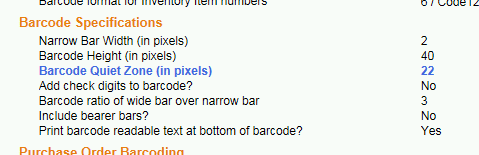
The wider the Narrow Bar Width is, in general, the larger the barcode will be and the easier (quicker) it will be read. Normally pick 2, 3 or 4
The height in pixels is important if you have several barcodes in a row to make it easy to scan the correct one.
Most barcode standards require that you have 7 to 11 'narrow bar widths' of quiet zone for a code to be readable. So with a narrow bar width of 2, 25 is a good choice. (2 * 11 = 22 plus 3 for a safety margin)
Add check digits to barcode only applies to barcode standards that do not have a check digit. And if you add them to standards that don't support it, the check digit will be part of the scan value.
Barcode ratio of wide bar over narrow bar. 3 is the most common industry standard and it is recommended. It means that, on barcodes that only have 2 widths, the wider ones are 3 times wider. Note on some like the EAN ones, bars and spaces come in 1, 2, 3 or 4 times the narrowest, so this ratio has no bearing on those codes.
Include bearer bars. These are there to help make sure you don't get false positives readings at an angle.
- If you are using some of the 'supported but not recommended' formats, you might try with and without bearer bars to see what works best.
- For the recommended formats, there is no value in using bearer bars because all our recommended ones have check digits and the purpose of bearer bars is to prevent a reader from getting a false positive by only reading part of the code. But if you WANT to include them, they won't hurt.
Print barcode readable text at bottom of barcode. We have no recommendation, go with your preference. In most places that barcodes can be printed in MC, the value of the barcode is already being printed elsewhere on the line so if you do end up wanting to hand type it in, you don't need the barcode to see the value to type. If they are stickers to stick on the equipment, then print the text so you have it.
Appendix: But my barcode value isn't right (Regex's)…
Regular Expressions (RegEx's) are a tool/option for properly reading barcodes.
Here are some useful examples (should be useable as is or easy to change.)
Remove leading zero's
For example, let's say you started with barcode 2 of 5, then realized that with both hardware barcode readers and software barcode readers that that barcode 2 of 5 makes it too easy to get false positives from angled reads, so your barcode printing company recommends you switch to ITF-14 (A barcode 2 of 5 more or less compatible, but prevents bad angled misreads). But the problem is ITF-14 forces 14 digits, so you do the obvious, you pad it on the left with 0's so 48339 becomes 00000000048339
To remove leading zeros, you can use the following regex:
Search string: ^0*(.*)
Replace string: $1
Tech info for those interested: The search string says, look for zero or more 0's "0*" starting at the beginning of the string "^", do it greedily "*" (find as many 0's as possible at the beginning) then find the characters after that ".*" and put them into group 1 "()" so I can use them in the replace. Return me (the replace) just group 1 "$1" and throw away everything else (where everything else in this case is the leading zeros)
Take 1st 4, skip 3, take next 3
Search string: ^(….)…(…)
Replace string: $1$2
Tech info for those interested: The search string says take the 1st 4 characters – regardless of what they are "….", put them in group 1 "()" then ignore three '…' then take the next 3 characters "…", put them in group 2 "()" and ignore anything else on the line.
The replace says, take group 1 and add group 2 to it.
Take last 3 THEN 1st 4
Search string: ^(….).*(…)$
Replace string: $2$1
Tech info for those interested: The search string says take the 1st 4 characters – regardless of what they are "….", put them in group 1 "()" then greedily "*" ignore all characters ".*" except the last three "…$" and put the last three in group 2 "()". The replace string says, return me group 2 then group 1.
Add fixed string to the beginning:
Search string: (.*)
Replace string: CGY-$1
Tech info for those interested: The search string says take all the characters ".*" and put them in group 1. The replace string says, put the characters "CGY-" in front of group 1.
Of course you could combine this with one of the above, for example:
Search string: ^0*(.*)
Replace string: EDM-$1
Appendix: Fun facts, totally optional reading:
Quick: Name 2 animals that look like a barcode. Answer below.
The first product scanned 'for real' was a pack of Juicy Fruit gum. That pack of gum is now in a museum.
In June 1974, one of the first UPC scanners, made by NCR Corp. (which was then called National Cash Register Co), was installed at Marsh's supermarket in Troy, Ohio. On 1974.06.26 (June), the first product with a bar code was scanned at a check-out counter. It was a 10-pack of Wrigley's Juicy Fruit chewing gum.
For some 1974 is 'a long time ago'. For some of us – we are shocked that they've only been around since 1974 – we thought they've been around our whole lives! But then, my grandma told me about how she remembers the day the whole town of Toronto came out to see this new fangled thing called an airplane, and my mother-in-law talks about getting in trouble driving at the break neck speed of 25mph/40kph on the highway (dirt road). She also had a hand written "permanent driver's license".
It is almost impossible to sell product to a retail store in Canada/USA now unless it comes with a UPC or EAN code.
Most people think that you can't use EAN/UPC for anything other than products for sale. But they are used for other purposes like coupons, and there are blocks that total 1.2 TRILLION codes that YOU are allowed to use for internal purposes: Inventory etc.., Though we often recommend you go with EAN-8 that has a miserly 12 Million codes available for your use!
Officially, it is 'U.P.C.' an abbreviation for Universal Product Code . 'UPC' in the US means 'Unified Plumbing Code'
The author of this document (and the designer/programmer of the barcode reader in MCe first wrote software to read barcodes in the 1980's – a mere 10 years after they were first used 'in the real world'. And now, (late 2014,) we brought software barcode readers into MCe using just software through the camera on your cell phone/tablet/laptop. How far we've come in these few years. He has also collaborated in 3 open source barcode projects through the years. Maintenance Connection Canada Gives back!
What are 2 animals that look like Barcodes? Zebra (you probably came up with that one) and Quagga (Extinct since about 100 years before barcodes were put into use.) And then there are the zebra and quagga mussels. But they don't look as much like a barcode as the zebra and quagga do. Quagga have been argued to have been closer related to horses than zebra's, but recent DNA testing from some of the last specimens mounted before they went extinct, show that they are closer related to zebras.
Appendix, Big numbers – Millions and Billions
The following chart is for anyone reading this document that does not easily think using Canada/US words/numbers. For comparison:
| Canada, US | French (français) | British | Chinese | Lakh/Crore | Arabic figure | Indian figure | Power notation |
|---|---|---|---|---|---|---|---|
| Trillion | Trillard | Billion | 1000 亿 , (仟亿), qiān yì | 1 lakh crore एक लाख करोड़ | 1,000,000,000,000 | 10,00,00,00,00,000 | 1012 |
| Billion | Billard | Thousand Million | 10 亿 , 10 yì | 1 arab अरब | 1,000,000,000 | 1,00,00,00,000 | 109 |
| Million | Millard | Million | 1000 仟, (仟仟) | 10 lakh अदन्त | 1,000,000 | 10,00,000 | 106 |
| Thousand | Mille | Thousand | 仟, qiān | Thousand सहस्र | 1,000 | 1,000 | 103 |
Notes for the chart above:
British/English: Some sources say that the British system is not used anymore, that the Canadian/US definition is now used. However in discussing with British friends this does not seem the case. As one says 'Well, Americans may claim that we use their Billion – but that is just their opinion. We use both but still use the British terminologies more than the American.' And as another said 'I was taught at schoolteacher that a billion is a million x million. But like the rest of the world we get lazy and refer to any multiples of millions as billions...' (Basically – any number greater than million is 'big' hence billions.)
Chinese:
I am using the 'modern' Chinese number system, not any of the older systems.
I am using the Financial Chinese numbers (the hard to forge ones) not the so called 'Normal' numbers (easy to make larger/forge by adding a stroke or two.)
Where they differ, I use the 'simplified' 大写characters, not the 'traditional' 大寫numbers
I use the Mandarin Pīnyīn.
Due to this complexity, I've included links for each of the Chinese numbering characters for further information.
For Lakh/Crore I am using the India Hindi. But in other, like Tamil, Bengali, Gujarati etc.., there is a word for word replacement for lakh/crore.
Footnotes
-
1: False Positive: the barcode hardware or software says 'I got one' when really it didn't. False Negative: the reader says 'I don't see any barcode here' when there really is one there. Most of the time in the grocery store, people are frustrated with the false negatives. Our software shows you the images that we are trying to find a barcode in. This gives you better feedback to adjust your technique – you can usually see the problem. ↩
-
2: There were no 6.x or 7.x versions of MCe, we skipped straight from 5.x which had 4 MAJOR versions, to 8.0 because 8.0 is our MC 8.0 compatible version of MCe and 6.x or 7.x would have caused confusion. ↩
-
3: According to several sources, Europeans hate anything that the US sets as a standard (and think that we Canadians just give in the Americans,) so a superset known as EAN was created so they could have a 'non-US standard' barcode. Fortunately they did it in an upwardly compatible way, and fortunately the US and Canada agreed to go along with the change under the argument that it gave trillions more codes to work with. ↩
-
4: I have heard that you can get a cell phone that will use IR, but when I went looking I didn't find any. So it may be that my comment 'most cell phones' is wrong, it may be 'all cell phones.' But because I have heard that there are exceptions, I stated 'most'. One person told me 'the older ones don't have an IR filter to remove IR so you could use those'. And I know for Raspberry pi you can – so if you build your own cell phone (yes technically you can, it will likely be very bulky) I guess you could do try doing so using the Raspberry PI noir camera (noir means no ir filter, not 'no ir') ↩
-
5: Red is bad for another reason. A lot of hardware barcode readers use red light to read. This means that whatever percentage of the color you chose is red … the red light barcode reader will read the red as white. So a red and white barcode is pure white to them. So you should stick to black on white or if you must, blue on white (blue is more or less black with all the red taken out.) ↩
-
6: Only some hardware has this problem – think about the scanners at a grocery store. The 'gun' style scanners only take a reading when you pull the trigger and wand ones only when you draw them across the barcode. ↩
-
7: The only one we could never get to work was a $7 USB camera. It was both unable to focus close and it was fairly low resolution. ↩
-
8: We plan to implement this when we have a customer who needs it. ↩