

 Maintenance Connection Everywhere (MCe) · EAM/CMMS manuals
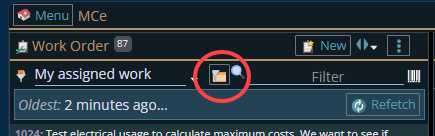
The system default sort order is "Oldest first" (because the keys start at 1 and go up as you add work orders), but you can change this to a different sort order.
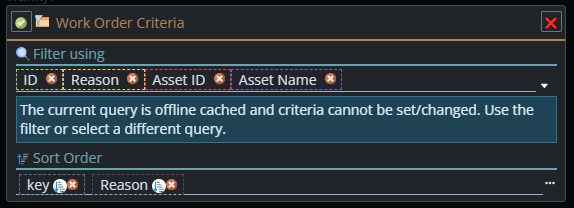
The most common one people change it to is 'Priority' then key (so priority, then oldest to newest). Again, you can change it however you want.
Let's look at sorting by WO Priority
You have to start by setting the WO priority. This can be done by various ways, the most common would be procedure or asset. Or as a manual step this can be done as an admin level function. The technician can't do it. This is the priority from the organization's perspective, not the technicians'.
Managers can set priority and then the technician sorts in priority order first.
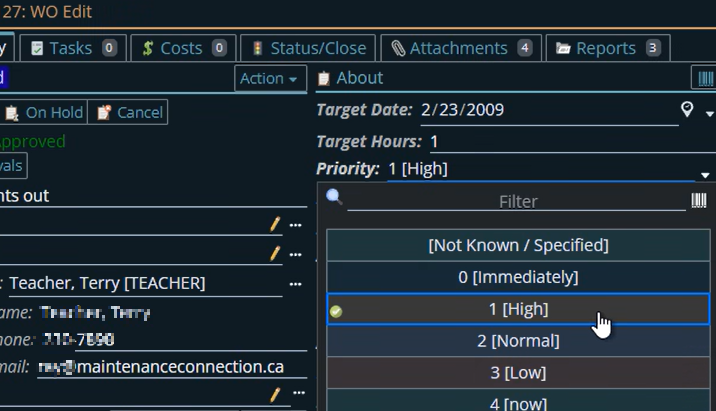
Now the technician can sort first in priority, then in other ways such as key or reason
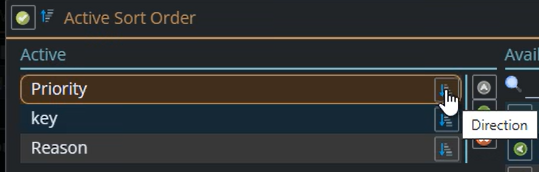
If your priorities are 0 the highest and 99 the lowest, you would pick ascending. If your priorities are 99 is the lowest and 0 is the highest (fairly common) you'd pick descending because 0 is the lowest numerically, therefore the first one you want.
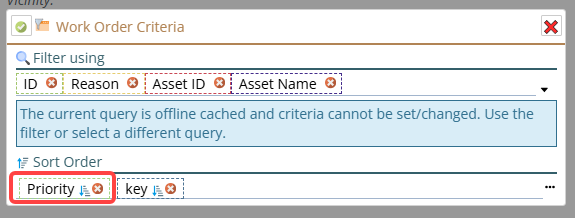
Ignore manager and sort based on technician's priority
Now, what if you want the technician to, hopefully in specialized situations, ignore their manager's priorities and sort in an order where they set the priorities
You would have to sort on a field that technicians can edit (there aren't many, you can look in the UI to see which ones they can edit)
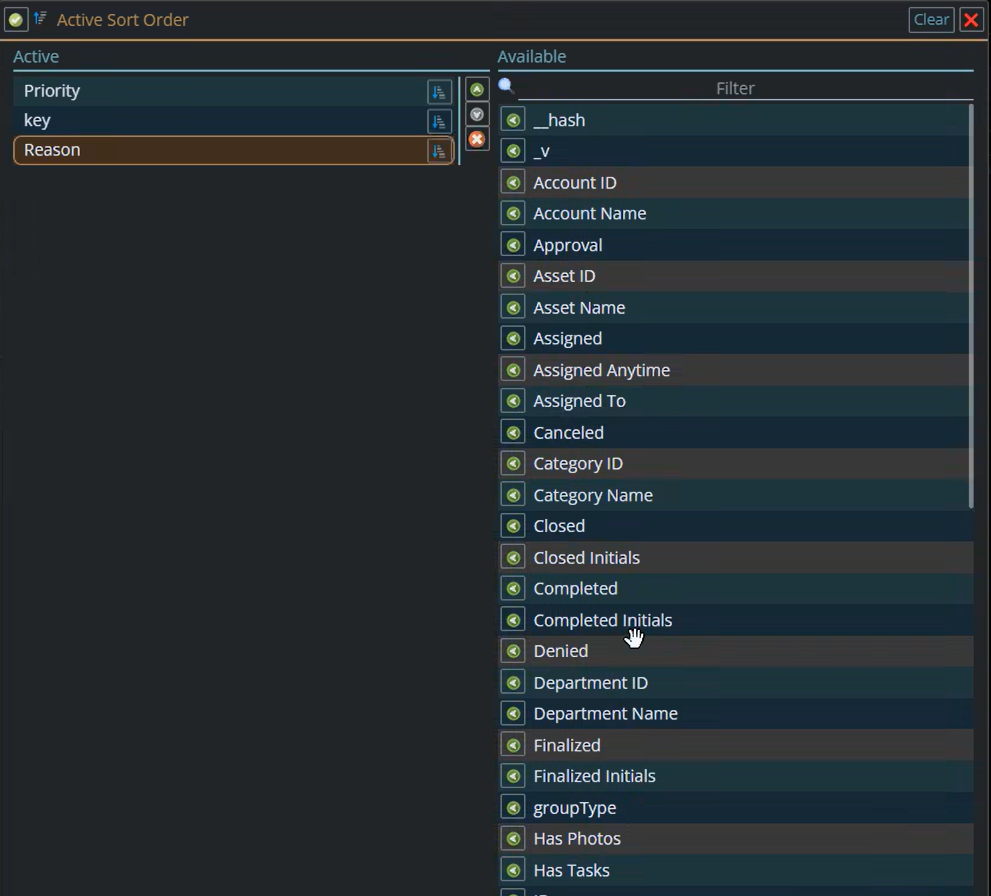
What you will find is that realistically, only the reason can be changed in a useful way for this.
So the technician could go and edit the Reason so that they can then sort based on Reason. They could put an _ in the front of the Reason and then sort on REASON first. OR they could use numbers 1-9 as the 1st to give a 'personal' priority.
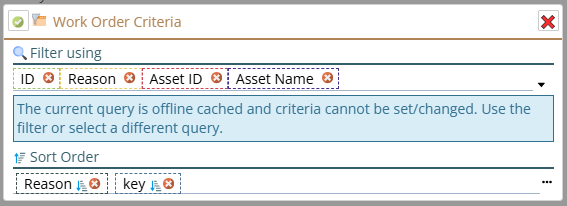
This says: Sort on the Reason, and then, if there are 2 with exactly the same reason, go oldest to newest.
Best of both worlds, organization priority then technician's
Then, if you want to make sure you are owning your manager's priorities and THEN yours, the best would be:
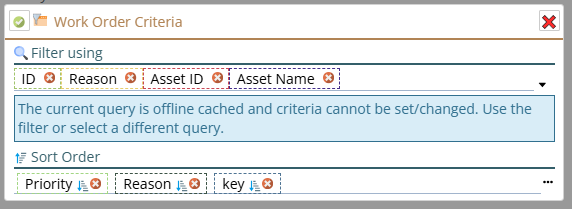
This says, sort first based on the organization set priority.
If the priority is the same for 2 or more, then sort based on reason, and you can use the '_" trick above to sort some to the top. Then if both are the same, sort by key - oldest to newest.
This way All of the organization priority 1's are first. But within them, the technician sorted ones show up first then the rest of the priority 1 ones. Then after all the priority 1 jobs, the technician marked ones for priority 2 will show up, then the rest of the priority 2 ones.
What if I want to exclude the less important ones?
There is a list of queries, you can change these, add new ones, put them in the technician's list. So you could put in a 'My Assigned priority 1' to filter the list to just the priority 1 assigned.
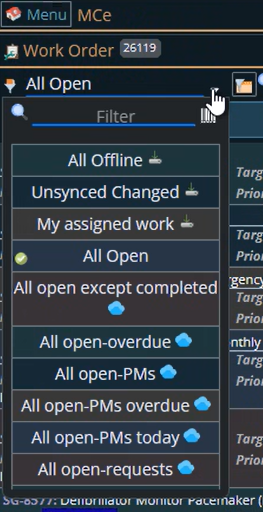
You can change this list (if you have Access Manager rights)
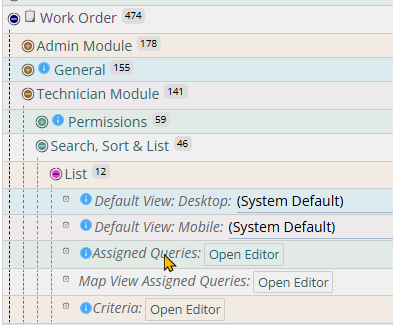
You could add a new query "My high priority' ones. This one would then NOT show ones that are high priority.