

 Maintenance Connection Everywhere (MCe) · EAM/CMMS manuals
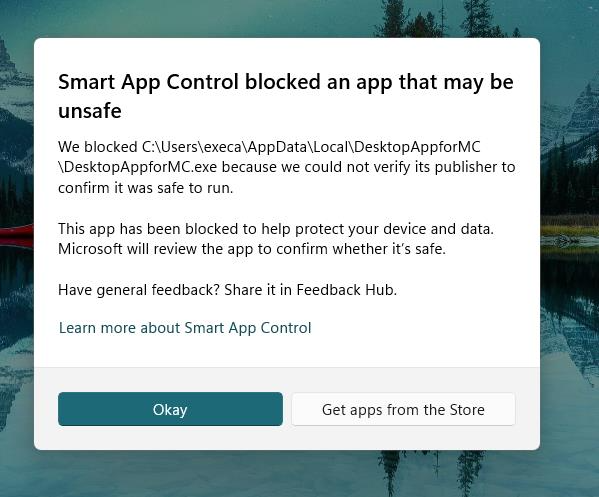
Microsoft has a feature knows as SAC - Smart App Control in Windows 11 that blocks software it thinks is unsafe. This does not appear to be affecting many people. Indeed at time of writing (July 28 2026) we only had one report from one user, and a few hours later it stopped blocking it for that user.
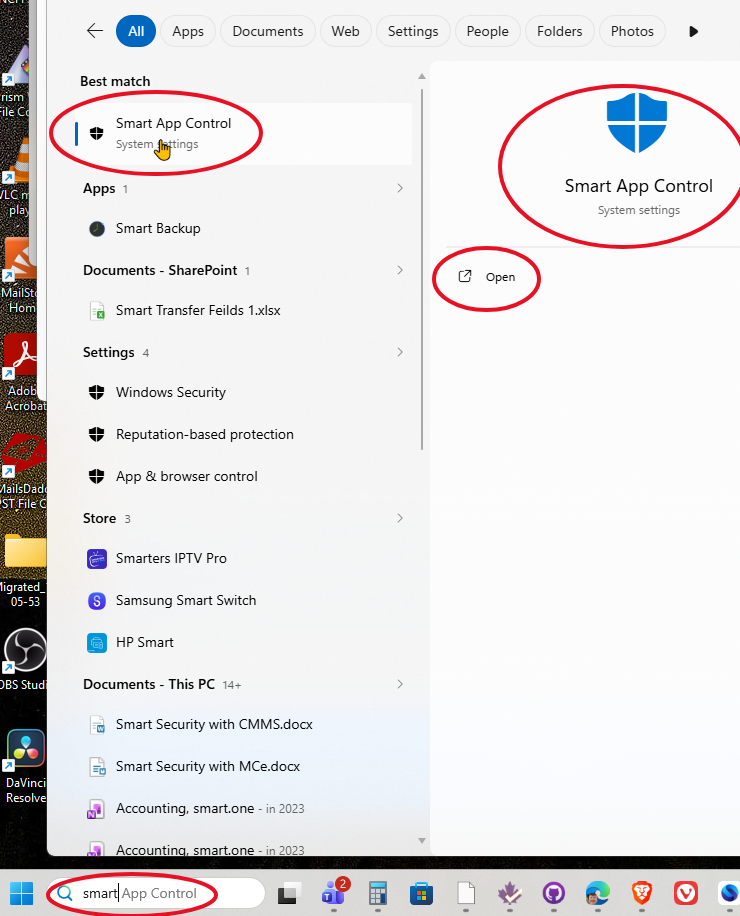
If this affects you, the only option we are are aware are to turn it off temporarily. You get there by typing 'smart app control' in the Windows search tool.
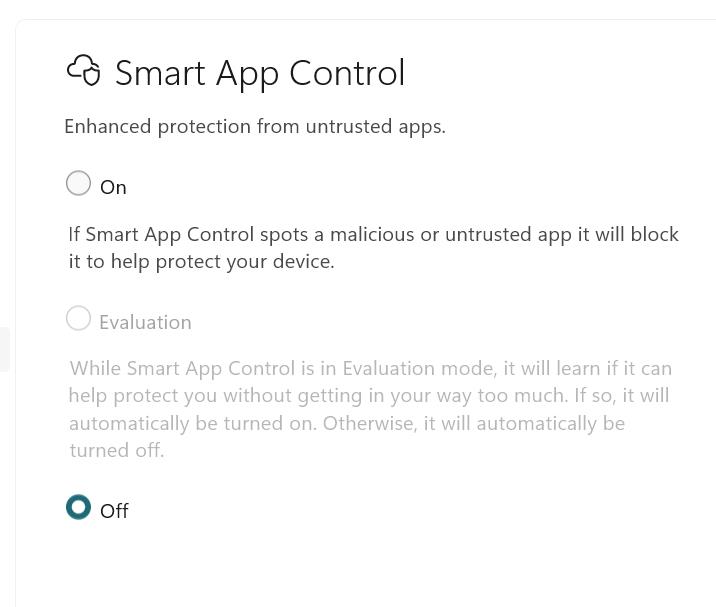
From there you can turn Smart App Control off.
More details:
Smart App Control (SAC) is a Windows 11 security feature that blocks untrusted, unsigned, or potentially dangerous applications from running to prevent malware and performance issues. It operates by leveraging Microsoft’s cloud-based app intelligence services and Windows code integrity to evaluate the trustworthiness of executables before they launch.
The feature functions in three modes: On (actively blocks untrusted apps), Evaluation (monitors usage for up to a month before deciding whether to enable or disable), and Off (disabled). Key operational details include:
- Availability: SAC is enabled by default only on clean installs of Windows 11 version 22H2 or later on devices meeting specific hardware requirements (e.g., Secure Boot). Systems upgraded from older Windows versions typically show it as "Off" to avoid compatibility issues.
- Blocking Logic: SAC allows apps that have a high reputation score in Microsoft’s cloud database or are signed by a trusted Certificate Authority. Apps that fail these checks are blocked by default, with no per-app override or "allow once" option currently available in the standard interface.
- Toggle Capability: Historically, disabling SAC was permanent, requiring a Windows reinstall to re-enable it. However, Windows 11 updates (starting with Insider builds in early 2026) have introduced a toggle, allowing administrators and users to turn SAC on or off without resetting the device.
- False Positives: SAC is known to block legitimate but uncommon, unsigned, or newly released software. In such cases, users must disable SAC entirely and periodically check back to see if Microsoft’s cloud intelligence now recognizes the application as safe.
- No fine grain: Unfortunately SAC is a hammer that is either on or off, there is no ability to have it be fine grained