
 Maintenance Connection Everywhere (MCe) · EAM/CMMS manuals
TL;DR
Debugging
Place Holders
Complex schedules
To show you didn't forget, but nothing needs to happen, in this case you may really want to include a comment explaining why nothing needs to happen
More details
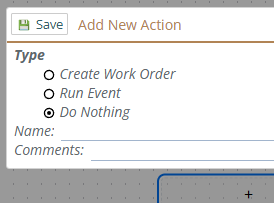
While the event is 'Do Nothing', and the event itself doesn't do anything, the system around it is aware of it and knows, and reports when 'Do Nothing' happens.
Debugging
It can be useful to show "I got here" so you know your trigger is working, or that some flow was followed correctly.
Place Holders
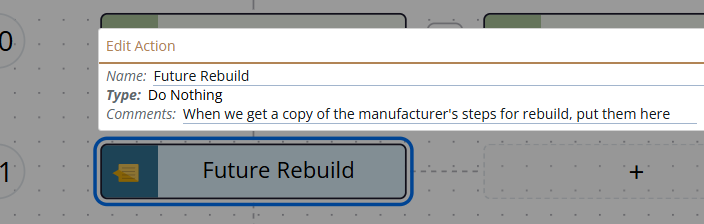
When you are designing your Event & Action, but you don't have all the details worked out - indeed, you might want to live test with only part working. Do Nothing is convenient for a placeholder for something you are going to figure out/implement later. You can use the name and comments to document what your intentions are.
Complex Schedules
Consider a situation where you have scheduled maintenance at the following hours of use:
Every 1000 hours do an oil change
Every 2000 hours do an air filter change
Every 2500 hours do a fuel filter change
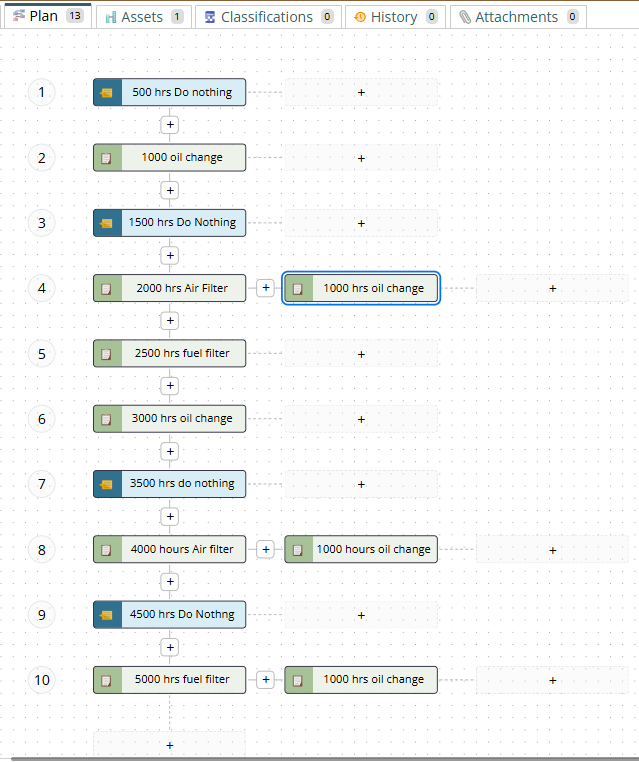
The 2500 hour one is the difficult one, because we can set up a schedule to do something every 1000 hours and change what is done at that time. But to get the 2500 hour one, we need to set up for every 500 hours, and at 500 and 1500 hours ... do nothing.
This is done using 3 procedures, which means that 2 work orders are needed at 2000, 4000 and 5000 hours.
- 1000 hr oil change
- 2000 hr Air Filter change
- 2500 hr fuel filter change
As a result we have 2 WOs created at 2000, 4000 and 5000 hours in the example below.
You might prefer instead to have these procedures, and then have only 1 work order at each action point:
- 1000 hr oil change
- 2000 hr oil and Air Filter change
- 2500 hr fuel filter
- 5000 hr fuel filter and oil change
- 10,000 hr fuel filter, air filter and oil change
To show you didn't forget, but nothing needs to happen
When you have a 'logical' point that you purposely want to document that you didn't forget about, but nothing needs to happen. =
So for example, if there is an error condition, that, if true, you don't care, you just want to terminate. The Do Nothing let's the history report that it got to that error condition, but that is all you care - it got there, no one needs to be notified, but the info is there that shows it got to that point
when you are checking on things.
Note:
There is a similar item in our Events and Actions module, it is conceptually very similar in it's use.