

 Maintenance Connection Everywhere (MCe) · EAM/CMMS manuals
The situation:
A shared iPad, Express keeps being logged into/stays logged into the same user with Entra etc..,
A solution:
When MC Express shortcut is opened, it can stay opening in Safari Private mode and it will work on a shared iPad environment.
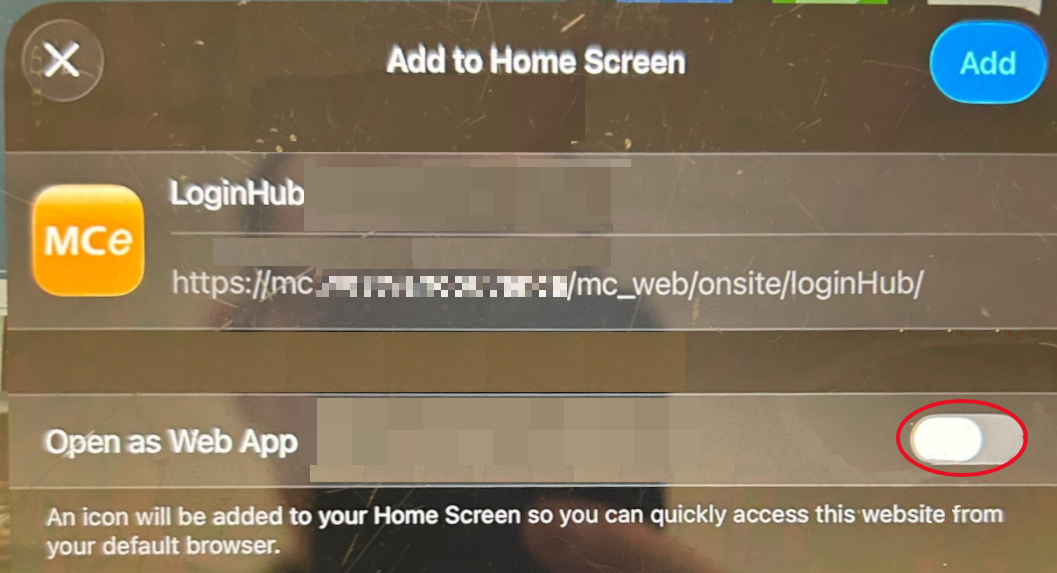
When adding the shortcut to the Home Screen on an iPad, the “Open as Web App” option needs to be turned off. When this is off/disabled, the shortcut opens in Safari and can remain in Private mode.
More information:
Entra at times gives you/pushes you (the user) to choose the option to 'remember me'. If someone clicks it - they are saying, I am the sole owner of this device. Even if you don't click that, Entra remembers quite awhile (we have seen it remember for days even without 'remember me' if you leave tabs open, the 'remember me' just makes it even longer.)
We have had customers with similar issues with AD, and we assume it can happen with any Identity Provider. With AD, a solution was to change AD settings to not be so aggressive at keeping the user logged on on shared devices. The above solution likely would work for AD as well, and Entra might have the same solution that AD users use.