Maintenance Connection Everywhere (MCe) · EAM/CMMS manuals
ASP page creating a report
How to locate the .ASP Page currently used in MC
TL;DR
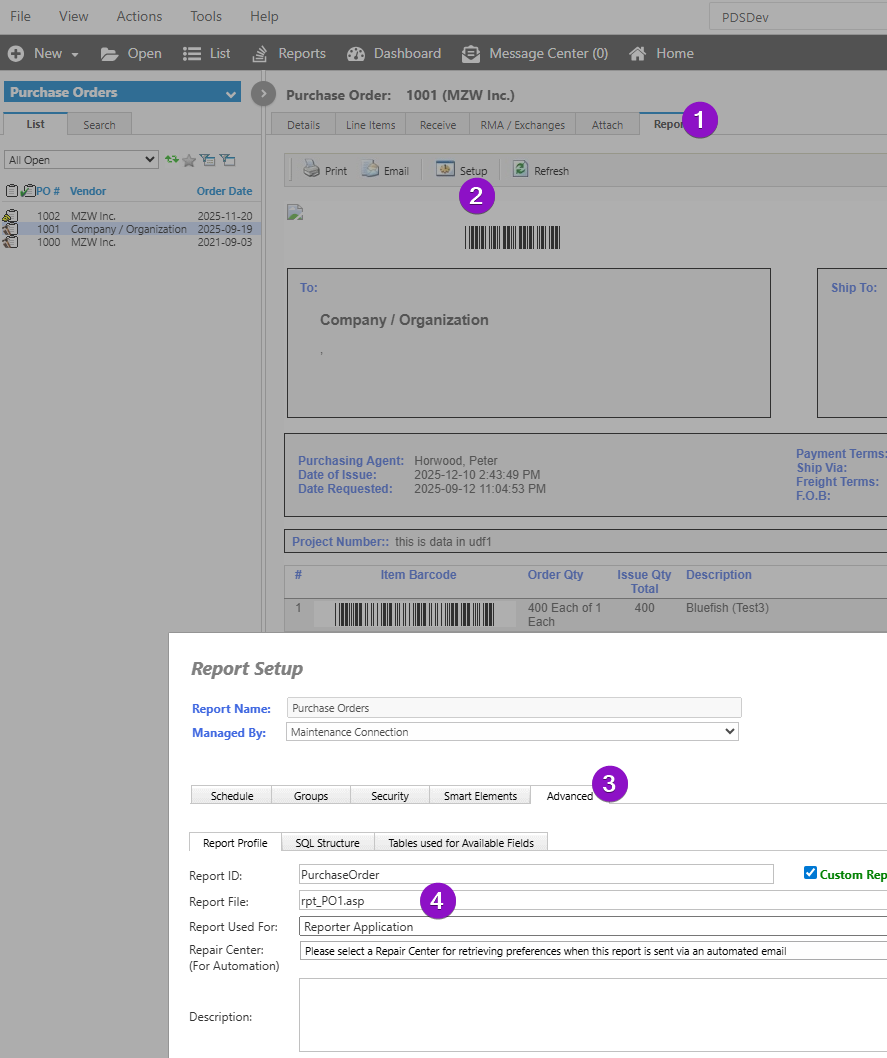
Go to PO > Reports > Setup > Advanced
Then read the Report file field
Details
To locate the Report file from the ASP Page
First, go to Purchase Orders in MC, select any PO associated with the issue, then move over to the Reports tab.
From the reports tab, select Set up a pop-up, which will display, and in the Advanced Tab, will show the "Report File" as an ASP file.