

 Maintenance Connection Everywhere (MCe) · EAM/CMMS manuals
Switching to see Work Orders you can assign to yourself
This guide assumes your company hasn't taken away your ability to Assign yourself to Work orders. It's a fairly common one for companies to restrict access to.
So for example, a common setup for a technician to have listed only the WO's that have already been assigned to you and are not completed. By switching the query you see WO's to assign to yourself and you have some choices to limit which ones you want to pick from.
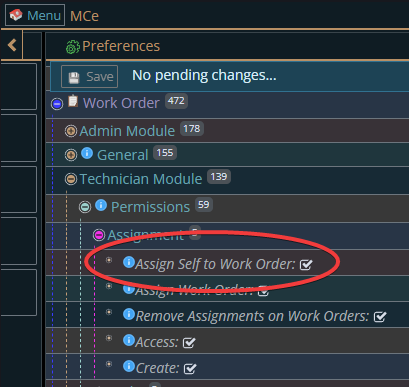
Setting whether someone can self assign
Your Administrators control it here:
Getting to Preferences
Getting to Access Manager
The Access manager requires that you have rights to the "Access Manager" license. YOU decide what permissions it needs, not us, that is discussed elsewhere.) The Access Manager is on the Configuration page
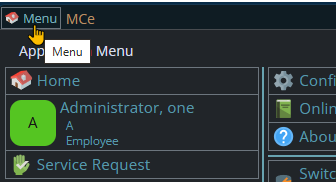
Start by clicking on the main menu button on the left panel, top left portion.
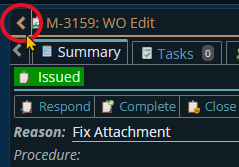
If the menu button isn't visible, you are likely on a screen too narrow to see everything, press on the left pointing gold button to take you so you can see the menu button.
Variation 1: What you have access to
Depending on the size of your screen, what products your company has purchased and what rights you have been granted, the choices in the menu will vary.
Variation 2: How wide your window is
The menu will show up as 1, 2 or 3 columns depending on how wide your screen is.
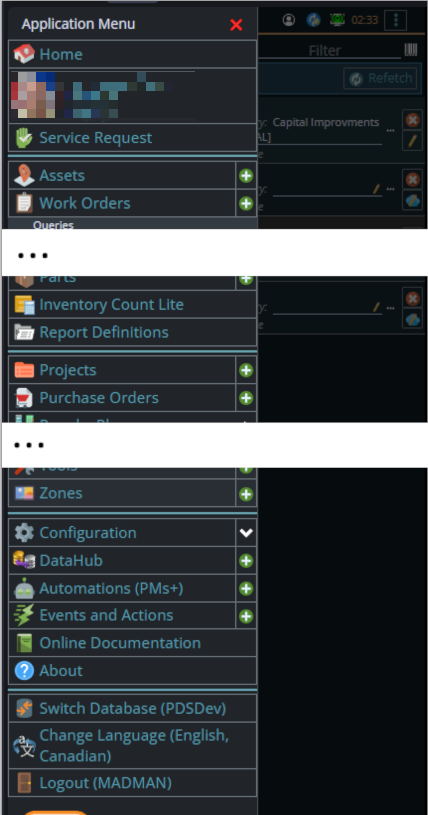
If you are on a cell phone, and some smaller tablets in portrait mode or a narrow window on a laptop or desktop, you'll see the menu as one column that you scroll through using your finger or the scroll wheel or the scroll bar depending on your device, browser and whether you have a touch screen or not.
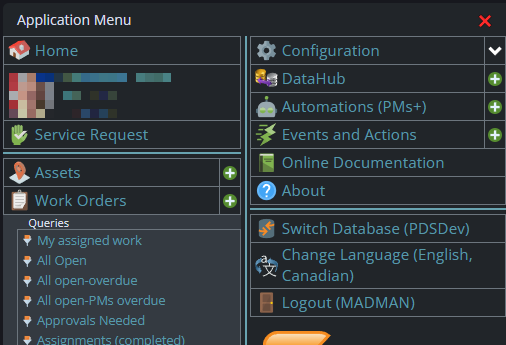
A bit wider, some cell phones in landscape, some tablets in portrait, most tablets in landscape and 'somewhat' wider laptop/desktop, will show it as 2 columns wide, with the middle column available on the left by scrolling down
And wider screens, some landscape tablets, and wider windows on a laptop or desktop show it as 3 columns. If you have all the dropdown sections expanded, it may still require vertical scrolling to see all the choices depending on the height of your device or window.
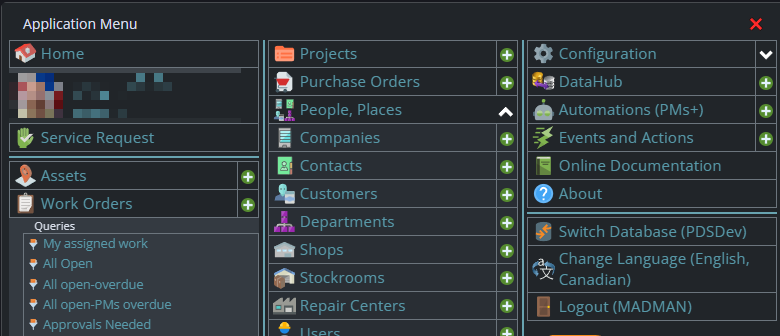
Once the menu is up, the exact location of the configuration button depends on how wide your window is and how many options you have access to. On most it will be at the top of the 2nd or 3rd column of the menu but on a cell phone or narrow window, it will be down partway in the first column.
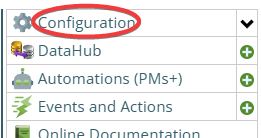
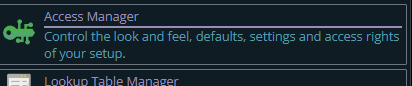
Then from there you choose the Access Manager, or what we call the funny green key
You can also click on the right hand V button in the main menu (if you don't already have it open), noting if you do it this way, you can directly pick the Access Manager tool that you want to go into.
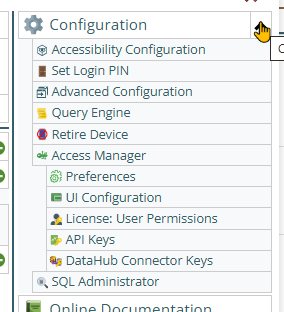
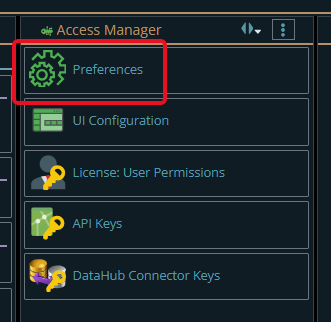
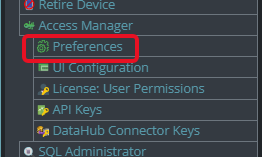
Now press the Preferences button
Finding WO's to assign to yourself
If you have been allowed this feature, here is how you assign work to yourself.
- A list of queries, you pick one1-
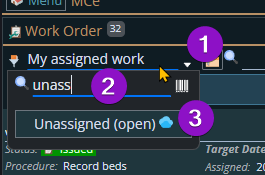
- A filter that will, based on the text of the WO's in the list, limit them to only show ones that contain that string.
- A set of criteria, click on the criteria button, you will be presented with a list of criteria to limit how many rows come to your device, things like Type, Asset, Target Date.
Assigning it to yourself and editing it
Once you select a WO, it goes back to normal, you only need an online connection to sync to the server. You probably want to stay online long enough for your assignment to yourself gets saved to the server so others don't think they should do it.
When you select a WO, you go in to the WO edit where you can decide whether this is a WO you want to assign to yourself.
Now you make other changes if you want.
Now the sync will happen in the background, your changes are saved (sync'd) to the server.
- If you made a change so that it 'belongs' on your device, it will now show up in the list of your offline WO's.
- If you made changes that do NOT cause it to be 'request offline'
- You should still see it in the WO (it should revert to 'auto-offline' now that the changes are saved)
Concepts behind which WO's to select from
Different companies have different ways to let technicians self assign. Based on how you set up the queries and UI, you can even control it to be different for several technicians or groups of technicians.
There are combinations of queries and criteria that will result in no rows. For example, if you have a query defined that is for a specify asset, and then you set the asset criteria for another asset then you will get no work orders because one query says 'only for this asset' and the criteria says 'only for that asset'.
This is pretty obvious, and most of the time, if you get no WO's back, it will be obvious why.
In general, most people will have 'a way' that they select WO's to self assign, we save the criteria to make this easier for you.
Remember you have to be online to start this
So this means you need an internet connection to self assign and to let others know you have taken it (assigned it to yourself). But once you have the WO, you can now work on it offline.
Trick: Remember that most cell phones can be used as a mobile hotspot, so if you use a laptop or tablet for your editing of WO's you can use your cell phone to get you temporary access, then turn the hot spot off once you have, and have sync'd if you want others to know, the WO assigned to yourself.
They can also remove queries that you would never want to use and/or ones that you should not have access to.
If your administrators are having trouble, we can write custom queries using our Professional services. If there are several similar ones you want written at the same time then the cost per goes down substantively.
Footnotes
-
1: Note that if you have a specific way you always want to choose from, an administrator in your company can create a custom query and make it your default using the query editor. Administrators have access to the query tool to do this. ↩