

 Maintenance Connection Everywhere (MCe) · EAM/CMMS manuals
The Desktop App for MC was 'rushed' to production in 2017 to get around a browser issue until Accruent to fix their code.
It was again 'rushed' to production in 2023 for a similar reason.
It was, third time, 'rushed' to production in 2026 to fix initially one (Chromium deprecation of unload event) then two (A 3rd party library fixed a bug that Accruent was relying on) and then a couple more minor reasons subsequently once we decided to make it a permanent feature.
As a result, the UI wasn't an example of the best quality we do. Over the months that followed we fixed up several UI irritants and even though we provide this tool at no charge to customers that get their SMA through us, we will continue is improve it over time.
The problem: Close all tabs, then close the App, then restart the app.
As of 3.1.12, the feature that we think is most disconcerting is the one where: Step 1: You close all tabs
Step 2: You then close the App
Step 3: You then (likely the next day) open the App
And after a few seconds it shows it has about 75% load and it is waiting
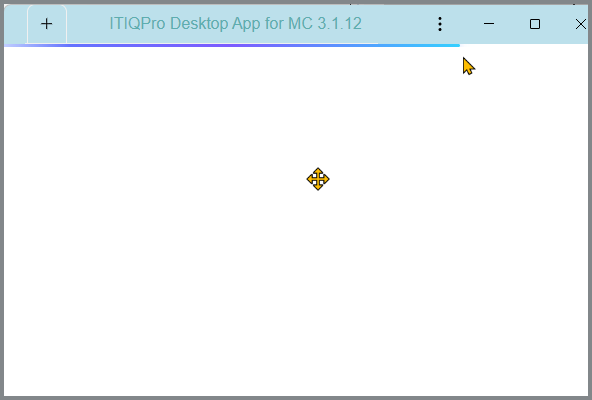
Is it hung? If not what is it waiting for?
It is waiting for you to open a tab.
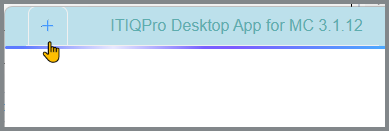
Next time, you don't need to close all the tab.
For a very small number of our customers you have 2 or 3, and one has over a dozen, and in our support and dev environment, some open many as well.
But for most customers, there is only one server you are connecting to.
The Desktop App for MC was designed to remember your status and return to it, position, screen, width, height ... and tabs, when you load again.
What you NEED to do is use the MC Logout before you close the tab or App
If you have concurrent licenses, then just like a browser, you need to LOGOUT before closing the tab or App, because closing the browser or Desktop App for MC tab or App itself will leave you holding your concurrent license until they timeout. Usually 10 or 20 minutes, but some customers set the timeout much longer.