Maintenance Connection Everywhere (MCe) · EAM/CMMS manuals
The Desktop App for MC was 'rushed' to production in 2017 to get around a browser issue until Accruent to fix their code.
It was again 'rushed' to production in 2023 for a similar reason.
It was, third time, 'rushed' to production in 2026 to fix initially one (Chromium deprecation of unload event) then two (A 3rd party library fixed a bug that Accruent was relying on) and then a couple more minor reasons subsequently once we decided to make it a permanent feature.
As a result, the UI wasn't an example of the best quality we do. Over the months that followed we fixed up several UI irritants and even though we provide this tool at no charge to customers that get their SMA through us, we will continue is improve it over time.
We have looked into 'fixing' this by intercepting, but have not yet got a good enough experience.
The problem: Closing a tab or closing the App doesn't log you out
Named licenses, you can ignore this issue
You can leave the tab open, makes it faster when you launch the app later.
But you don't have to Logout to stop holding on to a license that someone else can use ... because only you can use it.
Concurrent licenses you need to logout
You can leave the tab open, makes it faster when you launch the app later. But:
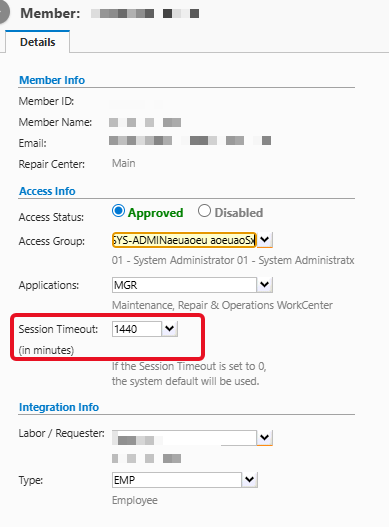
You need to LOGOUT before closing the tab or App, because closing the browser or Desktop App for MC tab or App itself will leave you holding your concurrent license until they timeout. Usually 10 or 20 minutes, but some customers set the timeout much longer. For example, the next screen shot shows a timeout of 24 hours, 1440 minutes. (0 means use the system default)
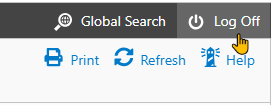
This is not specific to MC. Most browser applications that have concurrent licenses require that you logout before you close the tab or browser. Because when you close the tab or browser, no warning is given to the app in modern browsers for security reasons - they don't want a bad actor application to have the ability to do something in knowledge that you are 'going away'.
If you have concurrent licenses, then just like a browser, you have a lease on a concurrent license, so unless you were logged out by the app,
First:
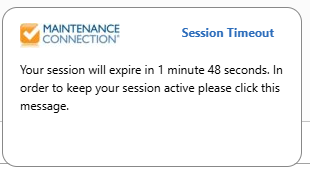
then, if you get the following you can close the app (or the tab if you really want to)
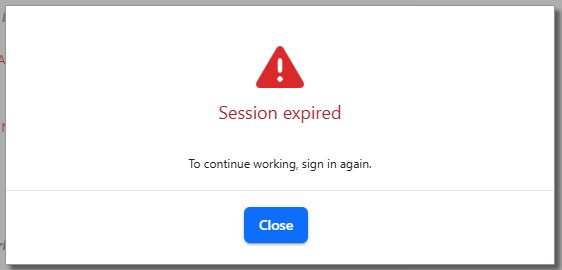
then on most modern versions you'll get a second notice, and again you can close the app (or the tab if you really want to)