

 Maintenance Connection Everywhere (MCe) · EAM/CMMS manuals
See also Why aren't my PMs running - Start here
And also Index to PMs not running
As you go through, take screen shots showing that the listed issue is not the problem. If you follow through each step, in more than 20 years there has not been a case that was not in the list below, if you need support, we will be asking you to show the steps you took.
If the PM is in MC PMs
Flowchart to check
---
config:
  theme: 'forest'
---
flowchart TD
    classDef Start fill:#FFA000,color:#FFF,stroke:#F00,stroke-width:2px;
    classDef External fill:#00921a,color:#FFF,stroke:#000,stroke-width:2px;
    classDef UserQ fill:#FFF176,color:#000,stroke:#FFEB3B,stroke-width:2px;
    classDef End fill:#7B1FA2,color:#E1BEE7,stroke:#00,stroke-width:2px;

    Start[Accruent MC PMs]:::Start                                       --> NotCreatedOrNotIssued{WO not Created or<br>just not issued?}
    NotCreatedOrNotIssued                                -- Not Created --> IsPMActive{Is the<br>PM active?}
    NotCreatedOrNotIssued                                -- Created but in a not Issued Status --> End10[Fix Status]:::End
    IsPMActive                                                        -- No --> End20[Fix Active]:::End
    IsPMActive                                                        -- Yes --> IsScheduleActive{Is the Schedule<br>active?}
    IsScheduleActive                                              -- Yes --> IsNextPMContingentOnPreviousWOStatus{Is next PM contingent on previous WO status}
    IsScheduleActive                                              -- No --> End30[Set Schedule to not disabled]:::End
    IsNextPMContingentOnPreviousWOStatus -- Yes --> End40[Get previous WO to required status or change required status]:::End
    IsNextPMContingentOnPreviousWOStatus -- No --> HasTheScheduleNotStarted{Has the schedule not started yet?}
    HasTheScheduleNotStarted                           -- No --> HasItAnEndDateBeforeToday{Has it got an end date that is before today?}
    HasTheScheduleNotStarted                           -- Yes --> End50[Wait or Fix]:::End
    HasItAnEndDateBeforeToday                        -- Yes --> End60[It's done, if not: Fix ]:::End
    HasItAnEndDateBeforeToday                        -- No --> DoesItEndAfterNumIterations{Does it end after some number of occurrences}
    DoesItEndAfterNumIterations                       -- No --> IsItOutOfSeason{Is it out of season?}
    DoesItEndAfterNumIterations                       -- Yes --> End70[It's done or change # of occurences]:::End
    IsItOutOfSeason                                               -- Yes --> End80[No problem]:::End
    IsItOutOfSeason                                               -- No --> DoesTheSeasonCrossYearEnd{Do you have a season over the year end}
    DoesTheSeasonCrossYearEnd                       -- No --> HasTheAssetBeenDisabled{Has the asset been disabled?}
    DoesTheSeasonCrossYearEnd                       -- Yes --> End90[Use MCe for this procedure]:::End
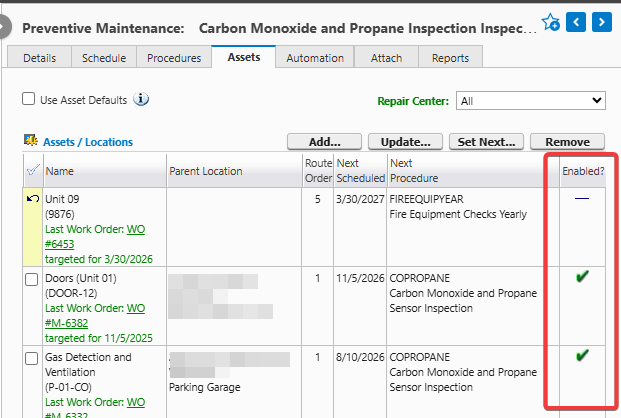
    HasTheAssetBeenDisabled                             -- Yes --> End100[If it should be PM'd still, enable it]:::End
    HasTheAssetBeenDisabled                             -- No --> HasTheAssetBeenAddedToThisPM{Has the asset been added to this PM?}
    HasTheAssetBeenAddedToThisPM               -- Yes --> DidYouCancelOutOfPreview{Did you cancel out of the preview?}
    HasTheAssetBeenAddedToThisPM               -- No --> End110[Add it, and maybe add it's classification]:::End
    DidYouCancelOutOfPreview                          -- Yes --> End120[Click Generate PMs Advanced button]:::End
    DidYouCancelOutOfPreview                          -- No --> DoYouHaveV2PMs{Do You Have V2 PMs}
    DoYouHaveV2PMs                                           --Yes --> SetThemToV1[Set Them To V1]:::End
    DoYouHaveV2PMs                                            -- No  --> End130[If it's itermittent failures, you may be best to switch to MCe Automations . Send email to support@  MaintenanceConnection .ca sending screen shots showing all the above are 'ok'. Note .ca not .com]:::External
Check and Fix Status
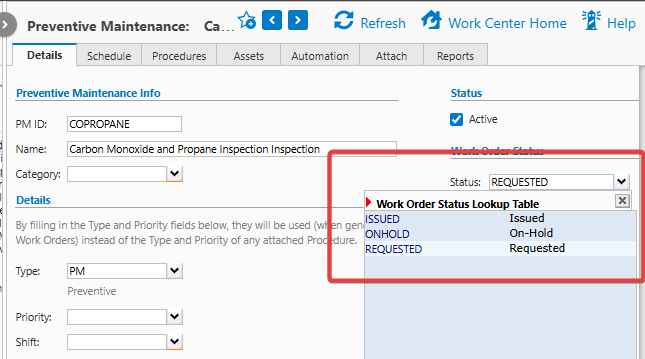
State is wrong, The Work order the PM generated isn't where you are looking because it is in Requested state for example, not issued. Look in the Requested or on hold work orders to find it.
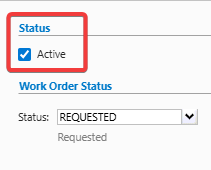
Check and Fix: Is the PM active
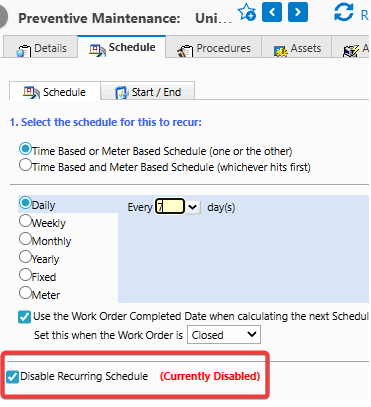
Check and Fix: Is Schedule active? Set to not disabled.
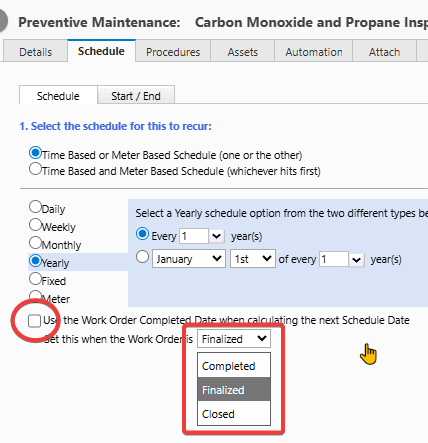
Check and Fix is the Schedule based on previous WO Status
If the PM only generates a new WO after the previous one is completed - it won't show up if the previous one hasn't yet been completed.
Check and Fix: Has the schedule not started yet?
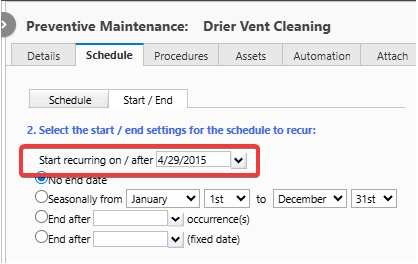
Check and Fix: Has it got an end date that is before today?
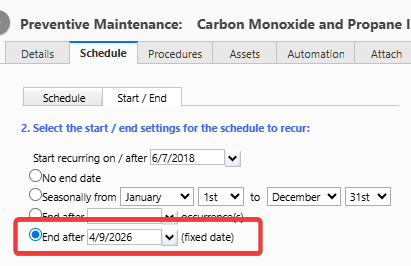
Check and Fix: Does it end after some number of occurrences
And has that number of Work Orders been created for the asset(s) in question.
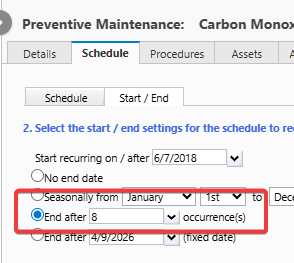
Check and Fix: Is it out of season?
It won't create Work Orders out of the season you specify.
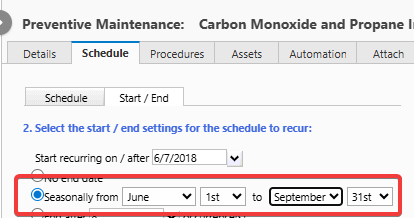
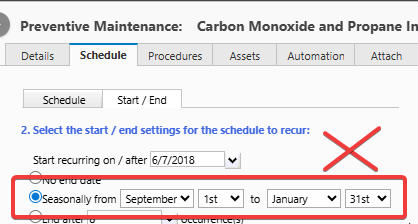
Check and Fix: Does the season go over a calendar year end?
Setting a season that goes over December 31st do NOT work in MC, use MCe for these instead.
Check and Fix: Has the asset(s) been disabled?
Check and Fix: Is the asset not being added to the schedule?
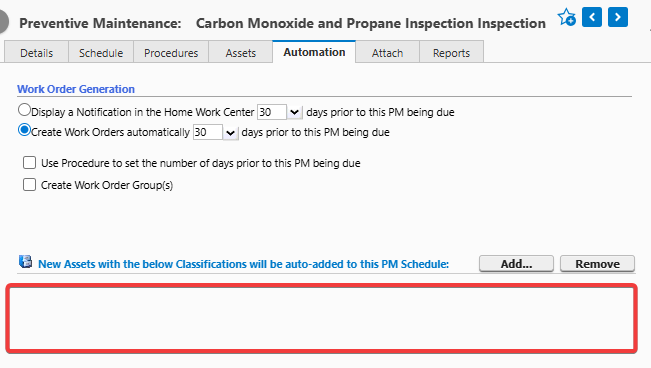
In the example below no** assets are being added automatically. Enter the classifications you want to add
Note: This only will happen for NEW assets, existing assets with those classification(s) will not be added.
If you have a lot of assets you want to add to a PM and the assets already exist, contact Professional Services to help you do it using a SQL statement or set of SQL statements if the cost of the Professional Services is less than the cost of doing them manually.
Check and Fix: Did you cancel out of the preview? Did the server reboot while PMs running? Something else cause PMs to fail?
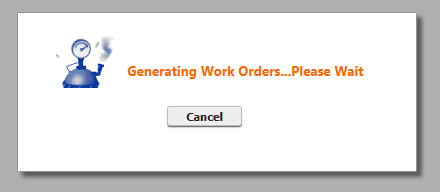
There are other issues that can cause the need to click the 'advanced' button below, but if you started in the middle (not the 'start here' and haven't tried the advanced button, now is the time.
If you cancel out of the preview, MC PMs get into a broken state where by no PMs for the entire database will run.
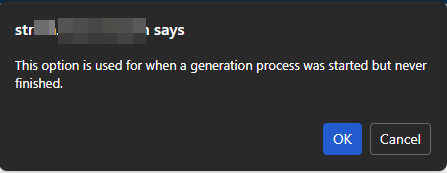
There is an 'advanced' button who's sole purpose is to clear the state to let PMs start running again.
Note "Let" does not mean it will immediately run scheduled PM generations 'right now', it means it will let them run again on the next regular scheduled run if everything else is good. The next scheduled for MC PMs is typically set by most customers to be 'tonight'.
If you want to catch up immediately (run missed PMs) instead of on your schedule you can 'manually' generate (same screen as the advanced button) for each of the repair centers.
Whether it was one that got stuck or many, pressing this button clears the error flag for all of them.
Assuming the cause of the problem is now solved, you won't have to press the advanced button again (until the next time you cancel or your server is rebooted during a PM generation run)
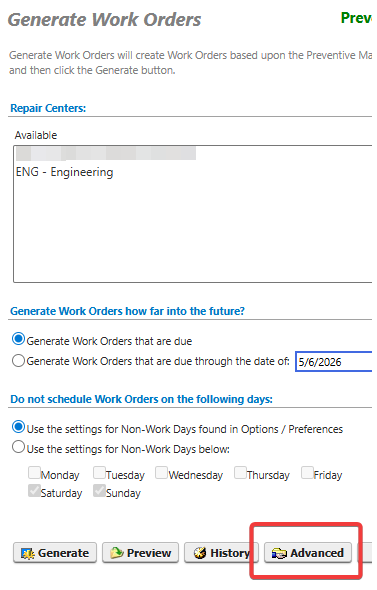
After you press the Advanced button, it will remind you what the purpose of the button was. Hit OK.
Are you running V2 PM generation?
To check, and instructions for fixing, see Accruent MC - PM type 2 (V2)
One last, reliability/intermittent failure
Accruent PMs run only once a day. So if something happens that causes them to not run, like a (sorry tech talk coming up) 'deadlock' or a restart of the server or service worker, you have to fix it by running it manually - best to check daily if there are critical ones. In this case, we recommend MCe which runs regularly and is designed for reliability. MC's PMs tell you nothing when they fail and give you a WO when they work. MCe's Automations fail for less often, but they tell you when they fail and tell you why, and tell you when they succeed and of course do their job (which is usually to create a WO or more) when they succeed.